
Introdución
Thank you for choosing the PROTEAR E6850 Bluetooth 5.4 Noise Canceling Safety Earmuffs. This manual provides essential information for the proper use, maintenance, and safety of your device. Please read it thoroughly before operation.
These earmuffs are designed to provide hearing protection in noisy environments while allowing for wireless audio streaming and hands-free communication.
Información importante de seguridade
- Always ensure the earmuffs are worn correctly to achieve the stated Noise Reduction Rating (NRR) of 25dB and Signal-to-Noise Ratio (SNR) of 30dB.
- Do not modify the earmuffs. Unauthorized modifications may compromise hearing protection and void the warranty.
- Clean the earmuffs regularly as described in the Maintenance section to ensure optimal performance and hygiene.
- The earmuffs are not water resistant. Avoid exposure to liquids.
- Use only the provided charging cable or a certified adapter for charging.
Contido do paquete
Verifica que todos os elementos estean presentes no paquete:
- PROTEAR E6850 Bluetooth Safety Earmuffs
- Cable de carga USB
- Manual de usuario

Image: PROTEAR E6850 Bluetooth Safety Earmuffs shown with included USB charging cable and user manual.
Produto rematadoview
The PROTEAR E6850 earmuffs feature a robust design for demanding environments, combined with advanced audio capabilities.
Características principais:
- Conectividade Bluetooth 5.4: For stable and efficient wireless audio.
- NRR 25dB / SNR 30dB: Certified hearing protection.
- Gel Ear Cushions: Enhanced comfort and improved noise isolation.
- Batería recargable: Capacidade de 1200 mAh para uso prolongado.
- Controis integrados: Large, easy-to-operate buttons for audio and calls.
- Carga USB-C: Interface de carga moderna e cómoda.
Compoñentes:
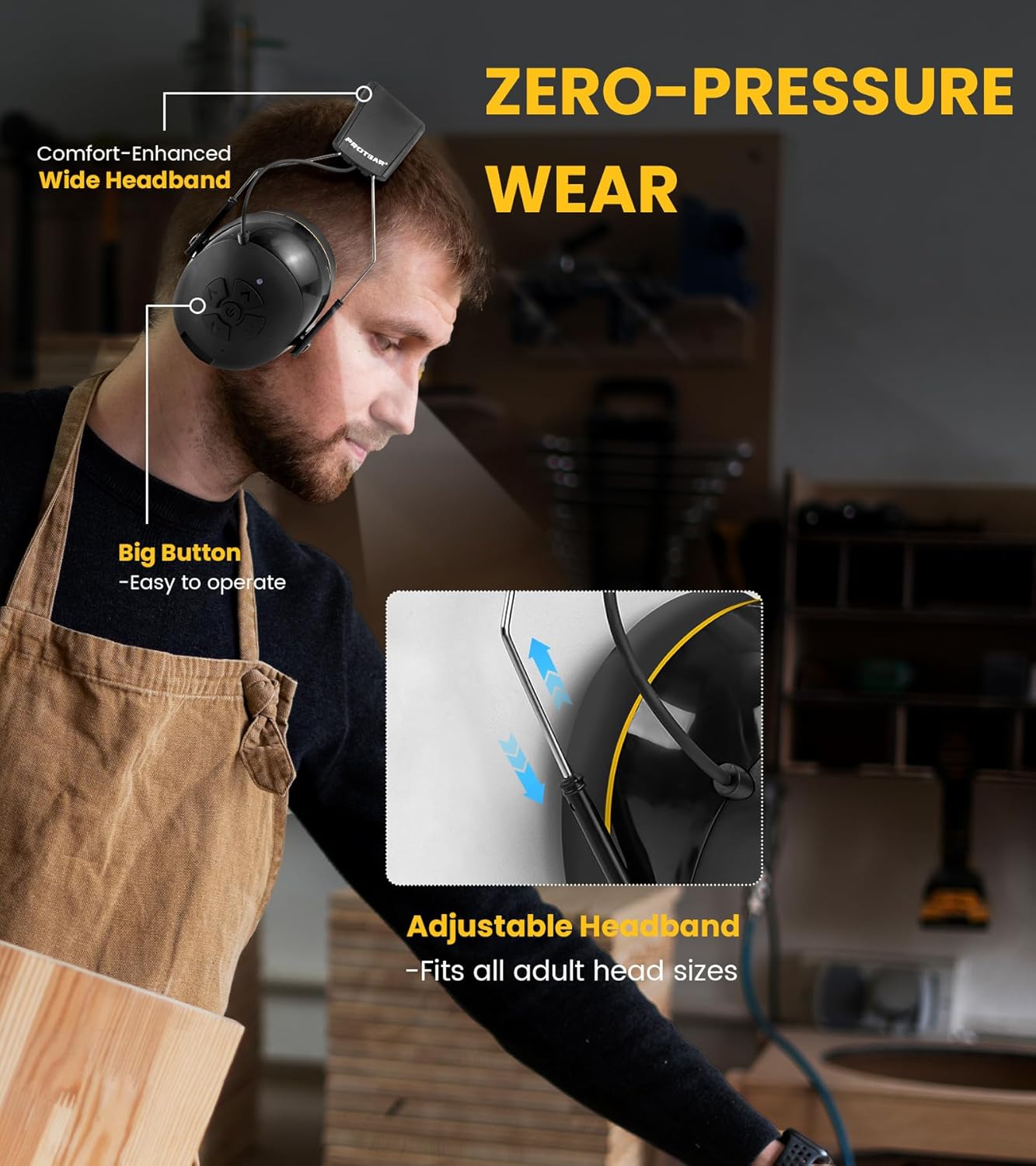
Image: A user wearing the PROTEAR E6850 earmuffs, highlighting the adjustable headband and large control buttons on the earcup.
- Diadema axustable: Para un axuste seguro e cómodo.
- Gel Ear Cushions: Soft, conforming ear pads for comfort and seal.
- Panel de control: Located on the right earcup, featuring power, volume, and track controls.
- Micrófono: Integrado para chamadas mans libres.
- Porto de carga USB-C: For battery recharging.
- Entrada AUX de 3.5 mm: Para conexión de audio con cable.
Demostración do produto:
Mira este vídeo para obter unha visión xeralview of the PROTEAR E6850 earmuffs, highlighting key features like Bluetooth 5.4 connectivity and the comfortable gel ear pads.
Video: A demonstration of the PROTEAR E6850 Bluetooth 5.4 Hearing Protection earmuffs, showcasing their design and gel earpads. (Duration: 0:50)
Configuración
1. Charging the Earmuffs
Before first use, fully charge the earmuffs. A full charge typically takes approximately 2 hours.
- Locate the USB-C charging port on the bottom of the right earcup.
- Conecta o cable de carga USB-C fornecido ao porto.
- Conecte o outro extremo do cable a unha fonte de alimentación USB (por exemplo, un ordenador, un adaptador de parede).
- O indicador LED mostrará o estado de carga (por exemplo, vermello para a carga, azul para a carga completa).

Imaxe: Primeiro plano view of the PROTEAR E6850 earmuff, highlighting the USB-C charging port for power input.
2. Emparellamento Bluetooth
- Ensure the earmuffs are powered off.
- Press and hold the Power button (center button on the right earcup) until the LED indicator flashes blue and red, indicating pairing mode.
- No teu dispositivo (teléfono intelixente, tableta, etc.), activa o Bluetooth e busca os dispositivos dispoñibles.
- Select "PROTEAR E6850" from the list.
- Unha vez conectado, o indicador LED parpadeará azul lentamente.

Image: An illustration depicting the dual connection modes of the PROTEAR E6850 earmuffs, including Bluetooth 5.4 wireless connection and a 3.5mm AUX wired mode.
3. Wearing the Earmuffs
- Adjust the headband to fit comfortably over your head. The headband is designed to fit all adult head sizes.
- Ensure the gel ear cushions fully cover your ears and create a tight seal around them. This is crucial for effective noise reduction.
- The soft gel ear cushions are designed for extended wear comfort.
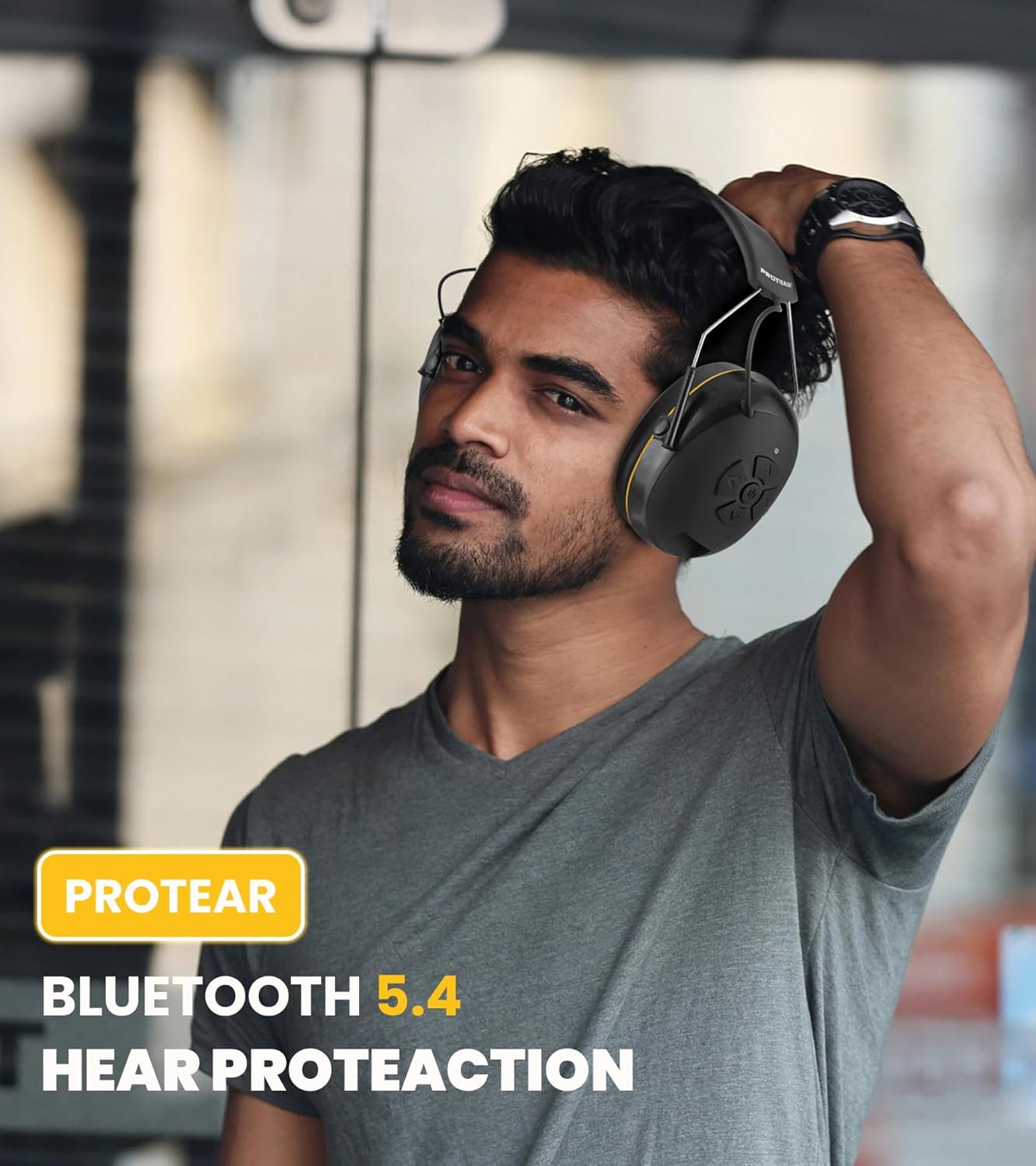
Image: A man wearing the PROTEAR E6850 earmuffs, demonstrating a proper fit for hearing protection in a work environment.
Instrucións de funcionamento
Máis controisview:
Imaxe: Unha detallada view of the control panel on the right earcup of the PROTEAR E6850, showing the power button, volume up/down, and track navigation buttons.
- Botón de acendido (centro): Manter premido para acender/apagar. Premer brevemente para reproducir/pausar música ou responder/finalizar chamadas.
- Volume Up (Top Arrow): Aumentar o volume.
- Volume Down (Bottom Arrow): Diminuír o volume.
- Next Track (Right Arrow): Ir á seguinte canción.
- Previous Track (Left Arrow): Vai á canción anterior.
Encendido/apagado:
- To power on, press and hold the Power button until the LED indicator lights up.
- To power off, press and hold the Power button until the LED indicator turns off.
Reprodución de música:
- Reproducir/Pausa: Prema brevemente o botón de acendido.
- Axuste de volume: Preme os botóns para subir ou baixar o volume.
- Navegación por pistas: Prema os botóns Pista seguinte ou Pista anterior.
Xestión de chamadas:
- Responder/Finalizar chamada: Prema brevemente o botón de acendido.
- Rexeitar a chamada: Manteña premido o botón de acendido durante 2 segundos.
- Volver a marcar o último número: Prema dúas veces o botón de acendido/apagado.
Modo cableado:
The earmuffs can also be used in wired mode with the included 3.5mm AUX cable. Simply connect the cable to the AUX input port on the earmuffs and your audio device. Bluetooth functionality will be disabled in wired mode.
Mantemento
Limpeza:
- Wipe the exterior of the earmuffs with a soft, damp pano. Non use produtos de limpeza ou disolventes abrasivos.
- The gel ear cushions have a durable TPU leather surface that is easy to wipe clean.
- Ensure no moisture enters the charging port or AUX input.

Imaxe: Primeiro plano view of the PROTEAR E6850 gel ear cushions, highlighting their soft texture and design for comfort and hygiene.
Almacenamento:
Store the earmuffs in a cool, dry place away from direct sunlight and extreme temperatures. The foldable design allows for compact storage.
Resolución de problemas
| Problema | Posible Solución |
|---|---|
| Earmuffs do not power on. | Asegúrate de que a batería estea cargada. Conéctaa a unha fonte de alimentación mediante o cable USB-C. |
| Non se pode emparellar por Bluetooth. | Ensure earmuffs are in pairing mode (flashing blue/red LED). Turn off and on Bluetooth on your device. Move closer to the earmuffs. |
| Sen son ou volume baixo. | Check volume levels on both earmuffs and connected device. Ensure earmuffs are properly paired or AUX cable is securely connected. |
| Mala calidade da chamada. | Ensure you are in a less noisy environment. Check device's microphone settings. |
Especificacións
| Característica | Detalle |
|---|---|
| Modelo | E6850 |
| Marca | PROTEIR |
| Versión Bluetooth | 5.4 |
| Clasificación de redución de ruído (NRR) | 25 dB |
| Relación sinal-ruído (SNR) | 30 dB |
| Capacidade da batería | 1200 mAh |
| Porto de carga | USB-C |
| Conectividade | Sen fíos (Bluetooth), con cable (AUX de 3.5 mm) |
| Material da almofada para a orella | Gel (80% gel, 20% memory foam) with TPU leather surface |
| Peso | 1.1 libras (aprox. 0.5 kg) |
| Certificacións | ANSI S3.19, CE EN352-1 |
Garantía e Soporte
PROTEAR products are manufactured to high-quality standards. For warranty information, technical support, or customer service inquiries, please refer to the contact details provided in your product packaging or visit the official PROTEAR websitio.
Información de contacto:
- Correo electrónico: protear@outlook.com
- Manufacturer: Joytoon Technologies Inc.