
Introdución
This manual provides detailed instructions for the safe and efficient use of your Cecotec Conga X50 Robot Vacuum and Mop. Please read this manual thoroughly before operating the device and retain it for future reference.
The Cecotec Conga X50 is an advanced robotic cleaning system designed to vacuum and mop various floor types. It features laser navigation for precise mapping, powerful suction, rotating mops for effective scrubbing, and a 4-in-1 self-emptying base for autonomous maintenance.
Contido do paquete
Verifica que todos os compoñentes estean presentes no paquete:
- Conga X50 Robot Vacuum and Mop
- Self-Emptying Base with 2 tanks (clean water and dirty water)
- Dust Bag (pre-installed or spare)
- Cepillo lateral
- 2 Rotating Mops
- Cable de alimentación
- Cepillo de limpeza
- Manual de usuario (este documento)

Image: The Cecotec Conga X50 robot vacuum and mop, its self-emptying base, and included accessories such as dust bags, side brush, and rotating mops.
Configuración
1. Desembalaxe e colocación
- Retire coidadosamente todos os compoñentes da embalaxe.
- Choose a suitable location for the self-emptying base. Ensure it is against a wall, with at least 1 meter (3 feet) of clear space on either side and 1.5 meters (5 feet) in front, free from obstacles.
- Connect the power cable to the base and plug it into a power outlet.
- Place the robot onto the charging contacts of the base to charge fully before first use.

Image: The self-emptying base connected to power, with the robot docked for charging. This illustrates the recommended placement for optimal operation.
2. Initial Robot Preparation
- Install the side brush by pressing it into its designated slot on the underside of the robot.
- Attach the rotating mops to the mop holders on the robot's underside. Ensure they are securely fastened.

Image: The underside of the Conga X50 robot, highlighting the main brush, side brush, and the two rotating mops in position.
3. App Connection (Bluetooth & WiFi)
- Download the "Cecotec Conga" app from your smartphone's app store.
- Crea unha conta ou inicia sesión.
- Follow the in-app instructions to add your Conga X50 robot. This typically involves enabling Bluetooth on your phone and connecting the robot to your home's 2.4 GHz WiFi network.

Image: A smartphone screen displaying the Cecotec Conga app interface, showing the robot's status and mapping features, indicating successful app connection.
Instrucións de funcionamento
1. First Use and Mapping
For the first cleaning cycle, allow the robot to complete a full cleaning run without interruption. This enables the laser navigation system to create an accurate map of your home.

Image: The Conga X50 robot using its laser navigation to map a room, showing a dog and a soccer ball as potential obstacles it detects.
2. Modos de limpeza
O robot ofrece varios modos de limpeza accesibles a través da aplicación:
- Modo automático: O robot limpa de forma intelixente toda a área mapeada.
- Limpeza de manchas: Indica ao robot que limpe unha pequena área específica de forma intensiva.
- Limpeza de zonas: Permite definir zonas específicas no mapa para que o robot as limpe.
- Áreas restrinxidas: Set virtual walls or no-go zones on the map to prevent the robot from entering certain areas.
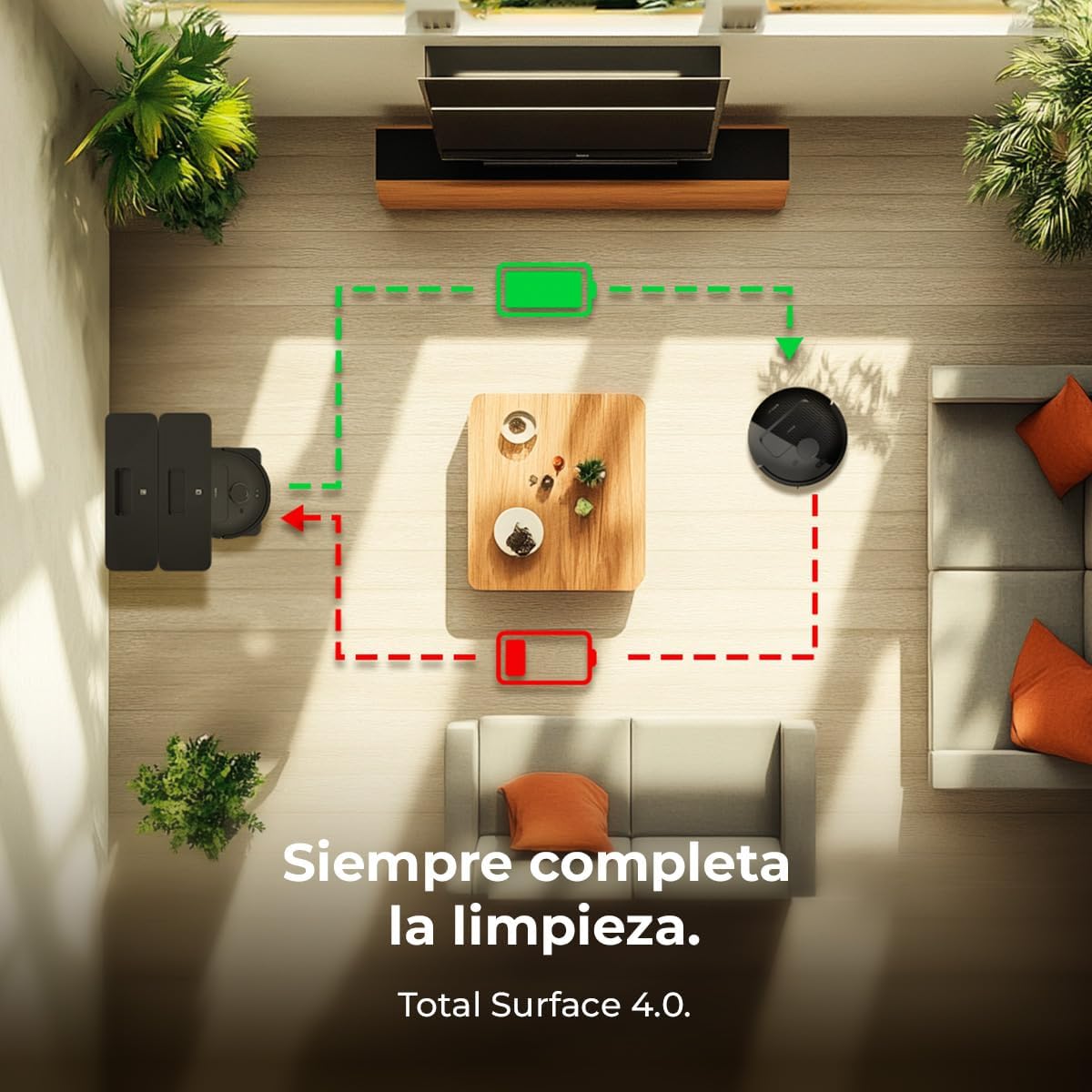
Image: A smartphone displaying the Conga app with a detailed floor plan, illustrating how users can plan and schedule cleaning routes for the robot.
3. Suction and Mopping
- The robot features 15000 Pa suction power for effective vacuuming.
- The rotating mops provide thorough scrubbing for hard floors.
- Detección de alfombras: The robot automatically detects carpets and increases suction power while lifting the mops to prevent wetting the carpet.

Image: Close-up of the Conga X50's underside, showing the two rotating mops actively scrubbing the floor, with arrows indicating their rotational movement.

Image: The Conga X50 robot approaching a carpet, with an upward arrow indicating its mops are being lifted to avoid wetting the carpet while vacuuming.
Mantemento
1. Self-Emptying Base Maintenance
- Bolsa de po: The base automatically empties the robot's dustbin into a disposable dust bag. Replace the dust bag when full.
- Depósito de auga limpa: Refill the clean water tank (4 L capacity) with fresh water as needed.
- Depósito de auga sucia: Empty and clean the dirty water tank (3.5 L capacity) regularly to prevent odors and germ buildup.
- The base also dries the mops to prevent odors.
Image: The self-emptying base of the Conga X50, showing the transparent clean water tank filled with blue water and the dirty water tank, indicating its autonomous maintenance capabilities.
2. Limpeza de compoñentes do robot
- Cepillo principal: Regularly remove hair and debris from the main brush using the provided cleaning tool.
- Cepillo lateral: Check for tangled hair or debris and clean as necessary. Replace if worn.
- Rotating Mops: Remove and wash the mops after each mopping cycle. Allow them to air dry completely before reattaching.
- Sensores: Wipe the robot's sensors (laser, cliff, and anti-collision) with a dry, soft cloth to ensure optimal navigation.
- Filtro HEPA: Tap out dust from the HEPA filter periodically. Replace the filter every 3-6 months, depending on usage.

Image: Close-up of the Conga X50's main brush, showing debris being collected, emphasizing the importance of regular cleaning for optimal performance.
Resolución de problemas
| Problema | Causa posible | Solución |
|---|---|---|
| O robot non se acende. | Batería baixa ou non cargada correctamente. | Ensure the robot is correctly docked on the charging base and fully charged. Check power connection to the base. |
| O robot quédase atascado con frecuencia. | Obstacles, tangled cables, or dirty sensors. | Clear the cleaning area of cables and small objects. Clean all sensors on the robot. |
| Mal rendemento de limpeza. | Full dustbin, dirty brushes/mops, or clogged filter. | Empty the dust bag in the base. Clean the main brush, side brush, and mops. Clean or replace the HEPA filter. |
| A función de fregar non funciona. | Empty clean water tank, dirty mops, or pump issue. | Refill the clean water tank. Clean the rotating mops. If the issue persists, contact customer support. |
| Problemas de conexión coa aplicación. | Incorrect WiFi password, 5GHz network, or Bluetooth off. | Ensure your phone's Bluetooth is on. Verify you are connecting to a 2.4 GHz WiFi network. Re-enter WiFi password. Restart robot and router. |
Especificacións
| Característica | Detalle |
|---|---|
| Marca | Cecotec |
| Nome do modelo | Conga X50 |
| Número de modelo | A01_EU01_114480 |
| Potencia de succión | 15000 Pa |
| Tecnoloxía de navegación | Láser |
| Sistema de fregado | Rotating Mops |
| Self-Emptying Base Capacity (Dust) | 2.5 L |
| Self-Emptying Base Capacity (Clean Water) | 4 L |
| Self-Emptying Base Capacity (Dirty Water) | 3.5 L |
| Battery Runtime (ECO mode) | Ata 240 minutos (4 horas) |
| Cleaning Area Coverage | Ata 240 m² |
| Conectividade | Bluetooth, WiFi (2.4 GHz) |
| Tipo de filtro | HEPA |
| Voltage | 220 voltios |
| Peso do produto | 3 kg |
| Cor | Negro |
Garantía e Soporte
For warranty information, please refer to the warranty card included with your product or visit the official Cecotec websitio. Para obter asistencia técnica, axuda para a resolución de problemas ou para solicitar pezas de reposto, póñase en contacto co servizo de atención ao cliente de Cecotec a través dos seus canais oficiais.
Podes atopar máis información e datos de contacto en Cecotec Official Store on Amazon.