
1. Introdución
This manual provides comprehensive instructions for the installation, operation, and maintenance of your Rimoody 6G+128G 8 Core Wireless Carplay Android Car Radio. Please read this manual thoroughly before using the product to ensure proper function and safety. Keep this manual for future reference.
2. Información de seguridade
- Ensure the vehicle's engine is off and the parking brake is engaged before installation.
- Desconecte a batería do vehículo para evitar curtocircuítos durante a instalación.
- Consult a professional for installation if you are unsure about any wiring procedures.
- Non manexes o dispositivo dun xeito que te distraia da condución. Prioriza sempre a seguridade viaria.
- Evite expoñer a unidade a temperaturas extremas, á luz solar directa durante períodos prolongados ou a humidade excesiva.
3. Contido do paquete
Verifique que todos os elementos que se indican a continuación estean incluídos no seu paquete:

Image: Product Size & Packing List. This image displays the main car radio unit along with all included accessories: Power Cable, WiFi Antenna, 4G Module, GPS Antenna, Mounting Bracket, Microphone, User Manual, and Camera. It also shows the dimensions of the unit.
- Main Head Unit (Car Radio)
- Cable de alimentación
- Antena Wi-Fi
- MIC (micrófono)
- Radio Antena
- Módulo 4G
- Antena GPS
- Soporte de montaxe
- Manual de usuario
- Traseira View Cámara
4. Configuración e instalación
4.1 Instalación física
The unit is designed for a 1 DIN slot. Ensure your vehicle has a compatible slot. The 7-inch touchscreen is manually extendable and adjustable for optimal viewing.

Image: Installation Comparison & Adjustable Screen. This image illustrates the visual difference in a car dashboard before and after the installation of the car radio. It also demonstrates the manual extendable screen mechanism and its 95-degree rotation capability.
4.2 Diagrama de cableado
Refer to the detailed wiring diagram provided in the 'Product Size & Packing List' image for correct connections. Ensure all cables are securely connected to their respective ports.
- Cable de alimentación: Connect to the vehicle's power supply (ACC, B+, GND).
- Saídas de altofalantes: Connect to your vehicle's speakers (Front Left, Front Right, Rear Left, Rear Right).
- Entrada/Saída de vídeo: For external displays or camera input.
- Portos USB: For data transfer, charging, or connecting USB devices.
- Antena GPS: Montar nun lugar con clara view do ceo para unha recepción óptima do sinal.
- Antena Wi-Fi: Connect for wireless internet access.
- Módulo 4G: Connect for 4G network connectivity (requires SIM card).
- MIC: Conecta o micrófono externo para facer chamadas mans libres e comandos de voz.
- Entrada da cámara traseira: Connect the included rear view cámara para a asistencia ao estacionamento.
4.3 4G Module and WiFi Antenna Installation
The 4G module and WiFi antenna are essential for network connectivity. Connect them as shown in the diagram.
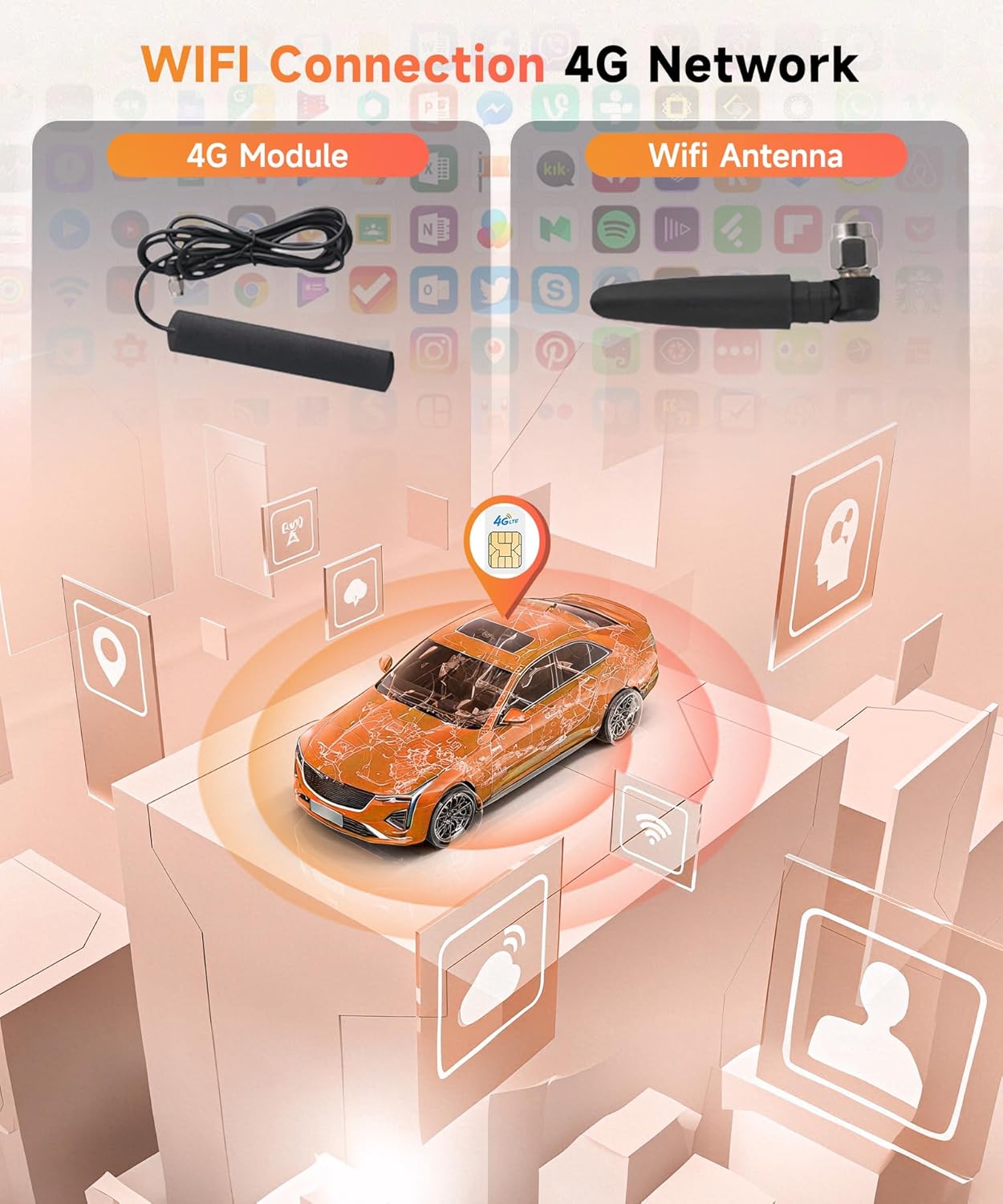
Image: WIFI Connection 4G Network. This image displays the 4G module and WiFi antenna, illustrating their role in providing network connectivity to the car radio.
5. Instrucións de funcionamento
5.1 Acendido/apagado e controis básicos
Press the power button to turn the unit on or off. Use the volume knob to adjust audio levels. The touchscreen provides intuitive control over all functions.
5.2 Axuste da pantalla
The screen can be manually extended and rotated up to 95 degrees to achieve the best viewing angle. Gently pull or push the screen to extend/retract, and adjust its tilt as needed.
5.3 Mandos do volante
The unit supports steering wheel controls. Follow the on-screen instructions to program your vehicle's steering wheel buttons for functions like volume, track change, and mode selection.

Image: Rear Camera & Steering Wheel Controls. This image displays the included rear view camera and a visual guide for configuring steering wheel controls, showing various button functions.
5.4 Wireless Carplay & Android Auto / Mirror Link
Connect your smartphone wirelessly via Bluetooth/USB for Apple Carplay or Android Auto. This allows access to navigation, music, calls, and messages directly from the car radio display. Mirror Link functionality is also available for screen mirroring.

Image: Wireless/Wired Carplay & Android Auto & Mirror Link. This image demonstrates the Carplay interface on the car radio screen, an Android Auto display on a smartphone, and the various connection methods for these features, including Bluetooth, USB, and WiFi.
5.5 GPS Navigation & WiFi
Utilize the built-in GPS for navigation. Connect to WiFi via the antenna for online services, app downloads, and real-time traffic updates.

Image: GPS Navigation & WIFI. This image illustrates the GPS navigation feature on the car radio's screen, showing a map with route information. It also highlights the unit's capability for high-speed internet access and app usage.
5.6 Bluetooth & FM/RDS Radio & DSP EQ
Pair your phone via Bluetooth for hands-free calls and audio streaming. Tune into FM/RDS radio stations. Adjust audio settings using the Digital Sound Processor (DSP) Equalizer for a customized sound experience.

Image: Bluetooth & FM/RDS Radio & DSP EQ. This image displays the radio interface showing AM/FM/RDS frequencies, the DSP Equalizer settings for audio customization, and a smartphone connected via Bluetooth for calls and music.
5.7 Entrada de cámara traseira
When the vehicle is in reverse gear, the display automatically switches to the rear camera view, providing assistance for parking and maneuvering.
5.8 Personalización da retroiluminación
The unit features 7 colorful backlight options for the physical buttons. Navigate to the settings menu to choose your preferred color to match your vehicle's interior or personal preference.
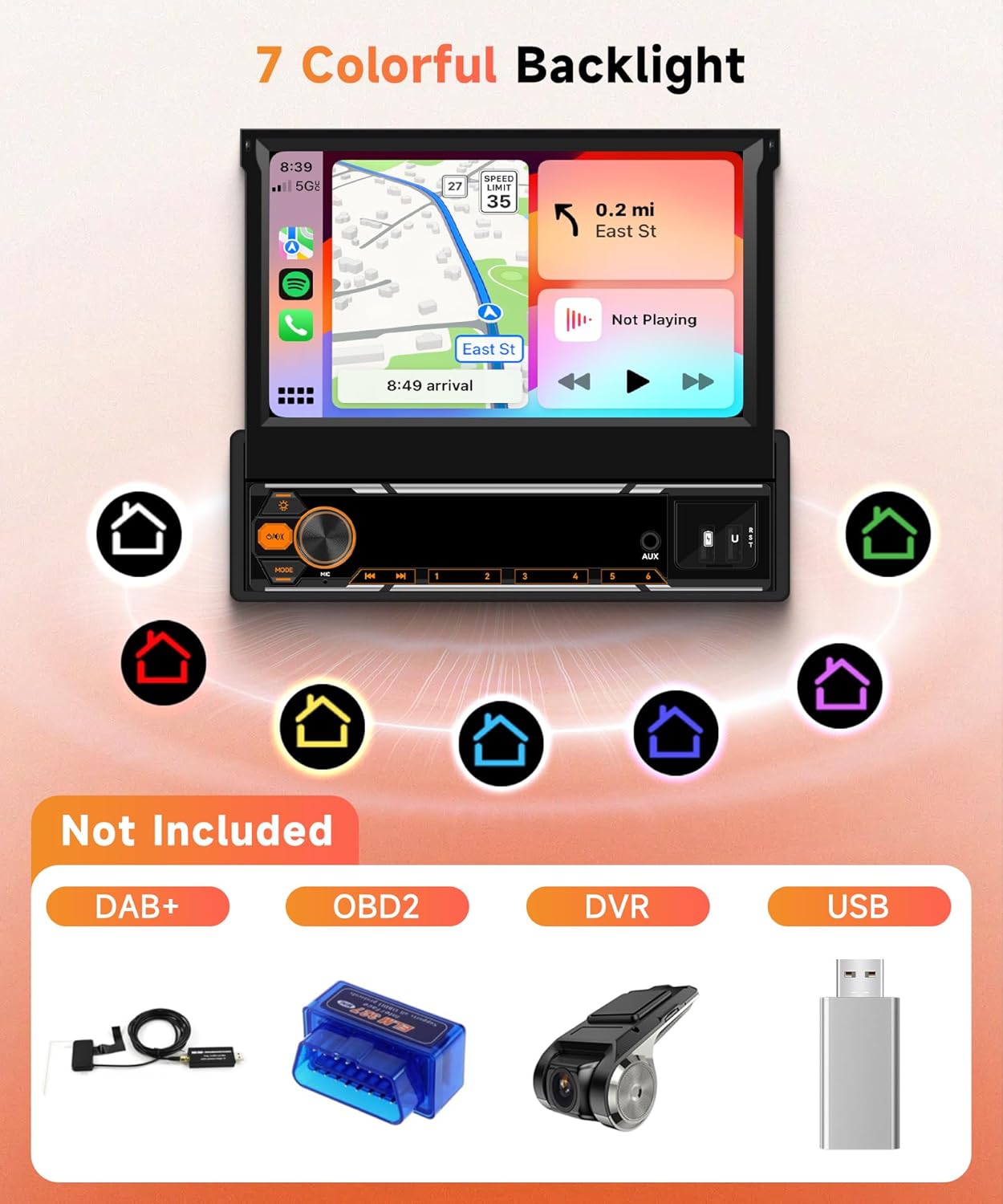
Image: 7 Colorful Backlight & Not Included. This image highlights the customizable 7-color backlight feature for the unit's buttons. It also lists optional accessories that are not included with the product: DAB+, OBD2, DVR, and a generic USB drive.
6. Mantemento
- Limpa a pantalla e o exterior da unidade cun pano suave e seco. Non empregues produtos de limpeza abrasivos nin solventes.
- Keep the unit free from dust and debris to ensure proper ventilation.
- Regularly check cable connections for security.
7 Solución de problemas
Se tes algún problema, consulta os seguintes problemas e solucións comúns:
- Sen enerxía: Check power cable connections and vehicle's fuse box. Ensure the battery is connected.
- Sen son: Verifica as conexións dos altofalantes. Comproba os niveis de volume e a configuración de silenciamento. Asegúrate de que estea seleccionada a fonte de audio correcta.
- Perda de sinal GPS: Asegúrese de que a antena GPS estea instalada correctamente e teña unha visión clara view do ceo.
- Problemas de conexión Bluetooth: Asegúrate de que o Bluetooth estea activado tanto na unidade como no teu teléfono intelixente. Tenta desvincular e volver vincular os dispositivos.
- Pantalla táctil sen resposta: Try restarting the unit. If the issue persists, a factory reset might be necessary (refer to settings menu).
Para problemas persistentes, póñase en contacto co servizo de atención ao cliente.
8. Especificacións
| Característica | Especificación |
|---|---|
| Marca | Rimoody |
| Número de modelo | B0FGX32MKB |
| Características especiais | Android Auto, Apple CarPlay, Built-In Bluetooth, GPS Navigation, Touchscreen |
| Dispositivos compatibles | Smartphone, Tablet, Game console |
| Total de portos HDMI | 4 |
| Tipo de conector | USB |
| Modo de saída de audio | Estéreo |
| Configuración da canle de son envolvente | 4.0 |
| Peso do elemento | 500 gramos |
| Potencia de saída | 50 vatios (por canal) |
| Número de canles | 4 |
| Potencia de saídatage (Total) | 200 vatios |
| Servizos de Internet compatibles | radio por internet |
| Tipo de saída de audio | Speaker, Bluetooth |
| Tecnoloxía sen fíos | Bluetooth |
9. Optional Accessories (Not Included)
The following accessories are not included with the main unit but can enhance its functionality:
- DAB+ Module
- Escáner OBD2
- DVR (Grabadora de vídeo dixital)
- Additional USB Storage
10. Garantía e soporte
This product comes with a standard manufacturer's warranty. Please refer to the warranty card included in your package for details on coverage and duration. For technical support, troubleshooting assistance, or warranty claims, please contact Rimoody customer service through the retailer where the product was purchased.