
1. Introdución
The CHONCHOW Gaming Keyboard and Mouse Combo provides a comprehensive solution for gaming and productivity. This wired set features an RGB backlit keyboard with an ergonomic wrist rest and phone holder, paired with a high-DPI gaming mouse and a matching mouse pad. Designed for broad compatibility and responsive performance, this manual guides you through its features and usage.
2. Configuración
2.1. Conexión dos dispositivos
The CHONCHOW Gaming Keyboard and Mouse Combo is designed for plug-and-play convenience. No additional drivers are required for basic functionality.
- Locate available USB ports on your computer or gaming console.
- Plug the USB cable from the keyboard into one of the USB ports.
- Plug the USB cable from the mouse into another available USB port.
- The devices should be recognized automatically by your system.
2.2. Compatibilidade
This combo is compatible with a wide range of operating systems and devices:
- Sistemas operativos: Windows 2000/2003/XP/Vista/Win7/Win8/Win10/Win11, macOS, Linux
- Dispositivos compatibles: PC, Laptop, PS3, PS4, PS5, Xbox
3. Instrucións de funcionamento
3.1. Características do teclado
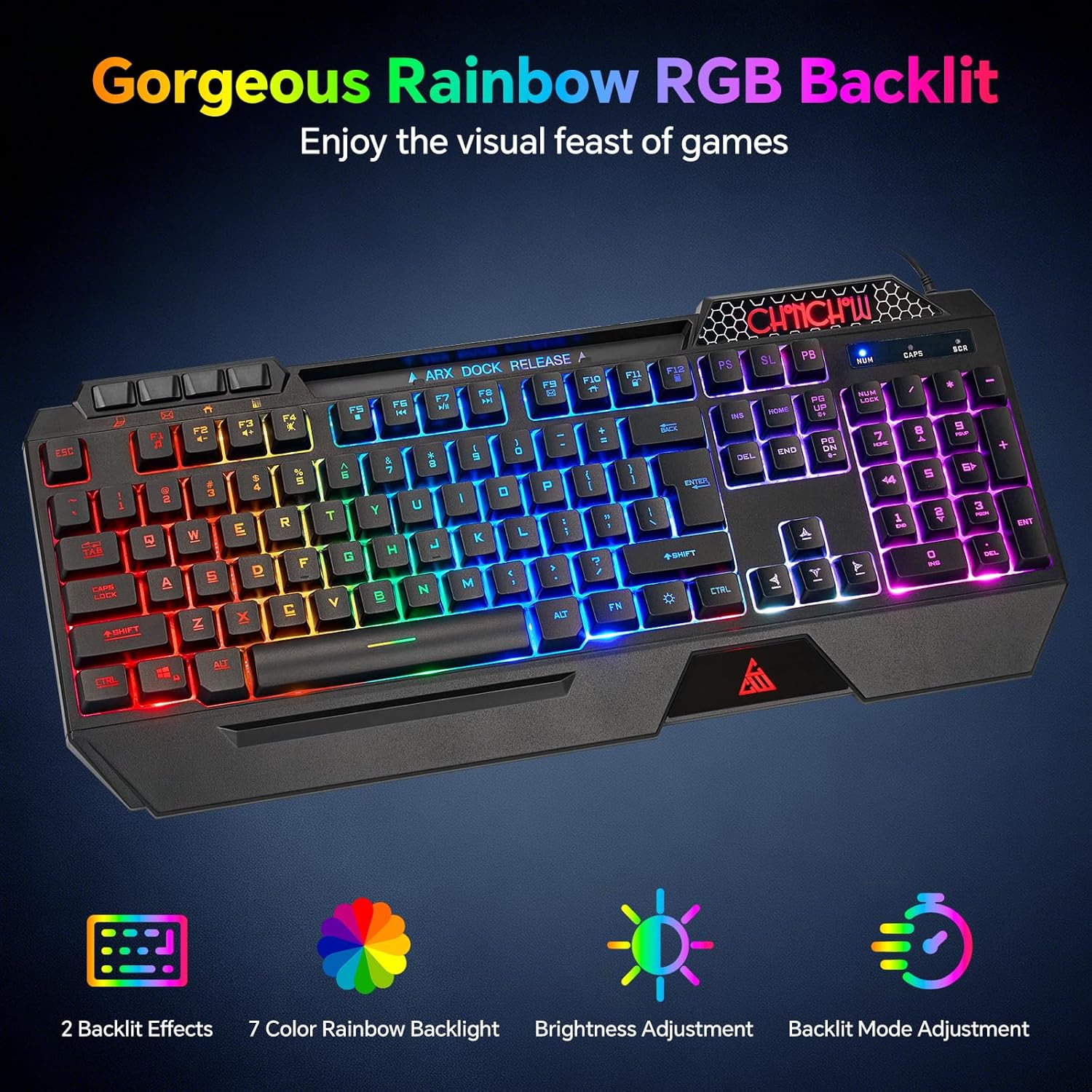
Image: The CHONCHOW Gaming Keyboard showcasing its vibrant rainbow RGB backlighting across all keys.
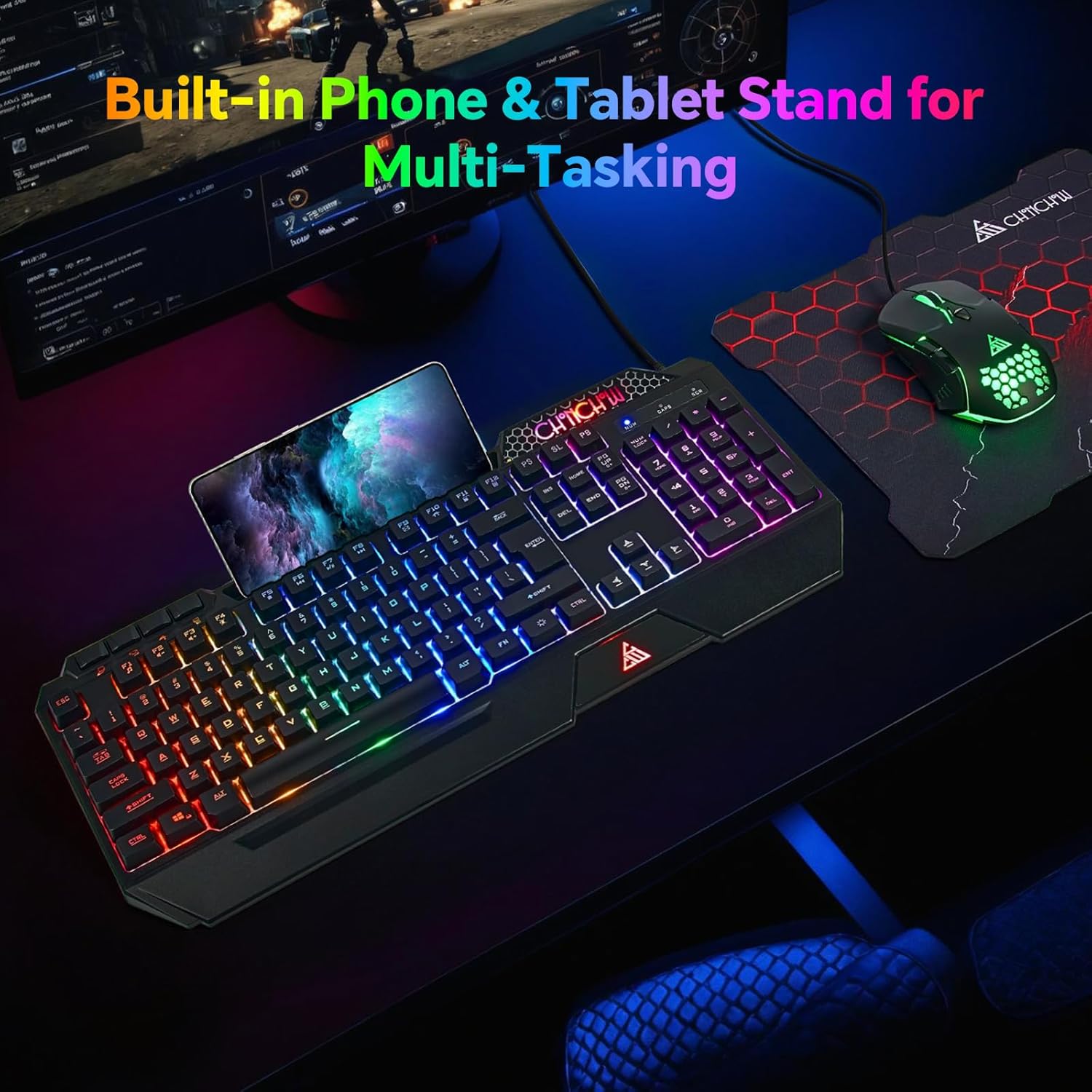
Image: The CHONCHOW Gaming Keyboard with a smartphone placed in its integrated holder, demonstrating the multi-tasking feature.
- Control de retroiluminación RGB:
- Axuste de brillo: Preme FN + PgUp to increase backlight brightness. Press FN + PgDn para diminuír o brillo da retroiluminación.
- Selección do modo de luz: Preme Fn + Sunkey (located near the right Ctrl key) to cycle between Constant Light mode and Breathing mode. The backlight can also be turned off by cycling through the modes.
- Teclas anti-fantasmas: The keyboard features 19 conflict-free keys, ensuring that multiple simultaneous keystrokes are registered accurately without any input loss, which is essential for gaming.

Image: A diagram illustrating the 19 anti-ghosting keys on the CHONCHOW Gaming Keyboard, showing how simultaneous key presses are recognized.
- Teclas multimedia: The keyboard includes 4 dedicated multimedia keys and 12 additional FN+ multimedia keys (total 117 keys). These allow for quick control of media playback, volume, and other system functions.
- Escritura silenciosa: Equipped with silent membrane switches, this keyboard reduces typing noise, making it suitable for shared environments or late-night use.
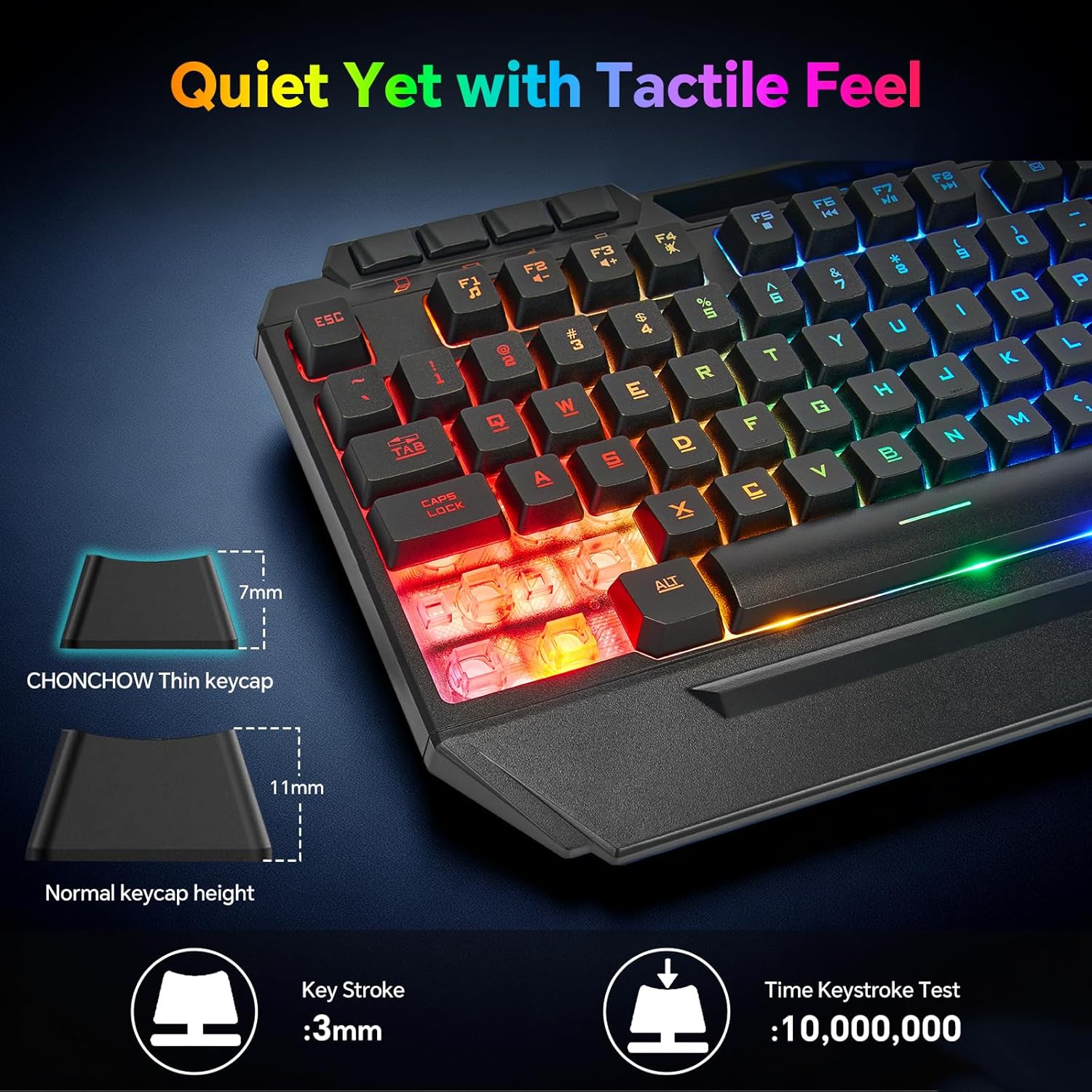
Imaxe: Primeiro plano view of the CHONCHOW keyboard keys, emphasizing the silent key design and tactile feel.
- Soporte de teléfono integrado: A convenient built-in phone holder accommodates devices up to 11.9 inches, allowing you to keep your smartphone visible for notifications or video calls while working or gaming.
- Repouso ergonómico para o pulso: The keyboard features an ergonomic wrist rest designed to reduce wrist fatigue and discomfort during prolonged use.

Image: An ergonomic CHONCHOW Gaming Keyboard and Mouse setup, showing comfortable hand placement with the integrated wrist rest and phone holder.
3.2. Características do rato

Image: The CHONCHOW Gaming Mouse with its illuminated honeycomb design, illustrating the 5-level DPI adjustment options.

Imaxe: Primeiro plano view of the CHONCHOW Gaming Mouse, highlighting its honeycomb shell design and dynamic RGB backlighting.
- Axuste de DPI: The mouse offers 5 adjustable DPI levels (1200/1600/3200/4800/7200). Press the dedicated DPI button on the mouse to cycle through these settings to match your preference for precision and speed.
- Honeycomb Perforated Shell: The unique honeycomb design not only adds to the aesthetic but also helps keep your palms cool and comfortable during long gaming sessions.
- Dynamic LED Backlighting: The mouse features dynamic LED backlighting that cycles through various colors, enhancing your gaming setup.
3.3. Mouse Pad Features
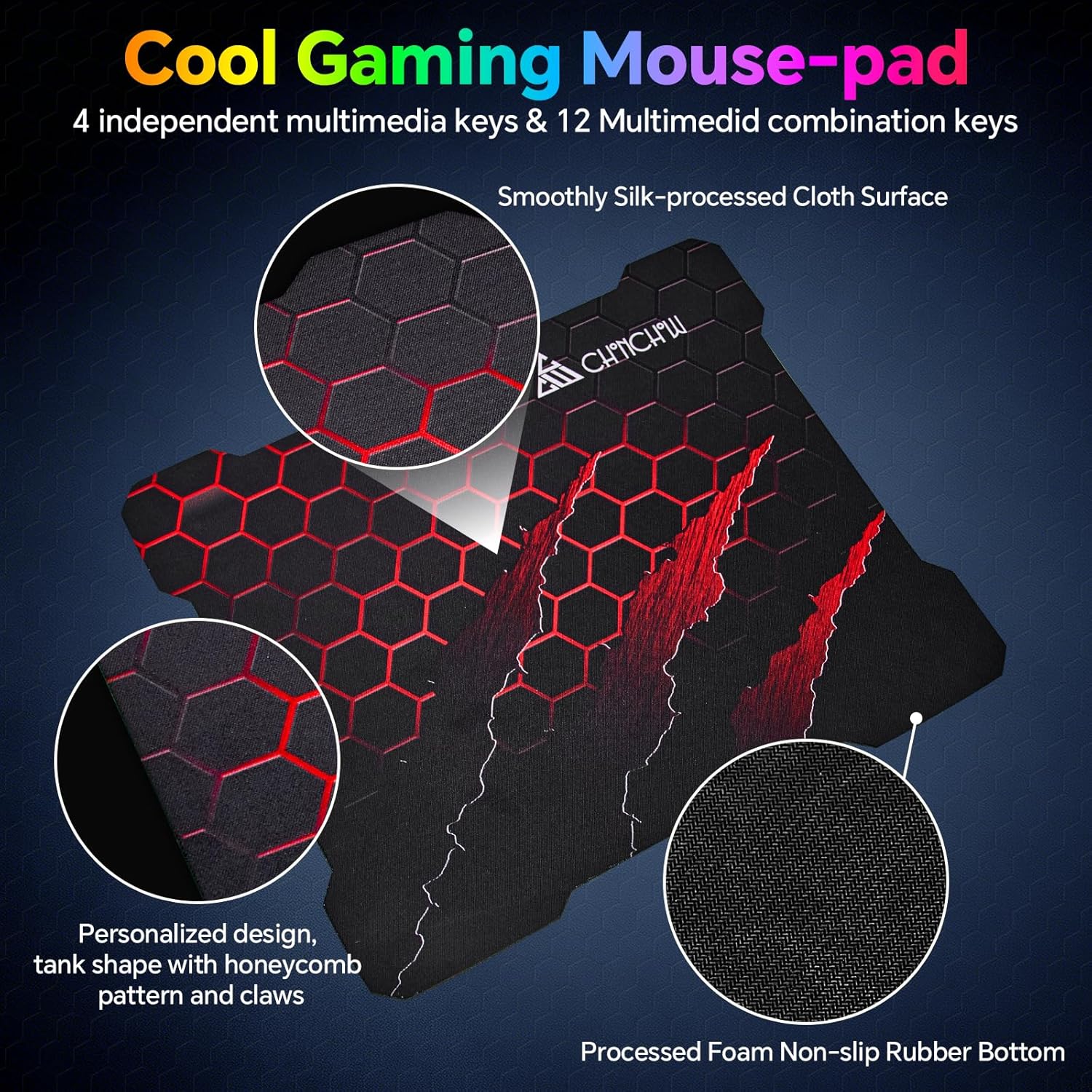
Image: The CHONCHOW Gaming Mouse Pad featuring a unique honeycomb and claw pattern design, highlighting its large size and smooth surface.
- Tamaño grande: With dimensions of 11.8 x 9.7 inches, the mouse pad provides ample space for broad mouse movements, ideal for gaming.
- Superficie lisa: Made from high-quality, smooth, and delicate fabric, it ensures precise mouse tracking and comfortable wrist support.
- Non-slip Rubber Bottom: The durable rubber base prevents the mouse pad from slipping, providing stability during intense use.
3.4. Vídeos de produtos
CHONCHOW 5010 RGB Gaming Keyboard and Mouse with Phone Holder
Este vídeo ofrece unha rápida explicaciónview of the CHONCHOW 5010 RGB Gaming Keyboard and Mouse Combo, highlighting its RGB lighting effects, the integrated phone holder on the keyboard, and the ergonomic design of both peripherals.
CHONCHOW RGB Gaming Keyboard and Mouse Combo - 108 Keys
This video showcases the CHONCHOW RGB Gaming Keyboard and Mouse Combo, detailing how to adjust the RGB backlighting, the functionality of its multimedia keys, and the overall design of the keyboard and mouse.
4. Mantemento
- Limpeza: Use a soft, dry cloth to gently wipe the surfaces of the keyboard and mouse. For stubborn dirt, a slightly damp cloth with a small amount of mild soap can be used. Ensure no liquid enters the devices.
- Coidado do cable: Avoid sharp bends, kinks, or excessive pulling on the USB cables to prevent internal wire damage.
- Almacenamento: When not in use, store the keyboard and mouse combo in a cool, dry place away from direct sunlight and extreme temperatures.
5 Solución de problemas
- No Power/Lights:
- Ensure both the keyboard and mouse USB cables are securely plugged into working USB ports.
- Try connecting the devices to different USB ports on your computer or console.
- As teclas non responden:
- Check for any debris or obstructions under the unresponsive keys.
- If multiple keys are unresponsive, try reconnecting the keyboard.
- Mouse Not Moving/Responding:
- Ensure the mouse is on a clean, flat, and opaque surface.
- Check the optical sensor on the bottom of the mouse for any obstructions.
- Try adjusting the DPI settings using the DPI button on the mouse.
- As luces RGB non funcionan/cambian:
- Refer to the "Operating Instructions - Keyboard" section for correct key combinations to adjust brightness and change lighting modes.
- Asegúrate de que o teclado estea conectado correctamente.
- Conectividade intermitente:
- Ensure all USB connections are firm and not loose.
- Avoid using unpowered USB hubs if experiencing connectivity issues; connect directly to your device's USB ports.
6. Especificacións
| Característica | Detalle |
|---|---|
| Marca | CHONCHOW |
| Modelo | 5010 |
| Tecnoloxía de conectividade | USB con cable |
| Disposición do teclado | QWERTY |
| Teclas do teclado | 117 (including 19 anti-ghosting, 4 dedicated multimedia, 12 FN+ multimedia) |
| Características do teclado | Ergonomic, Phone Holder, Rainbow RGB Backlit, Silent keys, Wrist Rest |
| Rato DPI | 5 Levels (1200/1600/3200/4800/7200) |
| Características do rato | Honeycomb perforated shell, Dynamic LED Backlit |
| Tamaño da alfombrilla de rato | 11.8 x 9.7 polgadas |
| Dispositivos compatibles | PC, Laptop, PS3, PS4, PS5, Xbox, Mac |
| Compatibilidade do sistema operativo | Windows 2000/2003/XP/Vista/Win7/Win8/Win10/Win11, macOS, Linux |
| Peso do elemento | 1.23 quilogramos |
7. Garantía e soporte
- Garantía: This CHONCHOW product is covered by a 1-year quality warranty from the date of purchase.
- Servizo posvenda: For any product-related inquiries, technical support, or quality issues, please contact CHONCHOW customer service. We are committed to providing satisfactory after-sales service.