
1. Produto rematadoview
The Masajoy CM7003 is a wired USB headset designed for clear communication and comfortable use with various computing devices. It features a noise-canceling microphone and a stable USB-A connection, making it suitable for home office, online classes, and teleconferencing environments.

Image 1: Masajoy USB Headset CM7003, showcasing the headset with its USB-A connector.
2. Contido do paquete
- 1 x Masajoy USB Headset (Model CM7003)
3. Instrucións de configuración
3.1 Conexión dos auriculares
- Locate an available USB-A port on your computer, laptop, or compatible device.
- Insert the USB-A connector of the headset into the USB-A port.
- The headset is plug-and-play. Your operating system should automatically detect and install the necessary drivers. The device name will typically appear as "USB Audio Device".

Image 2: Illustration of the headset's plug-and-play functionality, showing a user connecting the USB plug to a laptop.
3.2 Compatibilidade do sistema
The Masajoy CM7003 headset is compatible with a wide range of operating systems and communication platforms:
- Sistemas operativos: macOS, Android, Windows 7/8, Windows 10, Windows 11.
- Dispositivos: PCs, Laptops, Tablets, Macs.
- Communication Platforms: Teams, Skype, Zoom, Webex, Facetime, Google Meet.

Image 3: Visual representation of the headset's broad compatibility with various operating systems, devices (desktop PC, laptop, USB plug), and communication applications.
4. Instrucións de funcionamento
4.1 Axuste do volume
Volume can be adjusted directly on the headset:
- Xire o right ear cup to increase or decrease the audio volume.
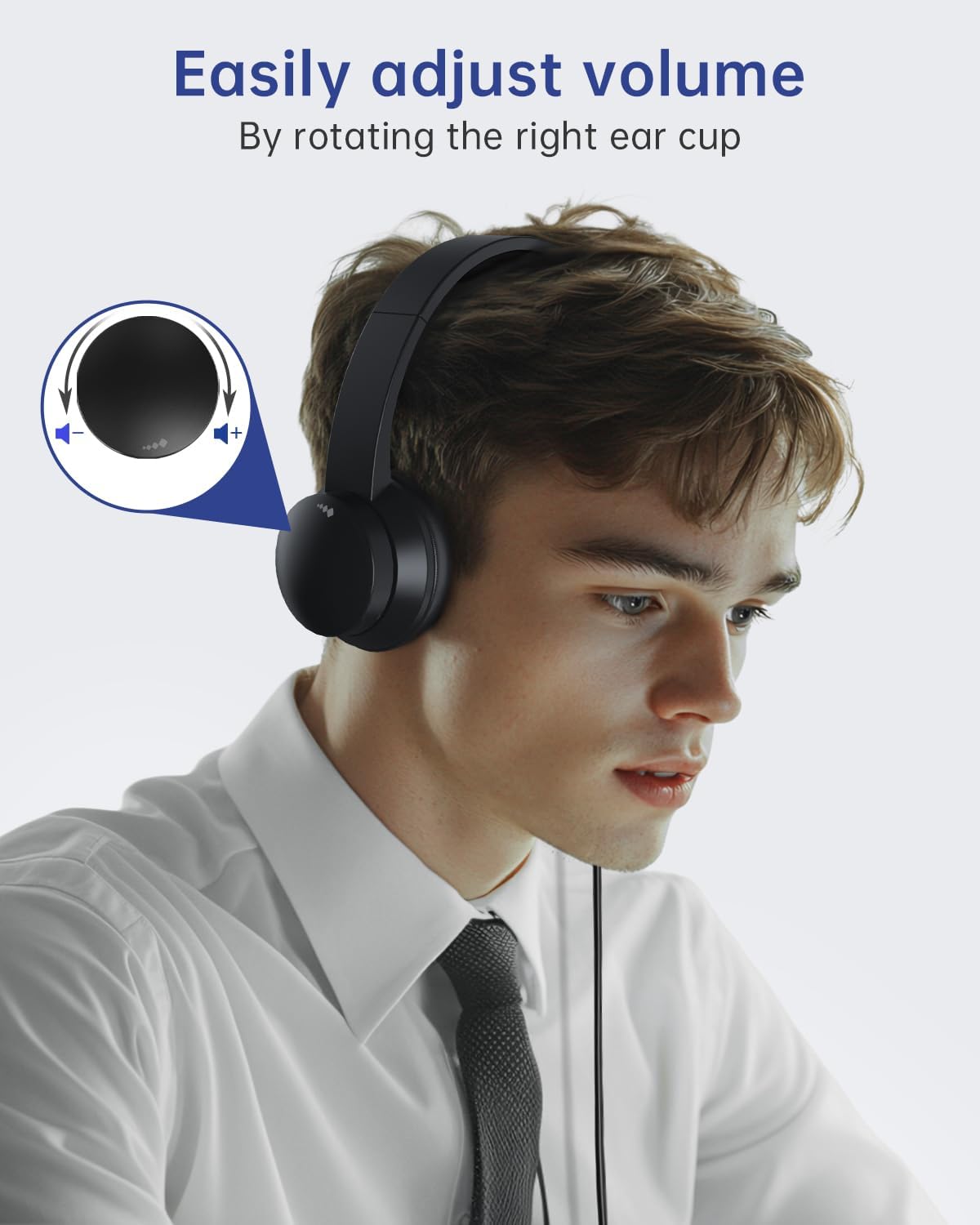
Image 4: A user adjusting the volume by rotating the right ear cup of the headset, with an inset diagram showing the rotation direction for volume control.
4.2 Función de silenciamento do micrófono
Para silenciar o micrófono:
- Lift the microphone boom arm to an upright position (approximately 90 degrees). This action will mute the microphone.
- Lower the microphone boom arm to unmute.
Nota: The microphone arm only supports 90-degree adjustment. The headset does NON support right-ear wearing.

Image 5: A user demonstrating the microphone mute function by rotating the microphone boom arm upwards. An icon indicates the mute status.
4.3 Optimal Microphone Positioning
For the best noise reduction performance and clear voice capture, position the microphone 1 to 2 cm from your mouth.

Image 6: A person using the headset, highlighting the noise-canceling microphone feature for improved communication, with a visual representation of sound wave reduction.
5. Comodidade e deseño
The Masajoy CM7003 headset is engineered for extended wear comfort:
- Almofadas para oídos: Made with premium soft, breathable protein memory foam to prevent heat and sweat buildup.
- Diadema: Adjustable and retractable to fit various head sizes.
- Peso: Lightweight design (approximately 5 ounces / 0.23 kg) reduces pressure during prolonged use.

Imaxe 7: Primeiro plano view illustrating the comfort features of the headset, including soft earpads, a cushioned leather head beam, and an adjustable headband.
6. Mantemento
Para garantir a lonxevidade e o rendemento óptimo dos seus auriculares, siga estas pautas de mantemento:
- Limpeza: Use a soft, dry cloth to wipe down the ear cups and headband. Avoid using harsh chemicals or abrasive materials.
- Almacenamento: Garde os auriculares nun lugar limpo e seco, lonxe de temperaturas extremas e da luz solar directa.
- Coidado do cable: Evite dobrar bruscamente ou tirar demasiado do cable USB para evitar danos.
7 Solución de problemas
If you encounter issues with your Masajoy CM7003 headset, refer to the following common solutions:
- Sen son:
- Ensure the headset is securely plugged into a working USB-A port.
- Check your computer's audio settings to confirm "USB Audio Device" is selected as the output device.
- Verify the volume control on the headset (right ear cup) is not at its minimum setting.
- Test with a different USB port or another computer to rule out port or system issues.
- O micrófono non funciona:
- Ensure the microphone boom arm is lowered and not in the muted (upright) position.
- Check your computer's audio settings to confirm "USB Audio Device" is selected as the input device.
- Adjust the microphone input level in your system settings.
- Ensure the microphone is positioned 1-2 cm from your mouth.
- Sound Distortion or Static:
- Tenta conectar os auriculares a un porto USB diferente.
- Ensure there are no other devices causing electrical interference nearby.
- Update your computer's audio drivers if available.
8. Especificacións
| Nome do modelo | CM7003 |
| Tecnoloxía de conectividade | Con cable (USB-A) |
| Jack para auriculares | USB A |
| Control de ruído | Cancelación de ruído pasiva |
| Rango de frecuencias | 20 Hz - 20,000 Hz |
| Impedancia | 32 ohmios |
| Tipo de controlador de audio | Driver dinámico |
| Colocación do oído | Na Orella |
| Factor de forma | Na Orella |
| Peso do elemento | 0.23 quilogramos (8.1 onzas) |
| Compoñentes incluídos | Auriculares USB |
| Método de control | Push Button (Volume rotation, Mic lift) |
9. Garantía e soporte
For warranty information or technical support, please refer to the documentation included with your purchase or contact Masajoy customer service directly. Contact details can typically be found on the manufacturer's official websitio web ou a través do seu vendedor.
If you experience any product problems during use, please contact our support team for assistance. Our senior engineers are available to help resolve issues as soon as possible.