
MUBVIEW Campana J7
MUBVIEW Bell J7 2K Wireless Video Doorbell Camera with Chime User Manual
Model: Bell J7
1. Introdución
This manual provides detailed instructions for the installation, operation, and maintenance of your MUBVIEW Bell J7 2K Wireless Video Doorbell Camera with Chime. Please read this manual thoroughly before using the product to ensure proper function and safety. This device is designed to enhance your home security with advanced features like 2K video, motion detection, and two-way audio.
2. Que hai na caixa
Verifique que estean presentes todos os compoñentes antes de continuar coa instalación:
- Camera Doorbell x1
- Chime x1
- Manual de usuario x1
- Cable de carga x1
- Batería x3
- Other Accessories (screws, anchors, screwdriver)

Image: Contents of the MUBVIEW Bell J7 package, including the doorbell, chime, and installation tools.
3. Produto rematadoview
Familiarize yourself with the main parts of your video doorbell and chime:
Cámara do timbre
- 2K Camera Lens: Captures high-resolution video.
- Sensor de movemento PIR: Detects human movement.
- Micrófono: Para comunicación de audio bidireccional.
- Relator: For two-way audio communication and siren.
- Botón do timbre: Activates the chime and sends notifications.
- Micro USB-C Port: Para cargar a batería interna.
- Botón de reinicio: Para reiniciar o dispositivo.
- Ranura para tarxeta Micro SD: For local video storage (up to 128GB, card not included).
- Anti-Theft Button: Triggers an alarm if the doorbell is removed from its mount.
Chime sen fíos
- Relator: Emits doorbell sound.
- Control de volume: Adjusts chime volume.
- Selector de tons: Changes chime melody.
- Fonte de enerxía: Funciona con pilas para unha colocación flexible.

Imaxe: Fronte view do MUBVIEW Bell J7 doorbell and chime.
4. Configuración
Sigue estes pasos para configurar o teu MUBVIEW Bell J7 doorbell camera:
4.1 Cargar o timbre
- Before first use, fully charge the doorbell camera using the provided USB charging cable.
- The charging port is located on the side of the doorbell, protected by a rubber flap.
- Unha carga completa pode durar ata 180 días, dependendo do uso.
4.2 Instalación da aplicación e conexión wifi
- Descarga o CloudEdge or MUBVIEW app from your smartphone's app store (Apple App Store or Google Play Store).
- Rexístrate para obter unha conta ou inicia sesión se xa tes unha.
- Asegúrate de que o teu teléfono intelixente estea conectado a un Rede Wi-Fi a 2.4 GHz. The doorbell is not compatible with 5GHz Wi-Fi.
- In the app, select "Add Device" and choose "Smart Video Doorbell".
- Follow the on-screen prompts to connect the doorbell to your Wi-Fi network. This typically involves scanning a QR code displayed on your phone with the doorbell camera.
- Once connected, you can name your device and complete the setup.
4.3 Montaxe do timbre
The doorbell can be mounted using screws or strong adhesive tape (not included for all mounting types).
- Attach the mounting bracket to your desired location on the wall or door frame. Ensure it is at an appropriate height for optimal viewing.
- Secure the bracket using the provided screws and anchors.
- Slide the doorbell camera into the mounting bracket until it clicks securely into place.
- For added security, a small screw can be inserted from the bottom of the bracket into the doorbell to prevent easy removal.

Image: Installation of the MUBVIEW Bell J7 doorbell camera onto its mounting bracket.
5. Instrucións de funcionamento
5.1 En directo View e audio bidireccional
- Abre o MUBVIEW app to access the live video feed from your doorbell camera.
- Usa a icona do micrófono na aplicación para activar o audio bidireccional e falar cos visitantes da túa porta.
- The voice changer feature can be activated for added privacy and security.

Image: Demonstrating two-way audio and voice message functionality via the app.
5.2 Detección de movemento e alertas
- The doorbell features advanced PIR motion and human detection to minimize false alarms.
- When motion is detected, you will receive instant push notifications on your smartphone.
- Adjust motion detection sensitivity and set custom motion zones within the app to suit your environment.

Image: Smartphone notification for human detection from the doorbell camera.
5.3 Visión nocturna
- The doorbell camera automatically switches to IR night vision in low-light conditions.
- Enhanced night vision provides clear images up to 33 feet.
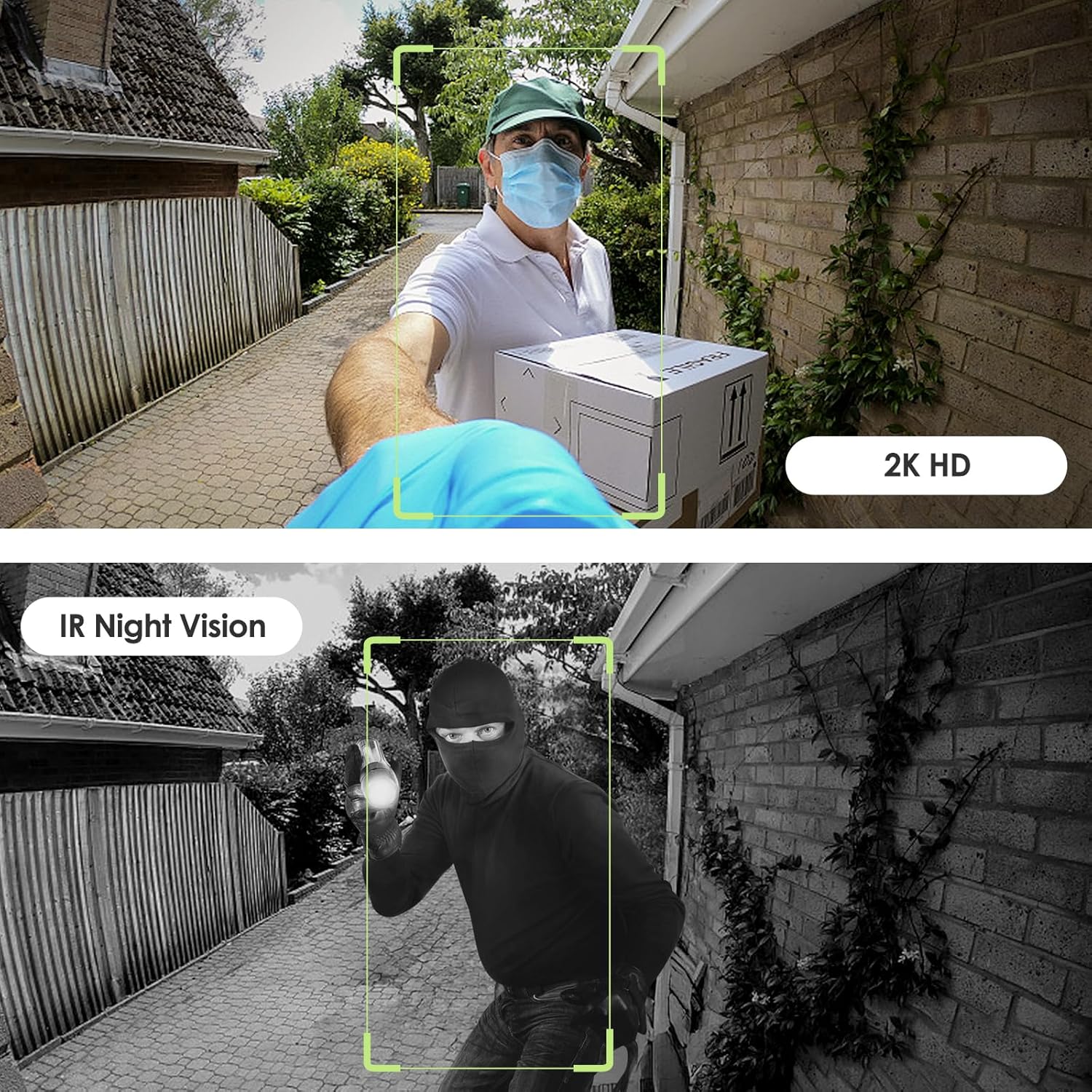
Image: Day and night vision capabilities of the MUBVIEW Bell J7 doorbell.
5.4 Almacenamento de vídeo
- Tarxeta Micro SD: Insert a micro SD card (up to 128GB, not included) into the designated slot for local storage of recorded footage.
- Almacenamento na nube: Enjoy 7-day free cloud loop storage. Optional premium cloud storage plans are available for extended storage and features.

Image: Multiple storage options: local Micro SD card and cloud service.
6. Características
- Resolución 2K Full HD: Ofrece vídeo claro e detallado.
- Lente gran angular de 145°: Offers a broad view da túa porta.
- Alimentado por batería: Ensures easy, wire-free installation.
- Conectividade Wi-Fi de 2.4 GHz: Stable and reliable wireless connection.
- Resistencia ás inclemencias do tempo IP65: Built to withstand various outdoor conditions (rain, heat, hail, sun, dust).
- Alarma antirroubo: Siren sounds if the doorbell is tamperixido con.
- Cambiador de voz: Enhances privacy during two-way audio.
- Pre-Recorded Voice Messages: Respond quickly with custom messages.
- Compartir en familia: Supports up to 15 online users and 20 user accounts.
- Compatibilidade: Funciona con Alexa e Google Assistant.

Imaxe: Máis deview of MUBVIEW Bell J7 features.
7. Mantemento
7.1 Carga da batería
The doorbell is powered by rechargeable batteries. Monitor the battery level through the app and recharge as needed. The battery life can extend up to 180 days on a single charge, depending on activity and settings.
7.2 Limpeza
Wipe the camera lens and the doorbell's exterior with a soft, damp cloth to remove dust and debris. Avoid using harsh chemicals or abrasive materials that could damage the device.
7.3 Resistencia ás inclemencias meteorolóxicas
O MUBVIEW Bell J7 is IP65 weather-resistant, designed to endure various outdoor conditions. However, extreme weather conditions may still impact performance or battery life.

Image: IP65 Weather Resistance of the MUBVIEW Bell J7 doorbell.
8 Solución de problemas
| Problema | Posible Solución |
|---|---|
| Doorbell not connecting to Wi-Fi | Ensure your Wi-Fi is 2.4GHz. Move the doorbell closer to your router during setup. Reset the doorbell and try again. |
| Frequent false motion alarms | Adjust the motion detection sensitivity in the app. Set custom motion zones to exclude busy areas or moving foliage. |
| Poca calidade de vídeo | Comproba a intensidade do sinal wifi na aplicación. Asegúrate de que a lente da cámara estea limpa e libre de obstrucións. |
| Batería de curta duración | Reduce motion detection sensitivity or frequency of live view access. Ensure the doorbell is fully charged. |
| Anti-theft alarm not working | Ensure the anti-theft feature is enabled in the app settings. Check if the doorbell is properly seated in its mounting bracket, activating the tamper botón. |
9. Especificacións
- Nome do modelo: Campana J7
- Resolución de captura de vídeo: 2K
- Tecnoloxía de conectividade: Sen fíos (Wi-Fi de 2.4 GHz)
- Fonte de enerxía: Battery Powered (3 A batteries included)
- Uso interior/exterior: Ao aire libre
- Nivel de resistencia á auga: Impermeable IP65
- Características especiais: 2-Way Audio, Built-In Light, HD Resolution, Image Sensor, Motion Sensor, Voice Changer, Anti-Theft Alarm
- Dispositivos compatibles: Smartphone (via CloudEdge/MUBVIEW aplicación)
- Dimensións do produto: 1.37 x 5.27 x 2.2 polgadas
- Peso do artigo: 15.4 onzas
10. Garantía e soporte
MUBVIEW is committed to providing quality products and customer satisfaction. For any inquiries or support needs, please refer to the following:
- Atención ao cliente: Available via Call Service (9AM-5PM EST) and Online Email.
- Devolucións: 30-day Amazon return policy applies.
- Plans de protección: Hai plans de protección opcionais de 2 e 3 anos dispoñibles para a súa compra.
For detailed contact information, please visit the official MUBVIEW websitio web ou consulte os datos de contacto que se inclúen na embalaxe do produto.

Image: MUBVIEW Customer Service details.
Ask a question about this manual
Ask about setup, troubleshooting, compatibility, parts, safety, or missing instructions. Manuals+ will review the question and use this page’s manual context to help answer it.