
1. Introdución
Thank you for choosing the FANGOR 10.1-inch Wi-Fi Digital Photo Frame. This manual provides detailed instructions for setting up, operating, and maintaining your device. Please read this manual thoroughly before use to ensure proper functionality and to maximize your enjoyment of the product. This digital photo frame is designed to display your cherished photos and videos with ease, offering a vibrant viewing experience and convenient sharing options.
2. Produto rematadoview
2.1 Contido do paquete
- FANGOR 10.1-inch Wi-Fi Digital Photo Frame
- Adaptador de alimentación
- Manual de usuario
- Wall-mounting screws (x3)
2.2 Características principais
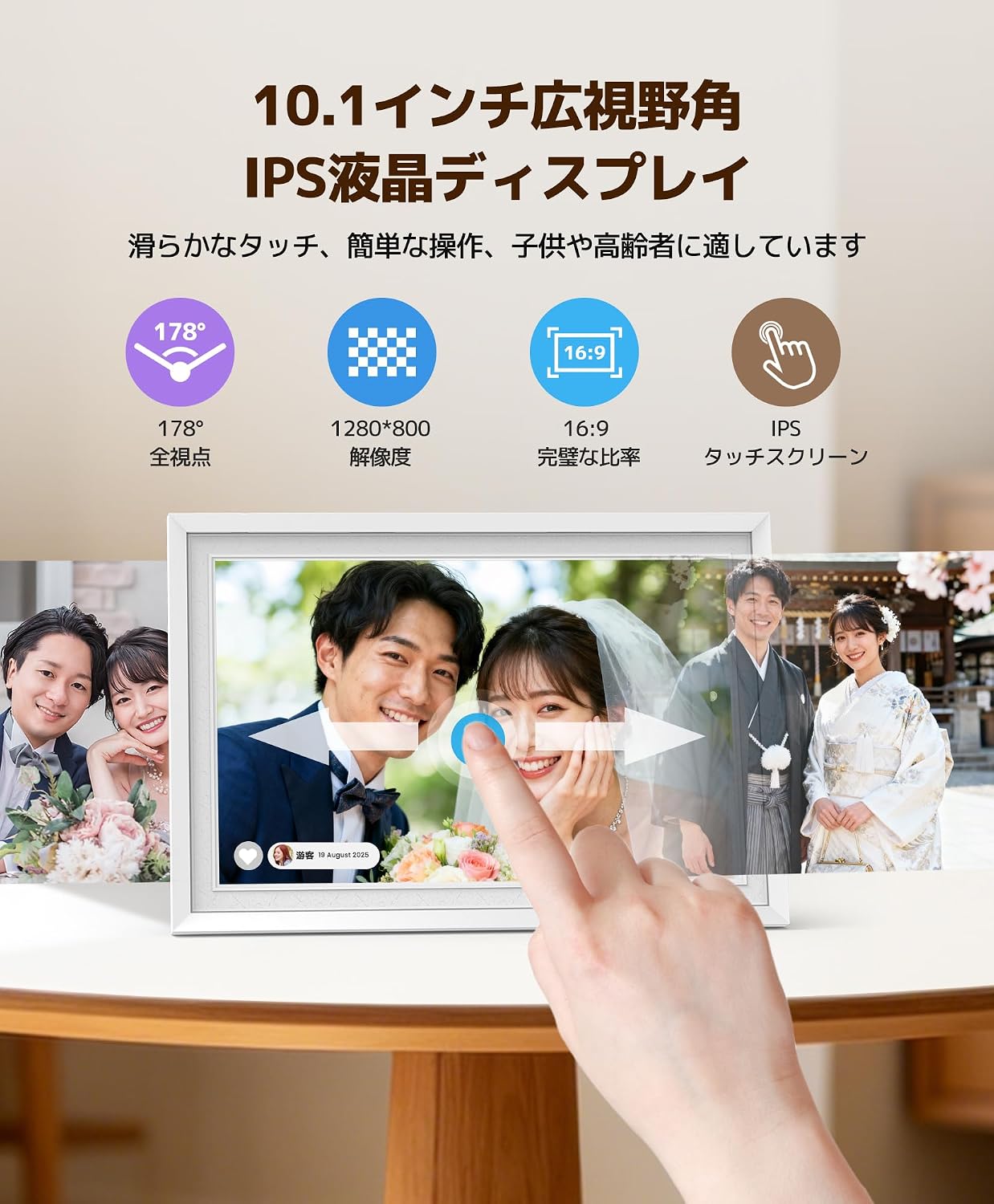
- 10.1-inch IPS Touch Panel: 1280x800 high resolution, 16:9 widescreen ratio, and 178° wide viewing angle for clear and vibrant images.
- Memoria interna de 32 GB: Stores approximately 16,000 photos or up to 2,000 two-minute videos.
- Diverse Transfer Methods: Supports MicroSD cards (up to 32GB, sold separately), direct USB memory connection, PC transfer, and web sincronización.
- Wi-Fi Remote Transfer & Multi-User Sharing: Use the free 'Uhale' app (Android/iOS) to easily send photos and videos from your smartphone or PC. Multiple users can connect simultaneously.
- Rotación automática da pantalla: Photos are displayed correctly in landscape or portrait orientation without manual adjustment.
- Multifuncional: Includes weather forecast, clock display, slideshow playback, and sleep mode.
- Deseño elegante: White frame with a unique fingerprint texture, suitable for various home and office environments.
- Fácil operación: Intuitive touch screen interface, user-friendly for all ages.
3. Configuración
3.1 Desembalaxe e colocación inicial
Carefully remove all components from the packaging. Place the photo frame on a stable, flat surface or mount it on a wall using the provided screws and mounting holes. Ensure adequate ventilation around the device.

Image: The FANGOR 10.1-inch Wi-Fi Digital Photo Frame, shown in white, ready for setup.
3.2 Conexión de alimentación
Connect the power adapter to the DC IN port on the back of the photo frame, then plug the adapter into a power outlet. The device will automatically power on.
Imaxe: Traseira view of the digital photo frame, showing the power input and other ports.
3.3 Configuración inicial e conexión Wi-Fi
- Upon first power-on, follow the on-screen prompts to select your preferred language and time zone.
- Connect the device to your Wi-Fi network by selecting your network name and entering the password. A stable Wi-Fi connection is essential for app-based transfers and features like weather forecasts.
3.4 Descarga e emparellamento da aplicación
Download the free 'Uhale' app from the App Store (iOS) or Google Play Store (Android) on your smartphone. Follow the in-app instructions to pair your smartphone with the digital photo frame. This enables remote photo/video transfer and multi-user sharing.

Image: Diagram illustrating Wi-Fi remote transfer using the Uhale app on a smartphone to the digital photo frame.
4. Instrucións de funcionamento
4.1 Basic Touch Screen Operation
The photo frame features an intuitive touch screen. Tap to select options, swipe to navigate through photos, and pinch to zoom (if supported by the software version). Brightness and volume can be adjusted directly via screen touch controls.

Image: A hand interacting with the touch screen of the digital photo frame, showing a family photo.
4.2 Cargar fotos e vídeos
- Via Uhale App: Open the 'Uhale' app on your smartphone, select the photos/videos you wish to transfer (up to 100 photos at once from smartphone, up to 500 from PC via web system), and send them to the frame.
- Mediante tarxeta SD: Insert a MicroSD card (up to 32GB, not included) into the designated slot. The frame will automatically detect and display content from the card.
- A través dunha unidade USB: Connect a USB memory stick to the USB port. The frame will recognize the drive for content display.

Image: The back of the digital photo frame showing an SD card and USB drive inserted into their respective slots, demonstrating offline transfer options.
4.3 Automatic Screen Rotation
The photo frame automatically adjusts the orientation of your photos and videos based on how the frame is positioned (landscape or portrait). No manual adjustment of the display settings is required.

Image: A person holding the digital photo frame, showing how it automatically rotates the image when the frame's orientation changes from landscape to portrait.
4.4 Configuración da presentación de diapositivas
Access the settings menu to customize your slideshow experience. You can adjust transition effects, display duration for each photo, and playback order.
4.5 Uso compartido multiusuario
The 'Uhale' app allows multiple users to connect to the same photo frame. This feature enables family and friends, regardless of their location, to share photos and videos directly to your frame, fostering a shared experience of memories.
4.6 Funcións adicionais
- Pronóstico do tempo: Display local weather information (requires Wi-Fi connection).
- Visualización do reloxo: Use the frame as a digital clock.
- Modo de suspensión: Set a timer for the screen to automatically turn on/off, saving energy and providing convenience.

Image: The digital photo frame displaying a clock in sleep mode, with an illustration of a person sleeping and waking up, indicating timed on/off functionality.
5. Mantemento
5.1 Limpeza
Para limpar a pantalla, limpe con coidado cun pano suave e sen pelusa. Para manchas difíciles, límpeaa lixeiramenteampen the cloth with water or a screen-cleaning solution. Avoid using harsh chemicals or abrasive materials. Clean the frame with a dry, soft cloth.
5.2 Almacenamento
When not in use for extended periods, store the photo frame in a cool, dry place, away from direct sunlight and extreme temperatures. Disconnect the power adapter.
6 Solución de problemas
If you encounter any issues with your FANGOR Digital Photo Frame, please refer to the following common problems and solutions:
| Problema | Causa posible | Solución |
|---|---|---|
| O marco non se acende. | O adaptador de corrente non está conectado ou está avariado. | Asegúrate de que o adaptador de corrente estea conectado correctamente á estrutura e a unha toma de corrente que funcione. Proba cunha toma diferente. |
| Non se pode conectar á wifi. | Contrasinal incorrecto, sinal débil ou problema co enrutador. | Double-check the Wi-Fi password. Move the frame closer to the router. Restart your router. Ensure the Wi-Fi network is 2.4GHz (5GHz networks may not be supported). |
| Non se mostran as fotos/vídeos. | Non é compatible file formato, corrompido files, or no content loaded. | Garantir files are in supported formats (e.g., JPEG for photos, MP4 for videos). Re-transfer files. Check if the SD card/USB drive is properly inserted and formatted correctly (FAT32 or exFAT). |
| A pantalla non responde ou está conxelada. | Fallo temporal do software. | Restart the device by disconnecting and reconnecting the power. If the issue persists, perform a factory reset (refer to settings menu). |
| Image size/aspect ratio issues. | Original image resolution or aspect ratio mismatch. | The frame automatically adjusts, but some images may appear cropped or stretched if their original aspect ratio is significantly different from 16:9. Consider resizing images before uploading for optimal display. |
If the problem persists after trying these solutions, please contact FANGOR customer support for further assistance.
7. Especificacións
| Característica | Detalle |
|---|---|
| Marca | FANGOR |
| Número de modelo | 114 KZ |
| Cor | Branco |
| Tamaño da pantalla | 10.1 polgadas |
| Tipo de visualización | Pantalla táctil IPS |
| Resolución | 1280 x 800 |
| Relación de aspecto | 16:9 |
| Memoria interna | 32 GB |
| Soporte de memoria externa | MicroSD card (up to 32GB), USB memory |
| Tecnoloxía de conectividade | Wi-Fi |
| Método de control | Toca |
| Fonte de enerxía | Power Corded |
| Material do marco | Plástico |
| Dimensións do produto (L x A) | 29 cm x 20 cm (aprox. 11.4 x 7.9 polgadas) |
| País de Orixe | China |
8. Garantía e soporte
8.1 Información da garantía
This FANGOR Digital Photo Frame comes with a one-year warranty from the date of purchase. The warranty covers manufacturing defects and malfunctions under normal use. Please retain your proof of purchase for warranty claims.
8.2 Atención ao cliente
For technical assistance, troubleshooting, or warranty inquiries, please contact FANGOR customer support. Refer to the contact information provided with your product packaging or visit the official FANGOR websitio para obter detalles de asistencia.