
1. Produto rematadoview
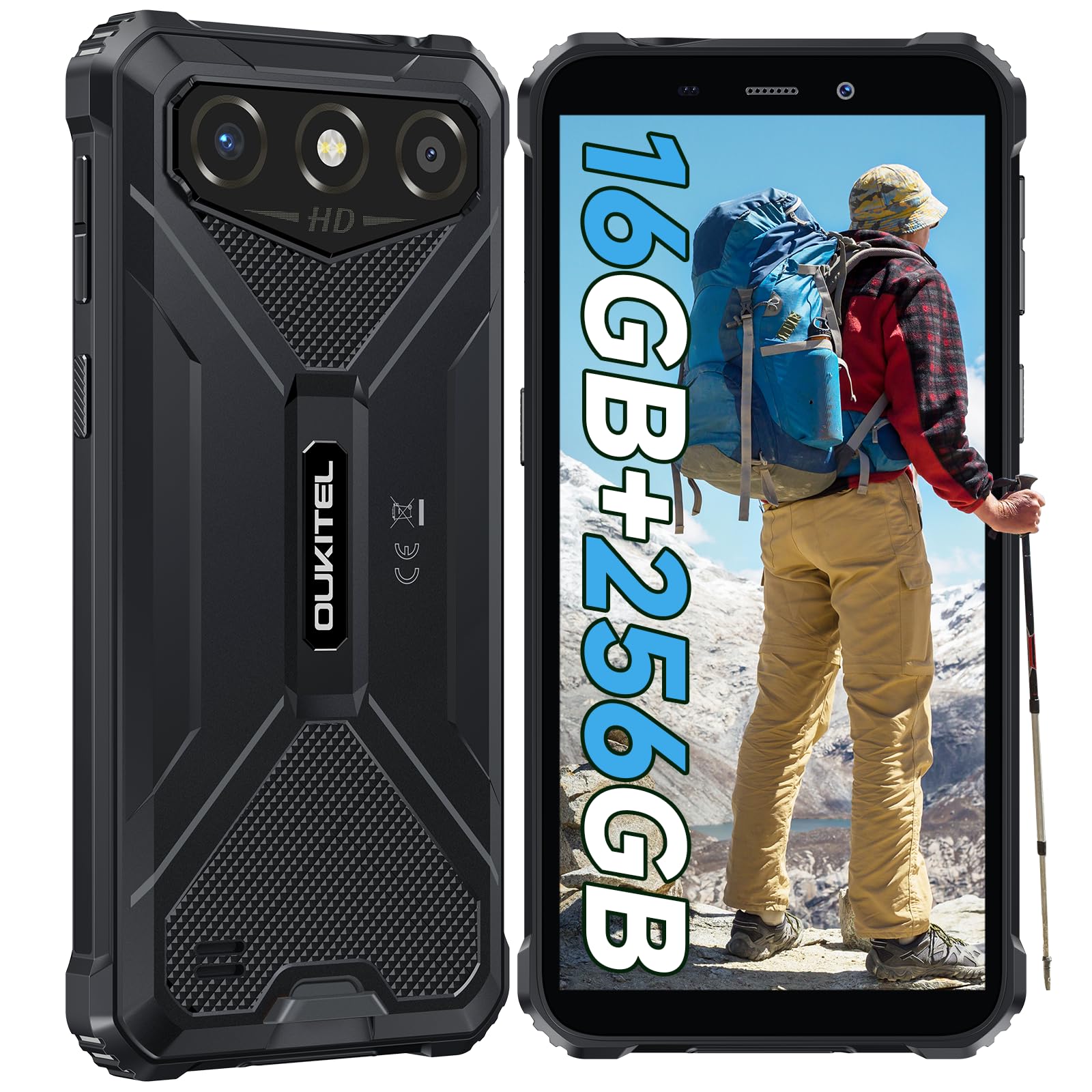
The OUKITEL G3 is a rugged smartphone designed for durability and performance in challenging environments. It features a 6.0-inch HD display, a 6300mAh battery, 16GB RAM (expandable), 256GB ROM (expandable to 1TB), and a 13MP main camera. The device is certified with IP68, IP69K, and MIL-STD-810H ratings, ensuring resistance to water, dust, and drops. It operates on Android 14 and supports 4G Dual SIM, GPS, Face ID, and OTG functionality.
2. Contido do paquete
Verifica que todos os elementos estean presentes no teu paquete:
- 1x OUKITEL G3 Smartphone
- 1 x cargador
- 1 cable tipo C
- 1x SIM Card Ejector Pin
- 1 x Manual de usuario

3. Configuración inicial
3.1. Inserción de tarxetas SIM e tarxetas TF
- Localiza a bandexa da tarxeta SIM no lateral do dispositivo.
- Use the provided SIM ejector pin to open the tray.
- Carefully place your Nano SIM cards (up to two) and/or a TF card (for memory expansion up to 1TB) into the designated slots.
- Asegúrate de que as tarxetas estean orientadas correctamente como se indica na bandexa.
- Empurre con coidado a bandexa de volta no teléfono ata que encaixe no seu lugar.

3.2. Cargando a batería
Before first use, fully charge the device. Connect the Type-C cable to the phone's charging port and the other end to the provided charger. Plug the charger into a power outlet. The battery indicator on the screen will show charging status. The OUKITEL G3 features a 6300mAh battery for extended use.
3.3. Acendido/apagado
- To power on: Press and hold the Power button until the OUKITEL logo appears.
- Para apagar: manteña premido o botón de acendido e, a seguir, seleccione "Apagar" entre as opcións que aparecen na pantalla.
- Para reiniciar: manteña premido o botón de acendido e logo seleccione "Reiniciar" entre as opcións.
4. Instrucións de funcionamento
4.1. Pantalla e navegación
The OUKITEL G3 features a 6.0-inch HD display with 450 nits brightness and Corning Glass 5 protection. Navigate the Android 14 interface using touch gestures: tap, swipe, pinch-to-zoom. Access quick settings by swiping down from the top of the screen.

4.2. Funcións da cámara
The device is equipped with a 13MP rear camera and a 5MP front camera. Open the Camera app to capture photos and videos. Features include:
- Standard Photo Mode: For everyday photography.
- AI Beauty Mode: Mellora os trazos faciais nos retratos.
- Modo de cámara subacuática: Allows capturing photos and videos while submerged up to 1.5m for 30 minutes. Ensure all ports are securely sealed before underwater use.
- Modo panorámico: For wide-angle landscape shots.

4.3. Battery Management and OTG
The 6300mAh battery provides extended usage. To optimize battery life, manage screen brightness, close unused applications, and enable power-saving modes when needed. The device supports OTG (On-The-Go) reverse charging, allowing you to use your OUKITEL G3 to charge other compatible devices via a Type-C OTG cable (sold separately).

4.4. Custom Key and Security Features
- Chave personalizada: A programmable button on the side of the device for quick access to specific applications or functions. Configure its actions (single click, double click, long press) in the phone settings.
- Face ID: Use facial recognition for secure unlocking of your device. Set up Face ID in the Security settings.
- Navegación GPS: The OUKITEL G3 supports GPS, GLONASS, Beidou, and Galileo navigation systems for accurate positioning.

5. Mantemento e durabilidade
The OUKITEL G3 is built to withstand harsh conditions, certified with IP68, IP69K, and MIL-STD-810H standards.
- Resistencia á auga IP68: Protected against continuous immersion in water up to 1.5 meters for 30 minutes. Ensure all port covers are tightly sealed before exposure to water.
- IP69K Dust Resistance: Totalmente protexido contra a entrada de po e os chorros de auga a alta presión e alta temperatura.
- MIL-STD-810H Drop Resistance: Designed to withstand drops from up to 1.5 meters. The aluminum frame and rubberized corners provide enhanced shock absorption.
Para limpar o dispositivo, use un suave, damp cloth. Avoid harsh chemicals or abrasive materials. Regularly check port covers for proper sealing to maintain water and dust resistance.

6 Solución de problemas
If you encounter issues with your OUKITEL G3, refer to the following common solutions:
| Problema | Posible Solución |
|---|---|
| O dispositivo non se acende | Asegúrate de que a batería estea cargada. Conecta o cargador e agarda uns minutos antes de tentar acender de novo. |
| Sinal de rede deficiente | Check if SIM cards are correctly inserted. Move to an area with better network coverage. Contact your service provider if the issue persists. |
| As aplicacións fallan ou conxélanse | Close background applications. Clear the cache of the problematic app. Restart the device. Ensure sufficient storage space is available. |
| A batería esgotarase rapidamente | Reduce screen brightness. Disable unused features like Wi-Fi, Bluetooth, GPS. Close power-intensive apps. Check battery usage in settings to identify culprits. |
| A pantalla táctil non responde | Restart the device. If the issue persists, perform a factory reset (backup data first). |
7. Especificacións técnicas
| Característica | Detalle |
|---|---|
| Marca | OUKITEL |
| Modelo | G3 |
| Sistema Operativo | Android 14 |
| RAM | 4 GB (ampliable a 16 GB de RAM virtual) |
| Almacenamento interno (ROM) | 256 GB |
| Almacenamento ampliable | Ata 1 TB (tarxeta TF) |
| Tamaño de visualización | 6.0 polgadas |
| Resolución de visualización | HD (450 nits brightness, Corning Glass 5) |
| Taxa de actualización | 60 Hz |
| Cámara traseira | 13 megapíxeles |
| Cámara frontal | 5 megapíxeles |
| Capacidade da batería | 6300 mAh |
| Porto de carga | USB tipo C |
| Clasificacións de durabilidade | IP68, IP69K, MIL-STD-810H |
| Compatibilidade con tarxetas SIM | Dual 4G Nano SIM |
| Navegación | GPS, GLONASS, Beidou, Galileo |
| Seguridade biométrica | Face ID |
| Jack de audio | 3.5 mm |
Para obter información detallada sobre a eficiencia enerxética, consulte a base de datos EPREL da UE: https://eprel.ec.europa.eu/qr/2400970

8. Garantía e soporte
OUKITEL provides the following support for the G3 smartphone:
- Política de devolución: 30-day no-reason return.
- Garantía: TWO-YEAR warranty.
- Soporte técnico: Long-term technical assistance.
- Atención ao cliente: Atención ao cliente en liña as 24 horas.
For any inquiries or support, please contact OUKITEL official customer service.