
boAt Rockerz Trinity Gen 2
boAt Rockerz Trinity Gen 2 Bluetooth Neckband Earphones User Manual
Model: Rockerz Trinity Gen 2
Introdución
Thank you for choosing the boAt Rockerz Trinity Gen 2 Bluetooth Neckband Earphones. This manual provides essential information for setting up, operating, and maintaining your earphones. Please read it carefully to ensure proper use and to maximize your listening experience. These earphones are designed for extended audio playback, high-resolution sound, and clear communication.
O que hai na caixa
- boAt Rockerz Trinity Gen 2 Earphones
- Cable de carga
- Manual de usuario
The package includes the boAt Rockerz Trinity Gen 2 Earphones, a charging cable, and this user manual.
Produto rematadoview
The boAt Rockerz Trinity Gen 2 features a flexible neckband design with in-ear earbuds. It includes integrated controls for media playback, call management, and voice assistant activation. The neckband houses the battery and main electronics.
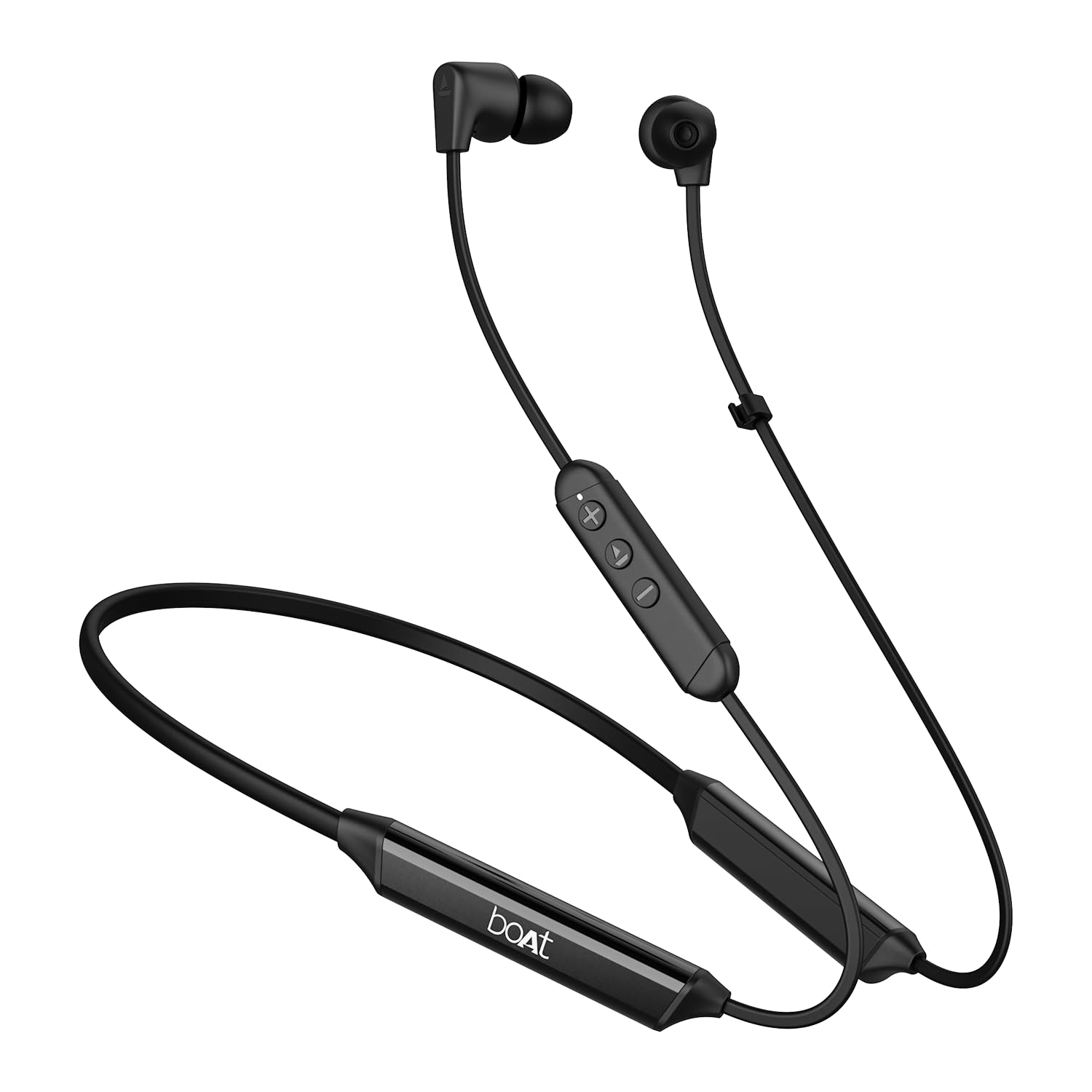
Image: The boAt Rockerz Trinity Gen 2 neckband earphones, highlighting the flexible neckband and in-ear design.

Imaxe: Unha detallada view of the boAt Rockerz Trinity Gen 2 earbuds and the inline control panel, showing buttons for volume and playback.
Configuración
1. Cargar os auriculares
Before first use, fully charge your earphones. Connect the provided charging cable to the charging port on the neckband and to a USB power source. The LED indicator will show charging status. A full charge provides up to 150 hours of playback. With ASAP Charge, 10 minutes of charging provides up to 24 hours of playback.
Image: The boAt Rockerz Trinity Gen 2 neckband, illustrating its long battery life with "150 HOURS PLAYBACK" text.
2. Acendido/apagado
- Para acender: Press and hold the Multi-function button (usually the center button on the inline control) for approximately 3 seconds until the LED indicator flashes blue and you hear a power-on prompt.
- Para apagar: Press and hold the Multi-function button for approximately 5 seconds until the LED indicator flashes red and you hear a power-off prompt.
3. Emparellamento Bluetooth
- Asegúrate de que os auriculares estean apagados.
- Press and hold the Multi-function button for about 5-7 seconds until the LED indicator flashes red and blue alternately, indicating pairing mode.
- No teu dispositivo (teléfono intelixente, portátil), activa o Bluetooth e busca os dispositivos dispoñibles.
- Select "boAt Rockerz Trinity Gen 2" from the list of found devices.
- Unha vez conectado, o indicador LED parpadeará lentamente en azul e escoitarás un ton de confirmación.

Image: The boAt Rockerz Trinity Gen 2 earphones connected to both a smartphone and a tablet, illustrating the dual pairing feature.
4. Dual Pairing (Multipoint)
The Rockerz Trinity Gen 2 supports dual pairing, allowing connection to two devices simultaneously. After pairing with the first device, disable Bluetooth on that device. Put the earphones back into pairing mode and connect to the second device. Once connected to the second device, re-enable Bluetooth on the first device. The earphones will automatically connect to both devices, allowing seamless switching between them for calls and media.
Instrucións de funcionamento
Controis básicos
- Reproducir/Pausa: Prema o botón multifunción unha vez.
- Subir volume: Prema o botón "+".
- Baixar volume: Prema o botón '-'.
- Próxima pista: Manteña premido o botón "+".
- Pista anterior: Manteña premido o botón '-'.
- Responder/Finalizar chamada: Prema o botón multifunción unha vez.
- Rexeitar a chamada: Manteña premido o botón multifunción durante 2 segundos.
- Activar o asistente de voz: Prema dúas veces o botón multifunción.
Audio de alta resolución con LDAC
The Rockerz Trinity Gen 2 supports Hi-Res Audio with LDAC codec, providing superior sound quality. Ensure your connected device also supports LDAC for the best audio experience. This feature allows for high-resolution audio transmission over Bluetooth, preserving more detail from your music.

Image: The boAt Rockerz Trinity Gen 2 earphones displaying the "Hi-Res Audio Wireless" and "LDAC" logos, indicating high-resolution audio support.
Modos de ecualización dual
Switch between different equalizer modes to customize your audio experience. Refer to the product's quick start guide or experiment with button combinations (often a triple-press of the Multi-function button or a combination with volume buttons) to cycle through available EQ presets. This allows you to adjust the sound profile á súa preferencia.

Image: A close-up of the boAt Rockerz Trinity Gen 2 earbuds, highlighting the availability of dual EQ modes for sound customization.
AI-ENx™ Technology for Clear Calls
The earphones feature AI-ENx™ technology, which enhances call clarity by eliminating background noise. This ensures your voice is heard clearly during calls, even in noisy environments.

Image: A close-up of a boAt Rockerz Trinity Gen 2 earbud, emphasizing the AI-ENx™ technology for clear voice calls.
BEAST™ Mode (Low Latency)
Activate BEAST™ Mode for a low-latency gaming experience (65ms). This mode synchronizes audio with visuals, providing a more immersive gaming session. To activate/deactivate BEAST™ Mode, refer to the specific instructions in your quick start guide, usually involving a dedicated button press or a combination.

Image: The boAt Rockerz Trinity Gen 2 earphones with "BEAST™ MODE 65ms Low Latency" text, depicted alongside gaming characters to illustrate its use for gaming.
Mantemento
Limpeza
- Limpe os auriculares cun pano suave, seco e sen fiapos.
- Non use produtos químicos agresivos, disolventes de limpeza ou deterxentes fortes.
- Regularly clean the ear tips to prevent wax buildup, which can affect sound quality.
Resistencia á auga (IPX5)
The earphones are IPX5 rated, meaning they are resistant to sweat and light splashes of water. They are not designed for submersion in water. Avoid exposing them to heavy rain or direct water jets. Ensure the charging port cover is securely closed when not charging to maintain water resistance.

Image: The boAt Rockerz Trinity Gen 2 earbuds with water droplets on them, illustrating their IPX5 water resistance rating.
Almacenamento
Store the earphones in a cool, dry place away from direct sunlight and extreme temperatures. Avoid storing them with sharp objects that could damage the cables or earbuds.
Resolución de problemas
Sen Poder
- Asegúrate de que os auriculares estean completamente cargados.
- Press and hold the Multi-function button for 3-5 seconds to power on.
Non se pode sincronizar co dispositivo
- Ensure the earphones are in pairing mode (LED flashing red and blue alternately).
- Make sure Bluetooth is enabled on your device and it is within range (typically 10 meters).
- Forget "boAt Rockerz Trinity Gen 2" from your device's Bluetooth list and try pairing again.
- Reinicia tanto o dispositivo como os auriculares.
Low or Distorted Sound
- Axusta o volume tanto nos auriculares como no dispositivo conectado.
- Ensure the ear tips are clean and properly seated in your ears.
- Proba almofadas de diferentes tamaños para unha mellor selaxe.
- Acércate máis ao dispositivo conectado para evitar interferencias.
O micrófono non funciona
- Asegúrate de que os auriculares estean conectados correctamente ao teu dispositivo.
- Check your device's audio settings to ensure the earphones are selected as the input device.
- Clean the microphone opening if it appears obstructed.
Especificacións
| Marca | barco |
| Nome do modelo | Rockerz Trinity Gen 2 |
| Colocación do oído | En Orella |
| Factor de forma | En Orella |
| Control de ruído | AI-ENx™ Technology (for calls) |
| Tecnoloxía de conectividade | Bluetooth |
| Duración media da batería | 150 horas |
| Tempo de carga da batería | 10 Minutes (for 24 hours playback via ASAP Charge) |
| Tipo de controlador de audio | Dynamic Driver (10mm, inferred from description) |
| Rango de frecuencias | 20 Hz - 40,000 Hz |
| Resistencia á auga | IPX5 |
| Características especiais | Hi-Res Audio with LDAC, Dual EQ Modes, AI-ENx™ Technology, Dual Pairing, BEAST™ Mode (65ms Low Latency), ASAP Charge |
| Método de control | Voice, Button |
| Peso do elemento | 60 gramos |
Garantía e Soporte
Información da garantía
The boAt Rockerz Trinity Gen 2 earphones come with a 1 ano de garantía from the date of purchase. This warranty covers manufacturing defects. Please retain your purchase receipt for warranty claims. The warranty does not cover damage caused by misuse, accidents, unauthorized modifications, or normal wear and tear.
Atención ao cliente
For technical assistance, warranty claims, or any other inquiries, please contact boAt customer support:
- Correo electrónico: info@imaginemarketingindia.com
- Fabricante: Imagine Marketing Ltd
Please visit the official boAt websitio para obter a información de soporte e os datos de contacto máis actualizados.
Ask a question about this manual
Ask about setup, troubleshooting, compatibility, parts, safety, or missing instructions. Manuals+ will review the question and use this page’s manual context to help answer it.