
Introdución
Thank you for choosing the INGA HKDR631M Computer Speakers. This device provides high-quality stereo sound and clear voice communication through its detachable microphone. Designed for versatility, it easily connects to various devices and offers multiple mounting options to optimize your workspace. Please read this manual carefully to ensure proper setup and operation.
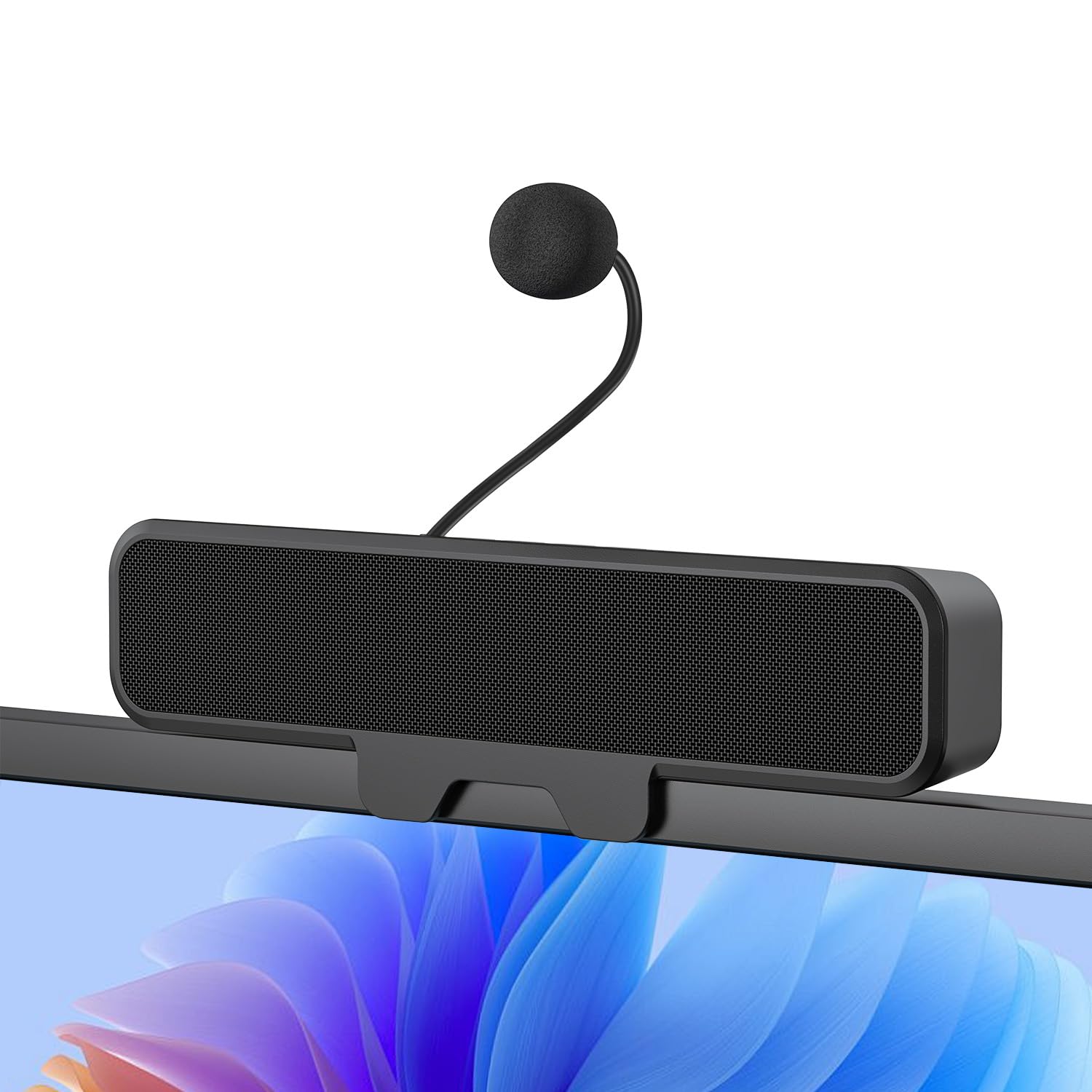
Figure 1: INGA HKDR631M Computer Speakers
A black soundbar-style speaker with a detachable microphone attached, positioned on a desk in front of a computer monitor displaying a video conference.
O que hai na caixa
- 1 x INGA Computer Speaker
- 1 x micrófono desmontable
- 1 x Manual de usuario
- USB-A to USB-C Adapter (included with the cable)
Instrucións de configuración
1. Montaxe dos altofalantes
The INGA HKDR631M speakers offer versatile mounting options. You can use the built-in clip to attach it to your monitor or place it directly on your desk.
- Instalación con clip: The sturdy clip is designed to attach to monitors up to 1 inch (2.54 cm) thick. Gently open the clip and position the speaker on the top edge of your monitor. Ensure it is securely fastened.
- Colocación do escritorio: For monitors with curved backs or if you prefer a desktop setup, the speaker can stand independently on its base.

Figure 2: Multiple Mounting Options
This image illustrates how the speaker can be securely clipped to the top of a monitor (up to 1 inch thick) or placed on a desk using its integrated stand. Note: Not compatible with curved-back monitors for clip-on mounting.
2. Attaching the Detachable Microphone
Locate the detachable microphone. Insert the microphone's connector into the designated port on the speaker unit. Ensure it is firmly connected.
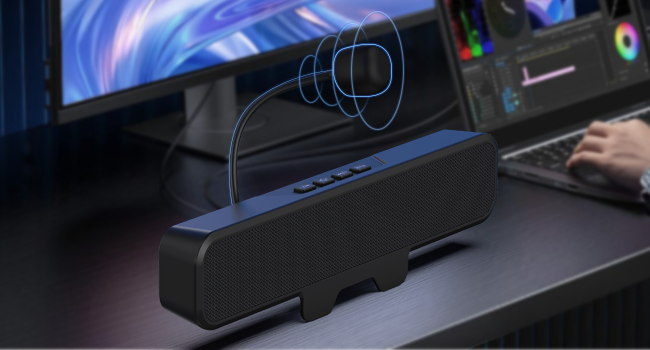
Figura 3: Colocación do micrófono extraíble
Un primeiro plano view of the speaker unit, highlighting the port where the flexible, unidirectional microphone is inserted.
3. Conectando ao teu dispositivo
The INGA HKDR631M speakers are plug-and-play, requiring no additional drivers. Connect the speaker to your computer or device using the integrated USB cable.
- The speaker comes with a USB-A connector and an included USB-C adapter for broad compatibility.
- Plug the USB connector into an available USB port on your PC, Mac, laptop, or gaming console.
- The device will be automatically recognized, and audio output will be routed through the speakers.

Figure 4: USB Connectivity with Adapters
This image displays the speaker's integrated USB cable with a USB-A connector, alongside a separate USB-C adapter, demonstrating its broad compatibility with different computer ports.
Video 1: Usage Methods and Effects of the INGA HKDR631M Speaker
This video demonstrates the setup and functionality of the INGA HKDR631M speakers, including connection and basic operation.
Instrucións de funcionamento
1. Power and Volume Control
The speakers are powered via the USB connection. Once connected, they are ready for use. Volume can be adjusted using the dedicated buttons on the speaker unit or through your device's operating system.
- Subir volume: Prema o botón "+".
- Baixar volume: Prema o botón '-'.
2. Función de silenciamento do micrófono
The speaker features a convenient one-touch mute button for the microphone, allowing for instant privacy control.
- Silenciar/Activar o micrófono: Press the microphone mute button (often indicated by a microphone icon with a slash) on the speaker unit. An indicator light may show the microphone's status.

Figure 5: One-Touch Microphone Mute
Un de arriba abaixo view of the speaker, emphasizing the control panel with the microphone mute button, which allows for quick and easy privacy control.
3. Funcións de audio
Experience immersive stereo sound with enhanced bass, ideal for gaming, meetings, and multimedia consumption.
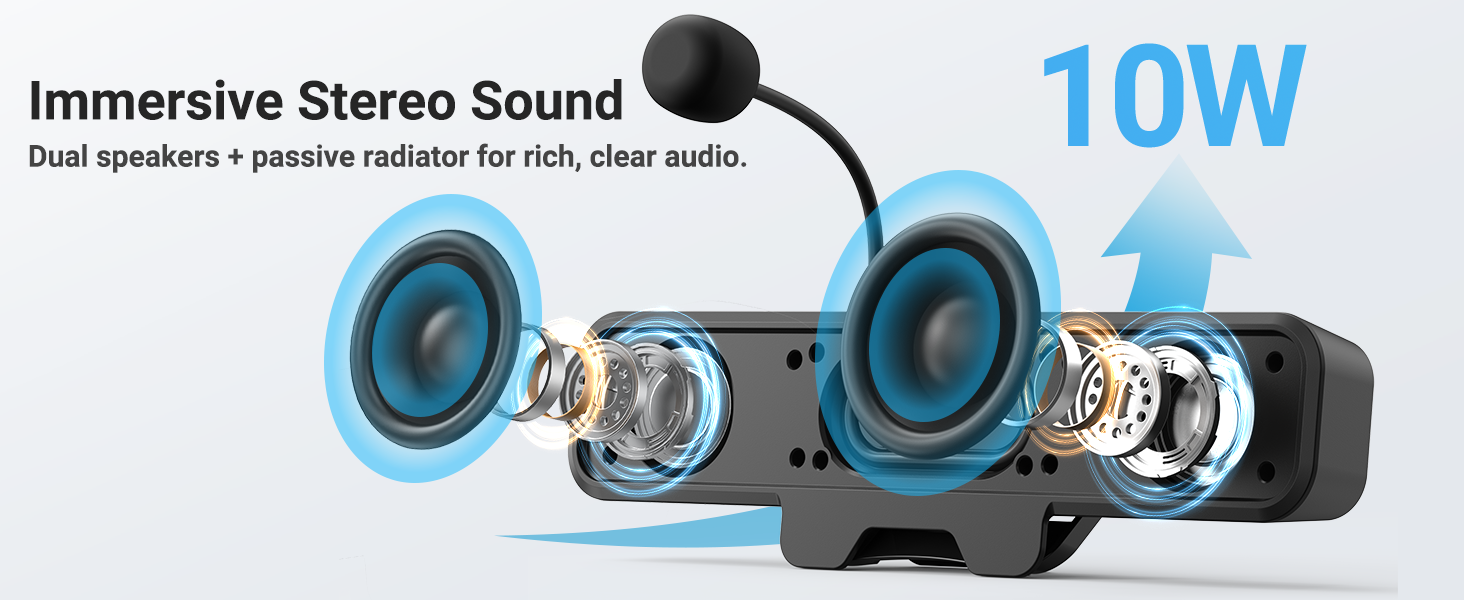
Figure 6: Immersive Stereo Sound
An internal diagram of the speaker, showing the dual high-performance drivers and a passive bass radiator, which work together to produce rich, clear audio with enhanced bass.
Mantemento
To ensure the longevity and optimal performance of your INGA HKDR631M speakers, follow these maintenance guidelines:
- Limpeza: Use a soft, dry cloth to wipe the speaker's surface. Do not use liquid cleaners or abrasive materials.
- Almacenamento: Cando non os use durante períodos prolongados, garde os altofalantes nun lugar fresco e seco, lonxe da luz solar directa e de temperaturas extremas.
- Manexo: Avoid dropping the speakers or subjecting them to strong impacts. Do not attempt to disassemble the unit.
Resolución de problemas
If you encounter issues with your INGA HKDR631M speakers, refer to the following common problems and solutions:
Sen saída de son
- Comprobar a conexión USB: Ensure the USB cable is securely plugged into both the speaker and your device. Try a different USB port.
- Verify Device Settings: Confirm that the INGA HKDR631M is selected as the default audio output device in your computer's sound settings.
- Axustar o volume: Increase the volume using the speaker's controls and your device's system volume. Ensure the speaker is not muted.
- Reiniciar o dispositivo: Sometimes, a simple restart of your computer can resolve audio recognition issues.
O micrófono non funciona
- Check Microphone Connection: Ensure the detachable microphone is fully inserted into its port on the speaker.
- Marcar o botón Silenciar: Press the microphone mute button on the speaker to ensure it is not muted.
- Verify Device Settings: In your computer's sound settings, ensure the INGA HKDR631M microphone is selected as the default input device. Check microphone privacy settings in your operating system.
- Configuración da aplicación: If using a specific application (e.g., Zoom, Discord), check its internal audio settings to ensure the correct microphone is selected.
Poor Sound Quality or Static
- USB Port Interference: Try connecting the speaker to a different USB port, preferably a direct port on your computer rather than a hub.
- Integridade do cable: Ensure the USB cable is not damaged or kinked.
- Factores ambientais: Keep the speakers away from other electronic devices that might cause interference.
- Actualizacións de software: Asegúrate de que o teu sistema operativo e os controladores de son estean actualizados.
Speaker Does Not Clip Securely to Monitor
- Monitor Thickness: The clip is designed for monitors up to 1 inch thick. Ensure your monitor falls within this specification.
- Curved Monitors: The clip-on design is not compatible with monitors that have a curved back. In such cases, use the desktop placement option.
Especificacións
| Marca | INGA |
| Número de modelo | HKDR631M |
| Potencia de saída máxima do altofalante | 10 vatios |
| Resposta en frecuencia | 20 kHz |
| Tecnoloxía de conectividade | USB |
| Modo de saída de audio | Estéreo |
| Tipo de montaxe | Clip |
| Material do recinto | Metal, Plástico |
| Tipo de altofalante | Monitor |
| Características adicionais | Bass Boost, Clamp Installation, Detachable Microphone, Plug and Play, USB Port |
| Cor | Negro |
| Método de control | Toca |
| Tamaño do altofalante | 248 milímetros |
| Usos específicos do produto | Desktop multimedia, Communication, Gaming |
| Número de canles de audio | 2.0 |
| Protocolo de conectividade | USB |
| Fonte de enerxía | Eléctrico con cable (USB) |
| Vol. De entradatage | 5 voltios (DC) |
| Dimensións do artigo (D x W x H) | 9" D x 1.85" W x 1.26" H |
| Dispositivos compatibles | Laptop, MAC, PC, Gaming Consoles |
| Tipo de controlador de audio | Driver dinámico |
Información da garantía
The INGA HKDR631M Computer Speakers come with a 1 ano de garantía do fabricante. This warranty covers parts and labor for defects in materials and workmanship under normal use. Please retain your proof of purchase for warranty claims.
For detailed warranty terms and conditions, please refer to the official INGA websitio ou póñase en contacto co servizo de atención ao cliente.
Atención ao cliente
Should you require assistance, have questions, or need to report an issue, please contact INGA customer service. We are committed to providing excellent support across various channels.
For the most up-to-date contact information, please visit the official INGA websitio web ou consulte os datos de contacto que se inclúen na embalaxe do produto.