
1. Produto rematadoview
The Noble FoKus Apollo headphones are designed to deliver high-fidelity audio with advanced features for an enhanced listening experience. They incorporate a unique hybrid driver system, active noise cancellation, and versatile connectivity options.
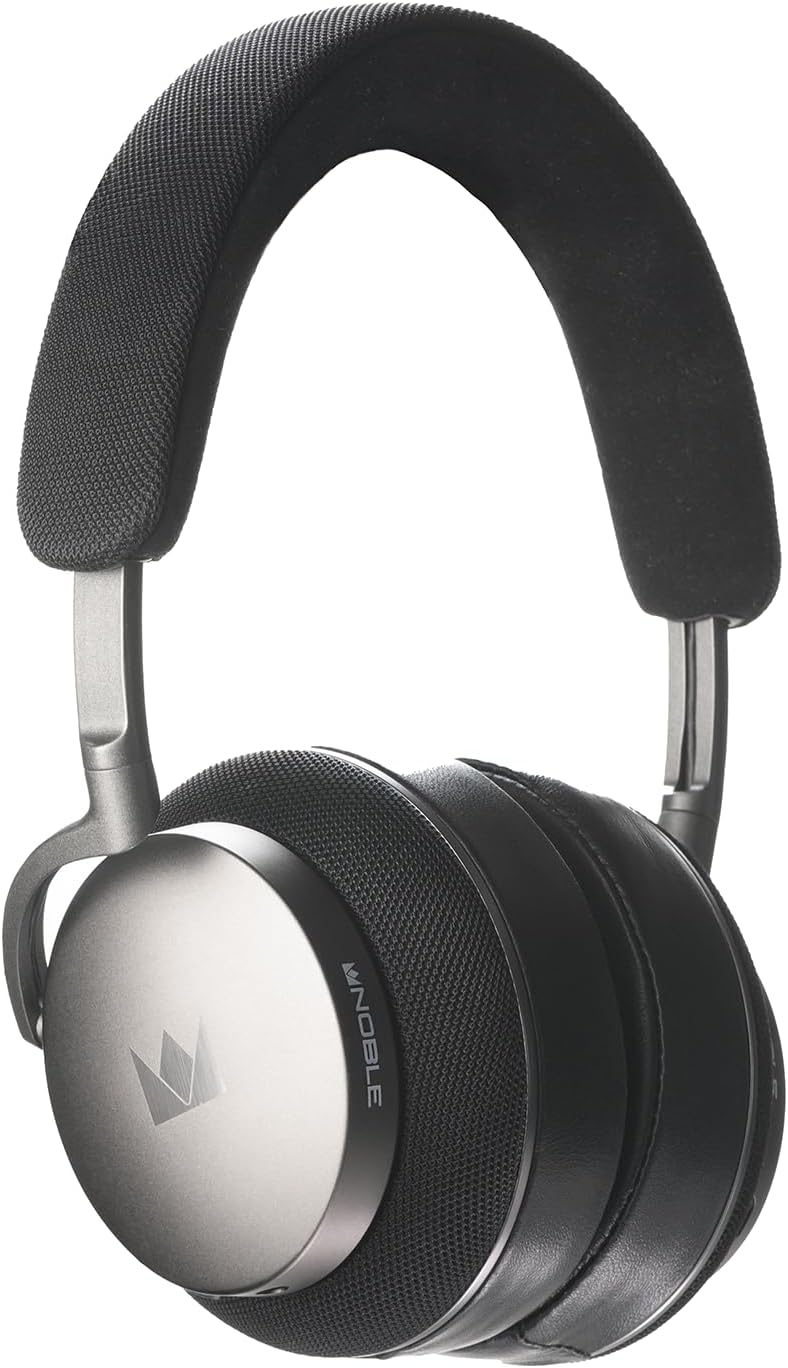
Imaxe 1.1: Fronte view of the Noble Fokus Apollo Over-Ear Wireless Headphones.
2. Contido do paquete
Verifica que todos os elementos estean presentes no paquete:
- Noble Fokus Apollo Over-Ear Wireless Headphones x 1
- EVA Carrying Case x 1
- 3.5mm Auxiliary Cable x 1
- Adaptador de 3.5 mm a 4.4 mm x 1
- Cable de carga USB-C x 1
- Two-Prong Airline Adapter x 1
- 1/4" Adapter for Headphone Amplifiers x 1
- Detachable Boom Microphone x 1
3. Características clave
- Sistema de condución híbrido: Features a 40mm dynamic driver and a 14.5mm planar magnetic driver for balanced audio reproduction.
- Cancelación activa de ruído híbrida (ANC): Reduce o ruído ambiental ata -35 dB.
- Soporte de audio de alta resolución: Compatible with LDAC, aptX HD, and AAC codecs.
- Bluetooth 5.3: Provides stable wireless connectivity and multi-point support.
- Batería de longa duración: Up to 80 hours of playback without ANC, 60 hours with ANC.
- Micrófono de brazo extraíble: Enhances call clarity with an onboard mute switch.
- Conectividade por cable: Supports 3.5mm auxiliary cable connection.
- Materiais Premium: Constructed with an anodized aluminum frame, memory foam, protein leather earpads, and Alcantara headband.
- Noble FoKus App Compatibility: Allows for sound customization, including EQ and hearing test features.
4. Configuración inicial
4.1 Carga dos auriculares
Antes do primeiro uso, carga completamente os auriculares. Conecta o cable USB-C subministrado ao porto de carga dos auriculares e o outro extremo a unha fonte de alimentación USB (por exemplo, un ordenador ou un adaptador de parede).
- O indicador LED mostrará o estado de carga.
- Unha carga completa adoita tardar aproximadamente de 2 a 3 horas.
4.2 Acendido/Apagado
- Para acender: Manteña premido o botón de acendido durante 3 segundos ata que o indicador LED se acenda.
- Para apagar: Manteña premido o botón de acendido durante 5 segundos ata que se apague o indicador LED.
5. Instrucións de funcionamento
5.1 Emparejamento Bluetooth
- Asegúrese de que os auriculares estean apagados.
- Manteña premido o botón de acendido/apagado durante aproximadamente 5-7 segundos ata que o indicador LED parpadee en azul e vermello, indicando o modo de emparellamento.
- No teu dispositivo (teléfono intelixente, tableta, ordenador), activa o Bluetooth e busca os dispositivos dispoñibles.
- Select "Noble FoKus Apollo" from the list.
- Unha vez conectado, o indicador LED parpadeará azul lentamente.
Compatibilidade cos auriculares conexión multipunto, allowing simultaneous connection to two devices. To connect a second device, repeat the pairing process while already connected to the first. The headphones will automatically switch between devices based on audio playback.
5.2 Cancelación activa de ruído (ANC) e modo de transparencia
The headphones feature a dedicated button to cycle through noise control modes:
- Press the ANC button once to activate Cancelación activa de ruído.
- Press the ANC button again to switch to Modo de transparencia, which allows ambient sounds to pass through.
- Press the ANC button a third time to turn off noise control.
5.3 conexión por cable
For wired listening, connect the supplied 3.5mm auxiliary cable to the headphone's audio jack and your audio source. The headphones can be used passively in wired mode even when powered off or out of battery.
- Use the 3.5mm to 4.4mm adapter for compatible audio sources.
- Use the 1/4" adapter for headphone amplevantadores.

Imaxe 5.1: Lateral view of the headphones, highlighting the audio input ports.
5.4 Using the Detachable Boom Microphone
Attach the boom microphone to the designated port on the left earcup for enhanced voice clarity during calls or gaming. The boom mic includes a physical mute switch.
- Slide the switch on the boom mic to mute or unmute your voice.
- The headphones also feature an integrated 6-mic system for calls when the boom mic is not attached.

Image 5.2: Close-up of the earcup, showing the port for the detachable boom microphone.
5.5 Noble FoKus App
Download the Noble FoKus app from your device's app store to access additional features, including:
- Customizable Equalizer (EQ) settings.
- Personalized hearing test for optimized sound profiles.
- Actualizacións de firmware.
6. Coidados e mantemento
- Limpeza: Use a soft, dry cloth to clean the headphones. Avoid abrasive materials or harsh chemicals.
- Almofadas: The protein leather earpads are user-replaceable. Refer to Noble's official website or support for replacement instructions and parts.
- Almacenamento: Store the headphones in the provided EVA carrying case when not in use to protect them from dust and damage.
- Temperatura: Avoid exposing the headphones to extreme temperatures or direct sunlight for prolonged periods.
7. Guía de solución de problemas
| Problema | Causa posible | Solución |
|---|---|---|
| Sen poder | Batería baixa | Carga os auriculares co cable USB-C. |
| Non se pode emparellar por Bluetooth | Auriculares non en modo de emparellamento; Bluetooth do dispositivo desactivado; interferencias | Ensure headphones are in pairing mode (flashing blue/red). Turn device Bluetooth off and on. Move closer to the device. |
| Sen son no modo con cable | Cable not fully inserted; incorrect adapter | Ensure the 3.5mm cable is fully inserted into both the headphones and the audio source. Verify correct adapter usage. |
| Poor call quality with boom mic | Mic muted; mic not fully inserted | Check the mute switch on the boom mic. Ensure the boom mic is securely attached to the headphone port. |
| ANC non eficaz | ANC not activated; improper fit | Preme o botón ANC para activar ANC. Axusta os auriculares para que se axusten ben ás orellas. |
8. Especificacións técnicas
| Característica | Especificación |
|---|---|
| Nome do modelo | FoKus Apollo |
| Tipo de controlador | Hybrid (1x 40mm Dynamic + 1x 14.5mm Planar Magnetic) |
| Control de ruído | Cancelación activa de ruído híbrida (ata -35 dB) |
| Versión Bluetooth | 5.3 |
| Códecs compatibles | LDAC, aptX HD, AAC, aptX, SBC |
| Duración da batería (ANC desactivado) | Ata 80 horas |
| Duración da batería (ANC activado) | Ata 60 horas |
| Conectividade | Bluetooth, 3.5mm Jack, USB-C |
| Impedancia | 32 ohmios |
| Sensibilidade | 102 dB |
| Resposta en frecuencia | Ata 40 kHz |
| Material | Aluminum, Protein Leather, Alcantara |
| Peso | 3.08 libras (aprox. 1.4 kg) |
9. Vídeo oficial do produto
Vídeo 9.1: Presentación oficial dun produto en vídeoasing the Noble Fokus Apollo Over-Ear Wireless Headphones, highlighting key features and design elements.
10. Garantía e soporte
Noble provides a limited warranty for the FoKus Apollo headphones against defects in materials and workmanship. For detailed warranty information, product registration, and technical support, please visit the official Noble Audio websitio ou póñase en contacto co seu servizo de atención ao cliente.
The Noble FoKus app also serves as a resource for product information and support features.