
1. Rematadoview
The SEUNKWANG Q1 Wireless Bluetooth Mouse is a versatile and ergonomic peripheral designed for enhanced productivity across multiple devices. Featuring dual-mode connectivity, a visual LED display for battery and DPI, and silent click buttons, it offers a seamless and quiet user experience.
Características principais:
- Visual LED Power & DPI Display: Minimize battery uncertainty with the integrated LED visual screen, displaying real-time energy percentage and DPI levels.
- Type-C Rechargeable & Smart Energy Saving: Features a high-capacity built-in power cell with universal Type-C charging. Includes an intelligent sleep mode after 1 minute of inactivity and a "Double-Click to Wake" feature.
- Dual-Mode Bluetooth & 2.4G Connectivity: Optimize multi-device workflow with advanced Bluetooth 5.0 and a USB-A receiver, allowing instant switching between devices. Provides a stable, cable-free connection up to 33ft.
- Whisper-Quiet Click & Precise Tracking: Silent mouse technology significantly reduces click noise, ideal for quiet environments. Offers 3 adjustable DPI levels (800-1200-1600) for smooth, responsive navigation.
- 65g Ultra-Lightweight & Ergonomic Comfort: Engineered for maximum mobility, weighing only 65g. The ergonomic shape is tailored for small-to-medium hands, reducing wrist fatigue.
2. Contido do paquete
Asegúrate de que todos os elementos estean presentes no paquete:
- SEUNKWANG Q1 Wireless Bluetooth Mouse
- USB-A Receiver (stored in the mouse)
- Cable de carga tipo C
- Manual de instrucións
3. Especificacións
| Característica | Descrición |
|---|---|
| Marca | SEUNKWANG |
| Nome do modelo | Q1 |
| Tecnoloxía de conectividade | 2.4G, Bluetooth 5.0 |
| Niveis de DPI | 800, 1200, 1600 |
| Botóns | 6 (Esquerda, Dereita, Roda de desprazamento, Interruptor DPI, Adiante, Atrás) |
| Características especiais | Ergonomic, Lightweight (65g), Rechargeable, Silent Click, LED Display (Battery & DPI) |
| Fonte de enerxía | Battery Powered (Type-C Rechargeable) |
| Dispositivos compatibles | Laptop, PC, Smartphone, Tablet (Windows, macOS, Android, iOS) |
| Sistema Operativo | Mac OS 14 Sonoma, Windows 11 (and earlier compatible versions) |
| Material | Plástico |
4. Configuración
4.1 Cargar o rato
Before first use, fully charge the mouse using the provided Type-C cable. The LED display will show the battery percentage.
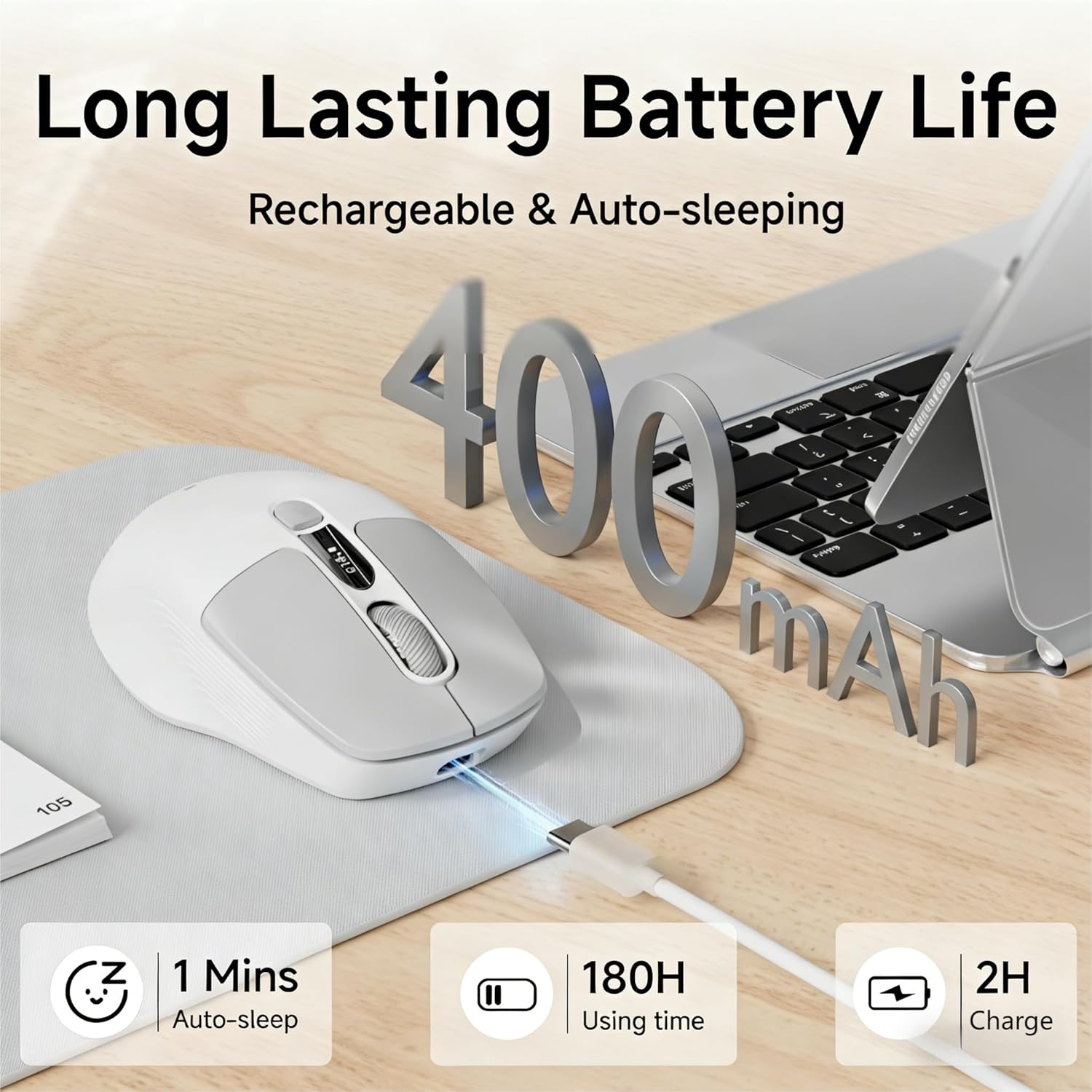
Image: The SEUNKWANG Q1 mouse connected to a Type-C charging cable, highlighting its 400mAh battery, 180H usage time, 1 minute auto-sleep, and 2-hour charge time.
Nota: Do not use a fast charger. Use the supplied cable only.
4.2 Conexión do rato
The Q1 mouse supports dual-mode connectivity: 2.4G wireless via USB-A receiver and Bluetooth 5.0.
4.2.1 Conexión sen fíos 2.4G
- Locate the USB-A receiver stored in the compartment at the bottom of the mouse.
- Plug the USB-A receiver into an available USB port on your computer.
- Slide the switch on the bottom of the mouse to the '2.4G' position. The mouse should connect automatically.
4.2.2 Conexión Bluetooth
- Slide the switch on the bottom of the mouse to the 'BT' position.
- No teu dispositivo (portátil, tableta, teléfono intelixente), vai á configuración de Bluetooth.
- Busca new devices and select 'SEUNKWANG Q1' (or similar) from the list to pair.
- The mouse supports two Bluetooth channels (BT1/BT2). Use the BT1/BT2 switch button on the bottom to toggle between paired Bluetooth devices.
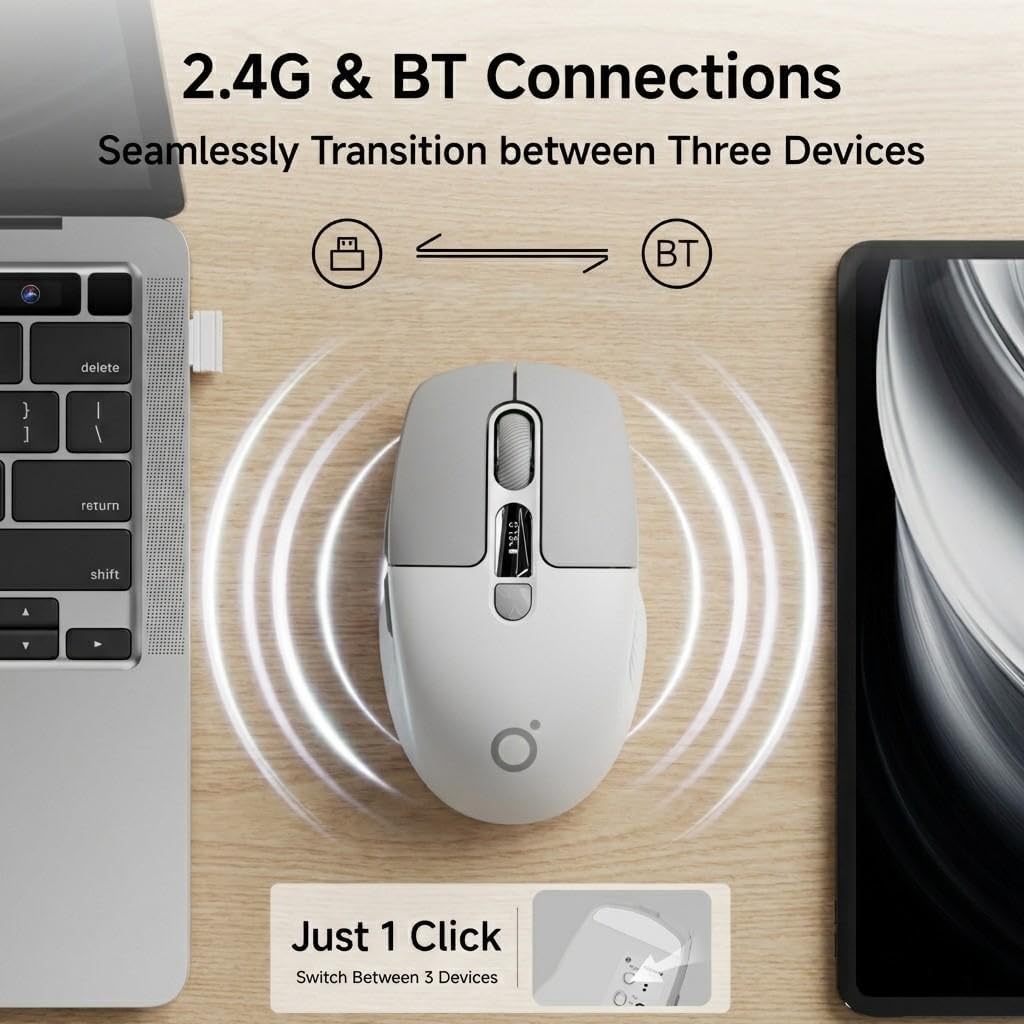
Image: The SEUNKWANG Q1 mouse positioned between a laptop and a tablet, illustrating its dual 2.4G and Bluetooth connectivity for seamless switching between up to three devices with a single click.

Image: An illustration demonstrating the dual-mode connectivity of the SEUNKWANG Q1 mouse, supporting both 2.4GHz wireless and Bluetooth for various operating systems including Android, Windows, macOS, and iOS.
5. Instrucións de funcionamento
5.1 Encendido/apagado
Use the 2.4G/OFF/BT switch on the bottom of the mouse to turn it on or off, and to select your preferred connection mode.
5.2 Axuste de DPI
Press the DPI Switch button (button 5 in the diagram below) to cycle through the 3 adjustable DPI levels: 800, 1200, and 1600. The current DPI level will be shown on the LED display.

Image: A visual representation of the SEUNKWANG Q1 mouse's 3 adjustable DPI levels (800, 1200, 1600), emphasizing its adaptability to various usage scenarios and personalized needs.
5.3 Pantalla LED
The integrated LED screen on the mouse displays the real-time battery percentage and the current DPI level. This allows you to monitor the mouse status at a glance.

Image: The SEUNKWANG Q1 wireless mouse featuring an LED screen display that shows the accurate battery percentage (78%) and selectable DPI levels (800, 1200, 1600).
5.4 Botóns de clic silencioso
The mouse is designed with silent click technology, significantly reducing operational noise. This feature is beneficial in quiet environments such as libraries, offices, or during late-night work sessions.

Image: A user operating the SEUNKWANG Q1 silent mouse in a quiet environment, demonstrating its 90% noise reduction compared to standard mice, making it ideal for focused work.
5.5 Deseño ergonómico
The Q1 mouse features an ultra-lightweight (65g) and ergonomic design, providing comfort and reducing wrist fatigue during extended use. It is suitable for small to medium-sized hands.
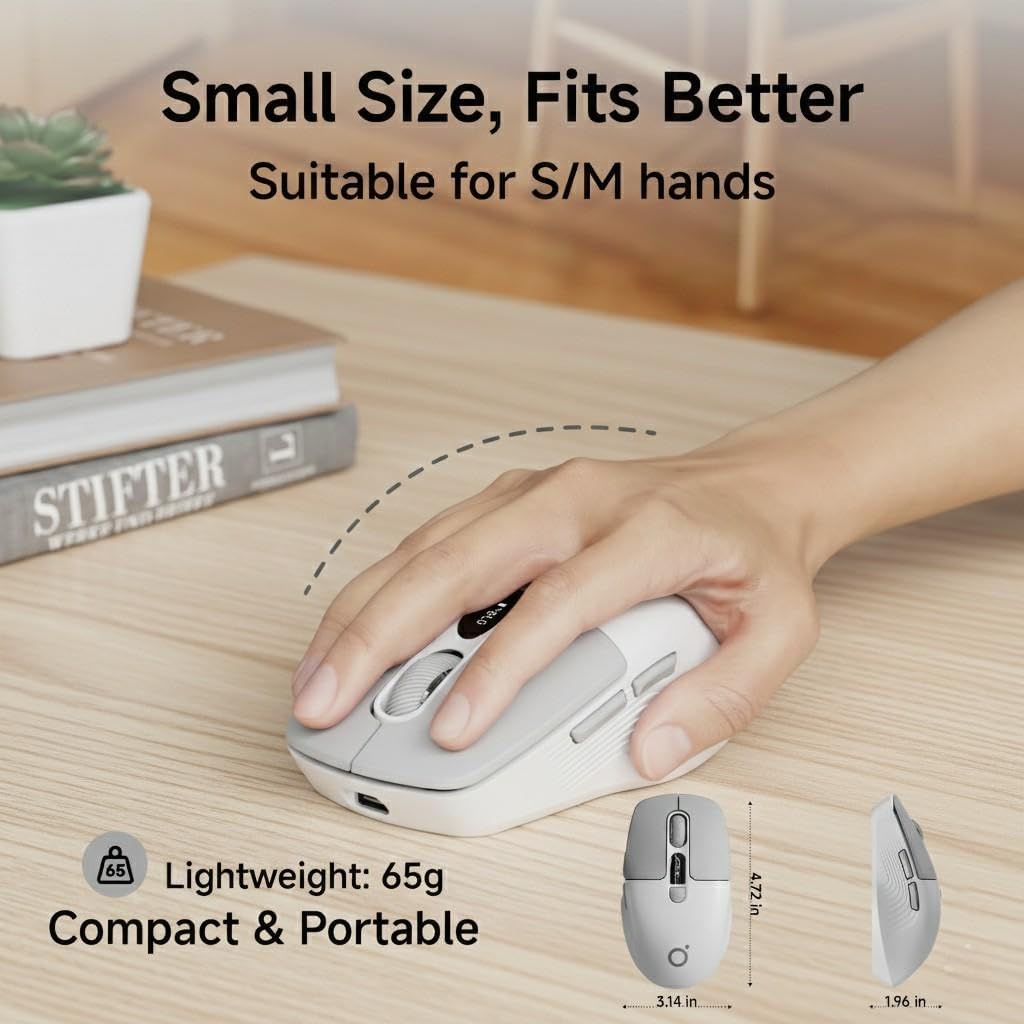
Image: A hand demonstrating the comfortable grip of the SEUNKWANG Q1 mouse, emphasizing its 65g ultra-lightweight, compact, and portable ergonomic design, suitable for small to medium hands.
5.6 Smart Energy Saving
To conserve battery life, the mouse enters an intelligent sleep mode after 1 minute of inactivity. To wake the mouse, simply double-click any button.

Image: A visual guide to the EWEADN-Q1 mouse's fast recharge and auto-sleep functions, detailing the Type-C charging port, 2-3 hours for a full charge, and its automatic entry into sleep mode after 60 seconds of inactivity, with a click to activate.
6. Mantemento
6.1 Limpeza
To clean the mouse, use a soft, dry cloth. Avoid using harsh chemicals or abrasive materials that could damage the surface.
6.2 Coidado coa batería
Regularly charge the mouse using the provided Type-C cable to maintain optimal battery health. Avoid extreme temperatures, which can affect battery performance.
7 Solución de problemas
7.1 Problemas de conectividade
- Conexión 2.4G: Ensure the USB-A receiver is securely plugged into your device and the mouse switch is set to '2.4G'. Try a different USB port if necessary.
- Conexión Bluetooth: Ensure the mouse switch is set to 'BT' and your device's Bluetooth is enabled. Remove any previous pairings and try pairing again.
- Interferencia: Achegue o rato ao dispositivo e afasteo doutros dispositivos sen fíos que poidan causar interferencias.
7.2 O rato non responde
- Batería baixa: Check the LED display for battery percentage. If low, charge the mouse.
- Modo de suspensión: Double-click any button to wake the mouse from sleep mode.
- Ciclo de enerxía: Apague o rato e volve acendelo.
8. Garantía e soporte
The SEUNKWANG Q1 Wireless Bluetooth Mouse comes with a 2 ano de garantía do fabricante e 48-month brand support.
For any questions, troubleshooting, or support needs, please contact our expert team:
- Soporte por correo electrónico: eweadnkeyboard@outlook.com

Image: An illustration detailing the comprehensive after-sales support provided, including pre-sales Q&A, troubleshooting, accessory reissues, and returns/exchanges, with an email address for support.
Vídeos oficiais do produto:
Vídeo: Unha breve presentación en vídeoasing the EWEADN Q1 Wireless Silent Mouse, highlighting its suitability for small to medium-sized hands.
Video: A video demonstrating the Q1 Morandi Green mouse, emphasizing its 90% less click noise with Silent Touch technology.
Video: A video introducing the 2026 Q1 New Upgraded Mouse, showcasing its display for battery and DPI levels.
Video: A video highlighting the EWEADN wireless BT&2.4G silent mouse, suitable for laptops.