
Introdución
The SmailWolf RS8 is an ultra-light gaming mouse designed for high performance and versatility. It features a 1000Hz polling rate, multiple connectivity options (Bluetooth, 2.4GHz wireless, and wired USB), and customizable RGB lighting. This manual provides instructions for setup, operation, maintenance, and troubleshooting.
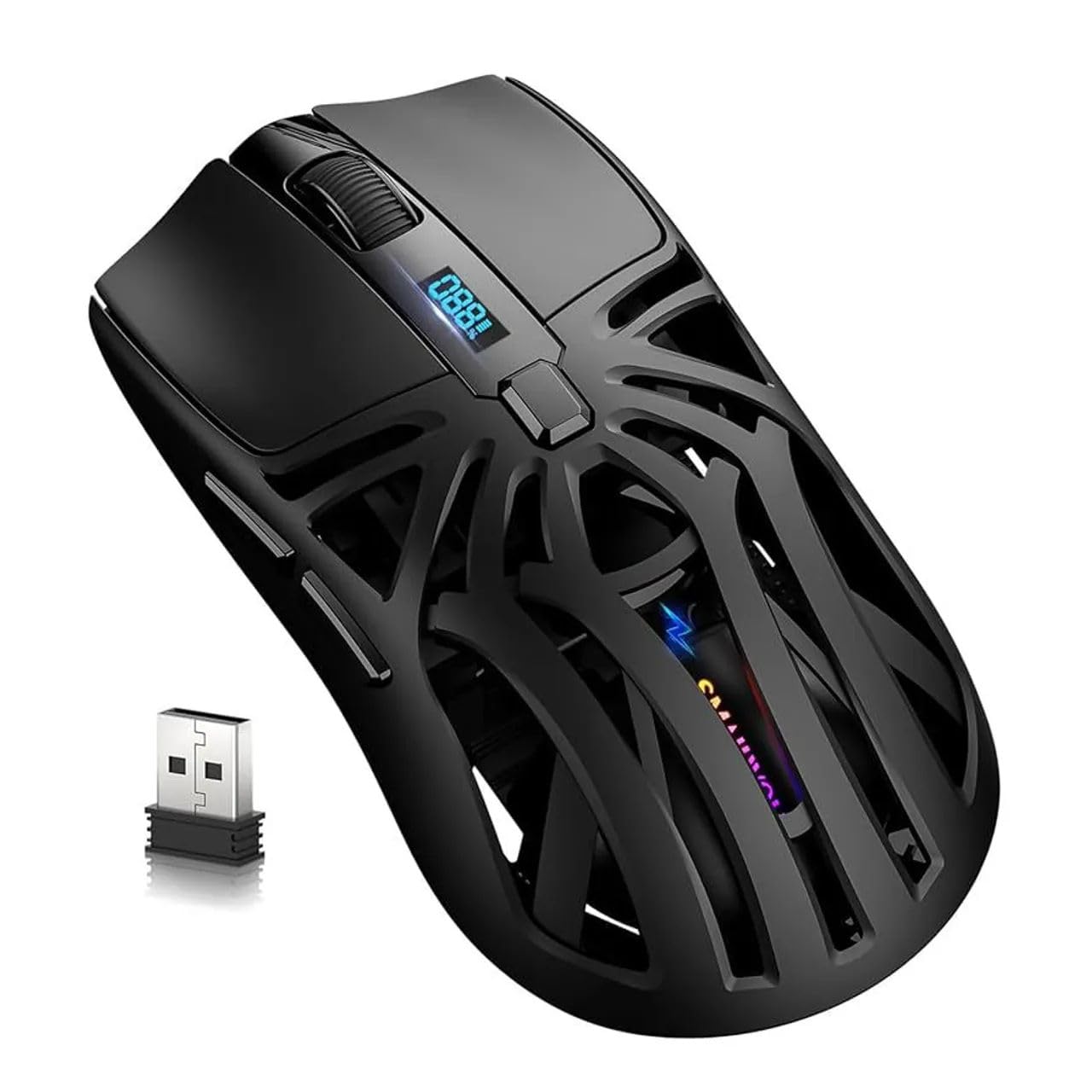
Imaxe: Arriba view of the SmailWolf RS8 gaming mouse, highlighting its ergonomic design and central digital display.
Configuración
Contido do paquete
Ensure the following items are included in your package: SmailWolf RS8 Gaming Mouse, USB Receiver, USB Charging Cable.
Cargando o rato
Connect the USB charging cable to the mouse's charging port and to a USB power source. The digital display will indicate the battery level.
Opcións de conectividade
The SmailWolf RS8 supports three connection modes: 2.4GHz wireless, Bluetooth, and wired USB.

Image: Underside of the SmailWolf RS8 mouse, showing the mode switches and the compartment for the USB receiver.
Conexión sen fíos a 2.4 GHz
- Localiza o receptor USB gardado no compartimento da parte inferior do rato.
- Conecte o receptor USB a un porto USB dispoñible no seu ordenador.
- Switch the mode selector on the bottom of the mouse to the 2.4G position.
- O rato debería conectarse automaticamente ao teu ordenador.
Conexión Bluetooth
- Switch the mode selector on the bottom of the mouse to the Bluetooth position.
- No teu ordenador, vai á configuración de Bluetooth e busca novos dispositivos.
- Select "SmailWolf RS8" from the list of available devices to pair.
- The mouse should connect and be ready for use.
Conexión USB con cable
- Connect the USB charging cable to the mouse and to a USB port on your computer.
- The mouse will function as a wired mouse and will also charge simultaneously.
Instrucións de funcionamento
Axuste de DPI
The SmailWolf RS8 features six-speed DPI adjustment, with a maximum sensitivity of 12000 DPI. Use the dedicated DPI button (usually located behind the scroll wheel) to cycle through the preset DPI levels (e.g., 1200, 1600, 3200, 6400, 10000, 12000). The digital display may show the current DPI setting.
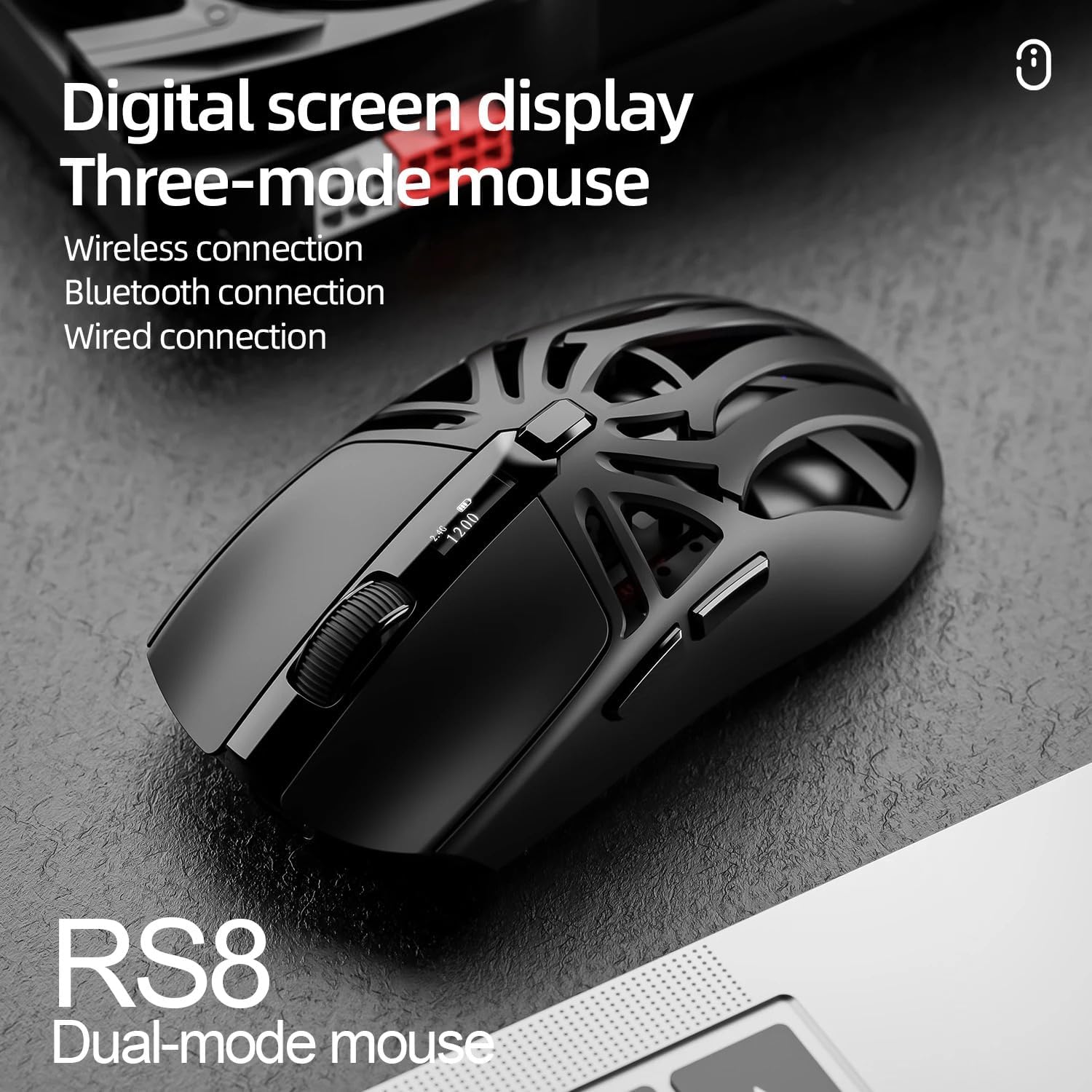
Image: SmailWolf RS8 mouse displaying DPI settings on its digital screen.
RGB Lighting Configuration
The mouse features customizable RGB lighting with 16.8 million colors. Specific buttons or software (if available) can be used to change lighting modes and colors. Refer to the manufacturer's website for any available software.

Image: Detail of the SmailWolf RS8 mouse showcasing its RGB lighting effect.
Funcións dos botóns
The mouse has 6 programmable buttons. Default functions include:
- Fai clic esquerdo
- Fai clic co botón dereito
- Scroll Wheel (Click and Scroll)
- Botón de ciclo DPI
- Botón Adiante (Lateral)
- Back Button (Side)
For advanced customization, check if dedicated software is available from the manufacturer.
Mantemento
Limpeza
Para limpar o rato, use un pano suave e seco. Para a sucidade persistente, dóreo lixeiramente.ampEnxágüe o pano con auga ou unha solución de limpeza suave. Evite o uso de produtos químicos agresivos ou materiais abrasivos.
Coidado da batería
To prolong battery life, avoid fully discharging the mouse frequently. Charge the mouse when the battery indicator is low. If storing the mouse for an extended period, charge it to approximately 50% and store in a cool, dry place.
Resolución de problemas
O rato non responde
- Asegúrate de que o rato estea cargado.
- Check the connection mode (2.4GHz, Bluetooth, or wired).
- For 2.4GHz, ensure the USB receiver is securely plugged in. Try a different USB port.
- For Bluetooth, ensure Bluetooth is enabled on your computer and the mouse is paired correctly. Try re-pairing.
- For wired, ensure the USB cable is securely connected.
- Reinicia o teu ordenador.
Conexión intermitente
- Move the mouse closer to the USB receiver or Bluetooth device.
- Evitar as interferencias doutros dispositivos sen fíos.
- Ensure the mouse battery is not low.
DPI sen cambios
- Prema firmemente o botón DPI.
- Asegúrate de que o rato estea acendido e conectado.
Especificacións
- Modelo: SmailWolf RS8
- Conectividade: Bluetooth, 2.4GHz Wireless, USB Wired (Tri-mode)
- Sensibilidade de DPI: Ata 12000 DPI (6 niveis axustables)
- Taxa de votación: 1000 Hz
- Botóns: 6
- Peso: 49 Grams (Ultra-light)
- Dimensións (L x W): 12 cm x 6.5 cm
- Iluminación: RGB (16.8 millóns de cores)
- Compatibilidade do sistema operativo: Windows (Windows 10 minimum)
- Uso recomendado: Xogos
- Material: Plástico
- Cor: Negro
- Fonte de enerxía: Built-in rechargeable battery (charged via USB)
- Sensor óptico: Si
- Orientación: Destro
- País de orixe: Brasil
Garantía e Soporte
This product is manufactured by HYPEDFLOW. For warranty information or technical support, please refer to the retailer or manufacturer's official website. The product description indicates that specific warranty details may be provided by the seller or local regulations.
Fabricante: HYPEDFLOW