
XIAOMI Redmi 15
Manual do usuario do teléfono intelixente XIAOMI Redmi 15 4G LTE
Model: Redmi 15 (25062RN2DL)
Introdución
This manual provides essential information for setting up, operating, and maintaining your XIAOMI Redmi 15 4G LTE smartphone. Please read this guide thoroughly to ensure proper use and to maximize the device's features.
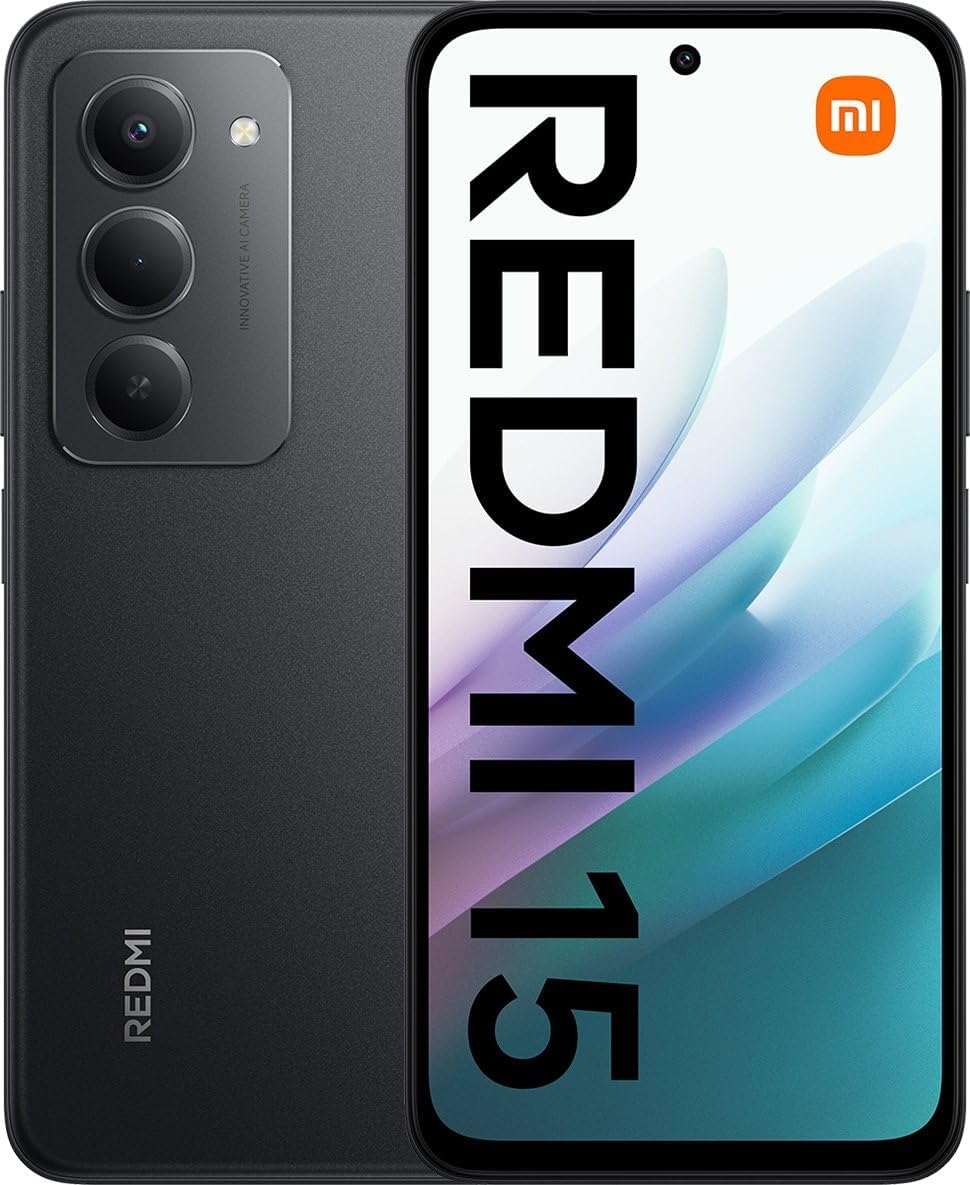
Imaxe: Anverso e reverso view of the XIAOMI Redmi 15 smartphone in Midnight Black. The front displays the screen, and the back shows the camera module and Redmi branding.
1. Configuración
1.1 Instalación da tarxeta SIM e da tarxeta Micro SD
The Redmi 15 supports dual Nano SIM cards and one Micro SD card for expanded storage. Locate the SIM tray on the side of the device. Use the provided SIM ejector tool to open the tray. Carefully place your Nano SIM cards and Micro SD card into the designated slots, ensuring correct orientation. Reinsert the tray firmly into the phone.
1.2 Acendido inicial e compatibilidade de rede
Press and hold the power button until the XIAOMI logo appears. Follow the on-screen instructions to complete the initial setup. For network connectivity in the USA, this device is compatible with T-Mobile, Mint Mobile, and Tello. It also supports 4G VoLTE worldwide. Please ensure your SIM card is activated with a compatible carrier.

Image: A chart illustrating network compatibility. Compatible carriers include T-Mobile, Mint, Tello, Ultra, and networks outside the USA. Incompatible carriers include Verizon, AT&T, Xfinity, Boost, Virgin, Visible, Cricket, and other CDMA carriers.
1.3 Carga do dispositivo
Connect the provided USB Type-C cable to the phone's charging port and the other end to the 33W wall charger. The device supports 33W turbo charging for rapid power replenishment. Ensure the charger is plugged into a standard power outlet. The battery indicator on the screen will show charging status.
2. Instrucións de funcionamento
2.1 Navegación básica
The Redmi 15 features a 6.9-inch FHD+ DotDisplay with a responsive touchscreen. Navigate the interface by tapping, swiping, and pinching. Use the volume buttons on the side to adjust audio levels and the power button for screen lock/unlock and power options.
2.2 Características de visualización
Experience smooth visuals with a refresh rate of up to 144Hz, adjustable for supported applications. The display offers 700 nits (typ) brightness and 850 nits HBM, with a contrast ratio of 1400:1. It is TÜV Rheinland certified for Low Blue Light, Circadian Friendly, and Flicker Free, enhancing eye comfort.
2.3 Uso da cámara
The device is equipped with a 50MP main camera (f/1.8, 5P lens) and an auxiliary lens, along with an 8MP front camera (f/2). Open the Camera app to access various modes including filmCamera, HDR, Soft-light ring, Portrait mode, and Time-lapse. Rear camera video recording supports 1080p and 720p at 30 fps. Front camera video recording also supports 1080p and 720p at 30 fps.
2.4 Características de seguridade
Unlock your phone using the rear-mounted fingerprint sensor or AI face unlock for convenient and secure access to your device.
2.5 Conectividade
The Redmi 15 supports Wi-Fi (2.4GHz | 5GHz) and Bluetooth 5.1 for wireless connections. For location services, it integrates GPS, AGPS, GLONASS, Beidou, and Galileo.
Audio 2.6
A 3.5mm headphone jack is available for wired audio accessories. The device also features a proximity sensor, ambient light sensor, and accelerometer.
3. Mantemento
3.1 Coidado coa batería
The 7000mAh (typ) battery is designed for extended use. To prolong battery life, avoid extreme temperatures and fully discharging the battery regularly. Use only the provided charger and cable for optimal charging performance.
3.2 Actualizacións de software
Your device runs on Xiaomi HyperOS based on Android 15. Periodically check for system updates in the device settings to ensure you have the latest features, security patches, and performance improvements.
3.3 Cleaning and Protection
The Redmi 15 has an IP64 rating for dust and water resistance. While it offers protection against splashes and dust, it is not waterproof. Avoid submerging the device in water. Clean the screen and body with a soft, lint-free cloth. Do not use harsh chemicals or abrasive materials. The included phone case can provide additional physical protection.
4 Solución de problemas
If you encounter issues with your Redmi 15, consider the following basic troubleshooting steps:
- O dispositivo non se acende: Asegúrate de que a batería estea cargada. Conecta o cargador e agarda uns minutos antes de tentar acender de novo.
- Problemas de conectividade de rede: Check if your SIM card is properly inserted. Verify that mobile data is enabled in settings. If in the USA, confirm your carrier is T-Mobile, Mint, or Tello. Restart the device.
- Rendemento lento: Close unnecessary background applications. Clear cache from apps. Restart the device. Ensure sufficient storage space is available.
- Problemas de carga: Use the original charger and cable. Check for debris in the charging port. Try a different power outlet.
- Mal funcionamento da cámara: Restart the camera app or the device. Ensure there are no obstructions on the camera lenses.
Para problemas máis complexos, consulte o soporte oficial de XIAOMI. websitio ou póñase en contacto co servizo de atención ao cliente.
5. Especificacións
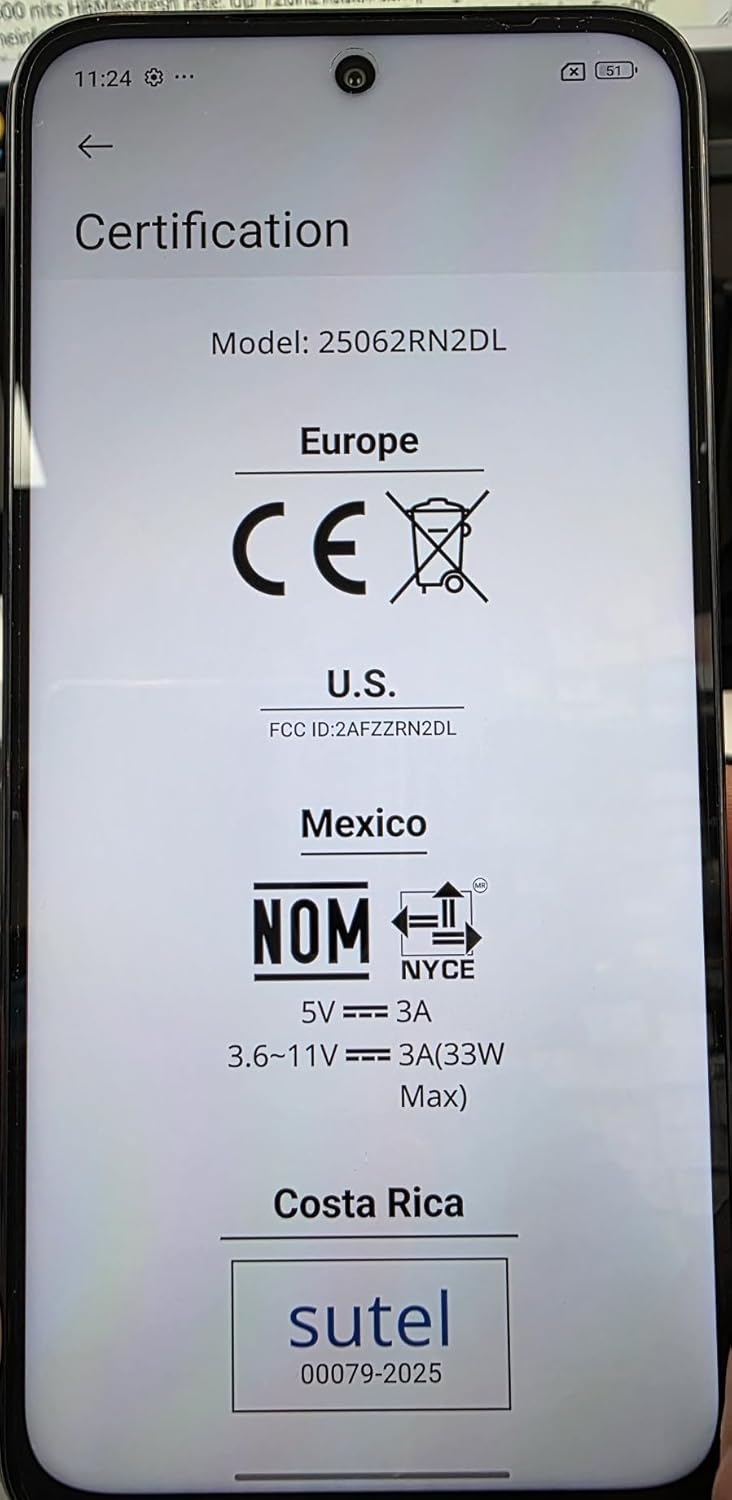
Image: A close-up of the phone screen displaying various regulatory certifications including CE for Europe, FCC ID for the U.S., NOM for Mexico, and Sutel for Costa Rica, confirming model 25062RN2DL.
| Característica | Detalle |
|---|---|
| Nome do modelo | Redmi 15 (25062RN2DL) |
| Sistema Operativo | Xiaomi HyperOS baseado en Android 15 |
| Procesador | Snapdragon 685 |
| Mostrar | 6.9" FHD+ DotDisplay, 2340 × 1080 resolution, 144Hz refresh rate |
| RAM | 6 GB |
| Almacenamento | 128 GB (expandable via Micro SD) |
| Cámara traseira | 50MP main (f/1.8) + Auxiliary lens |
| Cámara frontal | 8MP (f/2) |
| Batería | 7000mAh (typ), 33W turbo charging |
| Conectividade | 4G LTE, Wi-Fi (2.4GHz/5GHz), Bluetooth 5.1, GPS, AGPS, GLONASS, Beidou, Galileo |
| Portos | USB tipo C, toma de auriculares de 3.5 mm |
| Seguridade | Rear fingerprint sensor, AI face unlock |
| Dimensións | 7 x 4 x 2 polgadas (embalaxe) |
| Peso | 6 onzas |
| Resistencia á auga/po | IP64 |
| Na Caixa | Phone, 33W Wall Charger, USB Type-C Cable, Phone Case, SIM Ejector Tool (implied) |
6. Garantía e soporte
Your XIAOMI Redmi 15 smartphone is covered by a manufacturer's warranty. For specific warranty terms and conditions, please refer to the warranty card included with your product or visit the official XIAOMI support website. The device was first available on August 7, 2025.
For technical assistance, troubleshooting, or service inquiries, please contact XIAOMI customer support through their official channels. Keep your purchase receipt and device model number (25062RN2DL) handy when seeking support.
Fabricante: Xiaomi
Ask a question about this manual
Ask about setup, troubleshooting, compatibility, parts, safety, or missing instructions. Manuals+ will review the question and use this page’s manual context to help answer it.