
1. Introdución
This manual provides detailed instructions for the proper use and maintenance of your BOBLOV KJ26 2K Body Camera. Please read this manual thoroughly before operating the device to ensure optimal performance and longevity.
2. Contido do paquete
Verifique que todos os elementos que se indican a continuación estean incluídos no seu paquete:
- KJ26 Body Camera
- 360° Rotatable Long Clip
- 360° Rotatable Short Clip
- Two Rechargeable Batteries (2000mAh each)
- Base de carga
- Cable USB-C
- Manual de usuario (este documento)
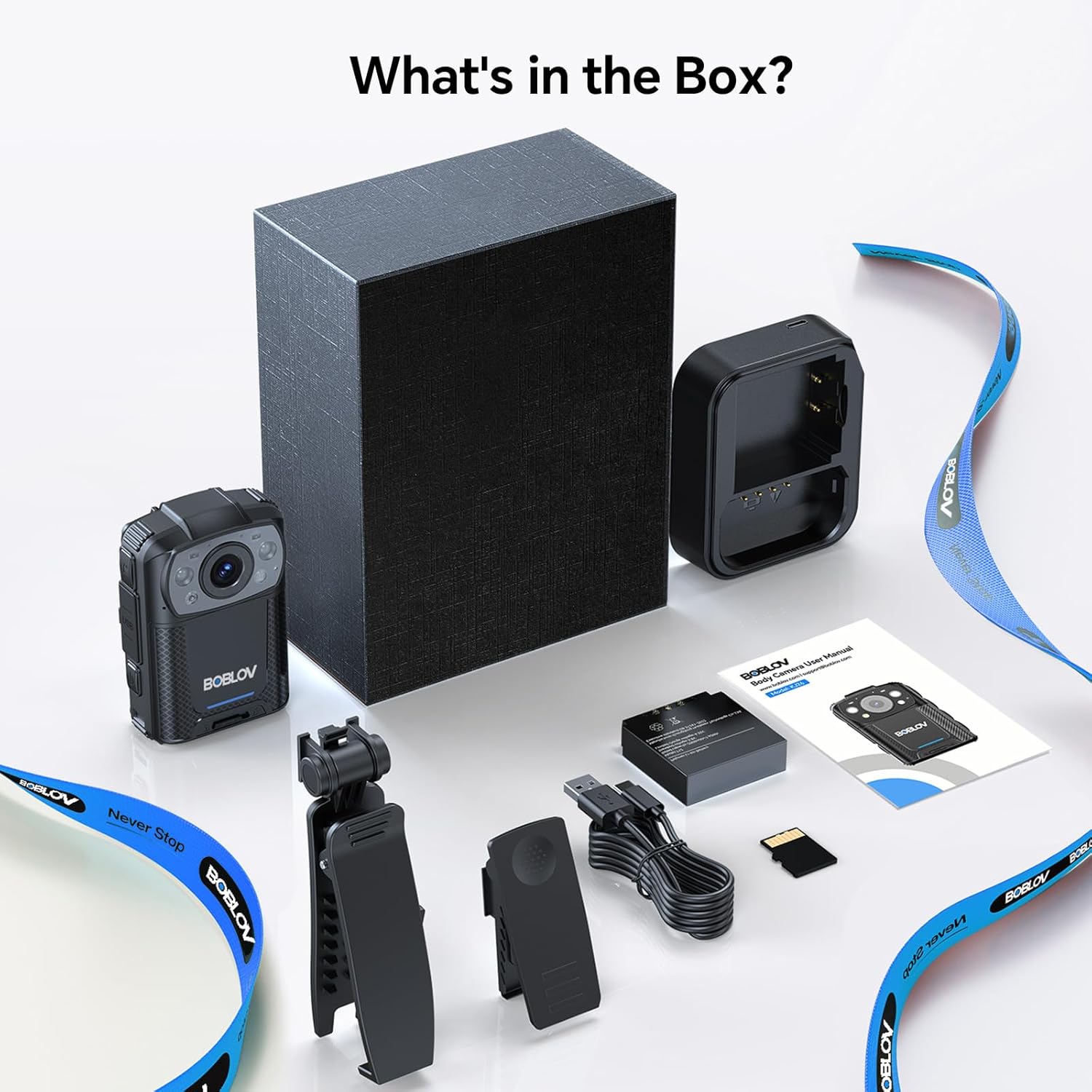
Image: All components included in the BOBLOV KJ26 Body Camera package.

Imaxe: Representación visual do contido do paquete.
Video: Official unboxing video for the BOBLOV KJ26 body camera, demonstrating the contents of the package and initial setup.
3. Configuración
3.1. Instalación e carga da batería
The KJ26 body camera comes with two 2000mAh rechargeable batteries. Ensure batteries are fully charged before first use.
- Insert a battery into the designated battery compartment on the camera.
- Place the camera onto the charging dock.
- Connect the USB-C cable to the charging dock and a power source.
- O indicador luminoso de carga mostrará o estado de carga.
- To swap batteries, remove the current battery and insert a fresh one.

Image: BOBLOV KJ26 body camera highlighting its dual battery system for extended recording.

Image: Swappable batteries for continuous recording.
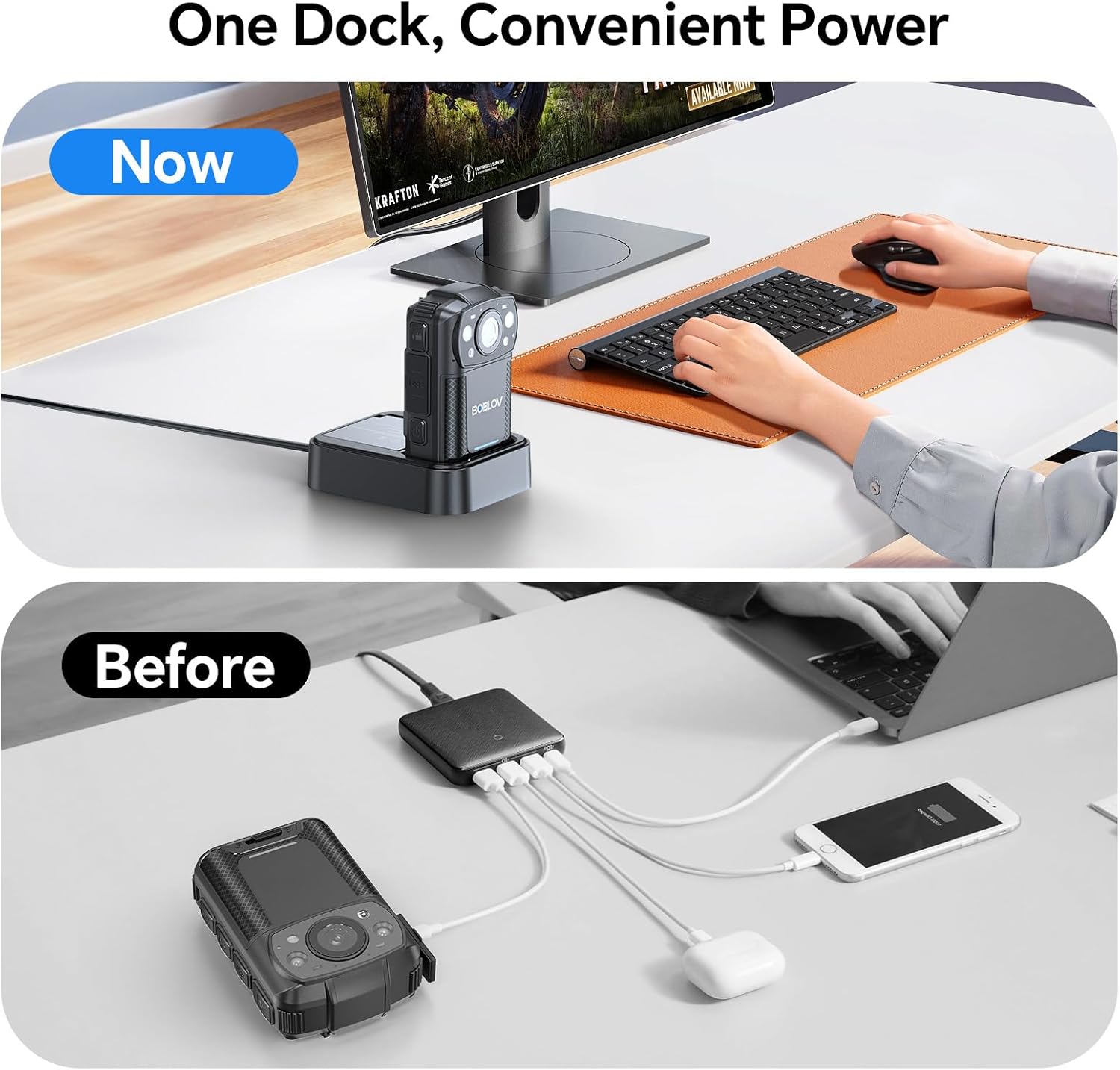
Image: The camera charging in its dedicated dock.
3.2. Instalación da tarxeta de memoria
The camera supports external Micro SD cards for storage expansion. The device comes with a 256GB card installed.
- Localiza a ranura para tarxetas Micro SD na cámara.
- Gently insert the Micro SD card until it clicks into place.
- Para retirala, prema a tarxeta cara a dentro ata que salte.

Image: The camera supports easy memory card swapping for expanded storage.
3.3. Fixación de clips
Two rotatable clips (long and short) are provided for flexible mounting options.
- Select the appropriate clip (long or short) for your intended use.
- Attach the clip to the back of the camera by sliding it into the designated slot until it locks securely.
- The clip can rotate 360° for optimal positioning.

Imaxe: Examples of flexible mounting with different clip lengths.
4. Instrucións de funcionamento
4.1. Acendido/apagado
- Para acender: manteña premido o botón de acendido ata que a pantalla se ilumine.
- To power off: Press and hold the Power button until the device shuts down.
4.2. Gravación de vídeo
The camera records video in 2K, 1080P, or 720P resolution with audio, saving files in MOV format.
- To start recording: Press the Record button. A red indicator light or on-screen icon will confirm recording is active.
- To stop recording: Press the Record button again.
- Gravación en bucle: A cámara admite a gravación en bucle, sobrescribindo o máis antigo files cando a tarxeta de memoria estea chea.
- Adjustable Video Length: Video segments can be set to 5, 10 (default), 15, or 20 minutes.

Image: The compact design of the wearable body camera.

Image: Continuous recording with adjustable video segment lengths.
4.3. Captura de fotos
The camera can also capture still images.
- To take a photo: Press the Photo button.
4.4. Visión nocturna
The KJ26 features infrared LEDs for clear recording in low-light conditions.
- Night vision activates automatically in dark environments.

Image: Night vision capability for reliable surveillance in low light.

Image: Capturing details even in low light conditions.
4.5. Características especiais
- Detección de movemento: The camera can be set to start recording automatically when motion is detected.
- Modo da cámara de guión: The device can function as a dash camera, suitable for vehicle use.

Image: The camera mounted in a vehicle, demonstrating dash camera mode.
5. Mantemento
5.1. Limpeza
- Use un pano suave e seco para limpar o corpo da cámara.
- Para a lente, use un pano e unha solución de limpeza de lentes especializados para evitar rabuñaduras.
- Non use produtos químicos agresivos ou materiais abrasivos.
5.2. Coidado da batería
- Almacene as baterías nun lugar fresco e seco cando non esteas en uso.
- Evite descargar completamente as baterías con frecuencia para prolongar a súa vida útil.
- Se garda as baterías durante períodos prolongados, cárgueas ata aproximadamente o 50 % da súa capacidade.
5.3. Almacenamento
- Store the camera in a protective case to prevent damage from impacts or dust.
- Manteña o dispositivo lonxe de temperaturas extremas e da luz solar directa.
6 Solución de problemas
| Problema | Causa posible | Solución |
|---|---|---|
| A cámara non se acende. | A batería está esgotada ou non está instalada correctamente. | Ensure battery is charged and correctly inserted. Try swapping with the second battery. |
| Non se pode gravar vídeo. | A tarxeta de memoria está chea, danada ou non está inserida. | Check memory card status. Format the card (this will erase all data). Replace the card if necessary. |
| Mala calidade de vídeo pola noite. | Night vision not active or insufficient ambient light. | Ensure night vision is enabled (if manual setting is available) or that there is some minimal light for the IR sensors to function. |
| A cámara conxélase ou deixa de responder. | Fallo de software ou erro temporal. | Press and hold the Power button for 10-15 seconds to force a restart. If issue persists, contact support. |
7. Especificacións
| Característica | Detalle |
|---|---|
| Marca | BOBLOV |
| Número de modelo | KJ26 |
| Resolución de captura de vídeo | 2K, 1080P, 720P |
| Tecnoloxía do sensor fotográfico | CMOS |
| Tipo de memoria flash | Micro SD |
| Tamaño da memoria flash instalada | 256 GB |
| Formato de captura de vídeo | MOV |
| Formato de audio compatible | AAC, MP3 |
| Tamaño da pantalla | 2 polgadas |
| Tecnoloxía de conectividade | USB |
| Características especiais | Audio Recording, Dash Camera Mode, Loop Recording, Motion Detection, Night Vision |
| Nivel de resistencia á auga | Non resistente á auga |
| Duración media da batería | 8 hours (with two batteries) |
| Número de baterías | 2 (incluído) |
| Modos de disparo | Video Recording, Photo Capture |
| Relación de aspecto da imaxe | 16:9 |
| Dispositivos compatibles | Ordenador portátil, ordenador persoal |
8. Información da garantía
The BOBLOV KJ26 Body Camera comes with a 2 ano de garantía from the date of purchase. This warranty covers manufacturing defects and malfunctions under normal use. Please retain your proof of purchase for warranty claims. For detailed warranty terms and conditions, please refer to the official BOBLOV websitio ou póñase en contacto co servizo de atención ao cliente.
9. Atención ao cliente
For technical assistance, troubleshooting, or any inquiries regarding your BOBLOV KJ26 Body Camera, please contact BOBLOV customer support:
- Oficial Websitio: Visita o BOBLOV Store on Amazon para obter información sobre o produto e recursos de asistencia.
- Correo electrónico/Teléfono: Refer to the contact information provided on the official BOBLOV websitio web ou na embalaxe do produto.