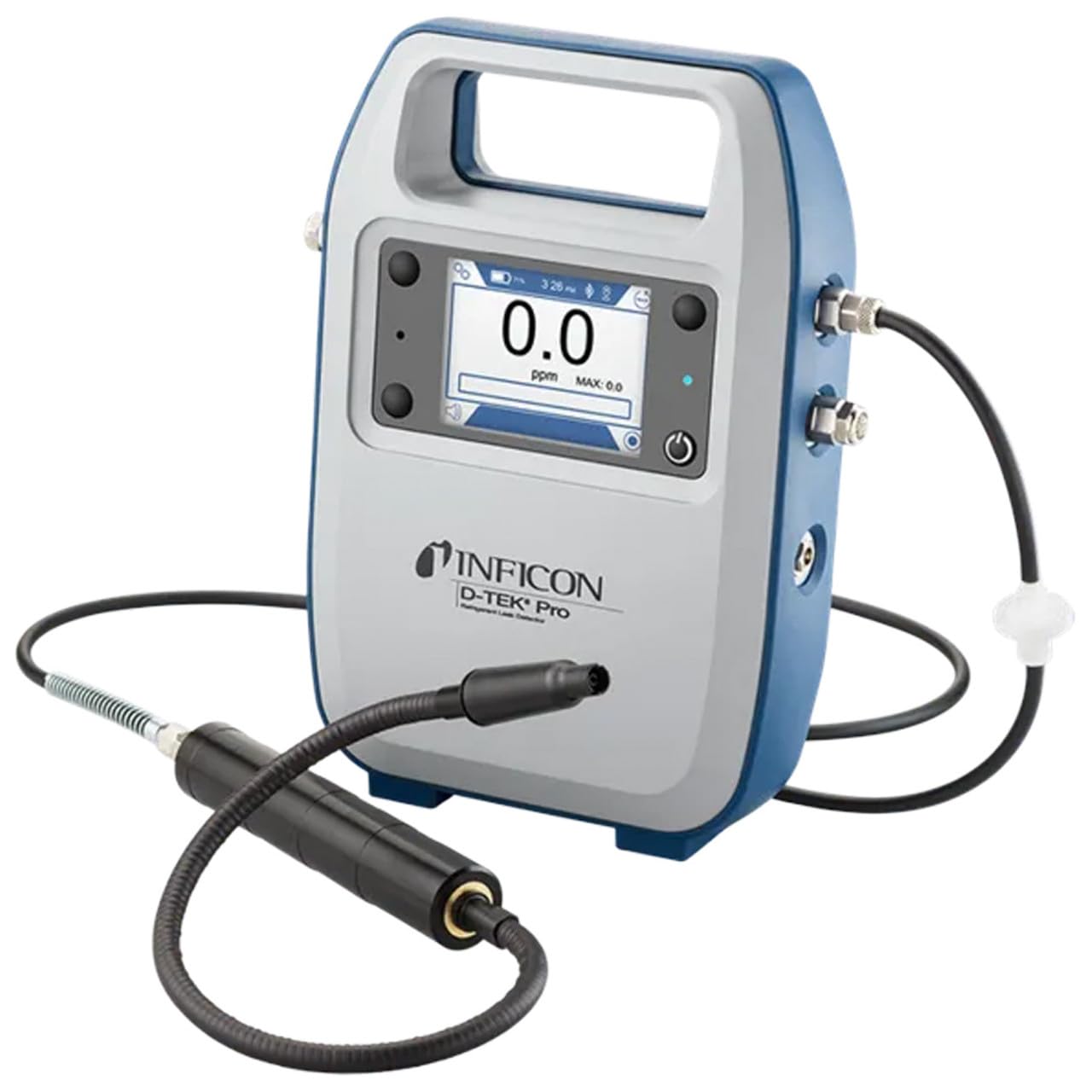
Inficon D-TEK Pro Refrigerant Leak Detector User Manual
Modelo: 508-202-G1
1. Introdución
The Inficon D-TEK Pro Refrigerant Leak Detector is designed for precise and rapid detection of refrigerant leaks. This device offers high sensitivity and an all-in-one Pro Mode for efficient leak identification. This manual provides essential information for the proper setup, operation, and maintenance of your D-TEK Pro.
2. Información de seguridade
Observe sempre as seguintes precaucións de seguridade para evitar lesións e danos no dispositivo:
Le todas as instrucións antes de utilizar o dispositivo.
Use o dispositivo só como se describe neste manual.
Non expoña o dispositivo a temperaturas ou humidade extremas.
Ensure proper ventilation when working with refrigerants.
Usar equipos de protección individual (EPI) axeitados, como luvas e protección ocular.
Do not attempt to service the device beyond what is described in the maintenance section. Refer all other servicing to qualified personnel.
3. Que hai na caixa
Comprobe que todos os elementos estean presentes ao desembalar:
(1) D-TEK Pro Refrigerant Leak Detector
(1) Soft case with shoulder strap
(1) Spare filters
(1) Phone holder
(1) Cable de carga
4. Configuración
4.1 Carga do dispositivo
The D-TEK Pro is powered by a rechargeable battery. Before first use, fully charge the device.
Connect the provided charging cable to the charging port on the D-TEK Pro.
Conecta o outro extremo do cable de carga a unha fonte de alimentación axeitada.
O indicador de carga do dispositivo acenderase. Deixe o tempo suficiente para unha carga completa.
4.2 Attaching the Phone Holder
The included phone holder allows for convenient mobile device integration.
Locate the attachment point for the phone holder on the D-TEK Pro.
Securely attach the phone holder according to its design.
Place your mobile device into the holder, ensuring it is stable.
5. Instrucións de funcionamento
5.1 Acendido/Apagado
Para acender, manteña premido o botón de acendido ata que se ilumine a pantalla.
Para apagar, manteña premido o botón de acendido ata que se apague o dispositivo.
5.2 Using Pro Mode for Leak Detection
The D-TEK Pro features an all-in-one Pro Mode that combines cloud hunting and pinpointing capabilities, allowing for efficient leak location.
Ensure the device is powered on and in Pro Mode (refer to the display for mode indication).
Move the sensor probe slowly around suspected leak areas. The device's superior airflow allows for detection from a greater distance.
The D-TEK Pro will indicate the presence of refrigerants with high sensitivity, detecting down to 0.1 ppm.
Follow the increasing readings to pinpoint the exact leak source.
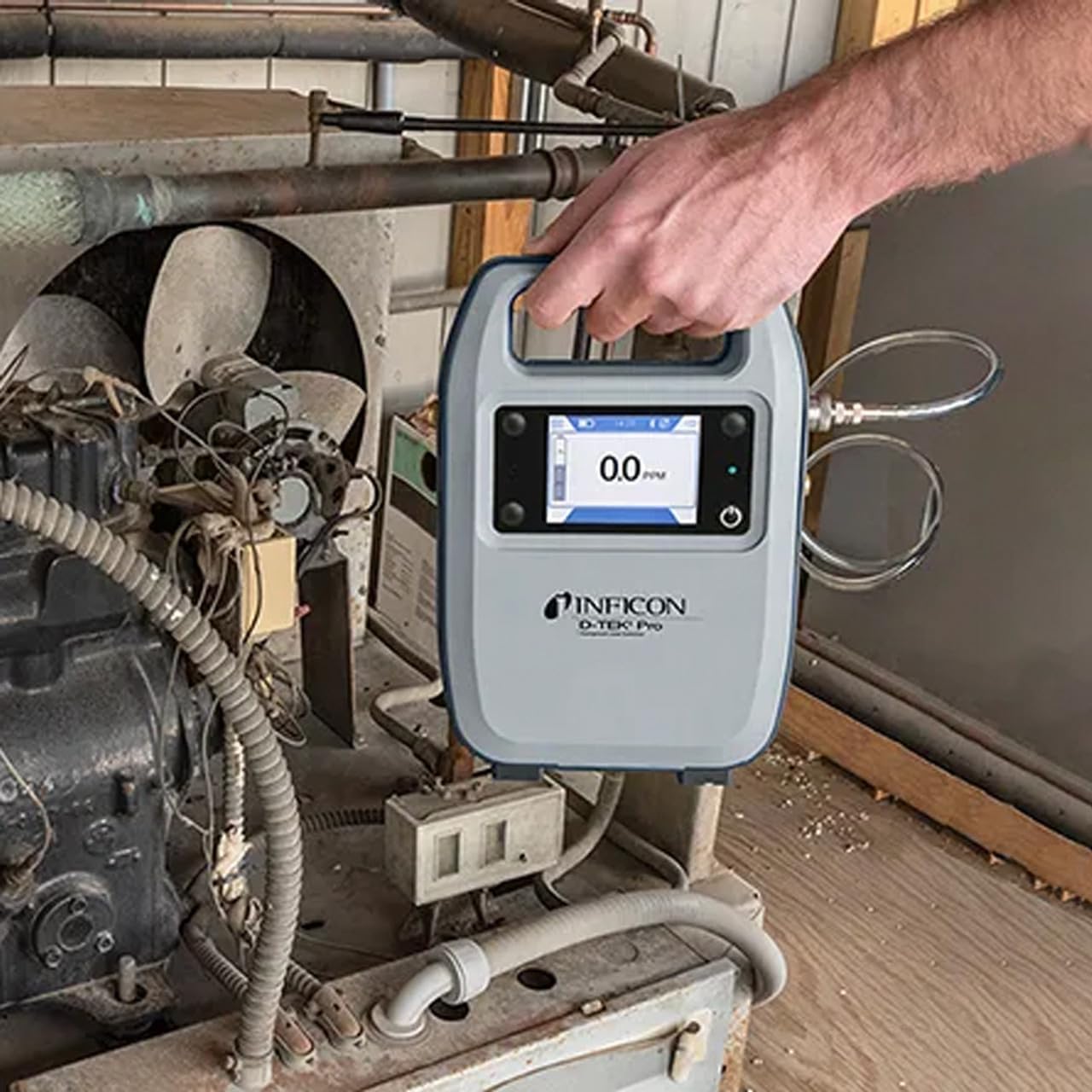
Figure 1: The Inficon D-TEK Pro being used to inspect a refrigeration unit. The display shows a 0.0 ppm reading, indicating no refrigerant detected at the current location. The device is held by a user's hand, demonstrating its portability and ease of use in an industrial setting.
5.3 Refrigerant Compatibility
The D-TEK Pro is designed to detect a wide range of refrigerants, including:
CFCs (Chlorofluorocarbons)
HCFCs (Hydrochlorofluorocarbons)
HFCs (Hydrofluorocarbons)
HFOs (Hydrofluoroolefins)
Blends including A2Ls
5.4 Integración de aplicacións móbiles
Download the D-TEK Pro mobile app to enhance your leak detection workflow.
Customer Reports: Generate detailed reports with photos and ppm tracking.
Seguimento GPS: Confirm job location with integrated GPS functionality.
Figure 2: The Inficon D-TEK Pro connected to a smartphone, showcasing the mobile application's interface. This setup allows users to view real-time leak detection data, generate reports, and utilize GPS tracking for job site verification.
6. Mantemento
6.1 Coidado e limpeza xerais
To ensure optimal performance and longevity of your D-TEK Pro:
Limpe o dispositivo cun suave, damp pano. Non use produtos de limpeza ou disolventes abrasivos.
Keep the sensor probe clean and free from debris.
Store the device in its soft case when not in use to protect it from dust and physical damage.
6.2 Substitución do filtro
The D-TEK Pro is designed for low maintenance, requiring no purging and no charcoal filters. However, spare filters are provided for specific applications or if the existing filter becomes visibly soiled or damaged.
Locate the filter housing on the device.
Retire con coidado o filtro antigo.
Insert a new spare filter, ensuring it is seated correctly.
7 Solución de problemas
This section addresses common issues you might encounter with your D-TEK Pro.
Problema
Causa posible
Solución
O dispositivo non se acende.
Batería baixa ou esgotada.
Cargue o dispositivo mediante o cable de carga proporcionado.
Lecturas inexactas ou inconsistentes.
Sensor probe is dirty or damaged; environmental interference.
Clean the sensor probe. Ensure proper environmental conditions. If issue persists, contact support.
Mobile app not connecting.
Problema de Bluetooth; a aplicación non está actualizada.
Ensure Bluetooth is enabled on both devices. Update the D-TEK Pro app to the latest version.
8. Especificacións
Característica
Detalle
Número de modelo
508-202-G1
Peso do elemento
3 libras
Dimensións do paquete
15 x 12 x 4 polgadas
Tipo de visualización
LCD, LED
Fonte de enerxía
Batería recargable
Sensibilidade
Resolución de 0.1 ppm
Detected Refrigerants
CFCs, HCFCs, HFCs, HFOs, and blends including A2Ls
9. Información da garantía
The Inficon D-TEK Pro Refrigerant Leak Detector comes with a 2 ano de garantía from the date of purchase. This warranty covers defects in materials and workmanship under normal use. For warranty claims or detailed terms and conditions, please refer to the official Inficon websitio ou póñase en contacto co servizo de atención ao cliente.
10. Atención ao cliente
For technical assistance, troubleshooting not covered in this manual, or general inquiries, please contact Inficon customer support.
Recursos en liña: Visita o oficial Tenda Inficon en Amazon para obter información e actualizacións do produto.
Información de contacto: Refer to the Inficon official websitio web para obter datos de contacto directos (teléfono, correo electrónico).
Ask a question about this manual
Ask about setup, troubleshooting, compatibility, parts, safety, or missing instructions. Manuals+ will review the question and use this page’s manual context to help answer it.