
Introdución
This manual provides instructions for the setup, operation, and maintenance of your Smiling Shark G-WKL-US Wake Up Light. This device integrates an alarm clock, ambient lighting, a Bluetooth speaker, and a 15W wireless charger into a single unit. Please read these instructions carefully before use and retain them for future reference.
Contido do paquete
Verifica que todos os elementos estean presentes no paquete:
- 1 x Smiling Shark G-WKL-US Wake Up Light
- 1 x cable de carga tipo C
- 1 x Manual de usuario (este documento)
- 1 x adaptador de alimentación
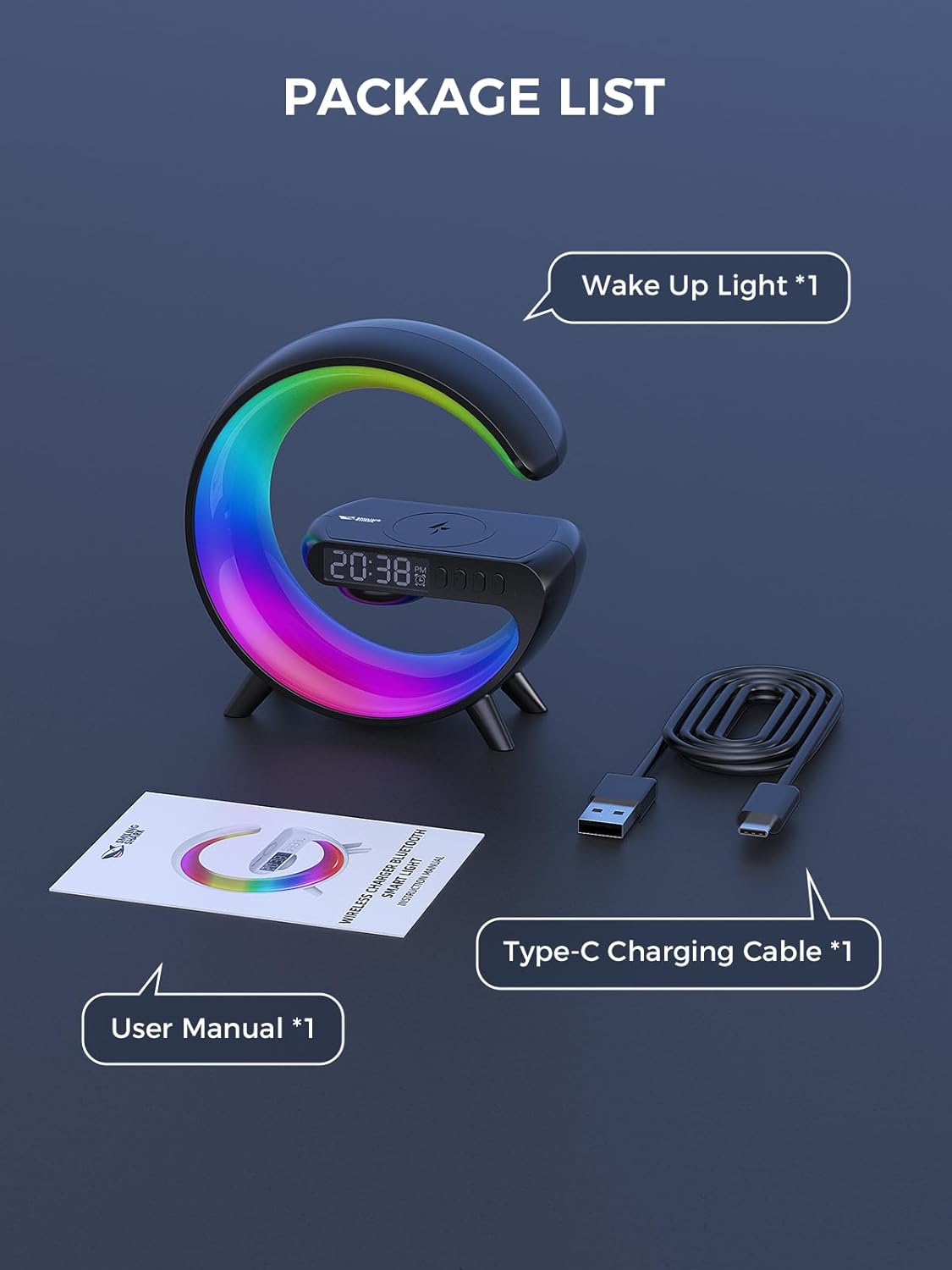
Figura 1: Contido do paquete
Produto rematadoview
The Smiling Shark G-WKL-US is a versatile device designed to enhance your bedroom or living space. Key features include:
- Wake Up Light Alarm Clock: Features sunrise simulation and customizable alarm settings for a gentle awakening.
- Sleep Aid Function: Offers night light effects and soothing sounds to promote restful sleep.
- Iluminación Ambiental: Provides 10 distinct light effects and adjustable brightness to create various atmospheres.
- Altofalante Bluetooth: Connects wirelessly to your devices for audio playback. Includes a sound-reactive light feature.
- 15W Wireless Charger: Conveniently charges Qi-compatible smartphones and headphone cases.
- Entrada AUX: Allows connection to external audio sources via a 3.5mm audio cable.

Figure 2: G-Series Smart Light Features
Configuración
- Conexión de alimentación: Connect the provided Type-C charging cable to the device's DC IN port and plug the adapter into a standard wall outlet. The device will power on automatically.
- Configuración da hora inicial: Upon first power-on, the clock display may flash. Use the control buttons (refer to the Instrucións de funcionamento section for button layout) to set the current time. Press the 'Time Set' button to enter time setting mode, then use the '+' and '-' buttons to adjust hours and minutes. Press 'Time Set' again to confirm.
Instrucións de funcionamento
Funcións dos botóns
The device features several buttons for control. Specific button labels and functions are typically indicated on the device itself or in a detailed diagram within the printed manual. Common functions include:
- Botón de encendido: Acende/apaga o dispositivo.
- Botón de modo de luz: Cycles through different light effects.
- Axuste de brillo: Aumenta ou diminúe a intensidade da luz.
- Botón de axuste de alarma: Entra no modo de configuración da alarma.
- Control de volume: Axusta o volume do altofalante.
- Botón Reproducir/Pausa: Controls media playback via Bluetooth.
Setting Alarm & Sleep Timer
- Configuración da alarma: Press the 'Alarm Set' button. Use '+' and '-' to set the desired alarm time. Press 'Alarm Set' again to confirm. You may also select an alarm sound or sunrise simulation duration if available.
- Temporizador de sono: To activate the sleep aid function, select a night light effect and choose soothing music or white noise. The light can mimic a sunset to help you fall asleep. Refer to the device's specific controls for activating and setting the duration of the sleep timer.

Figure 3: Wake-up and Sleep Aid Functions
Adjusting Light Modes & Brightness
- Cambio de modos de luz: Press the 'Light Mode' button to cycle through the 10 available light effects. These include various solid colors and dynamic color-changing patterns.
- Axuste do brillo: Use the dedicated brightness control buttons (often '+' and '-') to increase or decrease the light intensity for any selected mode.

Figure 4: 10 Light Effects Atmosphere Light
Emparejamento de altofalantes Bluetooth
- Activar Bluetooth: Ensure the device is powered on. The Bluetooth indicator light will typically flash, indicating it is in pairing mode.
- Vincular co dispositivo: On your smartphone or other Bluetooth-enabled device, go to Bluetooth settings and search for available devices. Select 'G-WKL-US' (or similar name) from the list to pair.
- Reprodución de audio: Once paired, you can play audio through the integrated speaker. The light can also synchronize with the sound, changing colors in response to music.
Wireless Charging Usage
- Colocación: Place your Qi-compatible smartphone or headphone case on the designated wireless charging pad located on top of the device.
- Indicador de carga: The device will typically show an indicator (e.g., a light or icon on the display) when charging is active.
- Nota importante: For optimal charging performance, remove any thick phone cases before placing your device on the charging pad.

Figure 5: 15W Fast Wireless Charging
Uso da entrada auxiliar
- Cable de conexión: Insert a 3.5mm audio cable into the AUX port on the back of the device.
- Conectar dispositivo externo: Connect the other end of the audio cable to the headphone jack or audio output of your external device (e.g., TV, computer, MP3 player).
- Reprodución de audio: The device will now function as an external speaker for the connected audio source.

Figure 6: Bluetooth Speaker and AUX Input
Mantemento
- Limpeza: Use a soft, dry cloth to wipe the surface of the device. Do not use abrasive cleaners or solvents.
- Almacenamento: Cando non o use durante períodos prolongados, garde o dispositivo nun lugar fresco e seco, lonxe da luz solar directa.
- Evitar auga: Este dispositivo non é impermeable. Manteñao lonxe da auga e da humidade elevada.
Resolución de problemas
| Problema | Causa posible | Solución |
|---|---|---|
| O dispositivo non se acende. | Power cable not connected properly or power outlet issue. | Ensure the Type-C cable is securely connected to the device and the adapter is plugged into a working power outlet. |
| A carga sen fíos non funciona. | Phone case is too thick; device not Qi-compatible; incorrect placement. | Remove phone case. Ensure your device supports Qi wireless charging. Reposition the device on the charging pad to align with the charging coil. |
| Bluetooth cannot connect or audio is distorted. | O dispositivo non está en modo de emparellamento; demasiado lonxe da fonte; interferencias. | Ensure the device is in Bluetooth pairing mode. Move your audio source closer to the Wake Up Light. Disconnect other Bluetooth devices to reduce interference. |
| Alarm does not sound or light up. | Alarm not set correctly; volume too low. | Verify alarm time and settings. Increase alarm volume. |
Especificacións
| Característica | Detalle |
|---|---|
| Marca | Tiburón sorridente |
| Nome do modelo | G-WKL-US |
| Peso do elemento | 7.8 onzas (0.49 libras) |
| Fonte de enerxía | Eléctrico con cable |
| Saída de carga sen fíos | 15 vatios |
| Tipo de fonte de luz | LED |
| Number of Light Modes | 10 |
| Conectividade | Bluetooth, AUX Input |
| Material | Acrylonitrile Butadiene Styrene, Plastic, Acrylic (Shade) |
| Compoñentes incluídos | Adapter, Type-C Charging Cable |
Información de seguridade
- Non desmonte nin intente reparar o dispositivo vostede mesmo.
- Manteña o dispositivo lonxe de temperaturas extremas, luz solar directa e chamas abertas.
- Use só o adaptador de corrente e o cable fornecidos.
- Manter fóra do alcance dos nenos.
Garantía e Soporte
Specific warranty details and customer support contact information are not provided in this manual. Please refer to the product packaging or the retailer's websitio para reclamacións de garantía e consultas de soporte.