
WESEARY WG2
WESEARY WG2 Wired Gaming Headset User Manual
Modelo: WG2
1. Introdución
Thank you for choosing the WESEARY WG2 Wired Gaming Headset. This manual provides detailed instructions for setting up, operating, and maintaining your headset to ensure an optimal gaming experience. The WG2 headset is designed for immersive audio and clear communication across multiple gaming platforms.
2. Que hai na caixa
- WESEARY WG2 Gaming Headset (1 unit)
- 1 to 2 3.5mm Audio Jack Splitter Cable (1 unit)
- Manual de usuario (este documento)
3. Produto rematadoview
The WESEARY WG2 headset features 50mm drivers for rich stereo sound, an omnidirectional noise-canceling microphone for clear communication, and comfortable memory foam earcups. It is designed for multi-platform compatibility.
3.1 Características principais
- Son estéreo inmersivo: 50mm high-density neodymium drivers deliver detailed 3D stereo audio.
- Micrófono con cancelación de ruído: 360° rotatable omnidirectional microphone with advanced noise cancellation for clear voice pickup.
- Comodidade ergonómica: Lightweight design with soft memory foam earcups and an adjustable headband for extended wear.
- Controis sen esforzo: In-line rotary volume control and one-button microphone mute.
- Deseño duradeiro: Features a strong braided cable for longevity.
3.2 Compoñentes dos auriculares
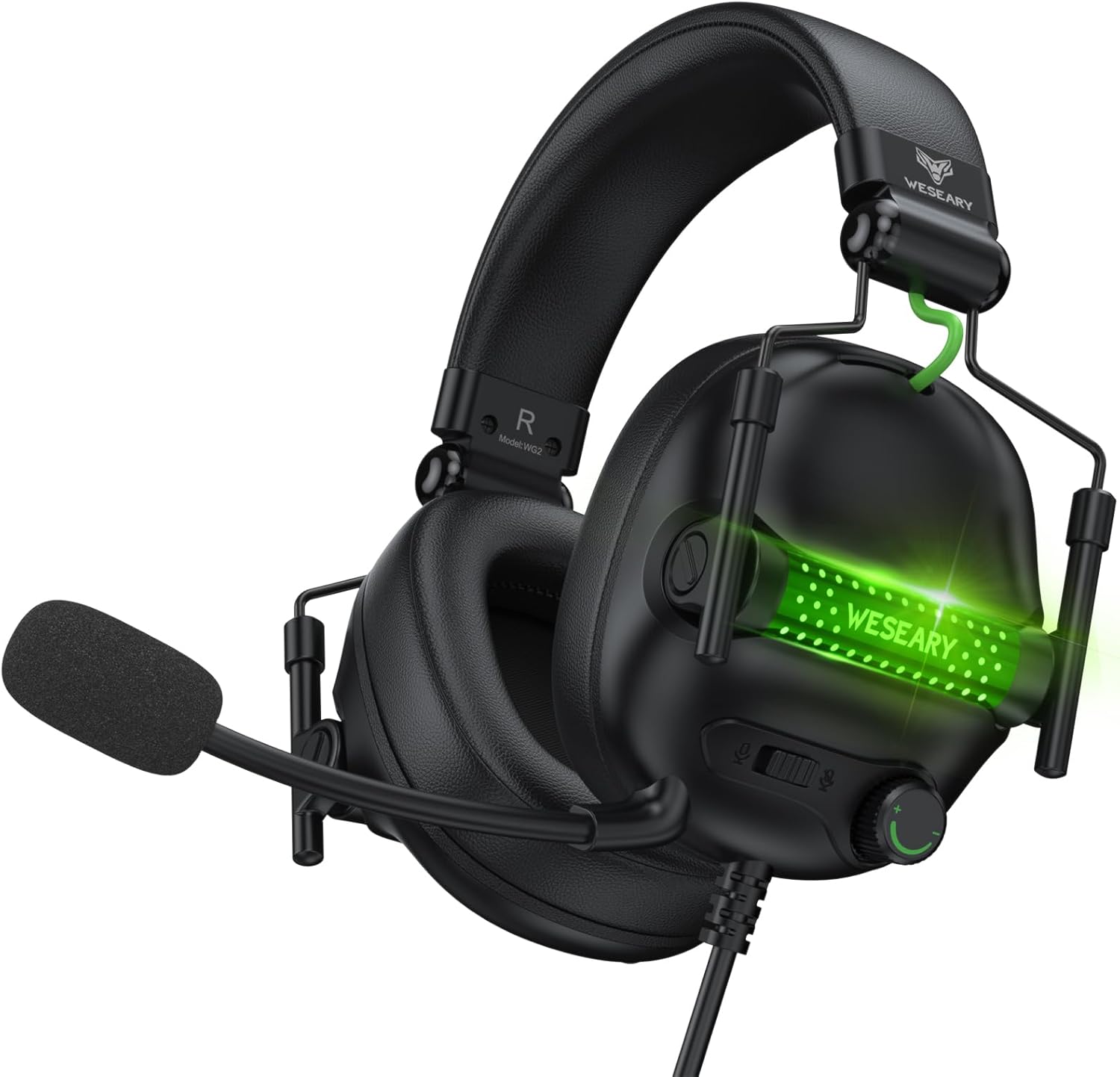


4. Instrucións de configuración
The WESEARY WG2 headset connects via a 3.5mm audio jack. Follow these steps to connect your headset to your device.
4.1 Connecting to PC/Laptop/Mac (with separate audio/mic ports)
- Locate the 3.5mm audio output port (headphone icon) and microphone input port (microphone icon) on your computer.
- Connect the 1 to 2 3.5mm Audio Jack Splitter Cable to the headset's 3.5mm jack.
- Plug the green connector of the splitter into your computer's audio output port.
- Plug the pink connector of the splitter into your computer's microphone input port.
- For LED lighting, connect the USB cable to an available USB port on your computer.
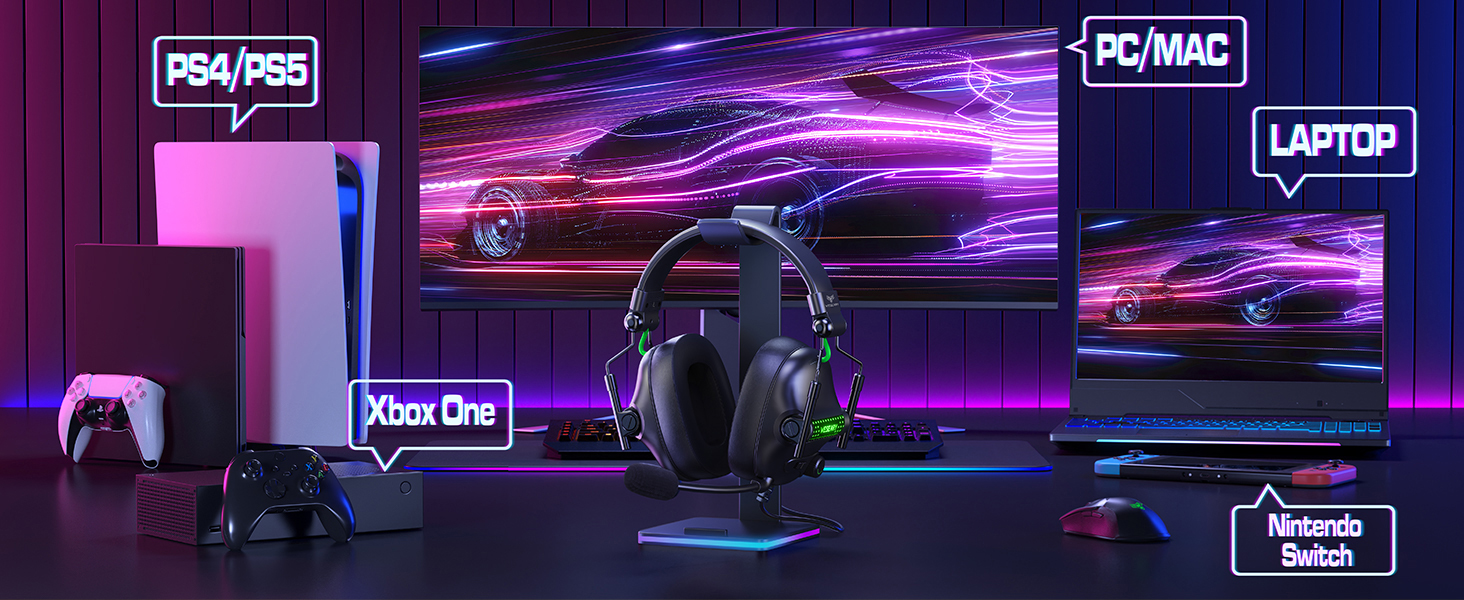
4.2 Connecting to PS4/PS5, Nintendo Switch, Xbox Series X|S, Mobile/Tablet (with single 3.5mm port)
- Plug the headset's 3.5mm jack directly into the 3.5mm audio port on your controller (PS4/PS5, Xbox Series X|S), console (Nintendo Switch), or mobile device.
- For LED lighting, connect the USB cable to an available USB port on your console or a USB power adapter.
- Note for Xbox One (older controllers): A Microsoft adapter (not included) is required for older Xbox One controllers that do not have a built-in 3.5mm jack.
- Nota de compatibilidade: This headset is not compatible with PS3 (without a 3.5mm adapter) or Xbox 360.

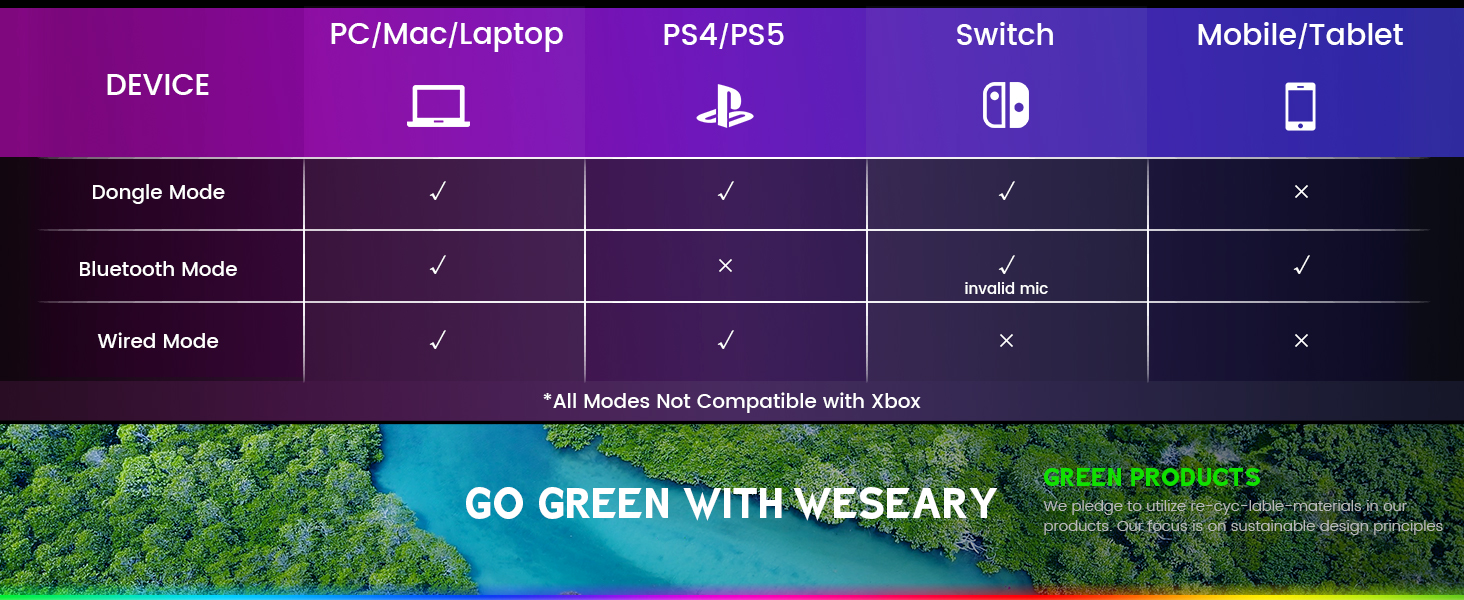
Nota importante: The WESEARY WG2 is a cableado gaming headset. Any references to "Dongle Mode" or "Bluetooth Mode" in external diagrams or marketing materials are not applicable to this specific model (WG2) which connects solely via its 3.5mm audio jack and USB for LED power.
5. Instrucións de funcionamento
5.1 Axuste do volume
- Locate the rotary volume control wheel on the left earcup or in-line control.
- Rotate the wheel upwards to increase volume.
- Rotate the wheel downwards to decrease volume.

5.2 Silenciar o micrófono
- Locate the microphone mute button on the left earcup or in-line control.
- Press the button once to mute the microphone.
- Press the button again to unmute the microphone.
5.3 Adjusting the Microphone
- The microphone is 360° rotatable. Adjust its position for optimal voice pickup.
- Position the microphone approximately 1-2 inches from your mouth for best clarity.


5.4 Adjusting Headset Fit
- Adjust the headband by sliding the earcups up or down until the headset fits comfortably over your ears.
- Ensure the earcups fully enclose your ears for optimal sound isolation and comfort.
6. Compatibilidade multiplataforma
The WESEARY WG2 Wired Gaming Headset is compatible with a wide range of devices:
- Consolas de xogos: PlayStation 5 (PS5), PlayStation 4 (PS4), Xbox Series X|S, Nintendo Switch.
- Ordenadores: PC, Laptops, Mac.
- Dispositivos móbiles: Mobile phones, Tablets.
Notas importantes:
- For older Xbox One controllers without a 3.5mm jack, a Microsoft adapter (not included) is required.
- The headset is not compatible with PS3 or Xbox 360 without additional adapters.
- The USB connection is solely for powering the LED lighting and does not transmit audio.
7. Mantemento
- Limpeza: Usa un pano suave e seco para limpar os auriculares. Non empregues produtos químicos agresivos nin materiais abrasivos.
- Almacenamento: Garda os auriculares nun lugar fresco e seco, lonxe da luz solar directa e de temperaturas extremas. O deseño pregable permite un almacenamento compacto.
- Coidado do cable: Evite curvas bruscas ou tirar demasiado do cable para evitar danos.
8 Solución de problemas
8.1 Sen son dos auriculares
- Asegúrate de que o conector de audio de 3.5 mm estea completamente inserido no porto de audio do dispositivo.
- Check the volume control wheel on the headset and ensure it is turned up.
- Verify the audio output settings on your device (console, PC, etc.) are configured to use the headset.
- If using the splitter cable, ensure both green and pink jacks are correctly connected to their respective ports.
8.2 O micrófono non funciona
- Asegúrate de que o botón de silenciamento do micrófono dos auriculares non estea activado.
- Check the microphone input settings on your device (console, PC, etc.) to ensure the headset microphone is selected and its volume is not muted.
- Ensure the 3.5mm audio jack (and pink splitter jack if applicable) is fully inserted.
- Axusta a posición do micrófono máis preto da túa boca.
8.3 As luces LED non funcionan
- Ensure the USB cable is securely connected to a powered USB port on your device or a USB power adapter.
- Tenta conectar o cable USB a un porto USB diferente.
9. Especificacións
| Nome do modelo | WG2 |
| Tecnoloxía de conectividade | Wired (3.5mm Audio Jack, USB for LED) |
| Tipo de controlador de audio | Dynamic Driver (50mm Neodymium) |
| Impedancia | 32 ohmios |
| Colocación do oído | Sobre orella |
| Control de ruído | Sound Isolation, Noise Cancellation (Microphone) |
| Micrófono | Omnidirectional, Noise-Canceling, 360° Rotatable |
| Material | Composite, Plastic (with Memory Foam Earcups) |
| Dimensións do produto | 5.5 x 2.98 x 5.5 polgadas |
| Peso do elemento | 14.8 onzas |
| Cor | Rock Black |
| Fabricante | WEEARY |
10. Garantía e soporte
For warranty information and technical support, please refer to the documentation provided with your purchase or visit the official WESEARY websitio. Garda o comprobante de compra para reclamacións de garantía.
Soporte en liña: Visit the WESEARY Store on Amazon
11. Vídeo do produto
Vídeo 1: WESEARY Wired Gaming Headset Overview. This video provides a brief visual overview of the headset's features and design, demonstrating its immersive sound and clear communication capabilities.
Ask a question about this manual
Ask about setup, troubleshooting, compatibility, parts, safety, or missing instructions. Manuals+ will review the question and use this page’s manual context to help answer it.