
Produto rematadoview
The pTron Studio Pro are wireless over-ear headphones designed for extended listening and clear communication. They feature an ergonomic design with soft earpads and an adjustable headband for comfortable wear. Key features include long battery life, advanced audio drivers, and versatile connectivity options.
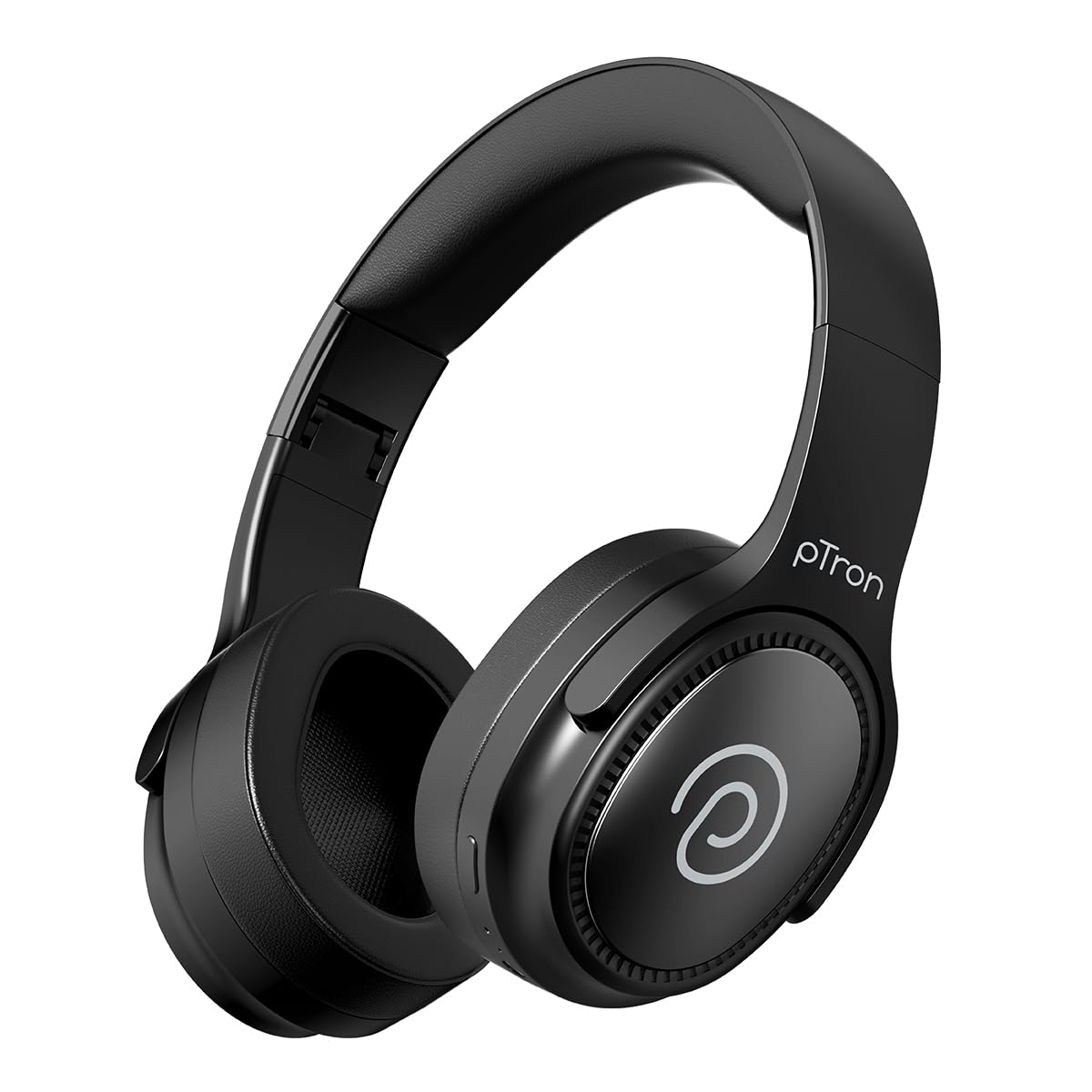
Image: pTron Studio Pro Wireless Over-Ear Headphones in Jet Black, showcasino deseño elegante.
Características clave
- Tempo de reprodución ampliado: Up to 65 hours of music playback on a single full charge.
- Carga rápida: 2.5 hours for a full charge via Type-C. A 10-minute charge provides approximately 4 hours of playtime.
- Audio de alta calidade: Equipped with 40mm Neody Drivers for pristine stereo sound.
- Borrar chamadas: Built-in HD Microphone with TruTalk AI-ENC (Environmental Noise Cancellation) for crystal-clear calls.
- Conectividade avanzada: Fast Bluetooth v5.4 for instant pairing and stable connection.
- Emparellamento de dous dispositivos: Seamlessly connect and switch between two devices simultaneously.
- Modos versátiles: Dedicated Low-Latency Gaming Mode and Music Mode.
- Resistencia á auga: IPX4 rating, making them resistant to water splashes and sweat.
- Comfort & Portability: Ergonomic, lightweight, and foldable design with soft earpads and an adjustable headband for a perfect fit and easy storage.
- Controis sinxelos: Multi-functional buttons for managing music, calls, and activating voice assistant.

Image: Infographic detailing the main features of the pTron Studio Pro headphones, including battery life, drivers, and connectivity.
O que hai na caixa
Upon unboxing your pTron Studio Pro headphones, you will find the following items:
- pTron Studio Pro Wireless Over-Ear Headphones
- Cable de carga (Tipo C)
- Manual de usuario
Video: An official product video demonstrating the unboxing and key features of the pTron Studio Pro headphones.
Disposición e controis do produto
Familiarize yourself with the physical components and control buttons of your pTron Studio Pro headphones.

Imaxe: Detallada view of the multi-function control buttons located on the ear cup, including power, volume, and track controls.
Funcións do botón de control:
| Botón/Acción | Función |
|---|---|
| Botón de encendido (presión prolongada) | Acender/Apagar, Acceder ao modo de emparellamento |
| Play/Pause Button (Single Press) | Reproducir/Pausar música, Responder/Finalizar chamada |
| Play/Pause Button (Long Press) | Rexeitar chamada, activar asistente de voz |
| Volume Up (+) (Single Press) | Aumentar o volume |
| Volume Down (-) (Single Press) | Diminuír o volume |
| Volume Up (+) (Long Press) | Próxima pista |
| Volume Down (-) (Long Press) | Pista anterior |
| Mode Button (Single Press) | Cambiar entre o modo de xogo e o modo de música |
Configuración
1. Carga dos auriculares
- Conecta o cable de carga tipo C fornecido ao porto de carga dos auriculares.
- Connect the other end of the cable to a USB power source (DC5V-1A max.).
- O indicador LED mostrará o estado de carga. Unha carga completa tarda aproximadamente 2.5 horas.
- Unha carga de 10 minutos pode proporcionar ata 4 horas de reprodución.

Image: The pTron Studio Pro headphones highlighting the Type-C charging port and emphasizing the 65-hour playtime.
2. Emparellamento Bluetooth
- Asegúrate de que os auriculares estean completamente cargados.
- Press and hold the Power button until the LED indicator flashes red and blue alternately, indicating pairing mode.
- No teu dispositivo (teléfono intelixente, tableta, portátil), activa o Bluetooth e busca os dispositivos dispoñibles.
- Select "pTron Studio Pro" from the list of devices.
- Unha vez conectado, o indicador LED acenderase en azul fixo ou deixará de parpadear.
3. Emparellamento de dous dispositivos
- Emparella os auriculares co primeiro dispositivo como se describe arriba.
- Desactiva o Bluetooth no primeiro dispositivo. Os auriculares volverán entrar no modo de emparellamento.
- Vincula os auriculares co segundo dispositivo.
- Volve activar o Bluetooth no primeiro dispositivo. Os auriculares deberían conectarse automaticamente aos dous dispositivos.
- You can now switch audio playback between the two connected devices.

Image: The headphones connected to both a laptop and a smartphone, demonstrating the dual device pairing feature.
4. Wired Connection (3.5mm Aux-in)
- Insert one end of a 3.5mm audio cable (not included) into the Aux-in port on the headphones.
- Conecta o outro extremo do cable á toma de 3.5 mm da túa fonte de son.
- Os auriculares cambiarán automaticamente ao modo con fío.

Image: The headphones connected to a smartphone using a 3.5mm Aux-in cable, illustrating wired music playback.
Instrucións de funcionamento
Encendido/apagado
- Encendido: Manteña premido o botón de acendido durante aproximadamente 3 segundos ata que o indicador LED se acenda.
- Apagado: Manteña premido o botón de acendido durante aproximadamente 5 segundos ata que o indicador LED se apague.
Controis musicais
- Reproducir/Pausa: Prema unha vez o botón Reproducir/Pausa.
- Próxima pista: Mantén premido o botón para subir o volume (+).
- Pista anterior: Mantén premido o botón para baixar o volume (-).
- Subir volume: Single press the Volume Up (+) button.
- Baixar volume: Single press the Volume Down (-) button.
Controis de chamadas
- Responder/Finalizar chamada: Prema unha vez o botón Reproducir/Pausa.
- Rexeitar a chamada: Prema e manteña premido o botón Reproducir/Pausa.
Asistente de voz
- Activar o asistente de voz: Long press the Play/Pause button (after rejecting a call, if applicable, or when not on a call).
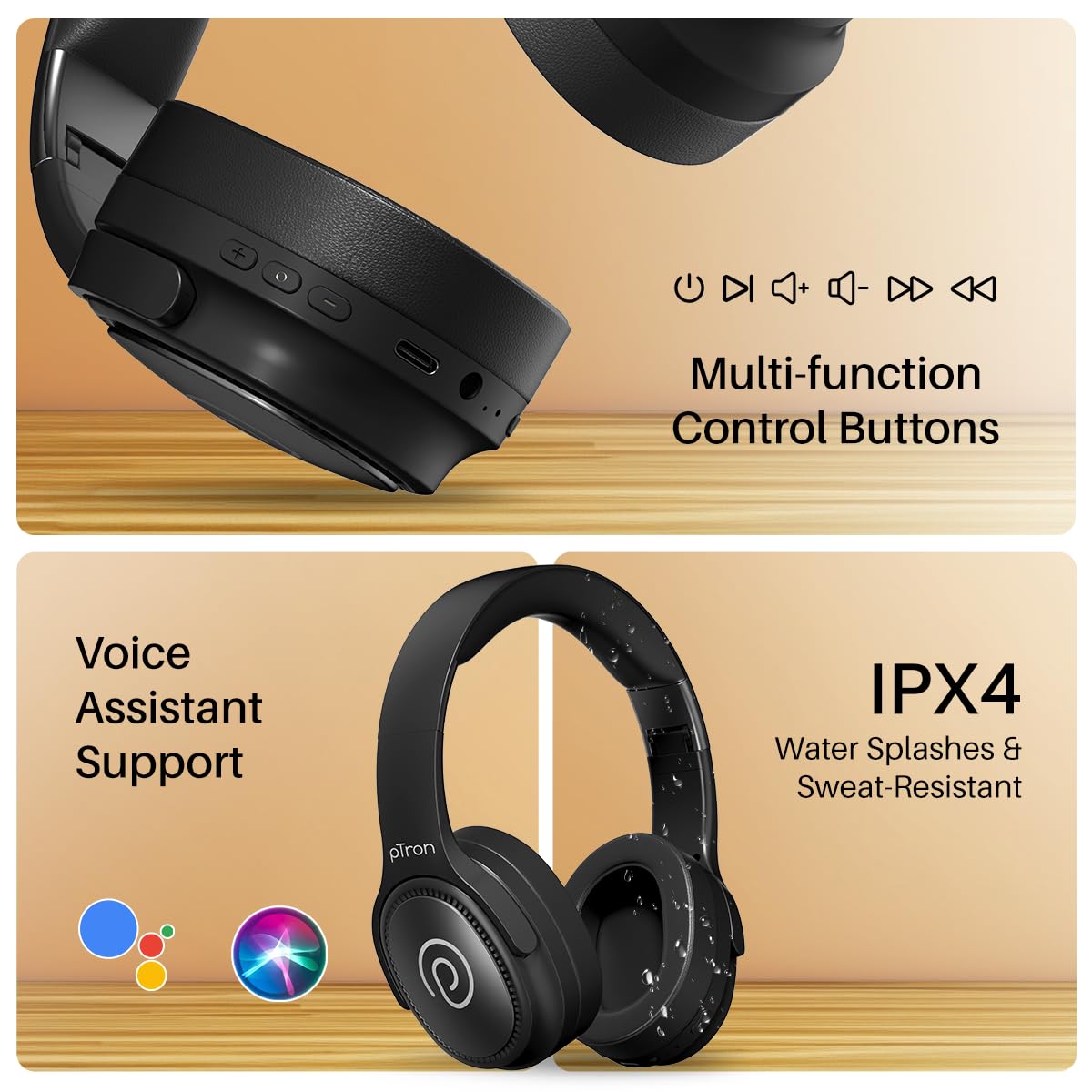
Image: The headphones illustrating support for voice assistants like Google Assistant and Siri, along with their IPX4 water-resistant rating.
Game & Music Modes
- Cambiar modos: Single press the Mode button to toggle between Low-Latency Gaming Mode and standard Music Mode.
Mantemento
To ensure the longevity and optimal performance of your pTron Studio Pro headphones, follow these maintenance guidelines:
- Limpeza: Usa un pano suave e seco para limpar os auriculares. Non empregues produtos de limpeza abrasivos nin disolventes.
- Almacenamento: Cando non os uses, garda os auriculares nun lugar fresco e seco. O deseño pregable permite un almacenamento compacto.
- Exposición á auga: While rated IPX4 for water splashes and sweat resistance, avoid submerging the headphones in water or exposing them to heavy rain. Dry them thoroughly if they get wet.
- Cargando: Use only the provided Type-C cable and a compatible power adapter (DC5V-1A max.) for charging.
- Evita temperaturas extremas: Non expoña os auriculares a temperaturas extremadamente altas ou baixas.
Resolución de problemas
If you encounter any issues with your pTron Studio Pro headphones, refer to the following common troubleshooting steps:
| Problema | Solución |
|---|---|
| Os auriculares non se acenden. | Asegúrate de que os auriculares estean completamente cargados. Conéctaos a unha fonte de alimentación e comproba o indicador de carga. |
| Non se pode emparellar cun dispositivo. | Make sure Bluetooth is enabled on your device and the headphones are in pairing mode (LED flashing red/blue). Move closer to the device. Forget previous pairings on your device and try again. |
| Sen son ou volume baixo. | Check the volume levels on both the headphones and your connected device. Ensure the headphones are correctly paired. If using Aux-in, ensure the cable is fully inserted. |
| A calidade da chamada é mala. | Ensure the microphone is not obstructed. Move to an area with less environmental noise. Check your device's network signal. |
| Headphones disconnect frequently. | Ensure there are no obstacles between the headphones and your device. Keep within the Bluetooth range (10 meters). Avoid strong electromagnetic interference. |
Especificacións
| Característica | Detalle |
|---|---|
| Marca | pTron |
| Nome do modelo | Estudio |
| Colocación do oído | Sobre orella |
| Versión Bluetooth | 5.4 |
| Alcance Bluetooth | 10 metros |
| Tamaño do controlador de audio | 40 milímetros |
| Impedancia | 32 ohmios |
| Duración media da batería | 65 horas |
| Tempo de carga da batería | 2.5 horas |
| Porto de carga | Tipo-C |
| Nivel de resistencia á auga | IPX4 (resistente á auga) |
| Micrófono | Built-in HD Mic with AI-ENC |
| Conector para auriculares | Jack de 3.5 mm |
| Tipo de control | Control de chamadas, botón pulsador |
| Características do produto | Fast Charging, Foldable, Microphone Included, Noise Isolation, Surround Sound |
| Peso do elemento | 200 gramos |
| Material | Acrilonitrilo Butadieno Estireno (ABS) |
| Dispositivos compatibles | Teléfonos móbiles, ordenadores de sobremesa, portátiles, tabletas |
Garantía e Soporte
Your pTron Studio Pro headphones come with a manufacturer's warranty and dedicated customer support.
- Garantía: 6 Months Manufacturer Warranty from the Date of Purchase on Manufacturing Defects Only.
- Contacto do fabricante: Building A1, Red Box Creative Park, No. 3 Huancheng South Road, Bantian Street, Longgang District, Shenzhen City, China 518116.
- Customer Care Contact Details: 40-67138888 / Soporte@ptron.in
- Contacto do importador: PALRED ELECTRONICS PVT. LTD., RÚA N.º 56, 1.º ANDAR, GUNDLAPOCHAMPALLY VILLAGE, TECH PARK MTP, TSIIC-IALA NACHARAM, HYDERABAD - 500076, TELANGANA, INDIA.