
1. Introdución
The Gemmac Stargate Projection Lamp is a versatile device combining multiple functions: aurora projection, interactive plasma ball, Bluetooth speaker, white noise generator, digital clock, and alarm clock. This manual provides instructions for safe and effective use of your device.
2. Contido do paquete
Verifique que todos os elementos que se indican a continuación estean incluídos no seu paquete:
- Proxección Stargate Lamp Unidade
- Control remoto
- Cable de alimentación
- Manual de usuario
- Astronaut Figure
- Alien Figure

Image: The Stargate Projection Lamp, its remote control, and the included user manual.
3. Produto rematadoview
The Gemmac Stargate Projection Lamp features a central interactive plasma ball, a digital time display, and a projection lens for aurora effects. It includes a base designed to hold the decorative astronaut and alien figures. The unit can be controlled using its built-in buttons or the provided remote control.
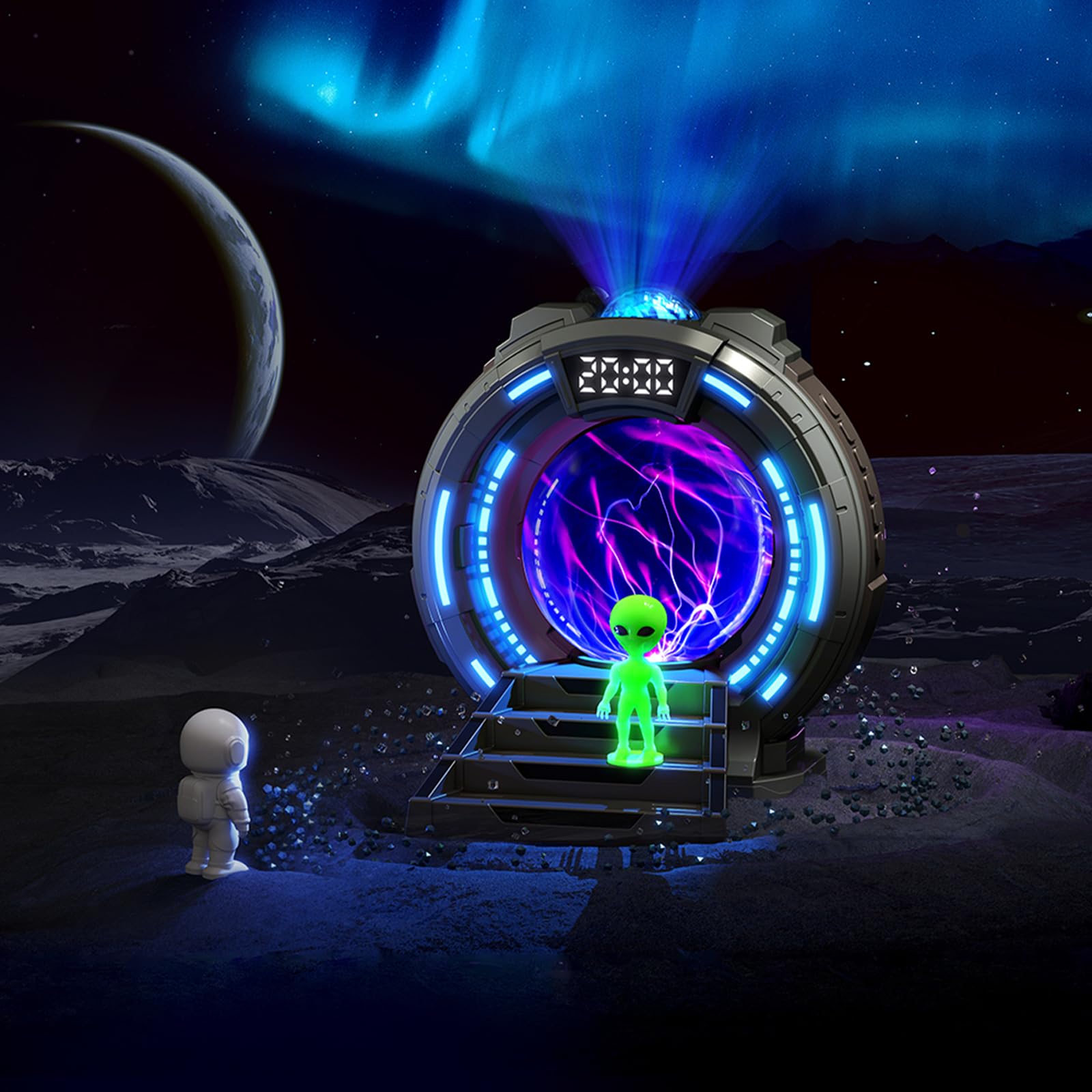
Imaxe: Fronte view of the Stargate Projection Lamp, mostrarasing its design and included figures.

Image: Detailed dimensions of the Stargate Projection Lamp and its remote control for reference.
4. Configuración
- Desembalaxe: Retire con coidado todos os compoñentes da embalaxe. Garde a embalaxe para o seu almacenamento ou transporte futuros.
- Colocación: Coloque o lamp on a stable, flat surface. For optimal projection, ensure there is a clear ceiling or wall space above or in front of the device.
- Conexión de alimentación: Connect the provided power cable to the lamp's power input port. Then, connect the other end of the power cable to a suitable USB power adapter (not included) and plug it into a wall outlet. The lamp requires continuous power to operate.
- Colocación da figura: Position the astronaut and alien figures on the designated steps in front of the plasma ball for decorative display.
5. Instrucións de funcionamento
5.1 Encendido/apagado
Use the power button on the unit or the remote control to turn the lamp on ou off.
5.2 Aurora Projection
- Press the "Projection" button on the remote to activate the aurora effect.
- Cycle through 8 different color options using the color selection buttons on the remote.
- Adjust brightness with the brightness control buttons (5 levels available).
- The aurora creates a dynamic, flowing light effect on walls and ceilings.

Image: Visual representation of the 8 available aurora light colors.

Image: Diagram showing the 5 adjustable brightness levels from 15% to 100%.
5.3 Bola de plasma
The central plasma ball activates automatically when the lamp is on. Touch the glass surface of the plasma ball to interact with the light streams, creating dynamic electrical patterns.

Image: The plasma ball in action, displaying its interactive light streams.

Image: A hand interacting with the plasma ball, showing how the light reacts to touch.
5.4 Función de altofalante Bluetooth
- Activate Bluetooth mode on the lamp (refer to the unit's controls or remote for specific button).
- On your mobile device or computer, search for "Gemmac Stargate Lamp" (or a similar name) in your Bluetooth settings and pair.
- Once paired, play audio from your device; sound will output through the lamp's speaker.
- Adjust volume using the remote control or your connected device.

Imaxe: O lamp's Bluetooth speaker function, indicating wireless audio playback.
5.5 White Noise Function
- Press the "White Noise" button on the remote to activate this feature.
- Cycle through 8 different white noise sounds (e.g., rain, birdsong, wind, campfire, stream, cicadas, ocean waves, frog croaks) to aid relaxation or sleep.

Imaxe: Examples of the 8 white noise sounds available for relaxation and sleep.
5.6 Alarm Clock and Time Display
The digital display shows the current time. Refer to the specific instructions in the included paper manual for detailed steps on setting the time and up to two alarms.
5.7 Uso do control remoto
The remote control allows adjustment of light modes, colors, brightness, volume, music playback, white noise selection, and timer settings. Ensure the remote has working batteries and is pointed towards the lamp's sensor for optimal functionality.
6. Mantemento
- Limpeza: Use a soft, dry cloth to clean the exterior of the lamp. Do not use liquid cleaners, solvents, or abrasive materials, as these may damage the surface or internal components.
- Almacenamento: Cando non o use durante períodos prolongados, garde o lamp in a cool, dry place, away from direct sunlight and moisture.
- Manexo: Avoid dropping or subjecting the device to strong impacts. Do not attempt to open or repair the unit yourself, as this will void the warranty and may cause damage or injury.
7 Solución de problemas
- Sen enerxía:
- Asegúrese de que o cable de alimentación estea conectado correctamente a ambos os dousamp and a functional power outlet.
- Verify the USB power adapter (if external) is working correctly.
- Sen proxección:
- Check if the projection feature is activated via the remote or unit buttons.
- Ensure the projection lens is not obstructed.
- Problemas de sincronización Bluetooth:
- Asegúrese de que o lamp is in Bluetooth pairing mode.
- Asegúrate de que o Bluetooth do teu dispositivo estea activado e dentro do alcance.
- Try restarting both the lamp e o dispositivo Bluetooth.
- Poor Speaker Sound Quality:
- The speaker is designed for ambient audio. For high-fidelity sound, external speakers may be preferred.
- Ensure the volume on both the lamp and your connected device is adjusted appropriately.
- O control remoto non funciona:
- Comprobe e substitúa as pilas do mando a distancia se é necesario.
- Asegúrese de que non haxa obstáculos entre o control remoto e o lampsensor de.
8. Especificacións
| Característica | Detalle |
|---|---|
| Número de modelo | TSD-CSM-003 |
| Marca | Gemmac |
| Dimensións do produto | 10.8 D x 10 W x 14.2 H centímetros |
| Peso do elemento | 0.25 quilogramos |
| Material | Estirreno Acrilonitrilo Butadieno |
| Lamp Tipo | Luz nocturna |
| Tipo de bulbo | LED |
| Wattage | 5 vatios |
| Protocolo de conectividade | Bluetooth |
| Fonte de enerxía | Eléctrico con cable |
| Tipo de cambio | Mando a distancia |
| Uso interior/exterior | Interior |
9. Garantía e soporte
This product comes with a standard manufacturer's warranty. Please refer to the product packaging or the official Gemmac website for specific warranty terms and conditions. For technical support, troubleshooting assistance, or any inquiries regarding your Gemmac Stargate Projection Lamp, please contact Gemmac customer service through their official channels.
Nota: Os datos do produto proporcionados non incluían vídeos específicos URLs para a incrustación. Polo tanto, non se inclúen vídeos neste manual.