
1. Introdución
This manual provides detailed instructions for the FULODE X1-16C 16-Channel Audio Mixer. Please read this manual thoroughly before operating the device to ensure proper usage and to maximize its performance and longevity. This professional audio console is designed for various applications including studio recording, live performances, DJ events, and karaoke.

2. Información de seguridade
To prevent electric shock, fire, or damage to the device, please observe the following safety precautions:
- Non abra o dispositivo casing. Encomende todo o mantemento a persoal cualificado.
- Asegúrese de que a fonte de alimentación voltage coincide cos requisitos especificados no dispositivo.
- Keep the device away from water, moisture, and excessive heat.
- Do not operate the device if the power cord is damaged or frayed.
- Desconecte sempre a fonte de alimentación antes de limpar ou realizar mantemento.
- Use só accesorios/accesorios especificados polo fabricante.
3. Contido do paquete
Verifica que todos os elementos estean presentes no paquete:
- FULODE X1-16C 16-Channel Audio Mixer
- Power Adapter (AC 90-240V, 50-60Hz)
- Manual de usuario
4. Produto rematadoview: Controis e conexións
The FULODE X1-16C mixer features a comprehensive layout for intuitive control over your audio. Familiarize yourself with the various inputs, outputs, and control elements.

4.1 Controis do panel frontal
- Composite Interface: Combination XLR/TRS input for microphones and line-level signals.
- Interruptor fantasma: Activa a alimentación phantom de +48 V para micrófonos de condensador.
- Axuste de ganancia: Controls the input sensitivity of each channel.
- Treble/Midrange/Bass Adjustment (3-Band EQ): Equalization controls for high, mid, and low frequencies on each channel.
- AUX Adjustment: Controls the auxiliary send level for external effects or monitor mixes.
- Adjustment of Effect: Controls the amount of internal DSP effect applied to the channel.
- Pan Balance: Axusta a posición estéreo do sinal do canal.
- Channel Mute Switch: Mutes or unmutes the individual channel.
- Channel Volume Pusher: Fader to control the output level of each channel.
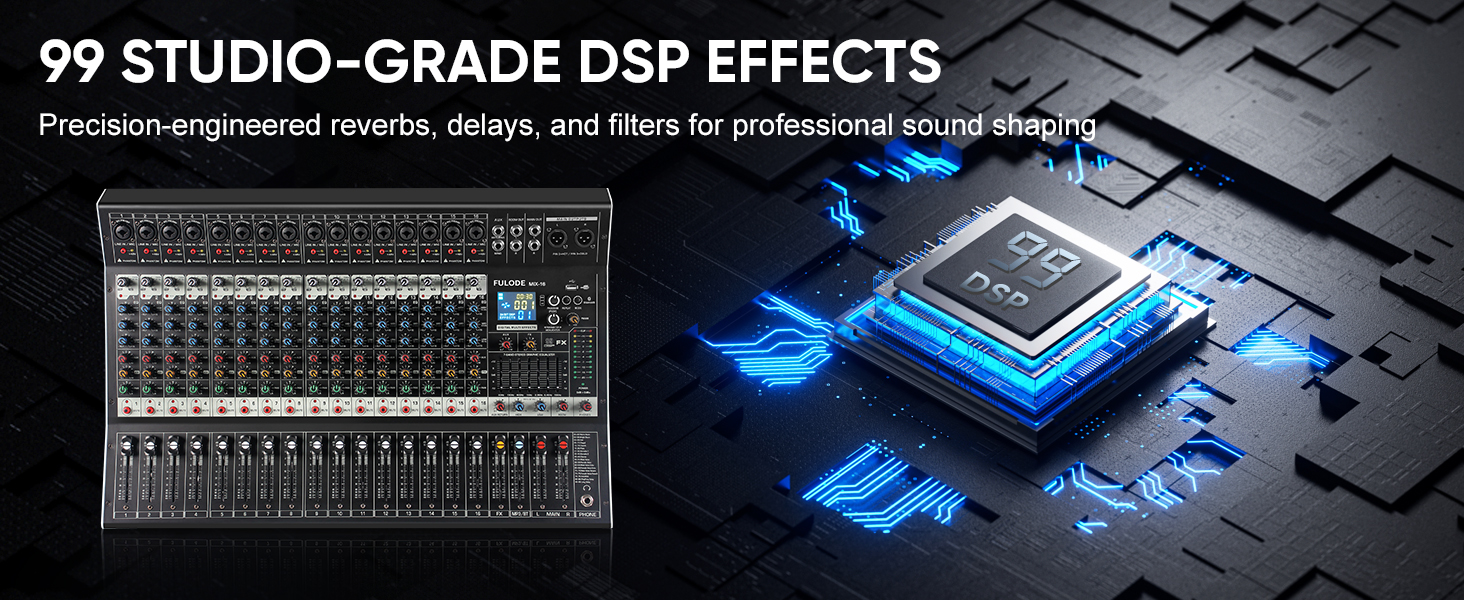
- Reverberation Effect Selection: Knob to select from 99 built-in DSP effects.
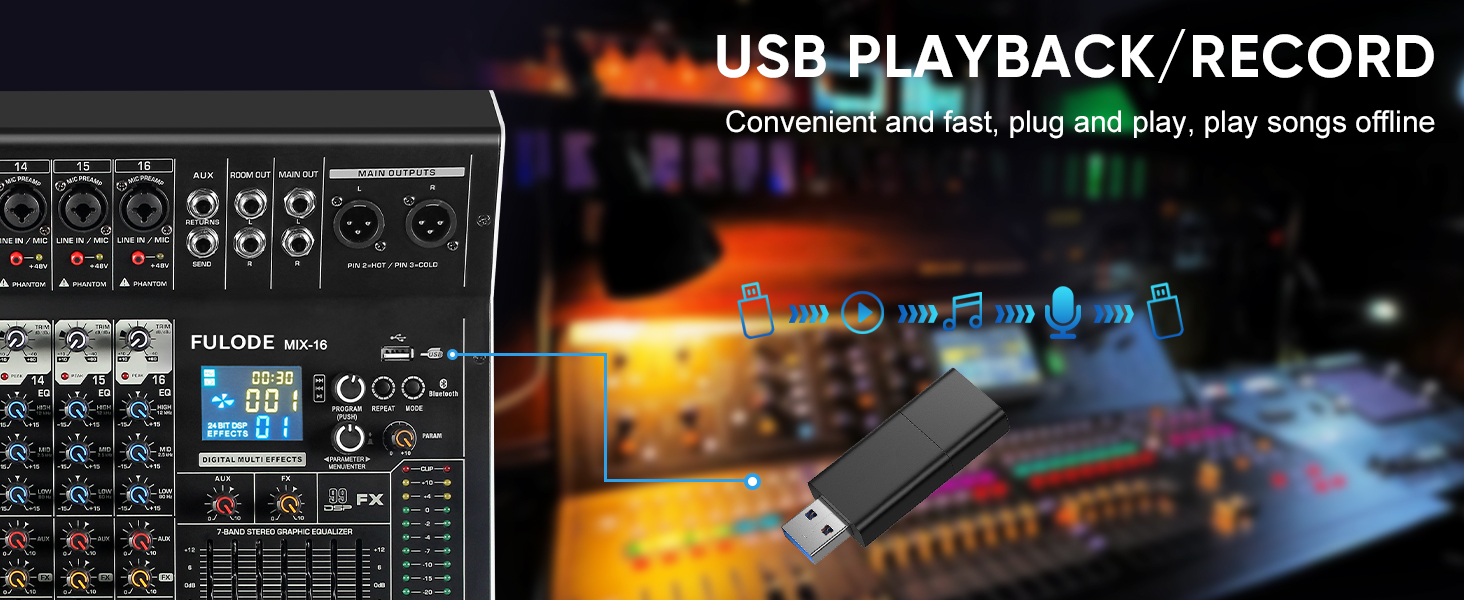
- USB/MP3 Playback: Section for USB drive and Bluetooth audio input, with transport controls and digital display.
- Luz indicadora de nivel: Visual display of output levels.
- Main Channel Seven Segment Balance: Graphic equalizer for the main stereo output.
- Axuste do volume do monitor: Controla o volume da saída dos auriculares.
- Effect Main Volume Adjustment: Controls the overall level of the selected DSP effect.
- Left/Right Main Volume Adjustment: Faders for the main stereo output.
- Earphone Monitoring Interface: 1/4" jack for headphone monitoring.
- MP3 Main Volume Adjustment: Controls the output level of the USB/MP3/Bluetooth section.
4.2 Conexións do panel traseiro
- Interruptor de alimentación: Activa ou desactiva o mesturador.
- Interface de alimentación: Conéctase ao adaptador de corrente fornecido.
5. Configuración
Follow these steps for initial setup of your FULODE X1-16C Audio Mixer.
5.1 Conexión de alimentación
- Asegúrese de que o interruptor de alimentación da batedora estea na posición de apagado.
- Connect the power adapter to the Power Interface on the rear panel of the mixer.
- Plug the power adapter into a suitable AC power outlet (110V).
- Turn the mixer's power switch to the ON position. The digital display should illuminate.
5.2 Conexión de micrófonos e instrumentos
- For microphones or line-level instruments, connect them to the Composite Interface (XLR or 1/4" TRS) on the desired channel.
- If using a condenser microphone, press the Interruptor fantasma (+48V) for that specific channel. An indicator light will confirm activation.
- Axustar o Axuste de ganancia knob for each input channel to achieve an optimal signal level without clipping.

5.3 Conexión de dispositivos de saída
- Conecta os altofalantes principais ou ampmáis vivo para o Main Output Interface (XLR or 1/4" TRS) on the top right of the mixer.
- Para monitorizar, conecte uns auriculares ao Earphone Monitoring Interface.
6. Instrucións de funcionamento
6.1 Control de canles
- Ganancia: Adjust the input gain for each channel to prevent clipping (indicated by the PEAK LED) and ensure a strong signal.
- EQ de 3 bandas: Use the HI, MID, and LOW knobs to shape the tone of each input.
- AUX: Control the amount of signal sent to the auxiliary output for external effects or monitor mixes.
- FX: Adjust the level of the internal DSP effect applied to the channel.
- PAN: Position the channel's signal in the stereo field (left to right).
- Silenciar: Press the MUTE button to instantly silence a channel.
- Fader de canle: Use the fader to control the overall volume of the channel in the main mix.
6.2 efectos DSP
The mixer includes 99 built-in 24-bit DSP effects for enhancing your sound.
- Usa o Reverberation Effect Selection knob to browse through the 99 available effects (e.g., Warm Room, Bright Room, Hall, Plate, Chorus, Delay). The digital display will show the selected effect number.
- Preme o botón para confirmar a túa selección.
- Axustar o Effect Main Volume Adjustment to control the overall wet/dry mix of the effects.
- Use the individual channel's FX knob to send more or less of that channel's signal to the effects processor.

6.3 USB/MP3/Bluetooth Playback
The mixer supports audio playback from USB drives and Bluetooth-enabled devices.
- Reprodución USB: Insira unha unidade USB que conteña MP3 files into the USB port. Use the transport controls (Play/Pause, Skip) and the MP3 Main Volume Adjustment para controlar a reprodución.
- Conexión Bluetooth: Press the MODE button on the USB/MP3 section until 'BT' appears on the digital display. On your smart device, search for 'MIX-BT' (or similar) and pair. Once connected, you can stream audio wirelessly to the mixer.

6.4 Saída principal e monitorización
- Usa o Left/Right Main Volume Adjustment faders to control the overall output level of the mix.
- O Luz indicadora de nivel provides visual feedback on the main output levels. Adjust faders to keep levels within the optimal range (avoiding red/clipping).
- O Main Channel Seven Segment Balance (graphic EQ) allows for fine-tuning the overall frequency response of your main mix.
- Axustar o Axuste do volume do monitor for comfortable listening through headphones.

6.5 Official Product Video Demonstration
Watch this video for a visual demonstration of the FULODE mixer's features and operation. Note: The video features a MIX-12 model, which shares many similar functionalities with the X1-16C.
7. Mantemento
Un mantemento axeitado garante a lonxevidade e o rendemento óptimo da súa batedora.
- Limpeza: Use a soft, dry cloth to wipe the surface of the mixer. Do not use liquid cleaners or solvents, as they may damage the finish or internal components.
- Almacenamento: Store the mixer in a cool, dry place away from direct sunlight and extreme temperatures. If storing for extended periods, cover the unit to protect it from dust.
- Ventilación: Asegúrate de que haxa unha ventilación axeitada arredor da batedora para evitar o sobrequecemento. Non bloquees as aberturas de ventilación.
8 Solución de problemas
If you encounter issues with your FULODE X1-16C mixer, refer to the following common problems and solutions:
| Problema | Causa posible | Solución |
|---|---|---|
| Sen poder | Power cable not connected; Power switch off; Faulty power adapter/outlet | Check power cable connection; Ensure power switch is ON; Try a different power outlet or adapter. |
| Sen son dunha canle | Channel muted; Gain too low; Cable issue; Phantom power not activated (for condenser mics) | Check MUTE button; Increase Gain; Verify cable connections; Activate +48V phantom power if needed. |
| No sound from main output | Main faders down; Output cables disconnected; Amplifier/speakers off | Raise Main Volume faders; Check output cable connections; Ensure amplifier/speakers are powered on and connected. |
| Bluetooth non se conecta | Mixer not in Bluetooth mode; Device too far; Already connected to another device | Press MODE until 'BT' appears; Ensure device is within 33 ft; Disconnect from other devices. |
| Son distorsionado | Gain too high (clipping); EQ settings extreme; Faulty cable/microphone | Reduce Gain (ensure PEAK LED is not constantly lit); Adjust EQ to neutral or moderate settings; Test with different cables/microphones. |
9. Especificacións
Technical specifications for the FULODE X1-16C 16-Channel Audio Mixer:
- Modelo: X1-16C
- Número de canles: 16
- Efectos DSP: 99 built-in 24-bit effects
- Igualación: 3-band EQ per channel, 7-band graphic EQ on main output
- Poder fantasma: +48V (switchable per channel)
- Conectividade: USB (playback/recording), Bluetooth, XLR, 1/4" TRS
- Fonte de enerxía: Eléctrico con cable
- Voltage: 110 voltios (CA)
- Dimensións do produto: 15.55" de profundidade x 18.9" de ancho x 4.13" de alto (39.5 cm de profundidade x 48 cm de ancho x 10.5 cm de alto)
- Peso do artigo: 18.16 libras (8.24 kg)
10. Garantía e soporte
For warranty information and technical support, please refer to the documentation included with your purchase or contact FULODE customer service through their official channels. Keep your proof of purchase for any warranty claims.