
Introdución
This manual provides detailed instructions for the setup, operation, and maintenance of your Bmax Mini PC B1 Pro. Please read this manual thoroughly before using the device to ensure proper functionality and to prevent damage.
Contido do paquete
Ao desembalar, comprobe que todos os elementos enumerados a continuación estean presentes e en bo estado:
- Bmax Mini PC B1 Pro unit
- Adaptador de alimentación
- Cable HDMI
- Manual de usuario (este documento)
- Soporte de montaxe (se está incluído)
If any items are missing or damaged, please contact Bmax customer support.
Produto rematadoview
The Bmax Mini PC B1 Pro is a compact computing solution designed for home and office use. It features various ports for connectivity and expansion.
Internal Chassis View
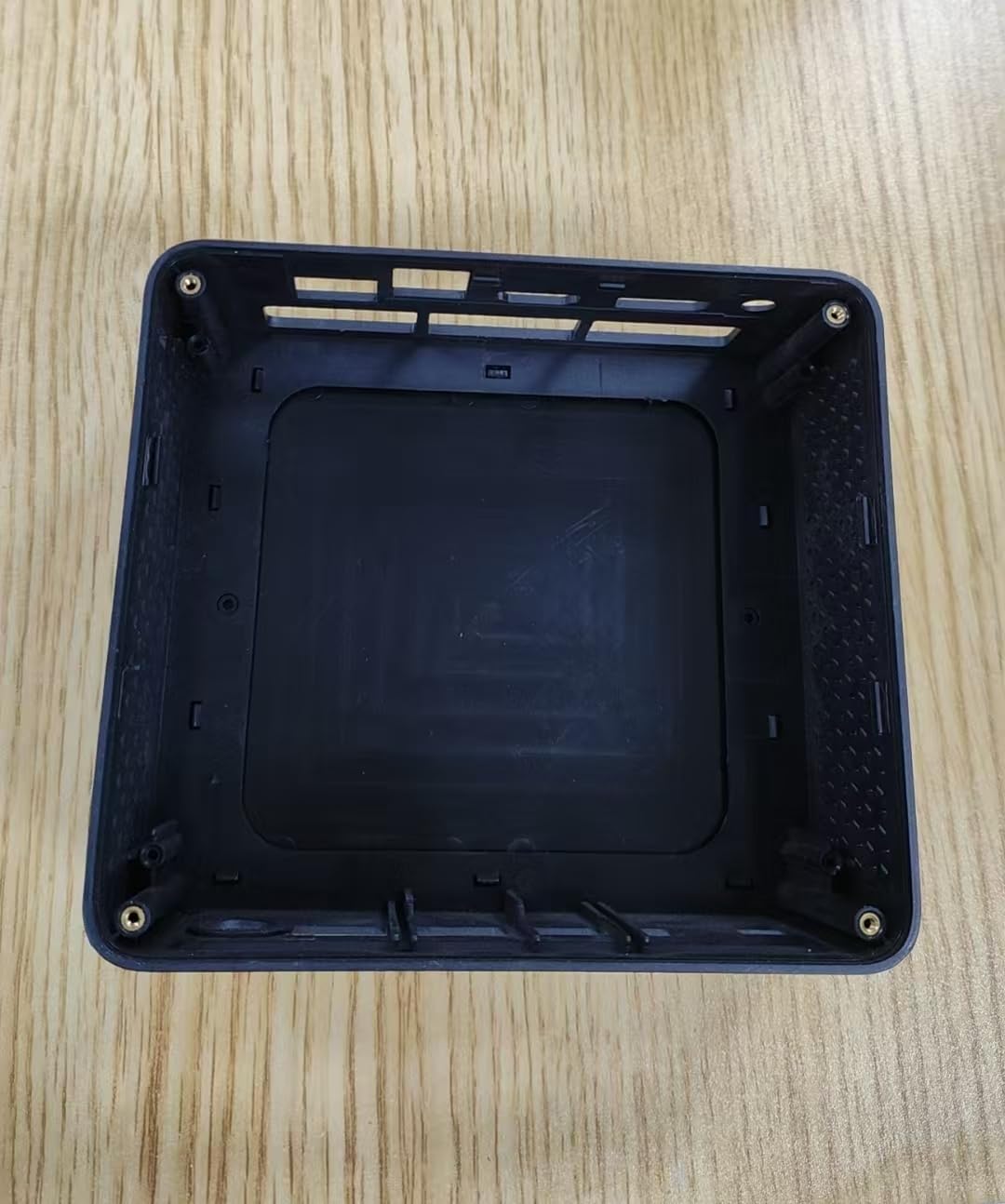
This image displays the internal housing of the Bmax Mini PC B1 Pro, showing the structural components and mounting points within the device's casing. It illustrates the design of the enclosure without the internal electronic components installed.
Port Layout (Typical)
The B1 Pro typically includes the following ports:
- Porto HDMI: For connecting to a display (supports 4K 60Hz).
- Portos USB 3.0: Two ports for high-speed data transfer and peripheral connection.
- Portos USB 2.0: Two ports for connecting standard peripherals.
- Porto Gigabit Ethernet: Para conexión de rede por cable.
- Entrada de enerxía: Para conectar o adaptador de alimentación.
- Conector de audio: Para auriculares ou altofalantes.
Configuración
1. Conexión de periféricos
- Connect your monitor or TV to the Porto HDMI usando un cable HDMI.
- Connect your keyboard and mouse to the available Portos USB (USB 2.0 or USB 3.0).
- (Optional) For a wired internet connection, connect an Ethernet cable to the Porto Gigabit Ethernet.
- (Optional) Connect speakers or headphones to the conector de audio.
2. Acendido
- Conecte o adaptador de enerxía ao power input port on the Mini PC.
- Enchufe o adaptador de alimentación a unha toma de corrente.
- Preme o botón de encendido (location may vary, typically on the front or side) to turn on the device.
- The power indicator light will illuminate, and the system will begin to boot.
3. Configuración inicial
Follow the on-screen instructions to complete the initial setup of the operating system (e.g., Windows, Linux). This typically includes setting up user accounts, network connections, and regional settings.
Instrucións de funcionamento
Uso básico
- Encendido/apagado: Press the power button to turn on. To shut down, use the operating system's shutdown function. A short press of the power button can put the device to sleep.
- Reiniciar: Usa a función de reinicio do sistema operativo.
- Conexión de dispositivos USB: Insert USB drives, external hard drives, or other peripherals into the available USB 2.0 or USB 3.0 ports.
Conectando á rede
- Wi-Fi: The B1 Pro supports Dual-Band Wi-Fi. Access your operating system's network settings, select your desired Wi-Fi network, and enter the password.
- Ethernet: If you connected an Ethernet cable during setup, the system should automatically detect and connect to the wired network.
- Bluetooth: The B1 Pro features Bluetooth 5.0. Enable Bluetooth in your operating system settings to pair with compatible devices like keyboards, mice, or headphones.
Mostrar saída
The Mini PC supports 4K resolution at 60Hz via its HDMI port. Ensure your display and HDMI cable are compatible with these specifications for optimal performance.
Mantemento
- Limpeza: Use a soft, dry cloth to clean the exterior of the Mini PC. Avoid liquid cleaners directly on the device. Use compressed air to clear dust from vents periodically.
- Actualizacións de software: Actualiza o teu sistema operativo e os controladores regularmente para garantir un rendemento e unha seguridade óptimos.
- Ventilación: Ensure the Mini PC is placed in a well-ventilated area to prevent overheating. Do not block the ventilation holes.
Resolución de problemas
| Problema | Causa posible | Solución |
|---|---|---|
| Sen poder | O adaptador de corrente non está conectado ou a toma de corrente está defectuosa. | Comproba as conexións de alimentación. Proba cunha toma de corrente diferente. |
| Sen saída de visualización | Incorrect HDMI connection, faulty cable, or incorrect input selected on monitor. | Ensure HDMI cable is securely connected. Try a different HDMI cable. Select correct input source on your monitor. |
| Non se conecta a wifi | Contrasinal incorrecto, fóra de alcance ou problema co enrutador. | Verify Wi-Fi password. Move closer to the router. Restart router. |
| Rendemento lento | Too many applications running, insufficient storage, or outdated drivers. | Close unnecessary applications. Free up disk space. Update operating system and drivers. |
For further assistance, please contact Bmax customer support.
Especificacións
| Característica | Detalle |
|---|---|
| Modelo | B1 Pro |
| Procesador | Intel Celeron (2.4 GHz) |
| RAM | LPDDR4 |
| Almacenamento | 128 GB SSD (PCIE x 4 interface) |
| Gráficos | Integrated, 8 GB Graphics RAM |
| Sistema Operativo | SO (preinstalado ou instalable polo usuario) |
| Portos USB | 2x USB 3.0, 2x USB 2.0 |
| Saída de vídeo | HDMI (supports 4K 60Hz) |
| Rede | Gigabit Ethernet, Dual-Band Wi-Fi, Bluetooth 5.0 |
| Dimensións | 10.5 x 6 x 2.8 polgadas |
| Peso | 1.3 libras |
| Uso previsto | Business, Home & Office |
Información de seguridade
- Non expoña o dispositivo a temperaturas extremas, humidade ou luz solar directa.
- Evite deixar caer ou someter o dispositivo a fortes impactos.
- Non intente desmontar nin reparar o dispositivo vostede mesmo. Consulte persoal de servizo cualificado.
- Use só o adaptador de alimentación proporcionado.
- Manteña o dispositivo lonxe de líquidos.
Garantía e Soporte
The Bmax Mini PC B1 Pro comes with a standard manufacturer's warranty. Please refer to the warranty card included in your package or visit the official Bmax websitio web para obter información detallada sobre os termos e condicións da garantía.
For technical support, troubleshooting, or service inquiries, please contact Bmax customer support through their official channels. Contact information can typically be found on the Bmax websitio web ou na embalaxe do produto.
Bmax Official Websitio: Visit the Bmax Store on Amazon