
1. Produto rematadoview
The Tatybo WT5 Wireless Gaming Headset offers a versatile audio solution for gamers across multiple platforms. Designed for comfort and high-fidelity sound, this headset features 2.4GHz low-latency wireless connectivity, 7.1 surround sound, and a noise-canceling microphone. It supports various devices including PC, PS5, PS4, Nintendo Switch, laptops, mobile devices, and Mac, with wired compatibility for Xbox consoles.
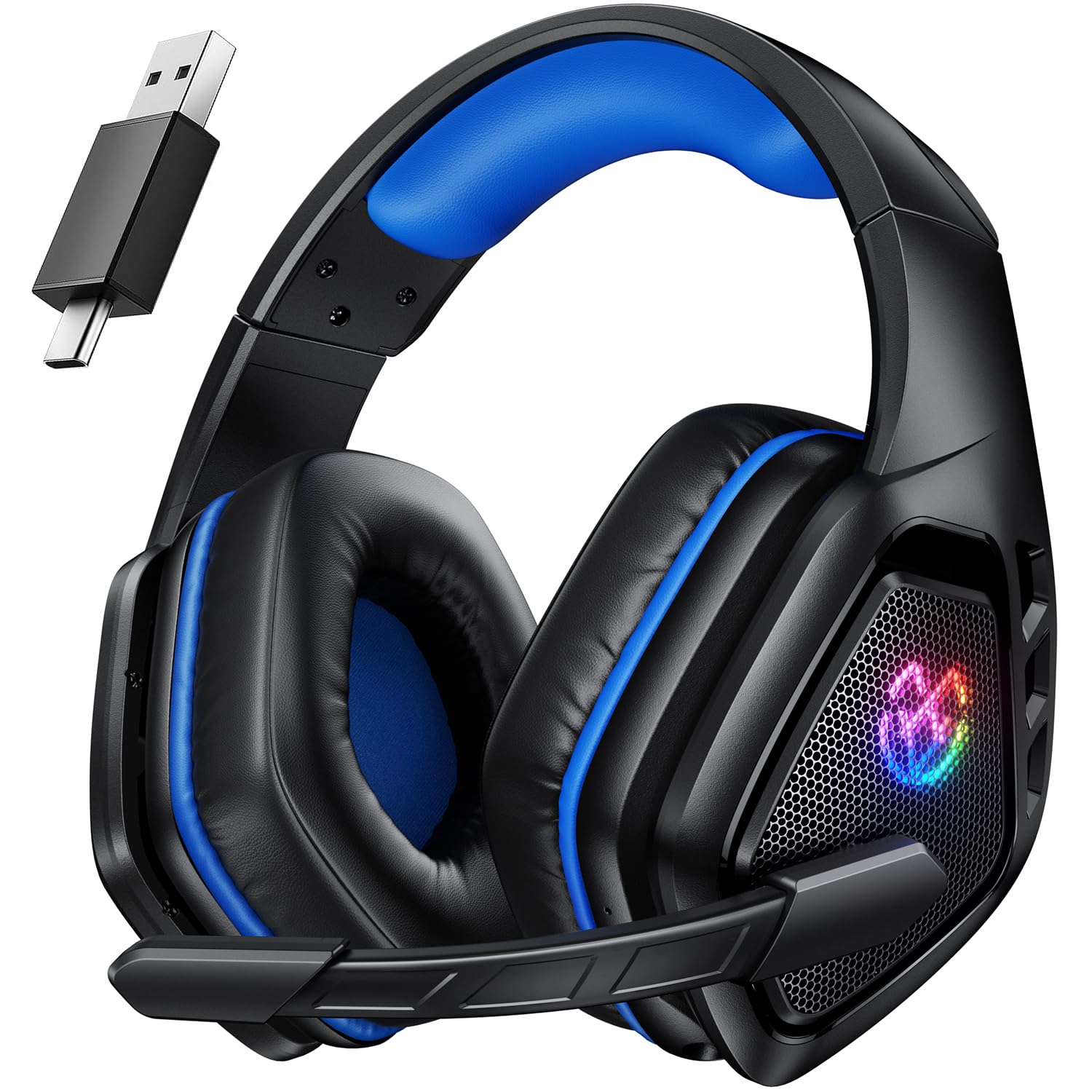
Image 1: Tatybo WT5 Wireless Gaming Headset (Black Blue)
2. Que hai na caixa
Your Tatybo WT5 Wireless Gaming Headset package includes the following items:
- Tatybo WT5 Wireless Gaming Headset
- 2.4GHz USB & Type-C Wireless Dongle
- Cable de carga USB-C
- Cable de audio AUX de 3.5 mm
- Manual de usuario (este documento)
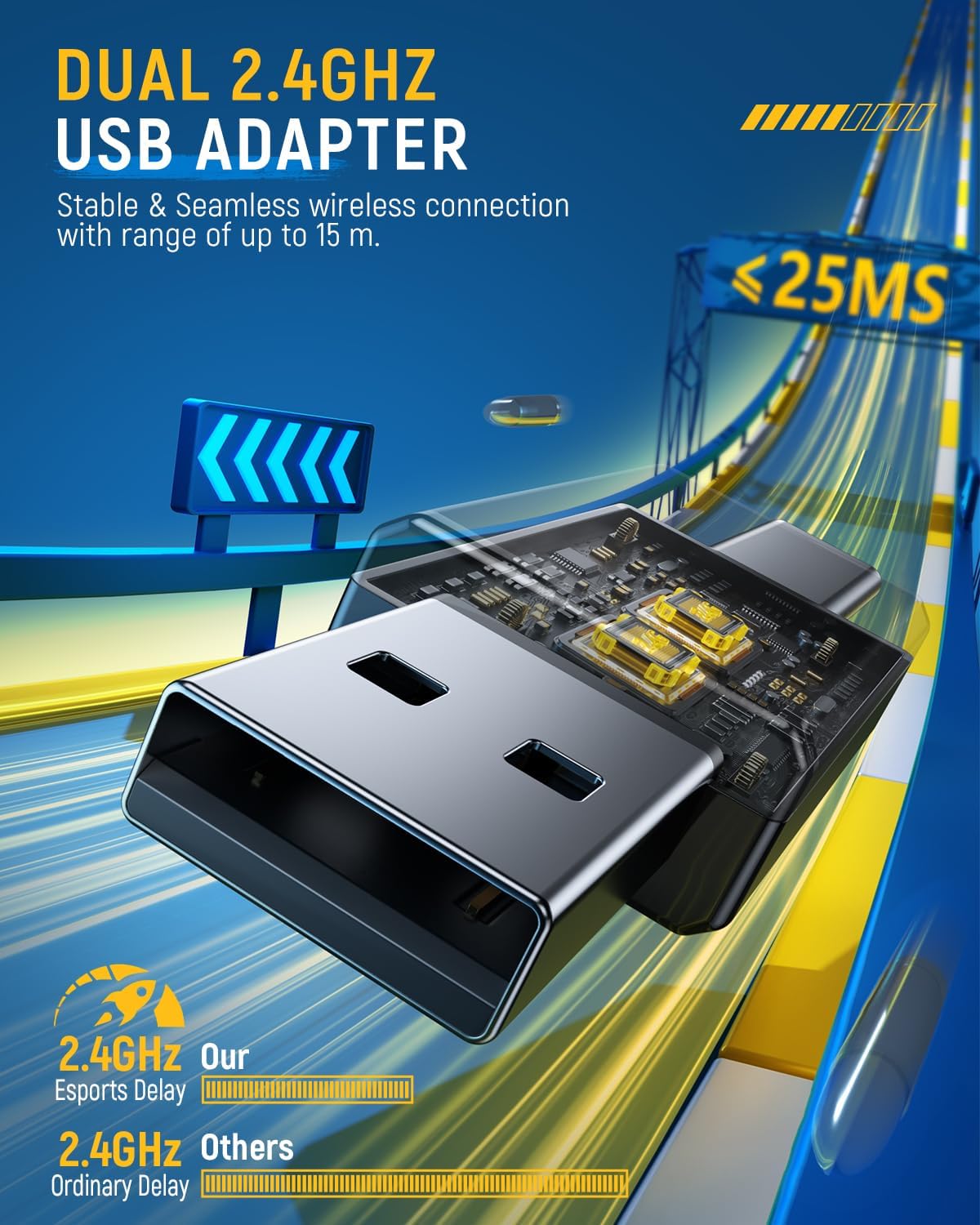
Image 2: Headset and included accessories
3. Características clave
3.1. 2.4GHz Low Latency Wireless Connectivity
The headset utilizes industry-leading 2.4GHz wireless technology for ultra-low latency gaming and high-quality audio transmission. This ensures a stable and seamless connection with a range of up to 15 meters, providing a competitive edge in gaming.

Image 3: Dual 2.4GHz USB Adapter for low-latency wireless connection
3.2 Son envolvente
Equipped with dynamic 50mm drivers and virtual 7.1 surround sound effects, the headset creates an immersive audio environment. This feature allows for precise positioning of in-game sounds, enhancing tactical awareness and overall gaming experience.

Image 4: 7.1 Surround Sound for precise audio positioning
3.3. Noise-Canceling Microphone
The adjustable microphone features environmental noise cancellation (ENC), effectively eliminating up to 95% of ambient noise. This ensures crystal-clear communication with teammates, even in noisy environments.

Image 5: ENC Microphone for clear communication
3.4. All-Day Comfort and Extended Battery Life
The headset is designed for comfort during long gaming sessions, featuring soft protein leather earpads and an adjustable headband. A 1000mAh battery provides over 40 hours of usage on a single 3-hour charge (with LED lights turned off), ensuring extended playtime.

Image 6: Ergonomic design for all-day comfort

Image 7: Long-lasting 40-hour battery life
3.5. Compatibilidade multiplataforma
The Tatybo WT5 offers versatile connectivity options:
- Modo 2.4G: Compatible with PC, PS5, PS4, Nintendo Switch, and laptops via the USB & Type-C dongle.
- Modo Bluetooth: Connects to laptops, mobile phones, and Mac devices.
- Modo cableado: The 3.5mm audio cable provides compatibility with Xbox consoles and other devices with a 3.5mm jack.

Image 8: Multi-platform wireless support
4. Instrucións de configuración
4.1. Cargando os auriculares
- Connect the USB-C end of the charging cable to the headset's charging port.
- Connect the USB-A end of the charging cable to a compatible USB power source (e.g., computer USB port, wall adapter).
- The LED indicator on the headset will show charging status. A full charge typically takes 3 hours.
4.2. Connecting via 2.4GHz Wireless Dongle (PC, PS5, PS4, Switch, Laptop)
- Insert the 2.4GHz USB & Type-C wireless dongle into an available USB port on your desired device.
- Acenda os auriculares premendo e mantendo premido o botón de acendido ata que o indicador LED se acenda.
- The headset and dongle should automatically pair. The LED indicator on the headset will show a stable light when connected.
- On your device's audio settings, ensure the Tatybo WT5 headset is selected as the input and output audio device.
4.3. Connecting via Bluetooth Mode (Laptop, Mobile, Mac)
- Alimentación dos auriculares.
- Press and hold the Bluetooth pairing button (refer to the headset's controls for exact location) until the LED indicator flashes rapidly, indicating pairing mode.
- On your device (laptop, mobile, Mac), go to Bluetooth settings and search for available devices.
- Select "Tatybo WT5" from the list to connect. The LED indicator on the headset will show a stable light when connected.
4.4. Connecting via 3.5mm Wired Mode (Xbox, other devices)
- Asegúrese de que os auriculares están apagados.
- Conecta un extremo do cable de audio AUX de 3.5 mm ao porto de 3.5 mm dos auriculares.
- Connect the other end of the 3.5mm AUX audio cable to the 3.5mm audio jack on your device (e.g., Xbox controller, PC).
- The headset will function in wired mode without requiring battery power.
4.5. Configuración do micrófono
The microphone is adjustable and can be positioned close to your mouth for optimal voice pickup. It can also be folded up and out of the way when not in use.
5. Instrucións de funcionamento
5.1. Acendido/apagado
- Para acender: Manteña premido o botón de acendido durante aproximadamente 3 segundos ata que o indicador LED se acenda.
- Para apagar: Manteña premido o botón de acendido durante aproximadamente 3 segundos ata que o indicador LED se apague.
5.2. Control de volume
Use the volume roller/dial located on the earcup to adjust the audio output level. Roll up to increase volume, roll down to decrease volume.
5.3. Silenciar o micrófono
A dedicated mute button for the microphone is located on the earcup. Press it once to mute the microphone, and press it again to unmute. The LED indicator on the microphone or headset may change color to indicate mute status.
5.4. 7.1 Surround Sound Toggle
The headset features a button to toggle the 7.1 surround sound feature on or off. Press this button to activate or deactivate the surround sound effect based on your preference.
5.5. Adjusting Headset Fit
The headband is adjustable to fit various head sizes. Gently slide the earcups up or down along the headband to achieve a comfortable and secure fit. The earcups also pivot for better conformity to your ears.
6. Mantemento
6.1. Limpeza
- Use a soft, dry cloth to clean the exterior surfaces of the headset.
- For earpads, gently wipe with a damp un pano e xabón suave se é necesario e, a continuación, secar completamente. Evitar a humidade excesiva.
- Non empregue produtos químicos duros nin limpadores abrasivos.
6.2. Almacenamento
- Garde os auriculares nun lugar fresco e seco, lonxe da luz solar directa e de temperaturas extremas.
- Evite colocar obxectos pesados enriba dos auriculares.
6.3. Coidado da batería
- Para prolongar a duración da batería, evite descargar completamente os auriculares con frecuencia.
- Carga os auriculares con regularidade, mesmo se non os usas con frecuencia.
7 Solución de problemas
7.1. No Sound or Microphone Not Working
- Ensure the headset is powered on and properly connected (2.4GHz dongle, Bluetooth, or 3.5mm cable).
- Comprobe o nivel de volume tanto nos auriculares como no dispositivo conectado.
- Comprobe que o micrófono non estea silenciado.
- In your device's audio settings, confirm that the Tatybo WT5 is selected as the default input and output device.
- For PC users, check Device Manager for new devices after connecting the dongle.
7.2. Connection Issues (Wireless)
- 2.4 GHz: Ensure the dongle is securely plugged in. Try unplugging and re-plugging the dongle. Move closer to the dongle to rule out range issues.
- Bluetooth: Ensure the headset is in pairing mode. Forget the device on your phone/laptop and re-pair. Ensure no other devices are interfering with the Bluetooth signal.
- If experiencing intermittent disconnections (as noted in some user feedback), try restarting both the headset and the connected device.
7.3. Ruído estático
- Asegúrese de que os auriculares estean completamente cargados.
- Move away from potential sources of electromagnetic interference (e.g., Wi-Fi routers, other wireless devices).
- If using wired mode, try a different 3.5mm cable or audio port.
7.4. PS4 Compatibility
If you encounter issues connecting to a PS4, ensure you are using the 2.4GHz wireless dongle. Verify that the headset is selected as the audio output and input device in the PS4's system settings (Settings > Devices > Audio Devices).
8. Especificacións
| Característica | Especificación |
|---|---|
| Marca | Tatibo |
| Número de modelo | WT5 |
| Tecnoloxía de conectividade | Wireless (2.4GHz, Bluetooth 5.3), Wired (3.5mm) |
| Colocación do oído | Sobre orella |
| Control de ruído | Cancelación activa de ruído (micrófono) |
| Tipo de controlador de audio | Driver dinámico |
| Rango de frecuencias | 20 Hz - 20,000 Hz |
| Duración media da batería | 30 Hours (up to 40+ hours with LED off) |
| Tempo de carga da batería | 3 horas |
| Peso do elemento | 0.56 quilogramos |
| Material | Metal, Plástico, Tecido |
| Dispositivos compatibles | Cellphones, Desktops, Gaming Consoles (PS5, PS4, Switch, Xbox via wired), Laptops, Tablets |
9. Garantía e soporte
The Tatybo WT5 Wireless Gaming Headset comes with a 3 ano de garantía. For technical support, warranty claims, or further assistance, please refer to the contact information provided on the official Tatybo websitio web ou a documentación da súa compra.


