
1. Introdución
Thank you for choosing the Magcubic HY350MAX Portable Projector. This manual provides essential information for setting up, operating, and maintaining your device. Please read it thoroughly before use to ensure optimal performance and safety.

Figure 1: Magcubic HY350MAX Portable Projector Overview
2. Que hai na caixa
Verifica que todos os elementos estean presentes no paquete:
- 1 x Magcubic HY350MAX Portable Projector
- 1 x Air Mouse Remote Control
- 1 x Manual de usuario
3. Características do produto
The Magcubic HY350MAX projector offers a range of advanced features for an immersive viewexperiencia:
- Alta resolución: Native 1080P Full HD (1920x1080) with support for 4K and 8K content decoding, enhanced by HDR10+.
- Brillo: 600 lúmenes ANSI para imaxes nítidas mesmo con luz ambiental.
- Automatización intelixente: Automatic focus, 6D keystone correction, screen detection, and intelligent obstacle avoidance for a perfectly aligned and sharp image.
- Integrated Smart System: Powered by Allwinner H726 chip, 2GB RAM, and 16GB internal storage, running Android 14 with over 6000 pre-installed apps.
- Conectividade avanzada: Dual-band WiFi 6 (2.4 GHz and 5 GHz) for fast and stable wireless screen mirroring, and Bluetooth 5.4 for audio device connections.
- Audio inmersivo: Built-in 12W Hi-Fi stereo speaker.
- Proxección flexible: 180° rotation allows projection onto walls or ceilings. Short throw ratio of 1.0:1, projecting 40 to 140 inches.
- Compatibilidade universal: HDMI and USB ports for connecting PS5, laptops, TV sticks, USB drives, smartphones, and tablets.
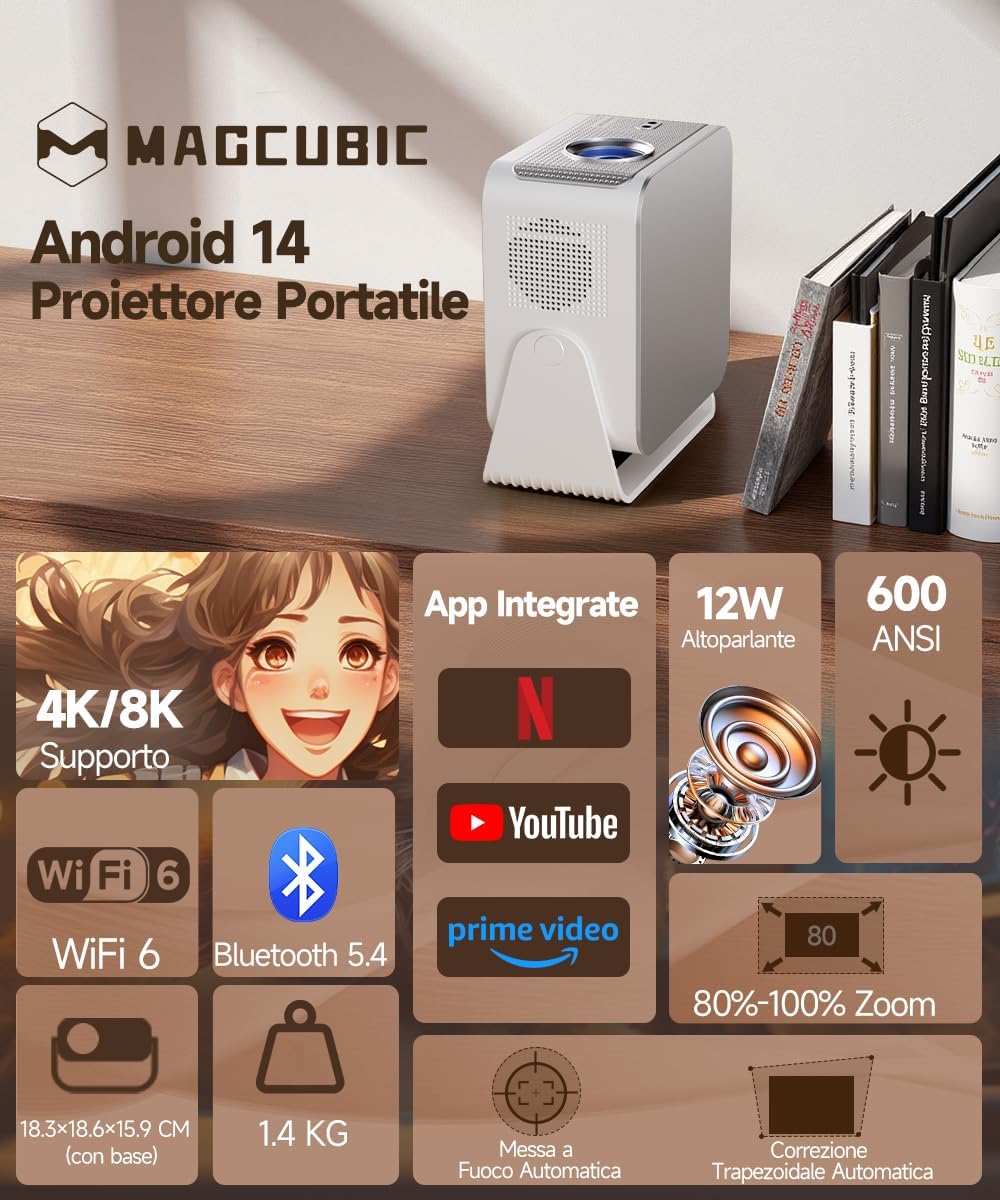
Figure 2: Key Features of the HY350MAX Projector

Figure 3: 1080P Native Resolution Clarity

Figure 4: Android 14 and Integrated Applications
4. Configuración
4.1 Placement and Power
- Place the projector on a stable, flat surface. The 180° rotation feature allows for versatile placement, including ceiling projection.
- Conecte o cable de alimentación ao proxector e despois a unha toma de corrente.
- For optimal projection, ensure the room is sufficiently dark.

Figure 5: Flexible 180° Rotation for Placement
4.2 Initial Image Adjustment
The projector features automatic focus and keystone correction. Upon powering on or moving the projector, it will automatically adjust the image for clarity and shape.
- Automatic Focus: The projector will automatically focus the image. This works best for projection distances under 2.5 meters.
- Corrección trapezoidal automática: The projector will automatically correct the image's trapezoidal distortion.
- Enfoque manual: If the projection distance is greater than 2.5 meters or if automatic focus is not sensitive enough, use the remote control to adjust focus manually.

Figure 6: Automatic Image Correction Features

Figure 7: Auto and Manual Focus Guide
4.3 Conexión de dispositivos
The projector supports various input methods:
- HDMI: Connect gaming consoles (e.g., PS5), laptops, or TV sticks using an HDMI cable.
- USB: Insira unidades USB para reproducir contido multimedia.
- WiFi 6: Connect to your home network for streaming and wireless screen mirroring from smartphones and tablets.
- Bluetooth 5.4: Emparéllao con altofalantes ou auriculares Bluetooth externos para un audio mellorado.
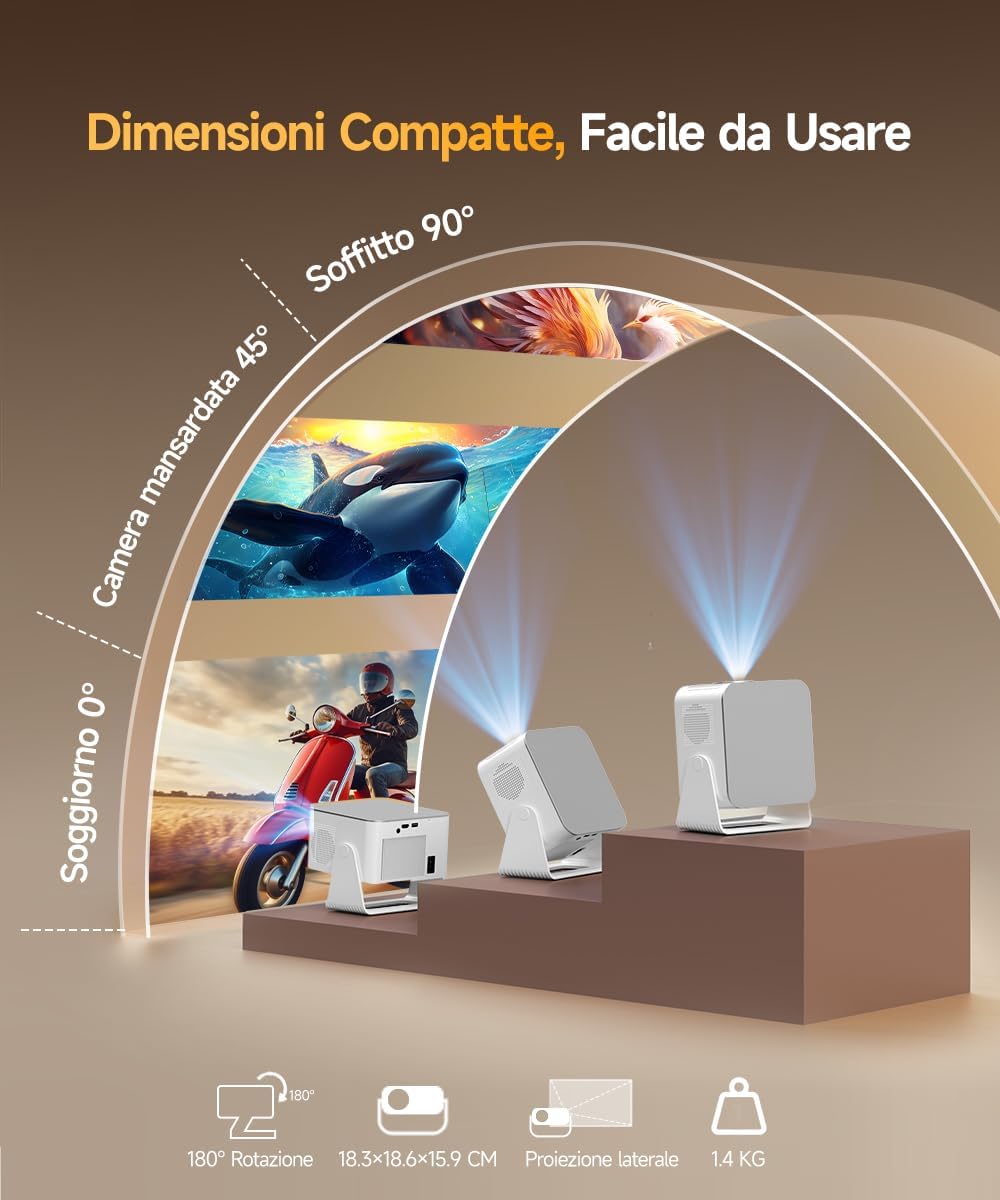
Figure 8: Universal Connectivity Options
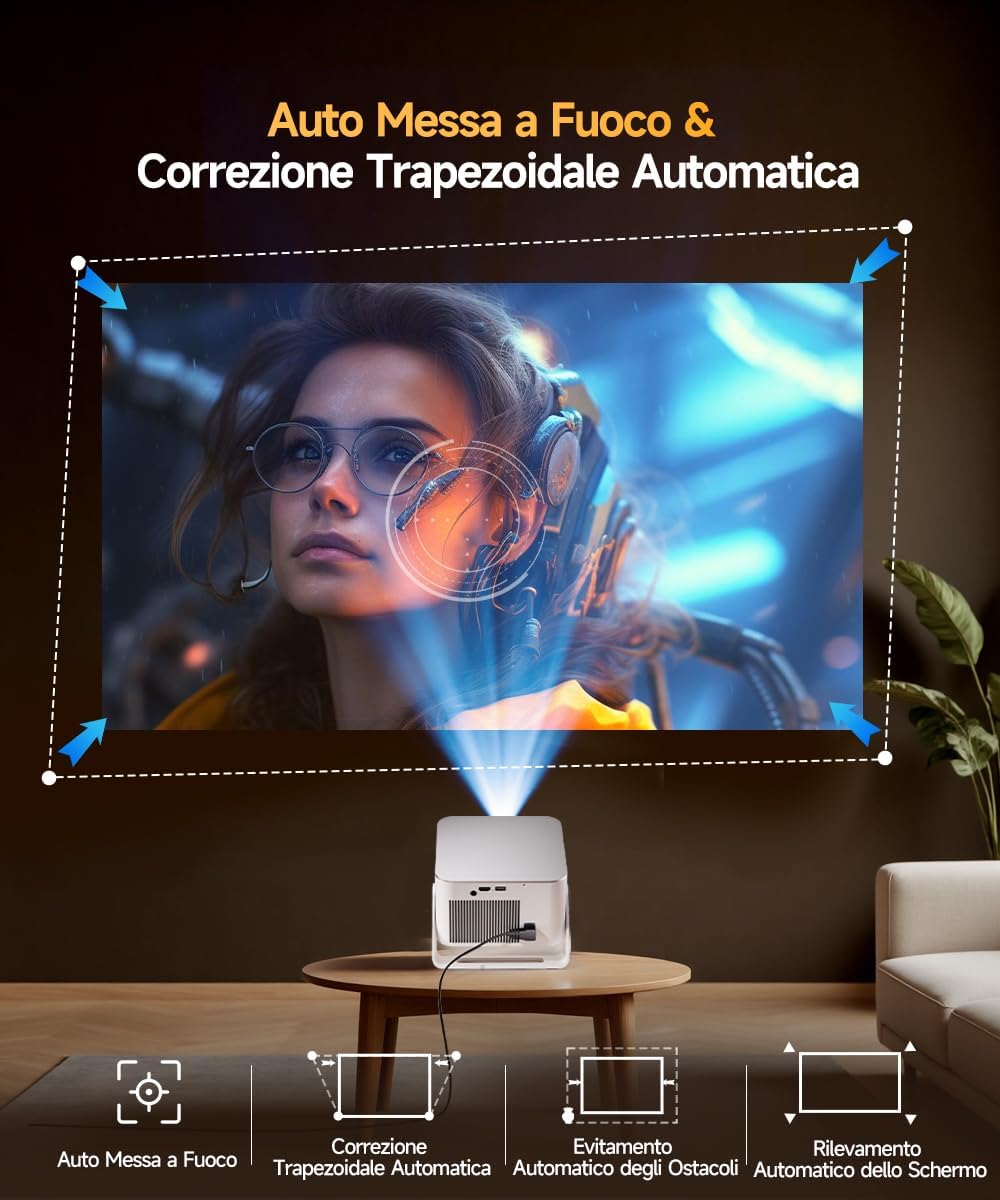
Figure 9: WiFi 6 and Bluetooth 5.4
4.4 Air Mouse Remote Control Setup
To use the Air Mouse function of your remote control, follow these steps:
- Activate Bluetooth on your projector.
- Simultaneously press the left and right directional buttons on the remote control until the projector emits an audible signal.
- Press the button with the 'mouse' symbol on the remote control to activate the Air Mouse function.
- Move your wrist to control the on-screen cursor.

Figure 10: Air Mouse Remote Control Usage
Video 1: Demonstrates the steps to pair and use the Air Mouse remote control for navigation.
5. Instrucións de funcionamento
5.1 Encendido/apagado
Prema o botón de acendido do proxector ou do control remoto para acender ou apagar o dispositivo.
5.2 Navegando pola interface
The projector runs on Android 14, providing a user-friendly interface. Use the remote control (or Air Mouse) to navigate through menus, select apps, and adjust settings.
- Pantalla de inicio: Access integrated apps, input sources (HDMI, USB), and settings.
- App Store: Download additional applications as needed.
- Configuración: Adjust display, sound, network, and system preferences.
5.3 Espello da pantalla
Utilize the WiFi 6 dual-band connectivity for seamless screen mirroring from compatible devices.
- Ensure both your device (smartphone, tablet, laptop) and the projector are connected to the same WiFi network.
- Select the screen mirroring option on the projector's interface (e.g., Airplay, Miracast).
- Initiate screen mirroring from your device's settings.
5.4 Saída de audio
The projector features a built-in 12W Hi-Fi stereo speaker. For external audio, use Bluetooth 5.4 to connect to speakers or headphones.
- To connect via Bluetooth, go to the projector's settings, select Bluetooth, and pair with your desired audio device.
Vídeo 2: Rematadoview of the projector's features, including automatic adjustments, connectivity, and smart interface.
Video 3: Demonstration of the projector's image quality and clarity with various nature scenes.
6. Mantemento
6.1 Limpeza
- Use un pano suave e seco para limpar o exterior do proxector.
- Para a lente, use un pano e unha solución de limpeza de lentes especializados. Evite materiais abrasivos.
- Ensure ventilation openings are free from dust and obstructions.
6.2 Almacenamento
Cando non o use durante períodos prolongados, garde o proxector nun lugar fresco e seco, lonxe da luz solar directa e de temperaturas extremas.
7 Solución de problemas
Se tes problemas co teu proxector, consulta as seguintes solucións habituais:
- Sen enerxía: Comprobe a conexión do cable de alimentación e asegúrese de que a toma de corrente funcione.
- Sen imaxe: Verify the input source is correctly selected (HDMI, USB, WiFi). Ensure the lens cap is removed.
- Imaxe borrosa: Allow the automatic focus to complete. If still blurry, manually adjust focus using the remote control. Ensure the projection surface is flat.
- Imaxe distorsionada: The automatic keystone correction should resolve this. If not, check projector placement or manually adjust keystone settings if available.
- Sen son: Check volume settings on both the projector and the connected source device. Ensure Bluetooth audio devices are correctly paired.
- Problemas de conexión WiFi/Bluetooth: Ensure the projector is within range of the router/Bluetooth device. Restart both devices.
Para obter máis axuda, póñase en contacto co servizo de atención ao cliente.
8. Especificacións
| Característica | Especificación |
|---|---|
| Marca | Magcúbico |
| Número de modelo | HY350MAX |
| Resolución nativa | 1920 x 1080 (1080p Full HD) |
| Resolución máxima de visualización | 7680 x 4320 (compatible con 8K) |
| Brillo | 600 lúmenes ANSI |
| Relación de contraste | Alto |
| Tecnoloxía de conectividade | Bluetooth 5.4, HDMI, USB, WiFi 6 (5 Ghz+2.4 Ghz) |
| Sistema Operativo | Android 14 |
| CPU | Allwinner H726 |
| RAM | 2 GB |
| Almacenamento interno | 16 GB |
| Audio | 12W Hi-Fi Stereo Speaker |
| Tamaño de proxección | 40 - 140 polgadas |
| Projection Distance (Min/Max) | 0.9 m / 3.1 m |
| Peso | 1.4 quilogramos |
| Consumo de enerxía | 100 vatios |
| Características especiais | Integrated Apps, Auto Focus, Auto Keystone Correction, Intelligent Image Adjustment, 180° Rotatable, HDR10+ |
Video 4: Comparison between Magcubic HY350MAX and HY350 models, highlighting system and CPU upgrades.
9. Garantía e soporte
Magcubic is committed to providing quality products and customer satisfaction.
- Garantía do produto: 1 ano de garantía do fabricante.
- Garantía de reembolso: Garantía de devolución de diñeiro de 30 días.
- Atención ao cliente: 24-hour live customer assistance.
- Soporte técnico: Soporte técnico de por vida.
For any inquiries or support needs, please refer to the contact information provided with your purchase or visit the official Magcubic websitio.