
1. Introdución
Thank you for choosing the INGA Computer Speakers MZ-102M. This manual provides essential information for setting up, operating, and maintaining your new speakers. Please read it thoroughly before use to ensure optimal performance and longevity of your device.
2. Que hai na caixa
- Wired USB Speaker Bar x 1
- Manual de usuario x 1
3. Características do produto
- Detachable AEC Microphone: Features a unidirectional AEC mic for clear audio during calls, reducing echo and background noise.
- Stereo Sound with Deep Bass: Dual-speaker design delivers rich 3D stereo sound with deep bass, full mids, and clear highs.
- Dual Sound Modes: Easily switch between Music Mode (clear vocals, rich instrumentals) and Gaming Mode (deep bass, dynamic effects).
- One-Touch Mute Controls: Independent buttons for volume, play/pause, mode switching, and a dedicated microphone mute function for privacy.
- Conectividade USB Plug-and-Play: Simple USB connection for wide compatibility with PC, Laptop, PS5, and Mac.
- Iluminación dinámica: Enhance your experience with various LED lighting effects.
4. Guía de configuración
4.1 Connecting the Speaker
- Connect the USB-A or USB-C plug from the speaker to an available USB port on your computer (PC, Laptop, Mac) or gaming console (PS5).
- The speaker is plug-and-play and should be automatically recognized by your system.
4.2 Attaching the Detachable Microphone
Gently insert the detachable microphone into the designated port on the speaker bar until it clicks into place. Ensure it is firmly connected for optimal voice capture.
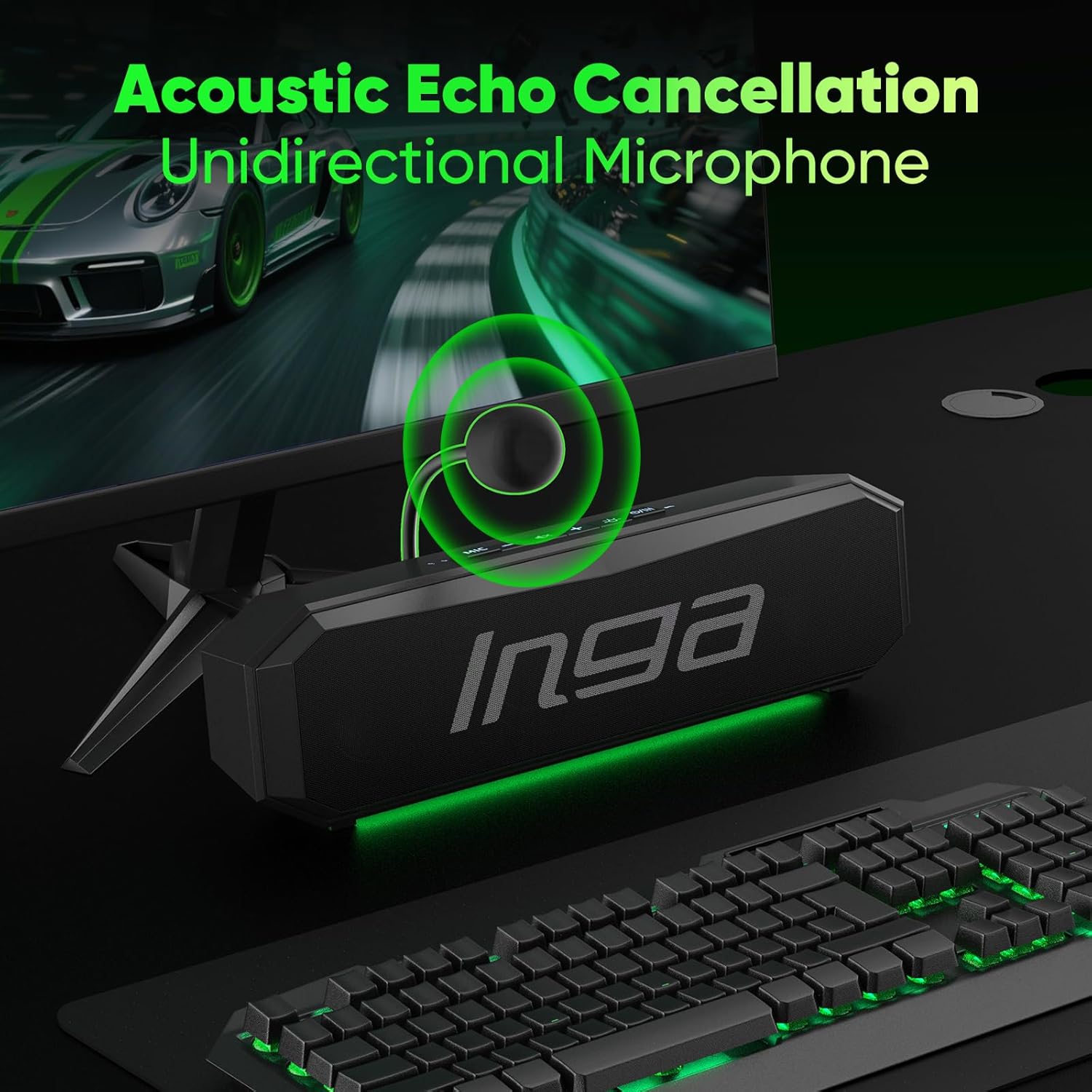
Image: INGA Computer Speaker with its detachable unidirectional microphone attached. The microphone is designed to capture clear audio while reducing background noise.
5. Instrucións de funcionamento
5.1 Control de volume
- Use the '+' and '-' buttons on the speaker to adjust the volume up or down.
- Press the mute button (speaker icon) to quickly mute or unmute the audio output.
5.2 Silenciar o micrófono
- Press the 'MIC' button to mute or unmute the microphone. The button will illuminate to indicate its status.
5.3 Dual Sound Modes
The speaker offers optimized audio for different scenarios:
- Modo de música: Provides clear vocals and rich instrumentals.
- Modo de xogo: Delivers deep bass and dynamic effects for an immersive gaming experience.
Use the mode switching button (often indicated by a music note or game controller icon) to toggle between these modes.

Imaxe: Arriba view of the INGA Computer Speaker showing the control panel with buttons for volume, mute, and mode switching between Game and Music.
5.4 Dynamic Lighting Effects
The speaker features dynamic LED lighting to enhance your setup. You can cycle through various lighting modes and colors using the dedicated light button (sun icon).
- Monochrome Fixed
- Colorful Cycling Lighting
- Single-Color Cycling Lighting
- Slow Breathing Lighting

Image: The INGA Computer Speaker showcasing its dynamic LED lighting effects, including Flow, Breathing, and Rhythm modes, adding visual flair to your desktop.
6. Mantemento
To ensure the longevity and optimal performance of your INGA Computer Speakers, follow these maintenance guidelines:
- Limpeza: Use a soft, dry cloth to wipe the speaker's surface. Avoid using harsh chemicals or abrasive materials.
- Almacenamento: Cando non o use durante períodos prolongados, garde o altofalante nun lugar fresco e seco, lonxe da luz solar directa e de temperaturas extremas.
- Coidado do cable: Evite dobrar ou retorcer o cable USB excesivamente para evitar danalo.
7 Solución de problemas
7.1 Speaker No Sound: Quick Fixes
- Plug the USB connector into USB side ports on your computer.
- Fix the setting:
- Speaker icon - choose "MZ-102M" as audio output.
- Control panel/system preference - sound setting - choose "MZ-102M" as audio output - save changes.

Image: A screenshot illustrating the process of selecting the "MZ-102M" as the default audio output device within a computer's sound settings.
8. Especificacións
| Característica | Detalle |
|---|---|
| Marca | INGA |
| Número de modelo | MZ-102M |
| Potencia de saída máxima do altofalante | 10 vatios |
| Resposta en frecuencia | 20 kHz |
| Tecnoloxía de conectividade | USB |
| Vol. De entradatage | 5 voltios (DC) |
| Tipo de montaxe | Soporte de mesa |
| Tipo de altofalante | Altofalante portátil |
| Cor | Negro |
| Método de control | Toca |
| Tamaño do altofalante | 248 milímetros |
| Dimensións do artigo D x W x H | 9.7" D x 1.2" W x 1.8" H |
| Peso do elemento | 0.32 quilogramos |
| Dispositivos compatibles | Desktop, Laptop, PC, Mac |
| Tipo de controlador de audio | Driver dinámico |
| Número de canles de audio | 2.0 |
| Protocolo de conectividade | USB |
| Fonte de enerxía | Eléctrico con cable |
9. Garantía e soporte
9.1 Información da garantía
The INGA Computer Speakers MZ-102M come with a 1-Year Manufacturer Limited Warranty. Please retain your proof of purchase for warranty claims.
9.2 Atención ao cliente
If you have any questions or encounter issues with your INGA computer speakers, please feel free to contact our customer service team. We are committed to resolving your issue within 24 hours.