
Introdución
Thank you for choosing the MELOGAGA Wireless Gaming Mouse M348. This advanced gaming mouse offers triple connectivity modes (2.4GHz wireless, Bluetooth 5.4, and USB-C wired), 8 adjustable DPI levels, and an ultra-lightweight ergonomic design for extended comfort. This manual provides detailed instructions for setup, operation, maintenance, and troubleshooting to ensure optimal performance and longevity of your device.
Contido do paquete
- MELOGAGA Wireless Gaming Mouse (M348)
- Receptor USB (almacenado dentro do rato)
- Cable de carga USB-C
- Manual de usuario
Produto rematadoview
Familiarize yourself with the various components and controls of your MELOGAGA M348 Wireless Gaming Mouse.

Imaxe: Detailed diagram of the MELOGAGA M348 mouse, highlighting its buttons, scroll wheel, DPI button, side buttons, USB-C port, Bluetooth reset button, mode switch, and the location of the USB receiver.
- Botón esquerdo: Función estándar do clic esquerdo.
- Botón dereito: Función estándar do clic dereito.
- Roda de desprazamento: Para a función de desprazamento e clic central.
- Botón DPI: Cambia ciclicamente polos niveis de sensibilidade de DPI.
- Botón de avance: Navega cara adiante web navegadores ou aplicacións.
- Botón de retroceso: Navega cara atrás en web navegadores ou aplicacións.
- Interface tipo C: Para conexión por cable e carga.
- Reset BT Button: Resets Bluetooth pairing.
- Interruptor de modo: Selects between 2.4G, Bluetooth, and Type-C (wired) modes.
- Receptor USB: For 2.4GHz wireless connection, stored in the mouse's bottom compartment.
Configuración
1. Cargar o rato
Before first use, or when the cursor slows down, charge the mouse using the provided USB-C cable. Connect the USB-C end to the mouse and the USB-A end to a power source (e.g., computer USB port, USB wall adapter).

Imaxe: The MELOGAGA M348 mouse connected to a laptop with its USB-C charging cable, illustrating the play-and-charge functionality.
The mouse can be used in wired mode while charging, ensuring uninterrupted operation. A full charge provides up to 120 hours of wireless use.
2. Conectando o rato
The MELOGAGA M348 supports three connectivity modes: 2.4GHz wireless, Bluetooth 5.4, and USB-C wired. Use the mode switch on the bottom of the mouse to select your preferred connection type.
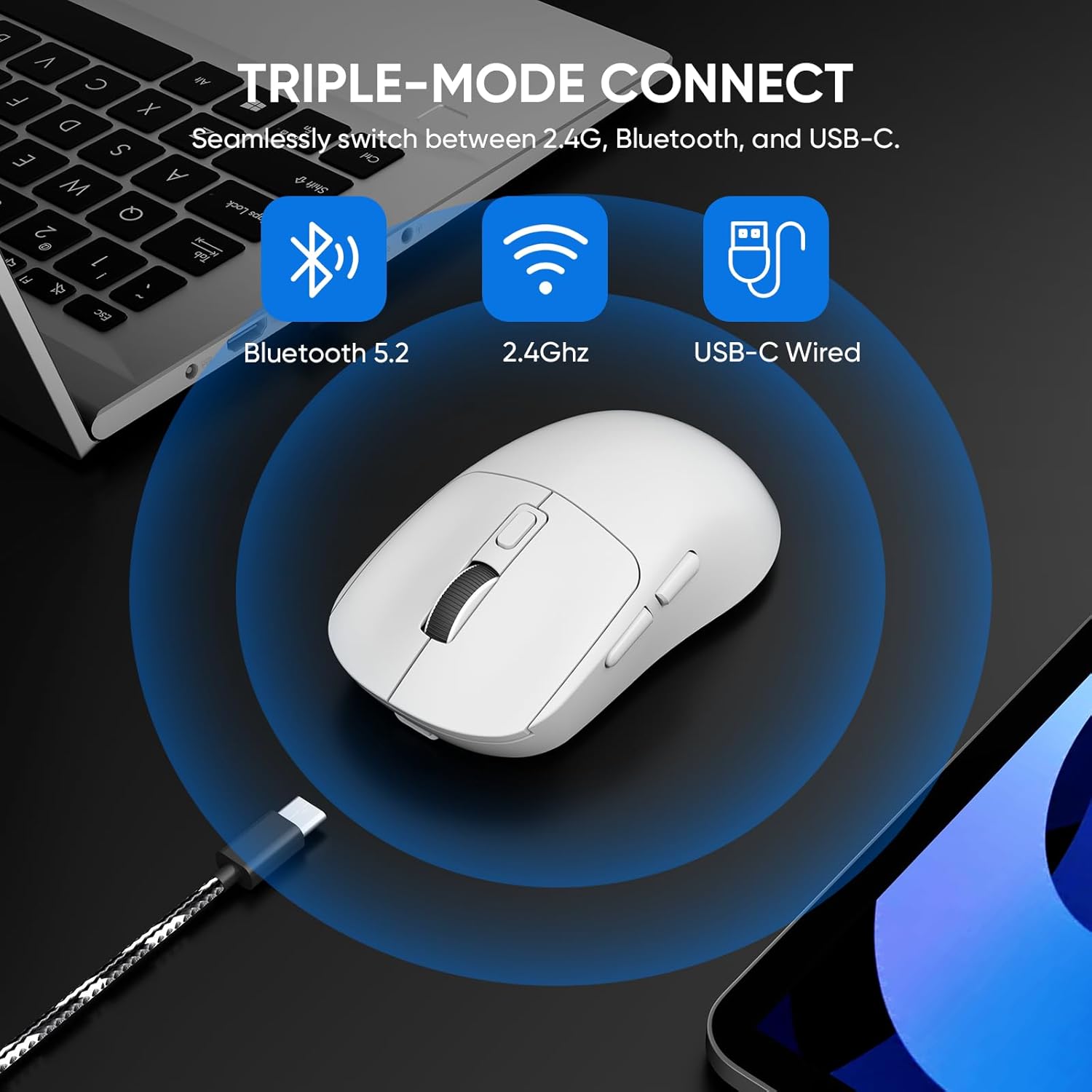
Imaxe: An illustration demonstrating the three connectivity options for the MELOGAGA M348 mouse: Bluetooth, 2.4GHz wireless, and USB-C wired, with corresponding icons.
2.1. Modo sen fíos de 2.4 GHz
- Localiza o receptor USB gardado no compartimento da parte inferior do rato.
- Conecta o receptor USB a un porto USB dispoñible no teu ordenador ou dispositivo.
- Deslice o interruptor de modo na parte inferior do rato á posición "2.4G".
- The mouse should automatically connect. If not, try moving the mouse closer to the receiver or re-inserting the receiver.
2.2. Modo Bluetooth 5.4
- Slide the mode switch on the bottom of the mouse to the "BT" position.
- Press and hold the "Reset BT" button on the bottom of the mouse for 3-5 seconds until the indicator light starts blinking, indicating pairing mode.
- On your device (PC, Mac, tablet, etc.), go to Bluetooth settings and search for new devices.
- Select "MELOGAGA M348" (or similar name) from the list of available devices to pair.
- Once paired, the indicator light will stop blinking and remain solid for a few seconds before turning off.
2.3. Modo con cable USB-C
- Connect the USB-C charging cable to the mouse and the USB-A end to your computer or device.
- Slide the mode switch on the bottom of the mouse to the "Type-C" position.
- O rato funcionará como un rato con cable e cargará simultaneamente.
3. Compatibilidade universal
The MELOGAGA M348 mouse is designed for broad compatibility across various operating systems and devices.

Imaxe: Un máisview of the MELOGAGA M348 mouse's universal compatibility, showing it works with PCs, Macs, PS5, tablets, and supports Windows, macOS, Linux, and Android operating systems.
It is compatible with PC, Mac, laptops, tablets, and Android devices, supporting operating systems such as Windows, macOS, iPadOS, and Android.
Instrucións de funcionamento
1. Axustar a sensibilidade dos DPI
The mouse features 8 adjustable DPI levels (800-6400) to suit different tasks and preferences. Press the DPI button located on the top of the mouse, behind the scroll wheel, to cycle through the sensitivity settings.

Imaxe: An illustration detailing the 8 adjustable DPI levels (800, 1200, 1600, 2400, 3200, 4000, 5000, 6400) of the MELOGAGA M348 mouse, indicating suitability for various activities like home use, office work, graphic design, and gaming.
Each press of the DPI button will change the sensitivity, allowing for precise control whether you are gaming, working, or browsing.
2. Deseño ergonómico
The MELOGAGA M348 is designed with an ultra-lightweight (approx. 71g) and ergonomic shape to minimize hand strain and fatigue during prolonged use. Its contoured design supports various grip styles, including claw, palm, and fingertip grips.

Imaxe: A user's hand resting on the MELOGAGA M348 mouse, demonstrating its ergonomic shape that provides comfortable support and reduces hand fatigue during extended use.
Mantemento
1. Limpeza
- Use un pano suave e seco para limpar a superficie do rato.
- Para a sucidade persistente, d lixeiramenteampEnxágüe o pano con auga ou unha solución de limpeza suave. Evite produtos químicos agresivos.
- Do not allow liquids to enter the mouse's interior.
2. Coidado da batería
- Evite descargar completamente a batería con frecuencia para prolongar a súa vida útil.
- Se garda o rato durante un período prolongado, cárgueo aproximadamente ao 50 % antes de gardalo.
- Recharge the mouse when the cursor performance degrades, as this indicates a low battery.
Resolución de problemas
| Problema | Causa posible | Solución |
|---|---|---|
| Cursor slows down or becomes unresponsive | Batería baixa | Recharge the mouse using the USB-C cable. |
| Mouse not connecting (2.4GHz) | USB receiver not properly inserted or out of range | Ensure the USB receiver is fully inserted. Move the mouse closer to the receiver. Try a different USB port. |
| O rato non se conecta (Bluetooth) | Not in pairing mode, or previously paired device interference | Ensure the mode switch is on "BT". Press and hold the "Reset BT" button to enter pairing mode. Remove previous pairings from your device's Bluetooth settings and try pairing again. |
| Mouse not working in wired mode | Mode switch incorrect, or cable issue | Ensure the mode switch is on "Type-C". Check if the USB-C cable is securely connected at both ends. Try a different USB port or cable. |
| Os botóns ou a roda de desprazamento non responden | Software glitch or physical obstruction | Restart your computer. Check for any debris around the buttons or scroll wheel. If issues persist, contact support. |
Especificacións
| Característica | Detalle |
|---|---|
| Número de modelo | M348 |
| Conectividade | Sen fíos de 2.4 GHz, Bluetooth 5.4, USB-C con cable |
| Niveis de DPI | 800, 1200, 1600, 2400, 3200, 4000, 5000, 6400 (Adjustable) |
| Taxa de votación | 1000 Hz |
| Botóns | 6 (Esquerda, Dereita, Roda de desprazamento, DPI, Adiante, Atrás) |
| Detección de Movemento | Óptica |
| Orientación das mans | Certo |
| Tipo de batería | 1 polímero de litio (incluído) |
| Duración da batería | Up to 120 hours (wireless use) |
| Peso | Aprox. 71 g (2.5 oz) |
| Durabilidade | Rated for 5 million clicks |
| OS compatible | Windows, macOS, iPadOS, Android |
| Material | Plástico |
Garantía e Soporte
The MELOGAGA Wireless Gaming Mouse M348 comes with a Garantía limitada de 1 anos from the date of purchase. This warranty covers manufacturing defects and ensures the product is free from defects in material and workmanship under normal use.
For warranty claims, technical support, or any inquiries regarding your product, please contact MELOGAGA customer service through the retailer where the product was purchased or visit the official MELOGAGA support websitio (se está dispoñible).
Garde o comprobante de compra para validar a garantía.