Introdución
This manual provides essential information for the safe and efficient operation of your AOC XL2-211 Smart Projector. Please read it thoroughly before using the device and retain it for future reference.
The AOC XL2-211 is a portable 1080P Full HD smart projector featuring Android 12.0, Wi-Fi 6, Bluetooth 5.0, and a fully enclosed optical engine for dust protection. It offers a large projection screen size from 40 to 250 inches, integrated stereo speakers, and versatile connectivity options.
Información de seguridade
Observe as seguintes precaucións de seguridade para evitar danos no proxector e garantir a seguridade do usuario:
- Non mire directamente á lente do proxector cando estea aceso.amp está activado.
- Garantir unha ventilación adecuada para evitar o sobrequecemento. Non bloquee as aberturas de ventilación.
- Empregue só o adaptador de corrente subministrado co proxector.
- Manteña o proxector lonxe da auga ou outros líquidos.
- Non intente desmontar nin reparar o proxector vostede mesmo. Póñase en contacto co persoal de servizo cualificado.
- Coloque o proxector nunha superficie estable e nivelada.
Contido do paquete
Verifica que todos os elementos estean presentes no paquete:
- AOC XL2-211 Smart Projector
- Cable de alimentación
- Cable HDMI
- Control remoto
- Manual de usuario (este documento)

Image: The AOC XL2-211 Smart Projector and its included accessories, including the power cable, HDMI cable, and remote control.
Produto rematadoview
Compoñentes do proxector
Familiarízate cos compoñentes principais do teu proxector:
- Lente de proxección: Emite a imaxe.
- Botón de encendido: Acende/apaga o proxector.
- Focus Sensor: Used for automatic focus adjustment.
- Reixas de ventilación: Ensure proper airflow for cooling.
- Portos de entrada: HDMI, USB, Audio Out (3.5mm jack).
- Entrada de enerxía: Conéctase ao cable de alimentación.

Imaxe: Traseira view of the AOC XL2-211 projector, highlighting the HDMI, USB, and power input ports.
Configuración
1. Conexión de alimentación
- Conecte o cable de alimentación ao porto de entrada de alimentación do proxector.
- Conecta o outro extremo do cable de alimentación a unha toma de corrente.
2. Colocación inicial
- Place the projector on a stable surface or mount it on a tripod (not included).
- Ensure the projection surface is flat and clear of obstructions.
- The projector supports flexible placement, including tabletop and tripod mounting.
3. Activar/Desactivar
- Preme o botón de acendido do proxector ou do control remoto para acendelo.
- Manteña premido o botón de acendido para apagalo.
4. Enfoque e corrección Keystone
The projector features automatic focus and keystone correction for a clear, rectangular image.
- Foco automático: The projector will automatically adjust the focus upon startup or movement. You can enable/disable this in the settings.
- Corrección trapezoidal automática: The projector automatically corrects image distortion caused by angled projection. This can also be adjusted in settings.
- Axuste manual: For fine-tuning, manual focus and keystone correction options are available in the Projection Settings menu.

Image: The AOC XL2-211 projector displaying its intelligent auto-focus and keystone correction capabilities, ensuring a clear image from various angles.
Instrucións de funcionamento
1. Navegación e interface
The projector runs on Android 12.0, providing a user-friendly interface. Use the remote control to navigate through menus and select options.
- Pantalla de inicio: Access installed applications, settings, and media sources.
- Menú Configuración: Adjust network, Bluetooth, projection, language, and other system settings.
2. Opcións de conectividade
The projector offers multiple ways to connect and display content:
Conectividade sen fíos (Wi-Fi 6 e Bluetooth 5.0)
- Wi-Fi: Connect to your home network for internet access and streaming. Navigate to Configuración > Sen fíos para conectar.
- Espello da pantalla: Wirelessly cast content from your smartphone (iPhone, Android) or tablet. Ensure both devices are on the same Wi-Fi network.
- Bluetooth: Connect external Bluetooth speakers or headphones for enhanced audio. Go to Configuración > Bluetooth para emparellar dispositivos.

Image: The AOC XL2-211 projector displaying content mirrored from a smartphone, illustrating seamless wireless sharing.
Conectividade por cable
- HDMI: Connect devices like laptops, gaming consoles, or TV decoders using an HDMI cable.
- USB: Conecta unidades USB para reproducir contido multimedia files directamente.
- Saída de son (conector de 3.5 mm): Conecta auriculares con cable ou altofalantes externos.
Imaxe: Unha detallada view of the AOC XL2-211 projector's input panel, showing HDMI, USB, and audio ports for versatile connections.
3. Reprodución multimedia
The projector supports various media formats and streaming applications.
- Aplicacións de streaming: Access pre-installed apps like Netflix, Hulu, Disney+, Prime Video, and YouTube.
- Medios locais: Play videos, photos, and music from a connected USB drive.
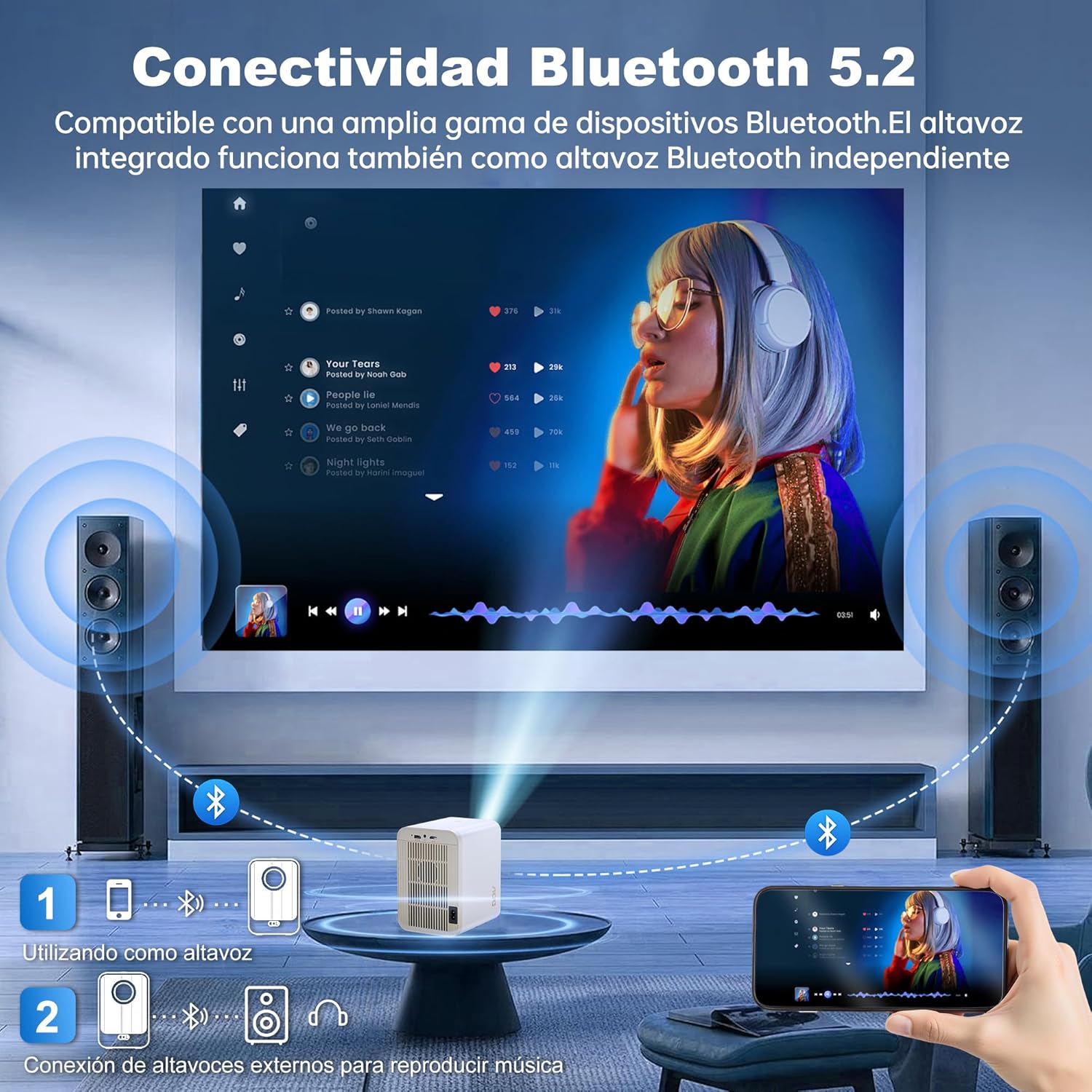
Image: The AOC XL2-211 projector displaying its smart interface with various streaming applications, ready for entertainment.
4. Saída de audio
The projector includes built-in 2x12W stereo speakers. For alternative audio experiences:
- Connect Bluetooth speakers or headphones via Configuración > Bluetooth.
- Use the 3.5mm audio jack for wired external speakers or headphones.

Image: The AOC XL2-211 projector wirelessly connected to external Bluetooth speakers, demonstrating enhanced audio capabilities.
Mantemento
1. Limpeza do proxector
- Asegúrese de que o proxector estea apagado e desconectado antes de limpalo.
- Use a soft, dry cloth to wipe the exterior of the projector.
- For the lens, use a lens cleaning cloth and specialized lens cleaning solution. Do not use abrasive materials.
- The fully enclosed optical engine minimizes dust accumulation, but regular external cleaning is recommended.
2. Almacenamento
- Garde o proxector nun lugar fresco e seco, lonxe da luz solar directa e de temperaturas extremas.
- If storing for an extended period, place it back in its original packaging or a protective case.
Resolución de problemas
| Problema | Causa posible | Solución |
|---|---|---|
| Non se mostra ningunha imaxe | Power cable disconnected, incorrect input source, lens cap on. | Check power connection, select correct input source (HDMI/USB), remove lens cap. |
| A imaxe está borrosa | Desenfocado, corrección trapezoidal incorrecta. | Allow auto-focus to adjust, or manually adjust focus/keystone in Projection Settings. |
| Sen son | Volume too low, external audio device not connected/paired, internal speakers disabled. | Increase volume, ensure Bluetooth device is paired or wired audio is connected, check audio settings. |
| Non se pode conectar a Wi-Fi/Bluetooth | Incorrect password, device too far, interference. | Verify password, move device closer to router/projector, restart devices. |
| O control remoto non funciona | Low batteries, obstruction. | Replace batteries, ensure no obstruction between remote and projector. |
Especificacións
| Característica | Detalle |
|---|---|
| Marca | AOC |
| Número de modelo | XL2-211 |
| Resolución nativa | 1280 x 800 píxeles |
| Resolución admitida | 1920 x 1080 píxeles (Full HD) |
| Brillo | 12000 lúmenes (300 ANSI) |
| Relación de contraste | 12000:1 |
| Sistema Operativo | Android 12.0 |
| RAM | 1 GB |
| ROM | 8 GB |
| Conectividade sen fíos | Wi-Fi 6 (2.4G/5G), Bluetooth 5.0 |
| Portos de entrada | HDMI, USB, Audio (3.5mm jack), TF Card |
| Portos de saída | Audio (3.5mm jack) |
| Orador | Built-in 2x12W Stereo Speakers |
| Tamaño de proxección | 40-250 polgadas |
| Factor de forma | Portátil |
| Dimensións do produto | 19 x 21 x 26 cm |
| Peso do elemento | 750 gramos |
| Consumo de enerxía | 40 vatios |
Garantía e Soporte
Información da garantía
Your AOC XL2-211 Smart Projector comes with a garantía dun ano desde a data de compra, cubrindo defectos de fabricación. Conserve o comprobante de compra para reclamacións de garantía.
Atención ao cliente
For technical assistance, troubleshooting, or warranty inquiries, please contact AOC customer support. Refer to the official AOC websitio web para obter a información de contacto máis actualizada.
Recursos en liña: Visita o AOC Brand Store para obter información adicional sobre o produto e preguntas frecuentes.
Vídeo Demostración
Watch this official video for a visual guide on setting up and using your AOC XL2-211 Smart Projector, including unboxing, connectivity, and key features.
Video: An official demonstration of the AOC XL2-211 Smart Projector, showcasing its unboxing, setup, and various functionalities.