
Introdución
This manual provides essential information for setting up, operating, maintaining, and troubleshooting your Lenovo Legion Pro 5i Gen 10 Gaming Laptop. Please read this manual thoroughly to ensure optimal performance and longevity of your device.
Configuración
1. Desembalaxe e acendido inicial
Carefully remove the laptop and its accessories from the packaging. Connect the provided 245W Slim Tip (3-pin) power adapter to the laptop's power connector and a power outlet. Open the laptop lid and press the power button to turn on the device.

Imaxe: Fronte view do portátil para xogos Lenovo Legion Pro 5i de 10.ª xeración,asing the RGB backlit keyboard and the display.
2. Conexión de periféricos
Connect external devices such as a mouse, keyboard, or external display to the available ports. Refer to the 'Ports & Slots' section for a detailed list of available connections.

Imaxe: Lado esquerdo view of the laptop, showing various ports including USB-A and USB-C.
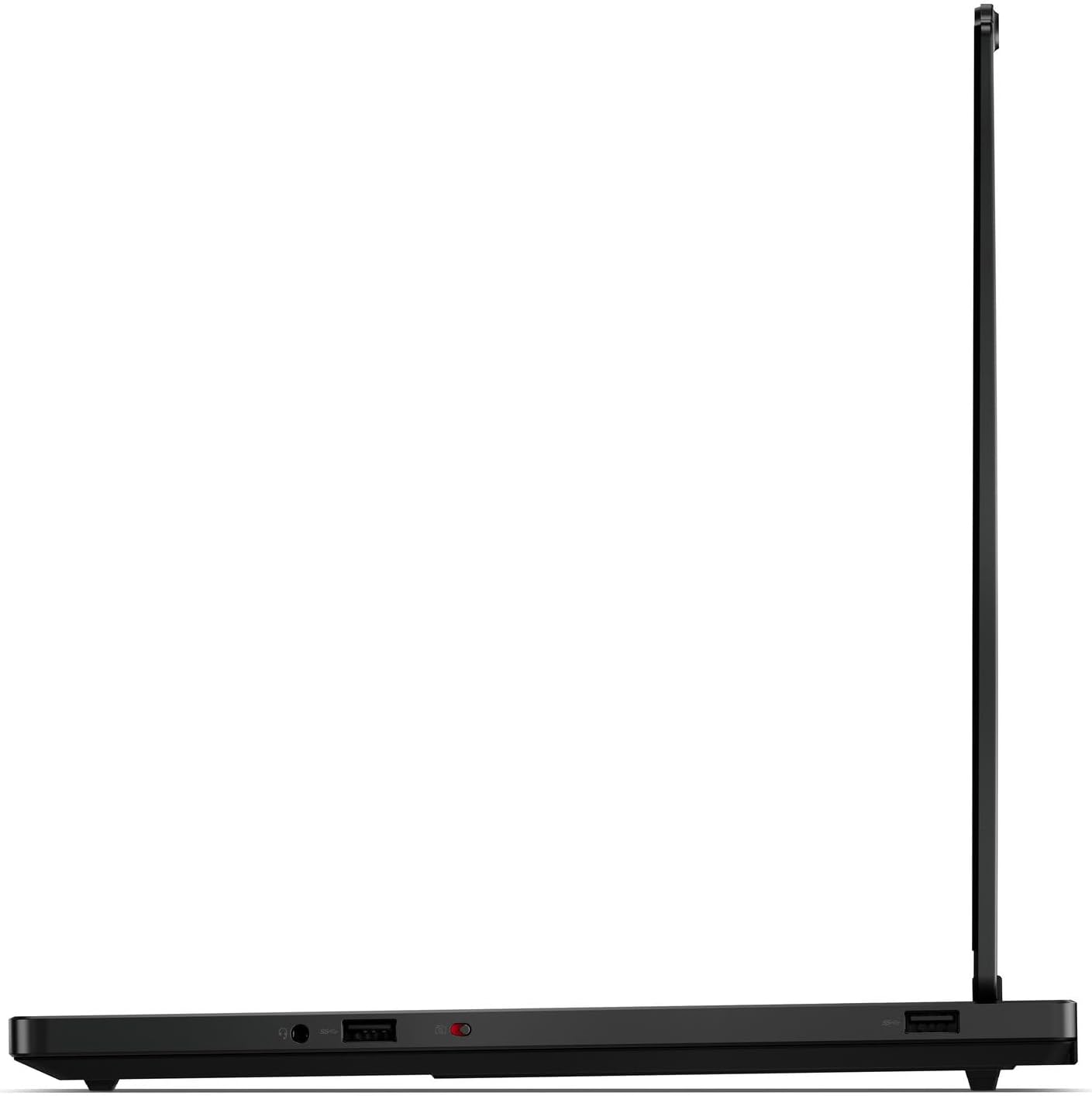
Imaxe: Lado dereito view of the laptop, highlighting additional ports.
3. Conexión de rede
Your laptop supports Wi-Fi 7 (802.11be 2x2) and Ethernet (RJ-45). To connect to Wi-Fi, click the network icon in the system tray, select your desired network, and enter the password. For a wired connection, plug an Ethernet cable into the RJ-45 port.
Manexo do portátil
1. Teclado e panel táctil
The laptop features a 24-Zone RGB Backlit keyboard with a Numpad for enhanced typing and gaming. The buttonless Mylar surface multi-touch touchpad supports Precision TouchPad (PTP) gestures for intuitive navigation.
2. Exhibición
Experience vibrant visuals on the 16-inch WQXGA (2560x1600) OLED display, offering 500 nits brightness, 100% DCI-P3 color gamut, and a 165Hz refresh rate. It supports Dolby Vision and DisplayHDR True Black 1000 for superior contrast and color accuracy.
3. Son e cámara
The integrated stereo speakers (2W x2) are optimized with Nahimic Audio for immersive sound. The 5.0MP camera includes an E-shutter for privacy.
4. Ports & Slots Overview
Your laptop is equipped with a variety of ports for connectivity:
- 2x USB-A (USB 5 Gbps / USB 3.2 Gen 1)
- 1x USB-A (USB 5 Gbps / USB 3.2 Gen 1), sempre activado
- 1x USB-C (USB 10Gbps / USB 3.2 Gen 2), with USB PD 65-100W and DisplayPort 2.1
- 1x USB-C (USB 10Gbps / USB 3.2 Gen 2), with DisplayPort 1.4
- 1x HDMI 2.1, ata 8K/60Hz
- 1x conector combinado de auriculares/micrófono (3.5 mm)
- 1 x Ethernet (RJ-45)
- 1 x conector de alimentación

Imaxe: Traseira view of the laptop, showing the HDMI port, Ethernet port, and power connector.
Mantemento
1. Coidado da batería
To maximize battery life, avoid fully discharging the battery frequently. Store the laptop in a cool, dry place. For long-term storage, charge the battery to approximately 50-60% and power off the device.
2. Limpeza
Use un pano suave e sen pelusa lixeiramente dampened with water or a screen cleaner to clean the display. For the keyboard and chassis, use a soft cloth. Avoid harsh chemicals or abrasive materials. Regularly clean the vents to ensure proper airflow and prevent overheating.

Imaxe: Parte inferior view of the laptop, illustrating the ventilation grilles for cooling.
3. Actualizacións de software
Regularly update your operating system (Windows 11) and drivers to ensure optimal performance, security, and compatibility. Lenovo Vantage software can assist with driver updates.
Resolución de problemas
1. Problemas de enerxía
- O portátil non se acende: Asegúrate de que o adaptador de corrente estea conectado correctamente tanto ao portátil como a unha toma de corrente que funcione. Comproba a luz indicadora de alimentación.
- A batería non se carga: Verifica que o adaptador de corrente funciona correctamente. Proba cunha toma de corrente diferente.
2. Problemas de visualización
- Sen imaxe na pantalla: Connect an external monitor to check if the issue is with the laptop's display. Ensure the display brightness is not set to minimum.
- Pantalla parpadeante: Update graphics drivers. Check display cable connections if using an external monitor.
3. Problemas de conectividade de rede
- Non se pode conectar á wifi: Ensure Wi-Fi is enabled. Restart your router and modem. Check network settings in Windows.
- Velocidade de internet lenta: Check other devices on the network. Update network drivers.
Especificacións
| Característica | Detalle |
|---|---|
| Modelo | Lenovo Legion Pro 5i Gen 10 (83DF00AQUS) |
| Procesador | Intel Core Ultra 7 255HX (E-cores up to 4.50 GHz, P-cores up to 5.20 GHz) |
| Sistema Operativo | Windows 11 Home 64 |
| Mostrar | 16" WQXGA (2560x1600) OLED, 500nits, 100% DCI-P3, 165Hz, Dolby Vision, DisplayHDR True Black 1000 |
| Gráficos | NVIDIA GeForce RTX 5060 8GB GDDR7, Boost Clock 2497MHz, TGP 115W |
| Memoria | 32GB SO-DIMM DDR5-5600 (Dual-channel capable, up to 32GB) |
| Almacenamento | 2x 1TB SSD M.2 2280 PCIe 4.0x4 NVMe (Up to two drives) |
| Teclado | 24-Zone RGB Backlit, English |
| Touchpad | Buttonless Mylar surface multi-touch, Precision TouchPad (PTP) |
| Comunicacións | Wi-Fi 7 (802.11be 2x2) + BT5.4, Ethernet (RJ-45) |
| Cámara | 5.0MP con obturador electrónico |
| Audio | Stereo speakers, 2W x2, optimized with Nahimic Audio |
| Batería | 4 celas de 80 Wh (ata 8 horas de uso medio) |
| Adaptador de alimentación | Punta delgada de 245 W (3 pines) |
| Dimensións (WxDxH) | 344.9 x 255.35 x 19.95-21.54 mm (13.58 x 10.05 x 0.79-0.85 polgadas) |
| Peso | 1.9 kg (4.19 lb) |
| Cor | Eclipse Negro |
Garantía e Soporte
This product comes with a one-year Premium Warranty from the manufacturer on remaining components. Additionally, a one-year warranty from Black Tech LLC is provided on upgraded SSD components. For technical assistance, driver downloads, or further support, please visit the official Lenovo support websitio: