
Introdución
This manual provides essential information for setting up, operating, and maintaining your Roku 32-Inch Select Series 1080p Full HD Smart TV. Designed for a delightful streaming experience, this TV offers excellent picture quality, clear sound, and automatic updates. Please read this manual thoroughly before using your television.
O que hai na caixa
Comprobe que todos os compoñentes estean presentes na embalaxe:
- Roku 32-Inch Select Series 1080p Full HD Smart TV
- Control remoto
- Soporte (2 pezas)
- Tornillos do soporte (4 pezas)
- Cable de alimentación
- Manual de usuario (este documento)

Image: Contents of the Roku TV box, showing the television, remote control, two stand pieces, and four screws.
Instrucións de configuración
1. Fixación do soporte para TV
- Carefully place your TV face-down on a soft, clean surface to prevent damage to the screen.
- Aliña as pezas do soporte cos orificios para os parafusos da parte inferior do televisor.
- Secure each stand piece with two screws using a Phillips head screwdriver. Do not overtighten.
2. Conexión da alimentación e dos dispositivos
- Conecta o cable de alimentación á entrada de alimentación do televisor e despois a unha toma de corrente.
- Connect your external devices (e.g., cable box, gaming console, Blu-ray player) to the available HDMI ports on the back of the TV. This model features 3 HDMI ports.
- For older devices, use the AV input ports (yellow, white, red).
- An optical audio output is available for connecting to soundbars or home theater systems.
- A USB port is provided for media playback.

Imaxe: Traseira view of the Roku TV displaying HDMI, AV, Antenna, USB, Optical, and Headphone ports.
3. Acendido inicial e conexión de rede
- Prema o botón de acendido/apagado do mando a distancia ou do televisor.
- Follow the on-screen instructions to select your language and connect to your Wi-Fi network.
- Activate your Roku account or create a new one. This is required to access streaming channels and features.
Instrucións de funcionamento
1. Interface do sistema operativo Roku
The Roku OS provides a simple and intuitive home screen for accessing all your entertainment. Easily navigate between streaming apps, live TV, and connected devices.

Image: The Roku TV home screen with a menu on the left and app icons on the right, including Netflix, Disney+, Apple TV, and Roku Channel.
2. Control remoto por voz
Your Roku TV comes with a voice remote for convenient control. Use your voice to search for content, launch apps, and control playback.
- Busca por voz: Press the voice button and speak your command (e.g., "Find comedies," "Open Netflix").
- Atallos da aplicación: Dedicated buttons provide quick access to popular streaming services.
- Control de volume: Adjust volume using the side buttons.
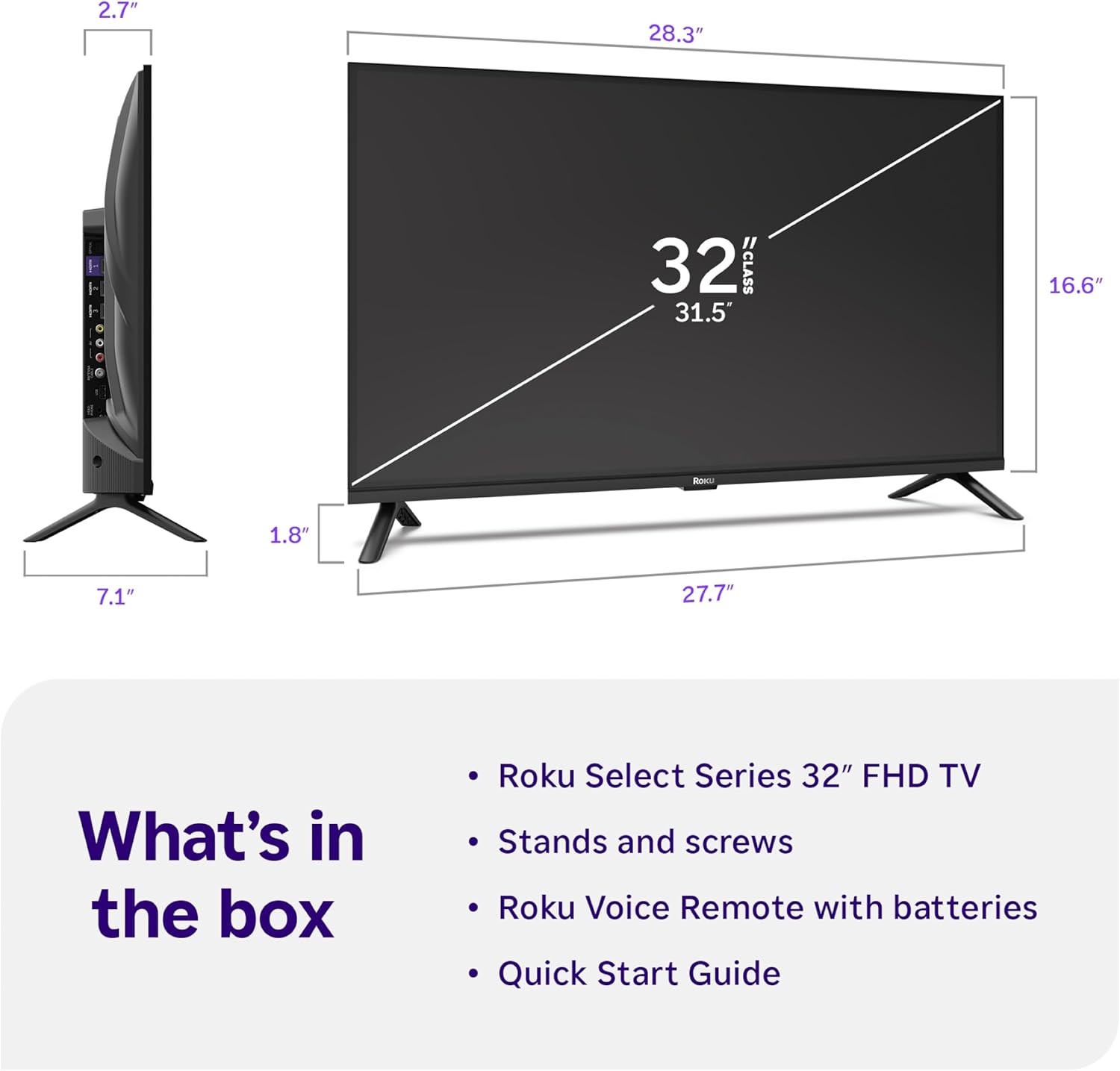
Image: Close-up of the Roku Voice Remote, highlighting buttons for TV power, volume, mute, voice search, instant replay, options, and dedicated app shortcuts.
3. Streaming Apps and Live TV
Access thousands of streaming channels, including Netflix, Disney+, Hulu, Prime Video, and Apple TV+. The Roku Channel also offers free live TV and on-demand content.

Image: A vibrant Roku TV home screen displaying a selection of popular streaming applications and recommended shows.
4. Configuración da imaxe
Optimice o seu viewing experience with various picture settings:
- Imaxe intelixente de Roku: Automatically adjusts picture mode for optimal viewing.
- Modos de imaxe: Choose from presets like Movie, Sports, Vivid, Standard, or Low Power.
- Personalización: Adjust brightness, contrast, sharpness, color, and tint for a personalized picture.
5. Axustes de son
Mellora a túa experiencia de son:
- Audio Dolby: Enjoy clear speech and louder sound.
- Modos de son: Select from Standard, Dialogue, Movie, Music, or Night mode.
- Modo de auriculares Bluetooth: Connect your wireless headphones to listen without disturbing others.

Image: A child wearing wireless headphones while watching the Roku TV, demonstrating the Bluetooth Headphone Mode.
6. Integración do fogar intelixente
Your Roku TV is compatible with various smart home ecosystems:
- Control de voz: Use Roku Voice, Siri, Alexa, or Google Assistant for hands-free control.
- Apple AirPlay: Effortlessly share videos, photos, and music from your Apple devices.
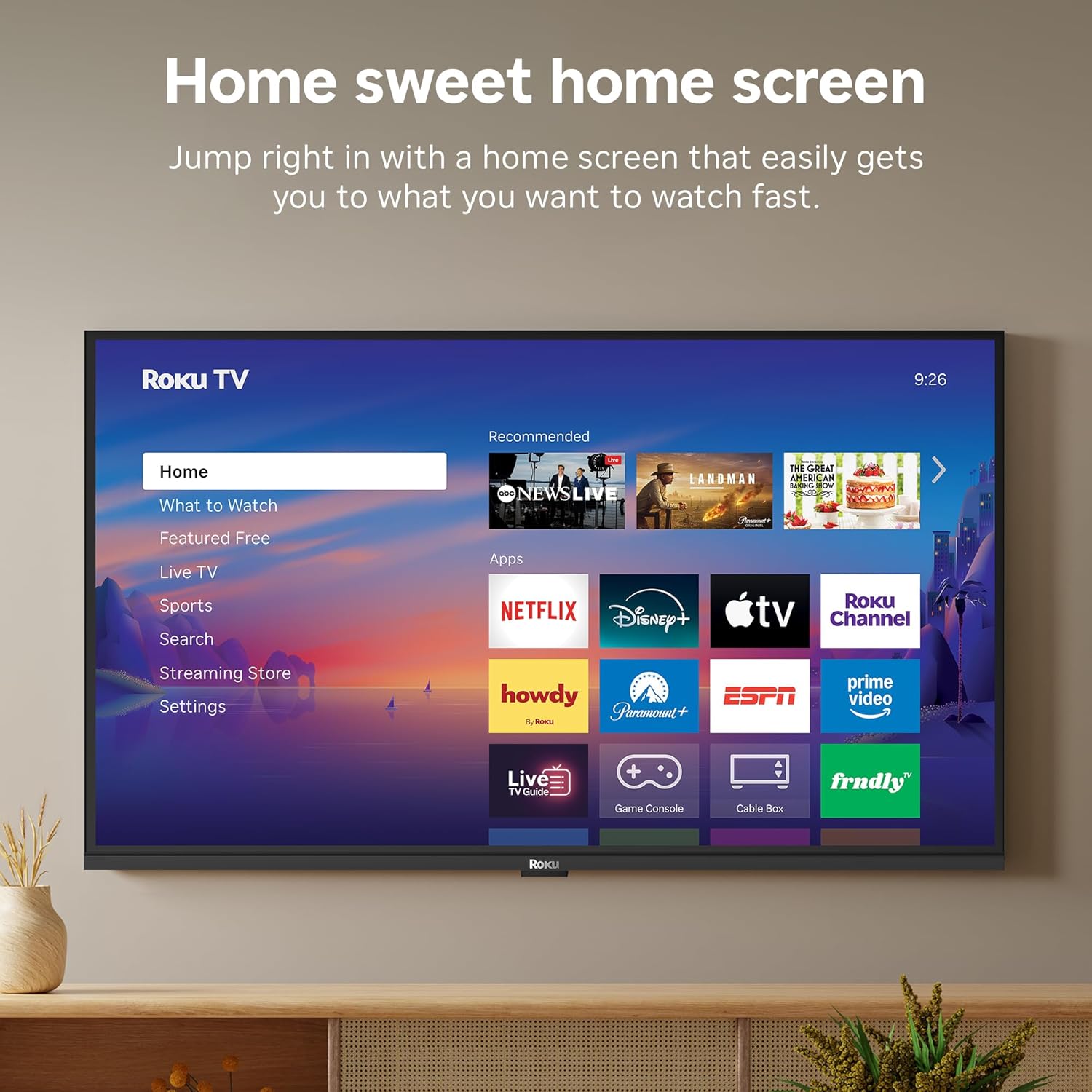
Image: The Roku TV screen displaying smart home compatibility logos for Roku Smart Home, Apple AirPlay, Apple Home, Alexa, and Google Home, with a smart speaker nearby.
7. Controis parentais
Manage content access with built-in parental controls, including V-Chip technology, to ensure a safe viewambiente para os nenos.
Vídeo oficial do produto
Vídeo: Un overview of the Roku TV OS, demonstrating its user-friendly interface, app selection, and smart features. This video is provided by Roku, Inc.
Especificacións
- Tamaño da pantalla:
- 32 polgadas
- Resolución:
- Full HD 1080p
- Tecnoloxía de visualización:
- LED
- Frecuencia de actualización:
- 60 Hz
- Características especiais:
- Bluetooth Headphone Mode, Dolby Audio, Voice Remote, Roku Smart Picture
- Tecnoloxía de conectividade:
- Bluetooth, WiFi
- Interface de hardware:
- 3 HDMI Ports, 1 USB Port, S/PDIF (Optical Audio Out)
- Sistema operativo:
- Roku OS
- Dimensións do produto (P x A x A):
- 7.1" D x 28.3" W x 18.4" H
- Peso do artigo:
- 7.7 libras (con soporte)
- Estándar de montaxe VESA:
- 200 x 200 mm
- Número de modelo:
- 32R3E5
- UPC:
- 829610009469
Resolución de problemas
If you encounter issues with your Roku TV, please refer to the following common solutions:
- Sen enerxía: Asegúrate de que o cable de alimentación estea conectado correctamente tanto ao televisor como a unha toma de corrente que funcione. Proba cunha toma diferente.
- Sen imaxe/son: Verify that the correct input source is selected on your TV. Check all cable connections (HDMI, AV, etc.) for looseness.
- O control remoto non responde: Replace the batteries in your remote control. Ensure there are no obstructions between the remote and the TV.
- Problemas de conexión á rede: Restart your Wi-Fi router and modem. Go to the TV's Settings > Network > Check connection to diagnose and reconnect.
- Aplicación non cargada: Restart the app. If the issue persists, try removing and reinstalling the app from the Roku Channel Store.
For more detailed troubleshooting, visit the official Roku support websitio.
Mantemento
To ensure the longevity and optimal performance of your Roku TV, follow these maintenance guidelines:
- Limpeza da pantalla: Limpe a pantalla con suavidade cun pano de microfibra suave e seco. Para manchas difíciles, pase un pano lixeiramenteampEnxágüe o pano con auga ou cunha solución de limpeza de pantallas deseñada especificamente para dispositivos electrónicos. Non pulverice líquido directamente sobre a pantalla.
- Limpeza da carcasa do televisor: Use a soft, dry cloth to wipe the exterior of the TV. Avoid abrasive cleaners or solvents.
- Ventilación: Ensure the TV's ventilation openings are not blocked to prevent overheating. Maintain adequate space around the TV for air circulation.
- Actualizacións de software: Your Roku TV automatically receives software updates. Ensure your TV is connected to the internet to receive the latest features and performance improvements.
- Xestión de enerxía: Desconecte o televisor da toma de corrente durante as tormentas eléctricas ou cando vaia deixalo desatendido durante longos períodos de tempo.
Garantía e Soporte
Información da garantía
Roku warrants the hardware of this device against defects in materials and workmanship under normal use for a period of one (1) year from the date of purchase ("Warranty Period"). If Roku determines that the device’s hardware is defective during the Warranty Period, Roku’s sole obligation, and your exclusive remedy, will be to either repair or replace the unit with either a new or rebuilt device, at its option. This warranty applies if the device is used in accordance with the provided documentation.
Important information about warranty returns and replacements is available on the Roku support site. You may also return a device for any reason, subject to the terms of the applicable return policy: 1) Within thirty (30) days from the date of purchase from Roku; or 2) within the applicable return period if purchased from an authorized reseller or distributor. Additional details regarding product returns can be found on the Roku support site.
Atención ao cliente
For further assistance, technical support, or to access the full range of support resources, please visit the official Roku support websitio. Alí podes atopar preguntas frecuentes, guías de resolución de problemas e información de contacto do servizo de atención ao cliente.