
1. Introdución
This manual provides detailed instructions for the LAXASFIT GT1 Smart Watch. Please read this manual thoroughly before using your device to ensure proper operation and to maximize its features. Keep this manual for future reference.
2. Produto rematadoview
2.1 Contido do paquete
Ao abrir o paquete, comproba que estean presentes todos os elementos:
- LAXASFIT GT1 Smart Watch
- Cable de carga USB
- Manual de usuario (este documento)
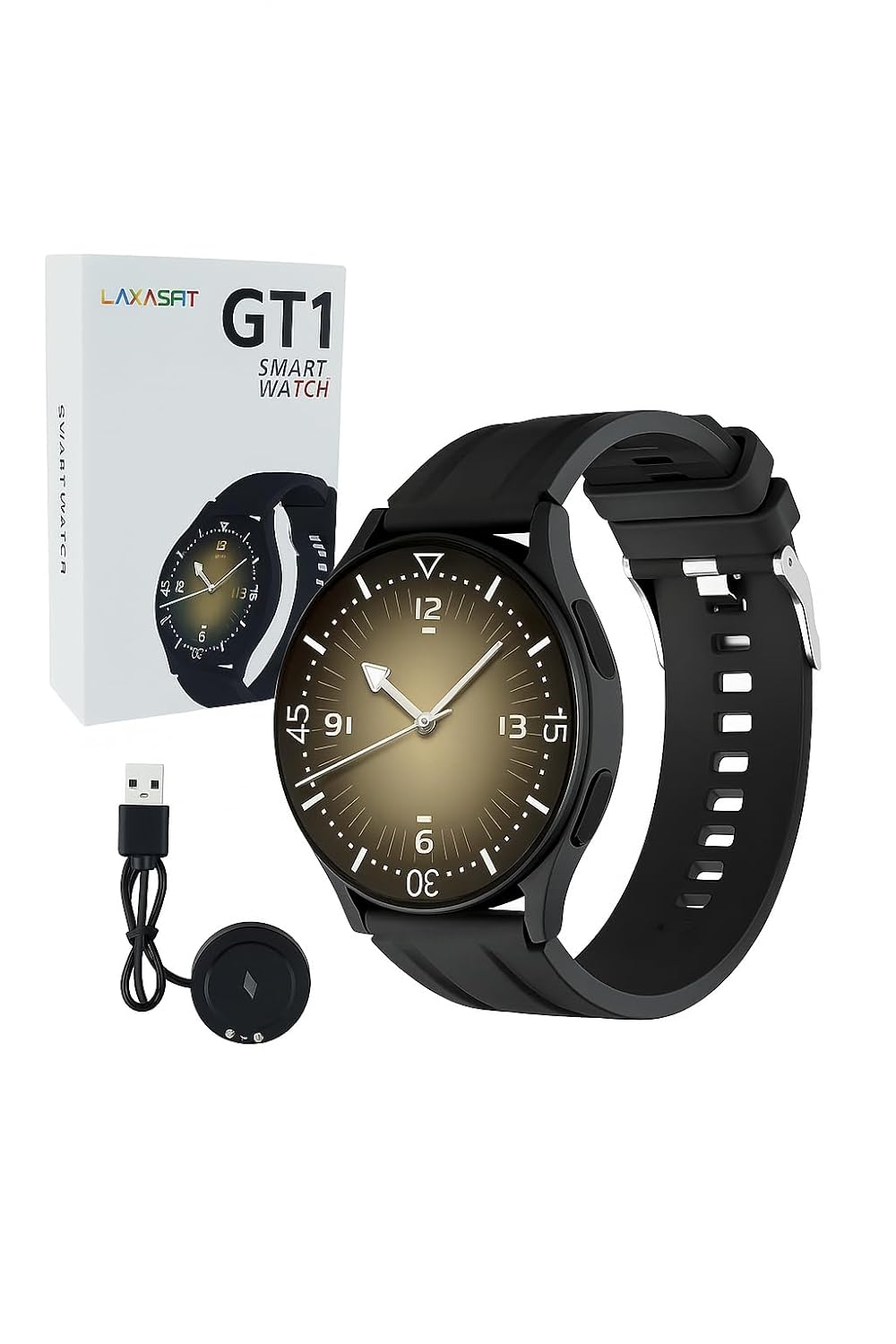
Image: The LAXASFIT GT1 Smart Watch, its retail packaging, and the included USB charging cable.
2.2 Características principais
The LAXASFIT GT1 Smart Watch offers a range of functionalities designed to enhance your daily life:
- 1.32" IPS Pure Round Full Touch Screen: Vibrant and responsive display for clear interaction.
- Función de chamada Bluetooth: Fai e recibe chamadas directamente desde o teu pulso.
- Monitorización do sono: Tracks sleep patterns to help assess sleep quality.
- Múltiples modos deportivos: Records data for various physical activities.
- Clasificación de impermeabilidade IP67: Resistant to splashes and brief immersion.
- Monitor de SpO2: Mide os niveis de saturación de osíxeno no sangue.
- Monitorización da frecuencia cardíaca: Seguimento continuo da frecuencia cardíaca.
- Contador de pasos: Rexistra os pasos e a actividade diaria.
- Notificacións: Receives alerts for calls, messages, and app notifications.
- Deseño duradeiro: Features a black silicone strap with ventilation for comfort.
3. Guía de configuración
3.1 Carga do reloxo intelixente
Before initial use, fully charge your LAXASFIT GT1 Smart Watch.
- Connect the USB charging cable to a standard USB power adapter (not included) or a computer's USB port.
- Attach the magnetic charging pins to the charging contacts on the back of the watch. Ensure a secure connection.
- A pantalla do reloxo indicará o estado da carga. Unha carga completa adoita tardar aproximadamente 2 horas.
3.2 Encendido/apagado
- Para acender: Press and hold the side button until the LAXASFIT logo appears on the screen.
- Para apagar: From the watch face, swipe down to access the quick settings, then tap the power icon, or navigate to Settings > System > Power Off. Confirm your selection.
3.3 Instalación da aplicación e emparellamento de dispositivos
To unlock the full potential of your LAXASFIT GT1 Smart Watch, install the companion application on your smartphone.
- Descarga a aplicación: Busca "Laxasfit" in the Google Play Store (for Android devices) or the Apple App Store (for iOS devices).
- Instala a aplicación: Siga as instrucións en pantalla para instalar a aplicación.

Image: Screenshot of the Laxasfit app listing on the Google Play Store.

Image: Screenshot of the Laxasfit app listing on the Apple App Store.
- Activar Bluetooth: Asegúrate de que o Bluetooth estea activado no teu smartphone.
- Abre a aplicación: Launch the Laxasfit app and follow the on-screen prompts to create an account or log in.
- Parear dispositivo: Within the app, navigate to the device section and select "Add Device" or "Search Device." The app will scan for available smartwatches. Select "GT1" or the corresponding device name when it appears.
- Confirmar emparellamento: A pairing request may appear on both your phone and watch. Confirm the pairing on both devices.
4. Instrucións de funcionamento
4.1 Navegación básica
- Pantalla táctil: Desliza o dedo cara á esquerda, á dereita, cara arriba ou cara abaixo para navegar polos menús e as funcións. Toca para seleccionar un elemento.
- Botón lateral: Press the side button to return to the watch face or to wake the screen. A long press may access power options or other functions depending on context.
4.2 Función de chamada Bluetooth
After successful pairing with your smartphone, you can use the watch for Bluetooth calls:
- Asegúrate de que o reloxo estea conectado ao teléfono mediante Bluetooth.
- To make a call, access the dialer on the watch or select a contact from your synced phonebook.
- To answer an incoming call, tap the green answer icon on the watch screen.
- To reject a call, tap the red reject icon.
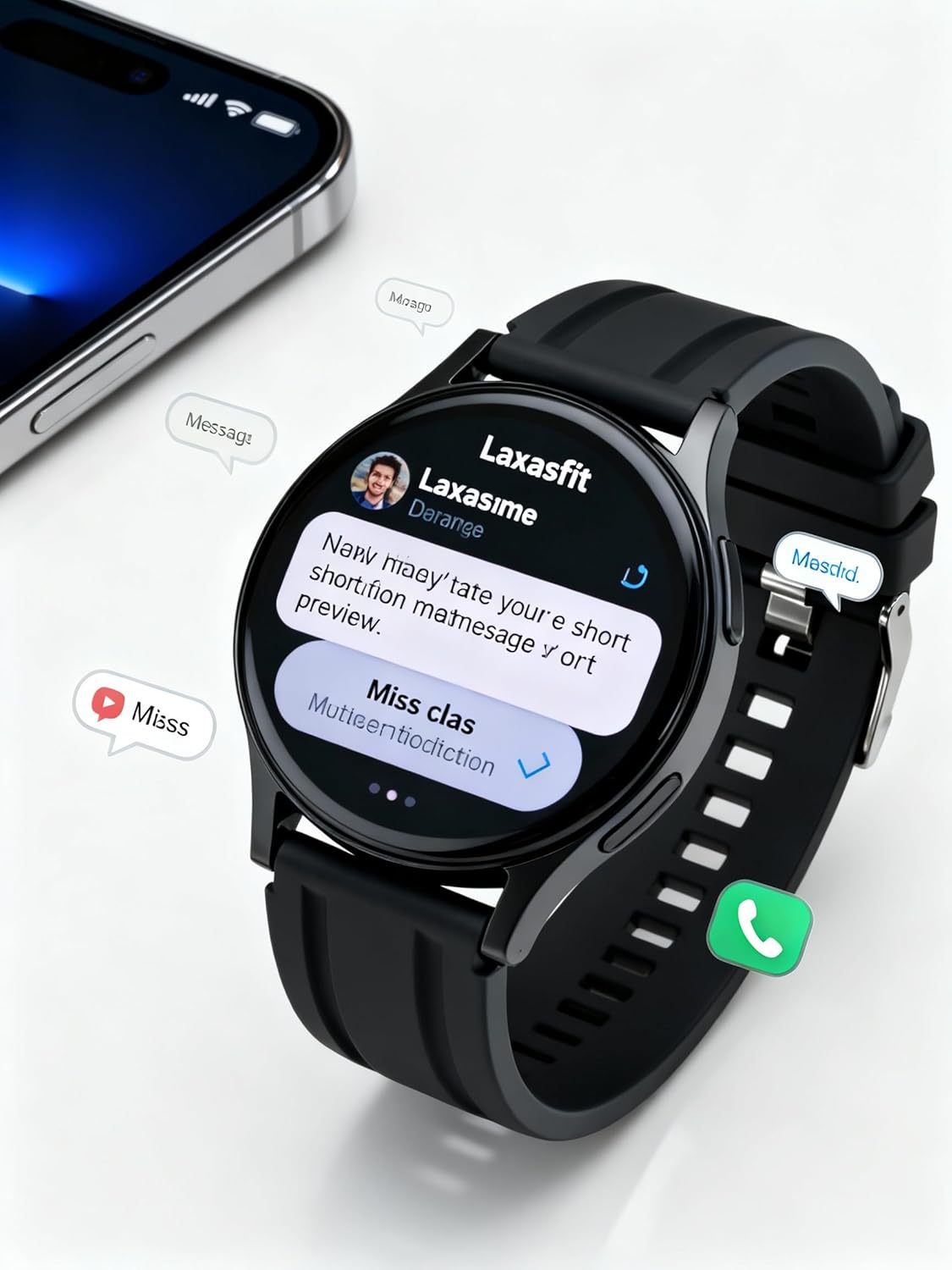
Image: The smart watch screen showing incoming message notifications and an icon for a phone call, indicating its communication features.
4.3 Vixilancia da saúde
The GT1 Smart Watch provides various health tracking features:
- Frecuencia cardíaca: Access the heart rate monitor from the main menu. The watch will automatically measure and display your current heart rate. Continuous monitoring can be enabled via the app.
- SpO2 (osíxeno no sangue): Navigate to the SpO2 function. Keep your arm still during measurement for accurate results.
- Monitorización do sono: Wear the watch to bed. It will automatically track your sleep duration and quality. View detailed sleep data in the Laxasfit app.
- Contador de pasos: The watch continuously tracks your steps, distance, and calories burned throughout the day.

Image: The smart watch on a user's wrist, displaying sleep duration and quality metrics, with a person sleeping in the background.

Image: The smart watch screen showing a heart rate reading in BPM and the total number of steps taken.
4.4 modos deportivos
The watch supports various sports modes to track your workouts:
- Navigate to the "Sports" or "Workout" menu on your watch.
- Select your desired activity (e.g., running, walking, cycling).
- The watch will begin recording data such as duration, distance, calories burned, and heart rate.
- End the workout by following the on-screen prompts. Data will sync to the Laxasfit app.
4.5 Notificacións
Receive notifications from your smartphone directly on your watch:
- Ensure notification permissions are granted to the Laxasfit app on your smartphone.
- Enable specific app notifications within the Laxasfit app settings.
- Cando chega unha notificación, o reloxo vibrará e mostrará o contido da mensaxe.
5. Mantemento
5.1 Limpeza do reloxo intelixente
- Regularly clean the watch screen and strap with a soft, damp pano.
- Evita o uso de produtos químicos agresivos, produtos de limpeza abrasivos ou solventes, xa que poden danar o dispositivo.
- Asegúrate de que os contactos de carga estean limpos e secos antes de cargalos para evitar a corrosión.
5.2 Resistencia á auga (IP67)
The LAXASFIT GT1 Smart Watch is rated IP67, meaning it is resistant to dust and can withstand immersion in water up to 1 meter for 30 minutes. However, it is not suitable for swimming, diving, or high-pressure water activities. Avoid exposure to hot water or steam.
5.3 Boas prácticas de carga
- Use só o cable de carga proporcionado.
- Avoid overcharging the device; disconnect once fully charged.
- Do not charge the watch in wet conditions.
6 Solución de problemas
If you encounter issues with your LAXASFIT GT1 Smart Watch, refer to the following common solutions:
- O reloxo non se acende: Asegúrate de que o reloxo estea completamente cargado. Conéctao ao cargador durante polo menos 10 minutos.
- Non se pode emparellar co teléfono:
- Asegúrate de que o Bluetooth estea activado no teléfono e no reloxo.
- Asegúrate de que o reloxo estea dentro do alcance do teu teléfono.
- Reinicia tanto o teléfono como o reloxo.
- Borra a caché de Bluetooth no teu teléfono (Android) ou esquece o dispositivo e volve emparellalo (iOS/Android).
- Datos sanitarios inexactos: Asegúrate de levar o reloxo ben axustado ao pulso, nin demasiado axustado nin demasiado solto. Mantén o sensor limpo.
- Notificacións non recibidas:
- Comproba os permisos de notificacións da aplicación no teu teléfono.
- Verify that notifications are enabled within the Laxasfit app.
- Asegúrate de que o reloxo estea conectado ao teu teléfono.
- A pantalla non responde: Try restarting the watch by long-pressing the side button. If unresponsive, allow the battery to drain completely and then recharge.
Se os problemas persisten, póñase en contacto co servizo de atención ao cliente para obter máis axuda.
7. Especificacións
| Característica | Detalle |
|---|---|
| Marca | LAXASFIT |
| Nome do modelo | GT1 (Zt1) |
| Número de modelo do artigo | H9proMax |
| Tipo de visualización | AMOLED |
| Tamaño de visualización da pantalla de pé | 1.9 polgadas (Note: Product title states 1.32" IPS, specifications state 1.9" AMOLED. Using 1.9" from specifications for consistency in this section.) |
| Sistema Operativo | WatchOS (Note: This is likely a generic term or placeholder, as WatchOS is Apple's OS. The actual OS is typically proprietary for such devices.) |
| Capacidade de almacenamento da memoria | 500 MB |
| Tamaño da memoria RAM instalada | 0.13 MB |
| Características especiais | GPS |
| Dispositivos compatibles | iPhone (Note: Also compatible with Android via the Laxasfit app.) |
| Duración media da batería | 1 Día |
| Tempo de carga | 2 horas |
| Capacidade da batería | 100 Amp Horario (Note: This unit is unusual for smartwatches, typically mAh. Assuming it refers to 100mAh or similar capacity.) |
| Tipo sen fíos | Bluetooth |
| Tipo de conector | Bluetooth |
| Interface do dispositivo - Principal | Pantalla táctil |
| Material | Silicona |
| Peso do elemento | 200 g |
| Clasificación de resistencia á auga | IP67 |
8. Garantía e soporte
For warranty information and customer support, please refer to the documentation provided with your purchase or contact LAXASFIT customer service through their official website or the Laxasfit application. Keep your proof of purchase for warranty claims.