
1. Introdución
Grazas pola compraasing the LG 27G411A UltraGear Gaming Monitor. This manual provides essential information for the safe and efficient use of your monitor. Please read it thoroughly before operating the product and retain it for future reference. This 27-inch Full HD (1920 x 1080) IPS display is designed for an immersive gaming experience, featuring a 144Hz refresh rate, 1ms Motion Blur Reduction (MBR), HDR10 support, and compatibility with NVIDIA G-Sync and AMD FreeSync technologies.
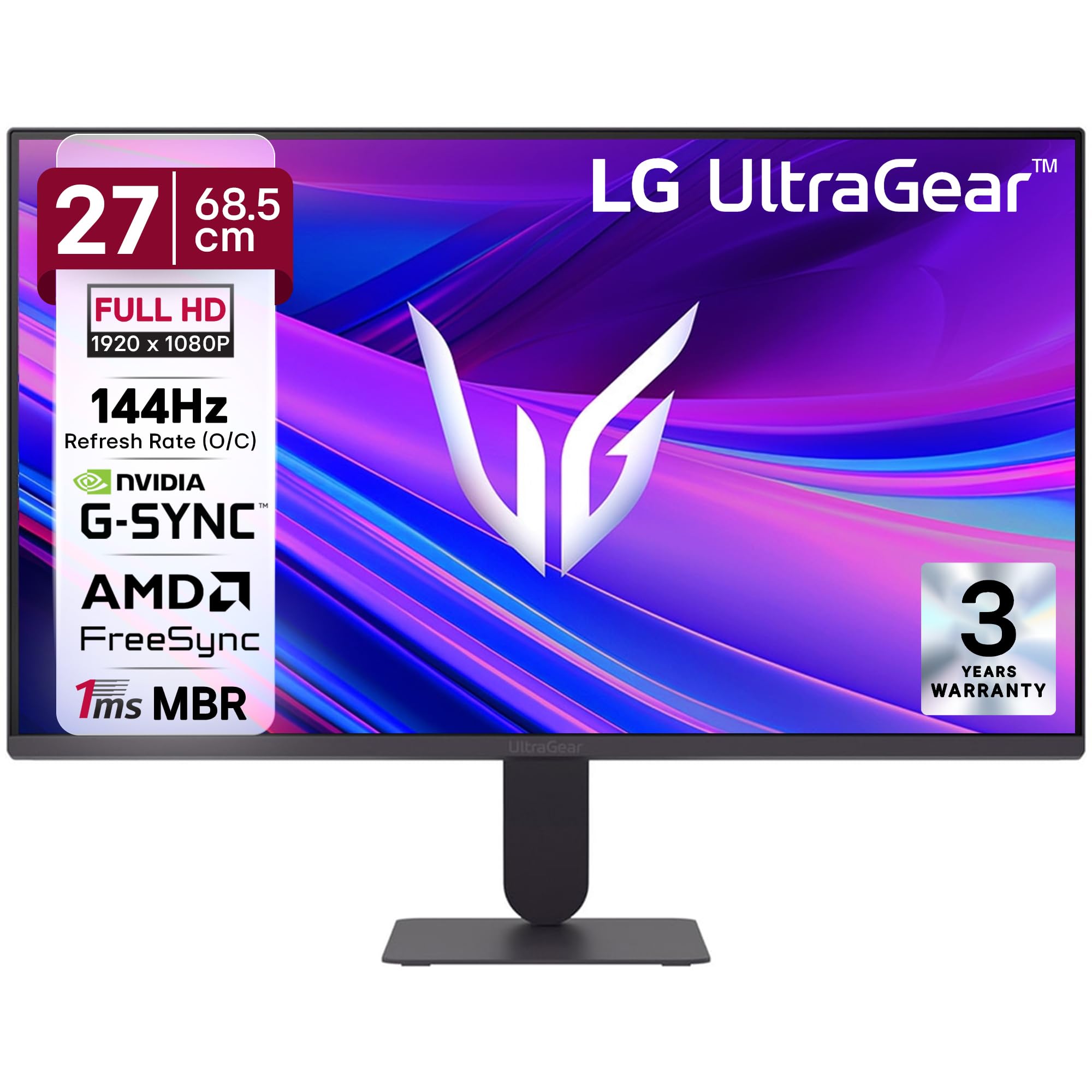
Figura 1: Fronte view of the LG 27G411A UltraGear Gaming Monitor.
2. Información de seguridade
Observe as seguintes precaucións de seguridade para evitar danos ao produto ou lesións a vostede mesmo ou a outras persoas.
- Potencia: Use only the power cord and adapter supplied with the monitor. Do not overload power outlets.
- Colocación: Place the monitor on a stable, level surface. Avoid direct sunlight, heat sources, and areas with high humidity or dust. Ensure adequate ventilation around the monitor.
- Manexo: Do not drop the monitor or subject it to strong impacts. Avoid touching the screen with sharp objects.
- Limpeza: Desconecte o cable de alimentación antes de limpalo. Use un pano suave e seco. Non empregue produtos de limpeza líquidos nin aerosois.
- Reparacións: Non intente atender este produto vostede mesmo. Remita todo o servizo a persoal de servizo cualificado.
3. Contido do paquete
Verifica que todos os elementos estean presentes na caixa do produto:
- LG 27G411A UltraGear Monitor
- Cable de alimentación
- Cable HDMI
- Soporte para monitor (base e pescozo)
- Manual de usuario (este documento)
4. Configuración
4.1 Montaxe do monitor
Siga estes pasos para montar o soporte do monitor e fixalo ao panel da pantalla.
- Carefully place the monitor face down on a soft cloth or cushion to prevent scratches.
- Attach the stand neck to the base, securing it with the captive screw.
- Align the assembled stand with the mounting slot on the back of the monitor panel and push until it clicks into place.
- Alternatively, the monitor supports VESA 100x100mm wall mounting. Remove the stand if using a wall mount.

Figure 2: Illustration of the monitor's ultra-slim design, tilt adjustment, and VESA wall mount compatibility.
4.2 Conectar o monitor
Conecte os seus dispositivos ao monitor usando os cables axeitados.
- Conexión de alimentación: Conecta o cable de alimentación á entrada de alimentación do monitor e despois a unha toma de corrente.
- Conexión HDMI: Use the supplied HDMI cable to connect your computer or gaming console to the HDMI port on the monitor.
- Conexión DisplayPort: For optimal performance, especially for 144Hz refresh rate, connect your computer to the DisplayPort (DP) on the monitor using a DisplayPort cable (not always included).
- Saída de auriculares: Connect headphones or external speakers to the 3-pole headphone out port for audio output.

Figura 3: Traseira view of the monitor displaying the power input, HDMI, DisplayPort, and headphone out ports.

Figura 4: detallada view of the DisplayPort (DP-IN), HDMI, and Headphone (HP) ports.
5. Instrucións de funcionamento
5.1 Encendido/apagado
Press the joystick button located at the bottom center of the monitor to turn it on or off. A short press will bring up the OSD menu, while a long press will power off the monitor.
5.2 Menú de visualización en pantalla (OSD).
O menú OSD permíteche axustar varios axustes do monitor. Usa o botón do joystick para navegar:
- Move o joystick arriba/abaixo/esquerda/dereita para navegar polas opcións do menú.
- Prema o joystick para seleccionar unha opción ou confirmar un axuste.
5.3 Modos de imaxe
The monitor offers several preset picture modes optimized for different content types:
- Personalizado: Allows manual adjustment of all picture settings.
- Gamer1/Gamer2: User-configurable modes for gaming preferences.
- FPS/RTS: Optimized for First-Person Shooter and Real-Time Strategy games.
- Vivo: Enhances color and contrast for general viewing.
- Lector: Reduces blue light for comfortable reading.
- Efecto HDR: Simulates HDR content for non-HDR sources.
- Debilidade de cor: Adjusts color settings to assist users with color vision deficiency.
5.4 Gaming Enhancements
The LG 27G411A is equipped with features to enhance your gaming experience:
- 144Hz Refresh Rate & 1ms MBR: Experience fluid motion and reduced ghosting. The monitor supports a native 120Hz refresh rate and up to 144Hz in overclock mode via DisplayPort 1.4 (HDMI 2.0 supports up to 144Hz).
- AMD FreeSync & NVIDIA G-Sync Compatible: Sincroniza a frecuencia de actualización do monitor coa frecuencia de fotogramas da GPU para eliminar o desgarro e as trabadas da pantalla.
- Estabilizador negro: Ilumina as zonas escuras para axudarche a detectar inimigos agochados nas sombras.
- Sincronización de acción dinámica (DAS): Minimizes input lag for real-time action.
- Punto de mira: Coloca unha mira fixa no centro da pantalla para mellorar a puntería nos xogos FPS.
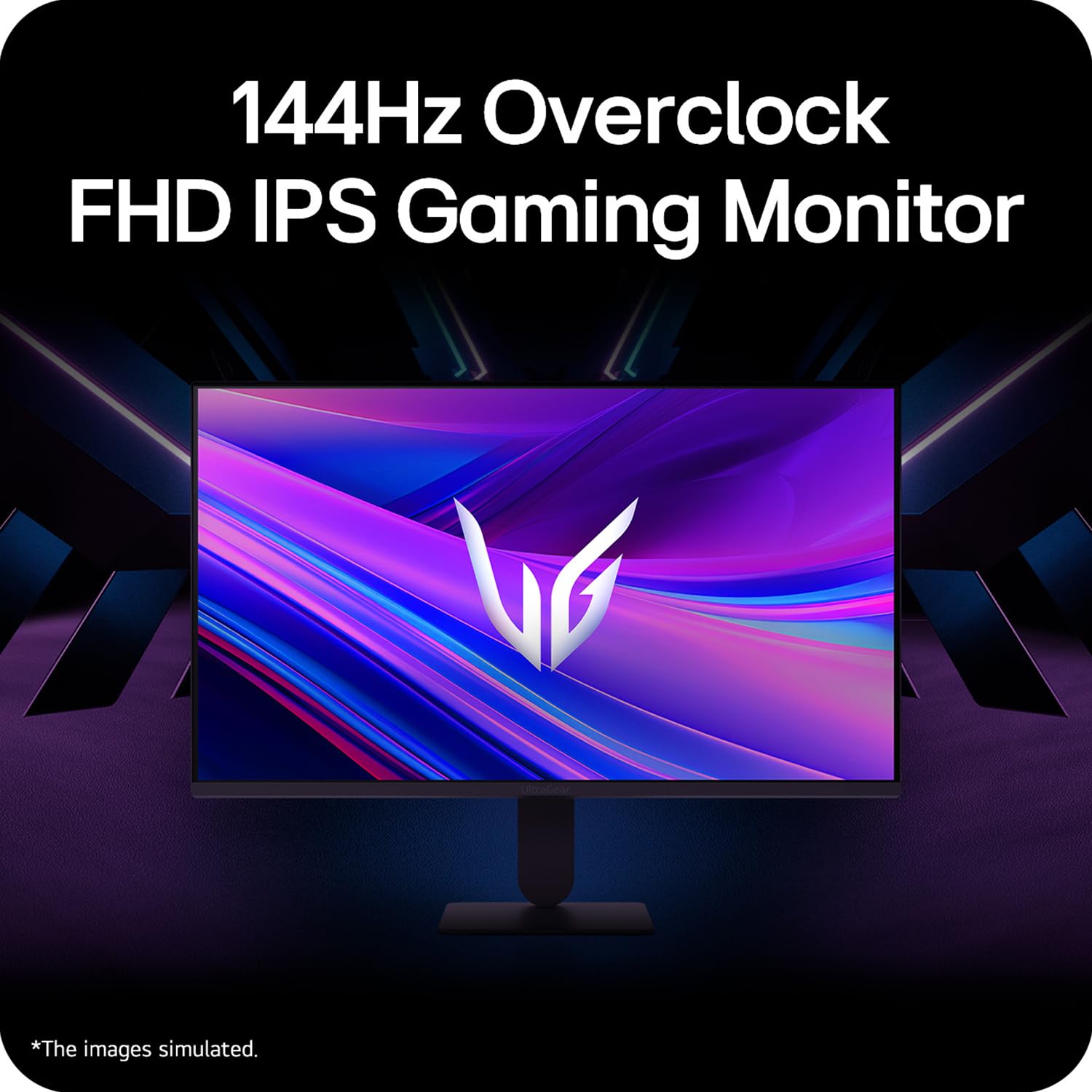
Figure 5: Visual representation of 144Hz overclock for fluid gaming motion.

Figure 6: Illustration of 1ms Motion Blur Reduction (MBR) for fast-paced gaming. Note: 1ms MBR causes lowered luminance and cannot be used with AMD FreeSync/DAS. Flicker may occur during 1ms MBR operation.

Figure 7: The monitor is certified compatible with NVIDIA G-Sync and AMD FreeSync technologies.

Figure 8: Precision Gaming Mode features: Dynamic Action Sync (DAS), Black Stabilizer, and Crosshair.
5.5 Características do coidado dos ollos
To reduce eye strain during prolonged use, the monitor includes:
- Flicker Safe: Reduces screen flicker to minimize eye fatigue.
- Modo lector: Adjusts color temperature and brightness to simulate paper, making it easier on the eyes for reading tasks.
- Debilidade de cor: Provides color adjustments for users with color vision deficiencies.
5.6 Smart Convenience (LG Switch App)
The LG Switch app offers enhanced control and customization options for your monitor directly from your computer. Features include Dual mode, Smart screen split, Launch a video call, and Personalized Picture Wizard.

Figure 9: The LG Switch app provides smarter control and seamless switching between various display modes and settings.
6. Mantemento
6.1 Limpeza do monitor
Para manter a aparencia e o rendemento do monitor:
- Desconecte sempre o monitor da toma de corrente antes de limpalo.
- Usa un pano suave e sen fiapos para limpar con coidado a pantalla e as superficies exteriores.
- Para marcas difíciles, espolvoree lixeiramenteampEnxágüe o pano con auga ou cun limpador de pantallas suave e non abrasivo. Non pulverice líquido directamente sobre a pantalla.
- Avoid using benzene, alcohol, or other volatile solvents, as they may damage the monitor.
7 Solución de problemas
Se tes problemas co teu monitor, consulta as seguintes solucións habituais:
| Problema | Posible causa/solución |
|---|---|
| Sen poder | Ensure the power cable is securely connected to the monitor and a working power outlet. Check if the power outlet is functional. |
| Sen sinal / Pantalla en branco | Verify that the video cable (HDMI or DisplayPort) is securely connected to both the monitor and your computer/device. Ensure the correct input source is selected in the OSD menu. Check if the computer is powered on and not in sleep mode. |
| Imaxe parpadeante ou distorsionada | Check the video cable for damage or loose connections. Try a different video cable or port. Adjust the refresh rate settings on your computer. Disable 1ms MBR if flicker is observed. |
| Backlight leakage on corners | Minor backlight leakage can be a characteristic of IPS panels, especially visible on a completely black screen in a dark environment. This is generally not considered a defect unless it significantly impacts normal viewing. |
| Monitor not recognized by PC | Update your graphics card drivers. Restart your computer. |
8. Especificacións
Key technical specifications for the LG 27G411A UltraGear Gaming Monitor:
- Tamaño da pantalla: 27 polgadas (68.5 cm)
- Tipo de panel: IPS
- Resolución: FHD (1920 x 1080)
- Relación de aspecto: 16:9
- Frecuencia de actualización: 144 Hz (Overclock)
- Tempo de resposta: 1ms MBR (5ms GTG)
- Brillo: 250 cd/m² (típico)
- Relación de contraste: 1500:1
- Gama de cores: sRGB 99 %
- Soporte HDR: HDR10
- Sincronización adaptativa: Compatible con NVIDIA G-Sync, AMD FreeSync
- ViewÁngulo de ing: 178° (H/V)
- Conectividade: 1 x HDMI, 1 x DisplayPort, 1 x Headphone Out
- Dimensions (with stand, WxHxD): 61.2 x 45.2 x 22 cm (24.07 x 17.81 x 8.66 polgadas)
- Peso (con soporte): 3.8 kg
- Consumo de enerxía: 20 W (típico)
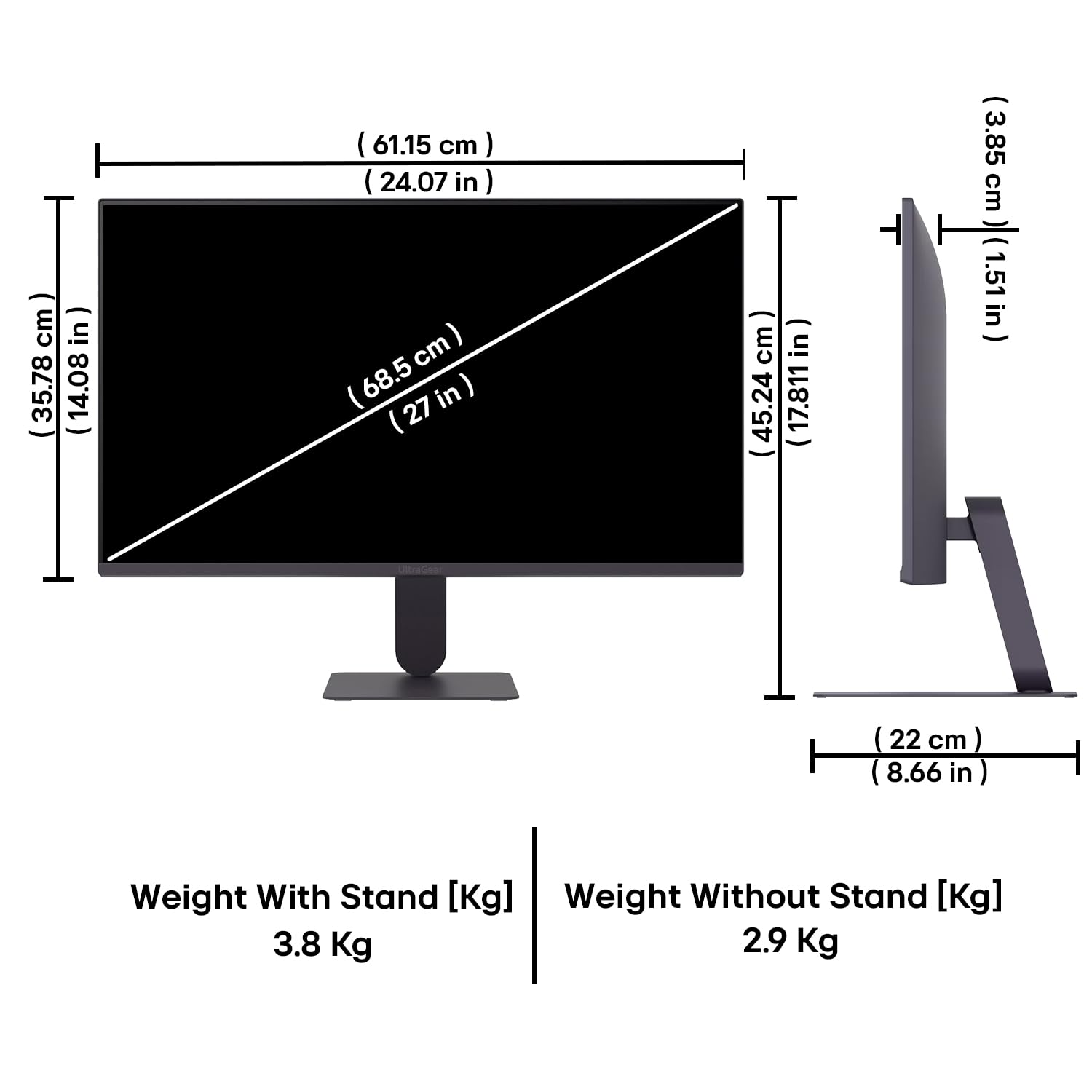
Figure 10: Physical dimensions and weight of the LG 27G411A monitor with and without the stand.
9. Información da garantía
This LG 27G411A UltraGear Gaming Monitor comes with a 3 anos de garantía do fabricante covering parts and labor. Please retain your proof of purchase for warranty claims. For detailed terms and conditions, refer to the warranty card included in your product packaging or visit the official LG websitio.
10. Atención ao cliente
For further assistance, technical support, or service inquiries, please contact LG Customer Service. You can find contact information on the official LG websitio web ou na documentación que se inclúe co monitor.
LG Electronics India Pvt. Ltd.
PLOT NO. A-5, MIDC RANJANGAON.
TALUKA SHIRUR, PUNE, MAHRASHTRA (INDIA), 412220


