
1. Introdución
The Samvix Dynamite 2.0 is a portable MP3 player designed for audio playback and recording. It features 16GB of internal storage, expandable memory, Bluetooth 5.0 connectivity, and a durable metallic body. This manual provides instructions for setting up, operating, and maintaining your device.
2. Información de seguridade
- Non expoñas o dispositivo a temperaturas extremas, luz solar directa nin humidade elevada.
- Evite deixar caer ou someter o dispositivo a fortes impactos.
- Non intente desmontar nin reparar o dispositivo vostede mesmo. Póñase en contacto co persoal de servizo cualificado.
- Use só o cable de carga e o adaptador especificados.
- Manteña o dispositivo lonxe da auga e doutros líquidos.
3. Contido do paquete
Verifica que todos os elementos estean presentes no paquete:
- Samvix Dynamite 2.0 MP3 Player
- Cable de carga USB
- Manual de usuario (este documento)
4. Dispositivo rematadoview
Familiarize yourself with the physical components of your Samvix Dynamite 2.0 MP3 player.
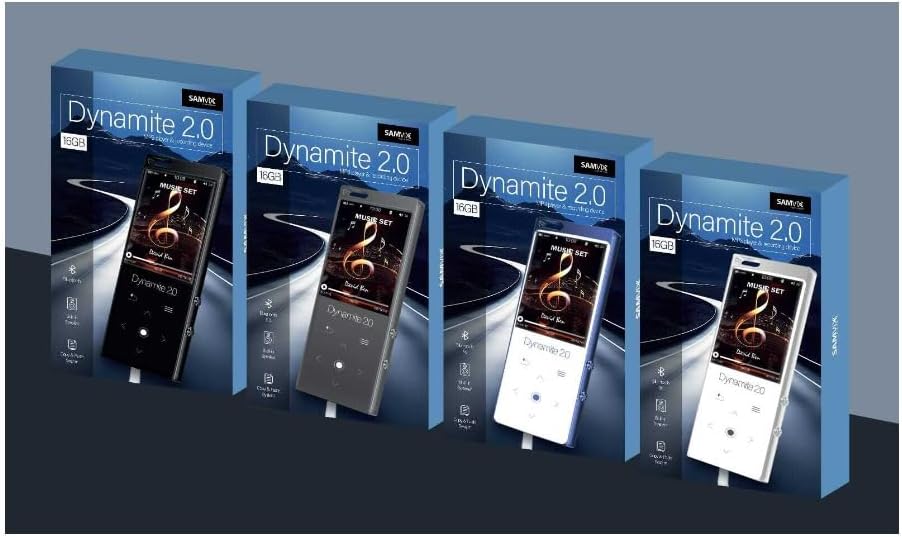
Figura 4.1: Fronte view of the Samvix Dynamite 2.0 MP3 Player, showing the screen and touch buttons.
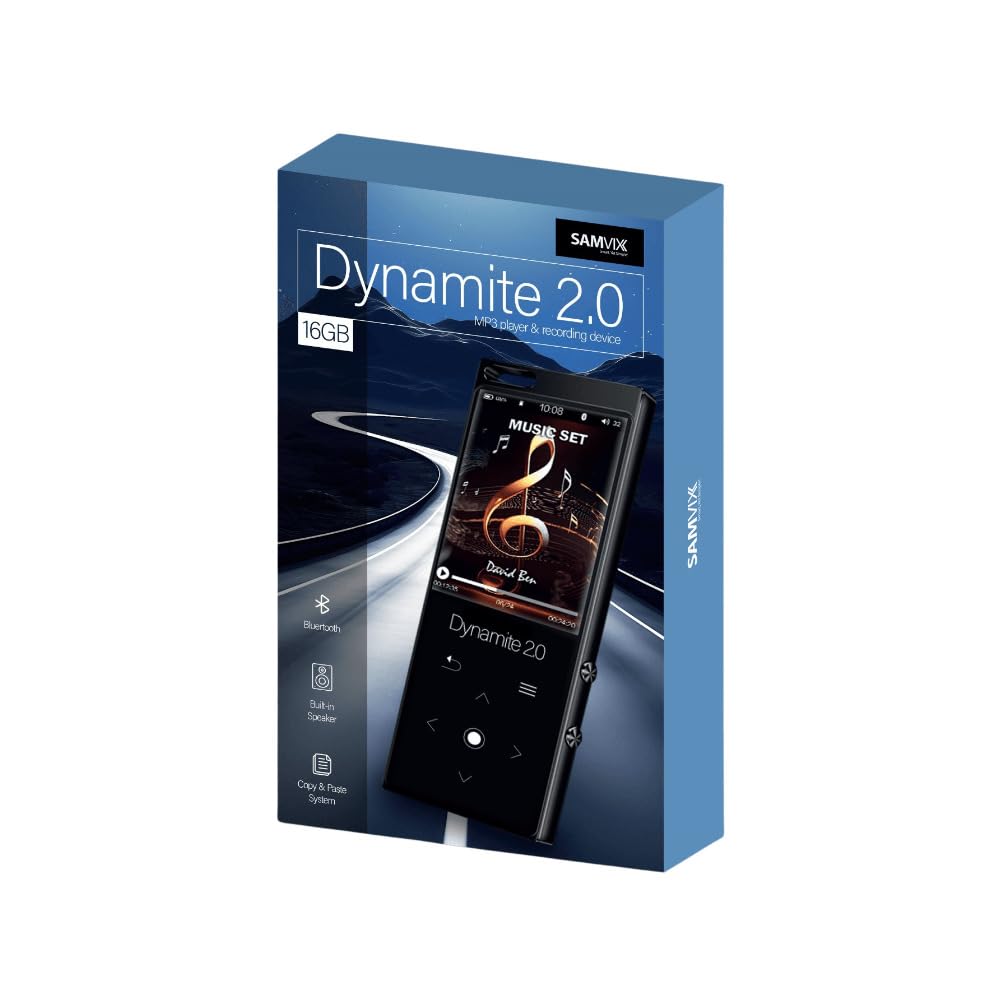
Figura 4.2: En ángulo view of the Samvix Dynamite 2.0 MP3 Player, highlighting its compact design.
Os compoñentes clave adoitan incluír:
- Pantalla de visualización: Colored screen for navigation and content display.
- Botóns táctiles: Responsive controls for menu navigation, playback, and volume.
- Botón de encendido: Para acender/apagar o dispositivo.
- Porto USB: Para carga e transferencia de datos.
- Jack para auriculares: Para saída de audio con cable.
- Ranura para tarxetas MicroSD: Para almacenamento ampliable.
- Altavoz incorporado: For audio playback without headphones, with an on/off switch.
- Micrófono: For internal recording.
5. Configuración
5.1. Cargando o dispositivo
- Conecta o cable de carga USB ao porto USB do dispositivo.
- Conecta o outro extremo do cable USB a un adaptador de corrente USB compatible (non incluído) ou ao porto USB dun ordenador.
- The device will indicate charging status on the screen. Allow the device to fully charge before first use.
5.2. Acendido/apagado
- Para acender: Manteña premido o botón de acendido ata que a pantalla se ilumine.
- Para apagar: Manteña premido o botón de acendido/apagado ata que apareza o aviso de apagado e, a seguir, confirme.
5.3. Inserción dunha tarxeta MicroSD (opcional)
The device supports MicroSD cards up to 128GB for expanded storage.
- Localice a ranura para tarxetas MicroSD no dispositivo.
- Insira con coidado a tarxeta MicroSD na ranura cos contactos dourados cara abaixo ata que encaixe no seu lugar.
- Para retirala, empurre suavemente a tarxeta ata que salte cara a fóra.
6. Instrucións de funcionamento
6.1. Navegación básica
Use the touch buttons to navigate through menus and select options. The central button typically acts as 'Enter' or 'Confirm', while surrounding buttons are for directional movement (up, down, left, right) or specific functions like 'Back' or 'Menu'.
6.2. Reprodución de música
- From the main menu, select "Music" or "Audio".
- Browse your music library by artist, album, genre, or folder.
- Selecciona unha canción para comezar a reprodución.
- During playback, use the touch buttons to control volume, skip tracks, pause, or play.
6.3. Conexión Bluetooth
Connect your Dynamite 2.0 to Bluetooth headphones or speakers.
- Asegúrate de que o teu accesorio Bluetooth estea en modo de emparellamento.
- On the MP3 player, navigate to "Bluetooth" settings.
- Activa o Bluetooth e busca os dispositivos dispoñibles.
- Select your accessory from the list to pair.
6.4. Función de gravación
The device supports internal recording in two formats at four speeds.
- From the main menu, select "Recorder" or "Voice Record".
- Choose recording settings (format, quality) if available.
- Preme o botón de gravación para comezar a gravar.
- Press the stop button to end recording. Recordings are saved automatically.
6.5. File Xestión
The device allows for easy file transferencia e xestión.
- Conexión a un ordenador: Connect the MP3 player to your computer using the USB cable. The device will appear as a removable disk.
- Copiar e pegar: Arrastra e solta files between your computer and the MP3 player's internal storage or MicroSD card.
6.6. Time, Date, Calendar, Alarm, Stopwatch
Access these functions from the main menu to set the time, date, view the calendar, set alarms, or use the stopwatch.
7. Mantemento
- Limpeza: Usa un pano suave e seco para limpar o dispositivo. Non empregues produtos de limpeza líquidos nin aerosois.
- Almacenamento: Almacene o dispositivo nun lugar fresco e seco lonxe da luz solar directa cando non o use.
- Coidado da batería: Para prolongar a duración da batería, evite descargala completamente con frecuencia. Cargue o dispositivo con regularidade.
8 Solución de problemas
| Problema | Posible Solución |
|---|---|
| O dispositivo non se acende. | Ensure the device is fully charged. Connect to a power source and try again. |
| Non se pode conectar co dispositivo Bluetooth. | Ensure Bluetooth is enabled on both devices and they are in pairing mode. Move devices closer together. |
| No sound from headphones/speaker. | Check volume levels. Ensure headphones are properly connected or Bluetooth speaker is paired. Verify the built-in speaker switch is in the correct position if using the internal speaker. |
| Files not appearing on device. | Garantir files are in a supported format (MP3, AAC, FLAC, WAV, WMA, OGG). Reconnect to computer and verify transfer. Check if files are on internal memory or SD card. |
| O dispositivo conxélase ou non responde. | Manteña premido o botón de acendido/apagado durante aproximadamente 10-15 segundos para forzar un reinicio. |
9. Especificacións
| Característica | Detalle |
|---|---|
| Nome do modelo | Dynamite 2.0 |
| Memoria interna | 16 GB |
| Memoria ampliable | Tarxeta MicroSD de ata 128 GB |
| Conectividade | Bluetooth 5.0 |
| Tecnoloxía de visualización | LCD |
| Formatos de audio admitidos | MP3, AAC, FLAC, WAV, WMA, OGG |
| Dimensións do produto | 10 x 8.4 x 6.6 polgadas |
| Peso do elemento | 15 onzas |
| Fabricante | SAMVIX |
10. Garantía e soporte
For warranty information and technical support, please refer to the documentation included with your purchase or visit the official SAMVIX websitio. Garda o comprobante de compra para reclamacións de garantía.