Introdución
Grazas pola compraasing the ROCAM CR1030DAB Solar DAB+/FM Emergency Radio. This portable radio is designed for reliable communication and power in various situations, from daily use to outdoor adventures and emergencies. It features DAB+/FM radio reception, Bluetooth connectivity, multiple charging options including solar and hand crank, a powerful 12000 mAh battery, and integrated lighting functions. Please read this manual thoroughly before use to ensure proper operation and to maximize the product's lifespan.
Instrucións de seguridade
- Do not expose the device to extreme temperatures, direct sunlight for prolonged periods (beyond charging), or high humidity.
- Evite deixar caer a radio nin someterla a impactos fortes.
- Non desmonte nin intente reparar a unidade vostede mesmo. Encargue todo o mantemento a persoal cualificado.
- Keep the device away from water and other liquids, except for its IPX6 water resistance which protects against strong jets of water. Do not submerge.
- Ensure the USB-C port cover is securely closed when not in use, especially in wet conditions.
- When using the hand crank, turn it at a steady, moderate pace. Excessive force or speed can damage the mechanism.
- The SOS alarm is very loud. Avoid activating it unnecessarily or near sensitive ears.
- Elimina as baterías segundo a normativa local.
Contido do paquete
Verifica que todos os elementos estean presentes no paquete:
- 1 × ROCAM CR1030DAB Radio
- 1 × cable de carga USB-C
- 1 × Portable Strap
- 1 × Manual de usuario
Produto rematadoview
Familiarízate cos compoñentes e controis da radio.

Imaxe: Fronte view of the ROCAM CR1030DAB radio, highlighting its display, control buttons, and extended antenna. The radio is shown in an outdoor setting, emphasizing its portable and robust design.
Compoñentes clave:
- Pantalla a cor de 2.4 polgadas: Shows station information, battery level, time, and menu options.
- Botóns de control: Power, Mode, Menu, Scan, Volume, Navigation (Up/Down/Left/Right/OK), SOS.
- Antena telescópica: For optimal DAB+/FM signal reception.
- Panel solar: Located on top for solar charging.
- Manivela: On the side for manual power generation.
- Lanterna: Integrated LED light on one end.
- Lectura Lamp: Foldable panel with 12 LEDs.
- Porto de entrada/saída USB-C: For charging the radio and charging external devices.
- Conector para auriculares (3.5 mm): Para escoita privada.
- Compartimento de batería: For AAA backup batteries.

Imaxe: Un detallado view of the radio's 2.4-inch color display, illustrating its clarity and the information presented, such as station name and signal strength.
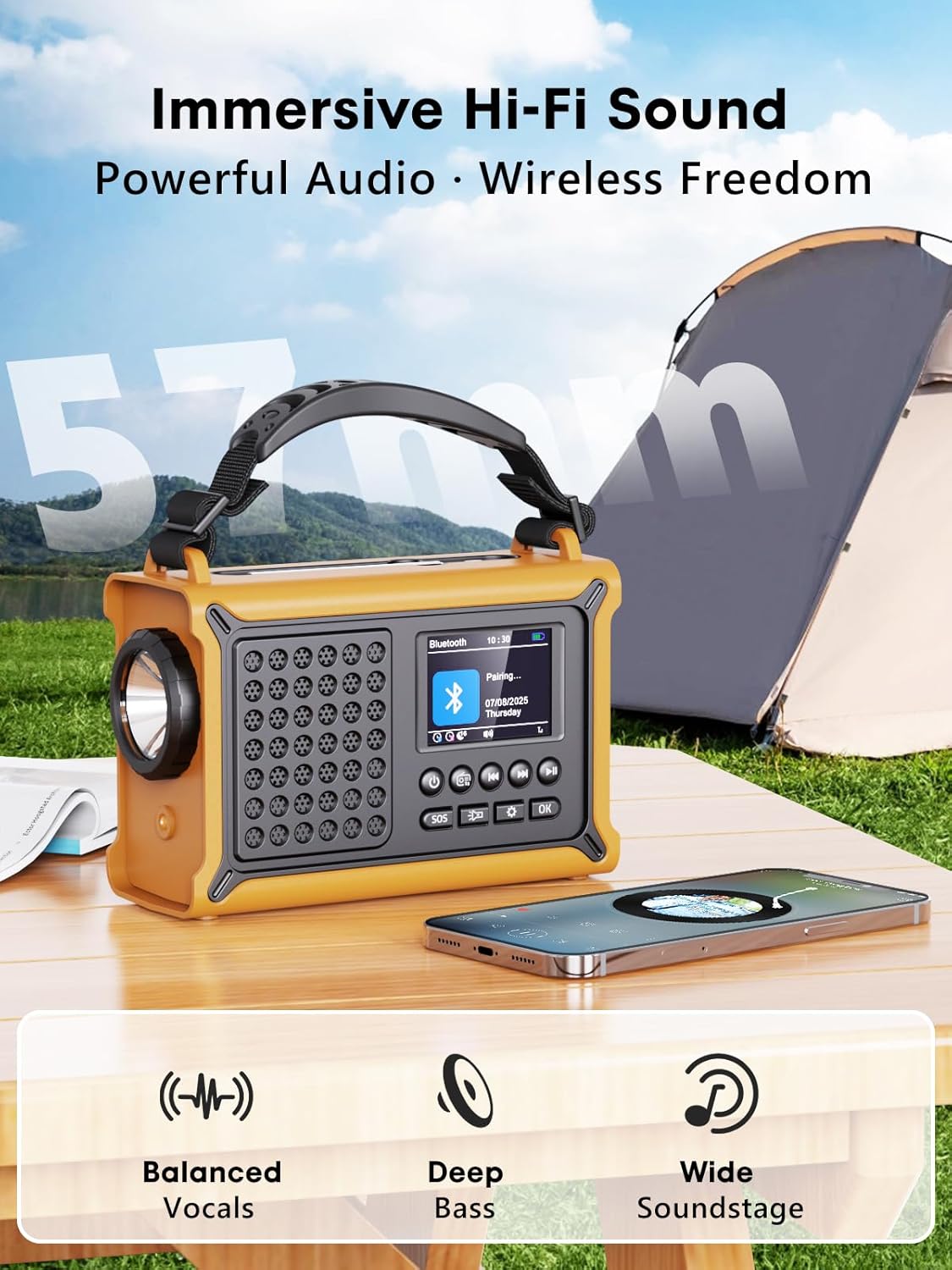
Imaxe: The radio highlighting its audio capabilities, featuring 57mm speakers designed for clear, powerful sound with balanced vocals and deep bass.

Imaxe: The radio held in hand, illustrating its ultra-portable design and compact dimensions (17.3 cm length, 12.1 cm height, 7.4 cm width), along with its IPX6 water resistance.
Configuración
1. Carga inicial
Before first use, it is recommended to fully charge the radio's internal 12000 mAh battery using the supplied USB-C cable. Connect the USB-C cable to the radio's USB-C input port and the other end to a standard USB power adapter (not included) or a computer USB port. The charging indicator on the display will show the charging status. A full charge ensures maximum battery life and optimal performance.
2. Inserting AAA Batteries (Optional Backup)
For an additional power backup, you can insert 3 AAA batteries (not included) into the battery compartment. This provides an alternative power source if the internal rechargeable battery is depleted and other charging methods are unavailable.
3. Acendido e selección de idioma
Manteña premido o Poder button to turn on the radio. Upon first power-on, you may be prompted to select your preferred language from the 12 available options. Use the navigation buttons to select and the OK botón para confirmar.
Instrucións de funcionamento
Encendido/apagado
- Para activar: manteña premido o botón Poder botón.
- Para apagar: Manteña premido o botón Poder botón de novo.
DAB+/FM Radio Operation
- Seleccionar modo: Preme o Modo button to switch between DAB+ and FM radio modes.
- Antena extendida: Fully extend the telescopic antenna for best reception.
- Escaneo automático: In DAB+ or FM mode, press the Escanear button to automatically search for available stations. The radio will store up to 40 DAB+ and 40 FM stations.
- Manual Tuning/Station Selection: Usa o Arriba/Abaixo navigation buttons to browse through scanned stations or manually tune frequencies.
- Control de volume: Usa o Volume +/- botóns para axustar o nivel do son.
- Presets: Para gardar unha emisora, sintoniza a emisora desexada e, a seguir, mantén premido o botón OK button. Use navigation buttons to select a preset number and press OK to save. To recall a preset, briefly press the OK button, then use navigation to select the preset.
Conectividade Bluetooth
- Entrar ao modo Bluetooth: Preme o Modo button until "Bluetooth" appears on the display. The radio will enter pairing mode, indicated by a blinking Bluetooth icon.
- Emparejamento: On your smartphone or other Bluetooth device, enable Bluetooth and search for available devices. Select "ROCAM CR1030DAB" from the list.
- Conectado: Once paired, the radio will emit a confirmation sound, and the Bluetooth icon will stop blinking. You can now play audio from your device through the radio.
Cargando a radio
The radio offers multiple charging methods for its internal 12000 mAh battery:

Imaxe: The radio demonstrating its versatile charging capabilities, including the solar panel, USB-C input, hand crank, and the option for AAA batteries.
- Carga USB-C: Connect the supplied USB-C cable to a 5V/2A (or higher) USB power source. This is the fastest charging method.
- Carga solar: Place the radio with the solar panel facing direct sunlight. The solar charging indicator will illuminate. This method is ideal for maintaining charge or slow charging in emergencies. The 8500 mm² panel provides 350 mA.
- Carga da manivela: Rotate the hand crank clockwise or counter-clockwise at a steady pace (approx. 120-150 RPM). Cranking for 1 minute can provide several minutes of radio playback. The hand crank generates 650 mA.
- Pilas AAA: If the internal battery is depleted, the radio can operate using 3 AAA batteries (not included) inserted into the battery compartment.
Carga de dispositivos externos (función de batería externa)
The radio can act as a power bank to charge external devices like smartphones. Connect your device's charging cable to the radio's USB-C output port. The radio's 12000 mAh battery provides a 5V/1A output.
Funcións de iluminación

Imaxe: A composite image illustrating the radio's versatile lighting options: a powerful 5W flashlight, the SOS red flashing light, and a soft 12-LED reading lamp.
- Lanterna: Preme o Lanterna button once to turn on the 5W LED flashlight. Press again to cycle through brightness levels (if available) or turn off.
- Lectura Lamp: Lift the reading lamp panel. Press the Lectura Lamp button (often combined with flashlight button or a separate one) to activate the 12-LED reading lamp. Press again to cycle through brightness levels or turn off.
Función de alarma SOS
En caso de emerxencia, manteña premido o botón SOS button. The radio will emit a loud 120 dB siren and flash a red light to attract attention. Press the SOS button again to deactivate the alarm.
Mantemento
- Limpeza: Limpe a radio cun suave, damp pano. Non use produtos de limpeza ou disolventes abrasivos.
- Almacenamento: When not in use for extended periods, store the radio in a cool, dry place. It is recommended to fully charge the internal battery every 3-6 months to maintain its health.
- Coidado da batería: Avoid completely draining the internal battery frequently. Recharge it as soon as possible when the low battery indicator appears.
Resolución de problemas
| Problema | Causa posible | Solución |
|---|---|---|
| A radio non se acende. | A batería está esgotada. | Charge the radio via USB-C, solar, or hand crank. Ensure AAA batteries are inserted correctly if using them. |
| Mala recepción de radio. | Antenna not extended, weak signal area, interference. | Fully extend the telescopic antenna. Reposition the radio to a location with better signal. Perform an auto scan again. |
| O dispositivo Bluetooth non se pode conectar. | Radio not in pairing mode, device too far, already connected to another device. | Ensure the radio is in Bluetooth pairing mode. Move the device closer to the radio. Disconnect from other Bluetooth devices. |
| O dispositivo externo non está a cargar. | Radio battery too low, incorrect cable, device not compatible. | Ensure the radio has sufficient charge. Use a compatible USB-C cable. Some devices may draw too much power. |
| Hand crank is stiff or not charging. | Mechanism obstruction, incorrect cranking speed. | Check for any obstructions. Rotate the crank at a steady, moderate pace. Do not force it. |
Especificacións
| Modelo | CR1030DAB |
| Bandas de radio | DAB+, FM |
| Versión Bluetooth | 5.0 |
| Capacidade da batería | 12000 mAh (litio) |
| Métodos de carga | USB-C, Solar, Hand Crank, 3x AAA Batteries (backup) |
| Tamaño do panel solar | 8500 mm² (350 mA output) |
| Hand Crank Output | 650 mA |
| Saída USB | 5 V/1 A |
| Mostrar | LCD a cor de 2.4 polgadas |
| Presets | 80 (40 DAB +, 40 FM) |
| Resistencia á auga | IPX6 |
| Alarma SOS | 120 dB |
| Lanterna | LED 5W |
| Lectura Lamp | 12 LED |
| Dimensións | 12 cm de longo x 17.2 cm de ancho x 7.3 cm de alto (aprox.) |
| Peso | 820 gramos (aprox.) |

Imaxe: A comparison chart detailing the specifications of the ROCAM CR1030DAB against generic alternatives, emphasizing its advanced features like a larger color display, higher battery capacity, and more efficient charging.
Garantía e Soporte
ROCAM products are designed for reliability and performance. This product comes with a standard manufacturer's warranty. For specific warranty details, please refer to the documentation provided with your purchase or contact ROCAM customer support.
If you encounter any issues or have questions regarding the operation or maintenance of your ROCAM CR1030DAB radio, please contact our customer support team.
- Atención ao cliente: Refer to your product packaging or the ROCAM official websitio para información de contacto.
- Recursos en liña: Visit the ROCAM websitio para preguntas frecuentes, rexistro de produtos e materiais de soporte adicionais.