
1. Produto rematadoview
The Mars Gaming MC-Pulsar is an ATX gaming case designed for optimal performance and aesthetics. It features a panoramic tempered glass design and a front LCD display for real-time system monitoring. The chassis includes a Cablehatch system for efficient cable management and offers versatile connectivity options.
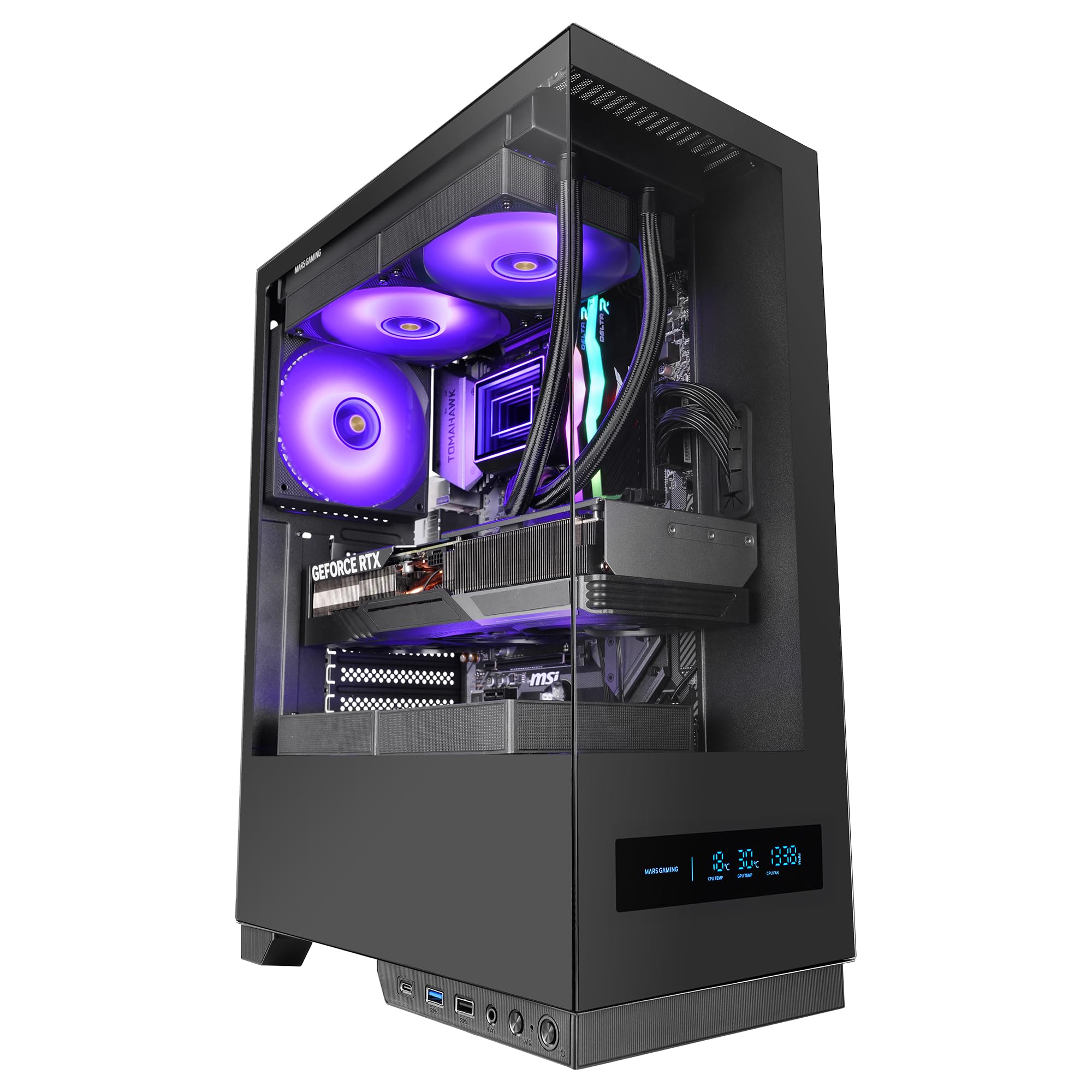
Figure 1: Mars Gaming MC-Pulsar ATX Gaming Case, front view.
Características principais:
- Real-Time Front LCD Display: Monitor CPU/GPU temperatures and fan RPM directly on the case.
- Double Tempered Glass: Front and side panels provide a clear view de compoñentes internos.
- Cablehatch System: Side cable bay with tool-free quick access for simplified cable management.
- Interior optimizado: Supports ATX, MicroATX, and Mini-ITX motherboards, with ample space for graphics cards and CPU coolers.
- Soporte de refrixeración líquida: Accommodates liquid cooling radiators up to 240mm at the top and bottom, and 120mm at the rear.
- Conectividade moderna: Includes USB-C, USB 3.0, USB 2.0, and HD audio ports on the I/O panel.

Figure 2: The MC-Pulsar case features dual tempered glass panels on the front and side.
2. Configuración e instalación
Follow these steps for proper installation of your computer components into the MC-Pulsar case.
2.1 Preparación do caso
- Unpack the MC-Pulsar case and place it on a stable, flat surface.
- Carefully remove the tempered glass side panel by unscrewing the thumb screws, if present, or by releasino mecanismo de peche.
- Identify the internal layout for motherboard, power supply, and drive installation.

Figure 3: Internal layout showing maximum CPU cooler height (162mm), VGA length (332mm), and VGA width (152mm) clearances, along with fan and radiator mounting points.
2.2 Instalación da placa base
- Install the necessary standoffs for your ATX, MicroATX, or Mini-ITX motherboard.
- Place the motherboard into the case, aligning it with the standoffs and the I/O shield opening.
- Asegure a placa base con parafusos.
2.3 Instalación da fonte de alimentación
- The power supply mounts at the bottom of the case. Slide the ATX power supply into its designated bay.
- Fixe a fonte de alimentación con parafusos na parte traseira da caixa.
2.4 Instalación da unidade de almacenamento
- Install 3.5" HDDs in the designated drive cage.
- Install 2.5" SSDs in their respective mounting points. The case supports 1x 3.5" HDD and 2x 2.5" SSDs.
2.5 Graphics Card and Expansion Cards
- Remove the necessary expansion slot covers.
- Insert your graphics card (up to 332mm length, 152mm width) and other expansion cards into the PCIe slots on the motherboard.
- Fixa as tarxetas con parafusos.
2.6 Instalación do sistema de refrixeración
- Install CPU coolers (up to 162mm height).
- For liquid cooling, radiators up to 240mm can be installed at the top and bottom, and a 120mm radiator at the rear.
- Install additional fans as needed: top (2x 120mm or 2x 140mm), bottom (2x 120mm), rear (1x 120mm).
2.7 Xestión de cables
Utilize the Cablehatch system for organized cable routing. This side cable bay offers tool-free quick access to manage and hide cables, ensuring optimal airflow and a clean interior.

Figure 4: The Cablehatch system provides convenient side access for cable management without tools.
3. Funcionamento
This section details the operational aspects of your MC-Pulsar gaming case.
3.1 Front Panel Connectivity
O panel de E/S frontal proporciona un acceso cómodo a varios portos:
- Porto USB-C: For modern peripherals and fast data transfer.
- Portos USB 3.0: Dous portos para dispositivos USB de alta velocidade.
- Portos USB 2.0: Conectividade USB estándar.
- Conectores de audio HD: Separate ports for microphone and headphones.
- Botón de encendido: To turn the system on/off.
- Botón de reinicio: Para reiniciar o sistema.
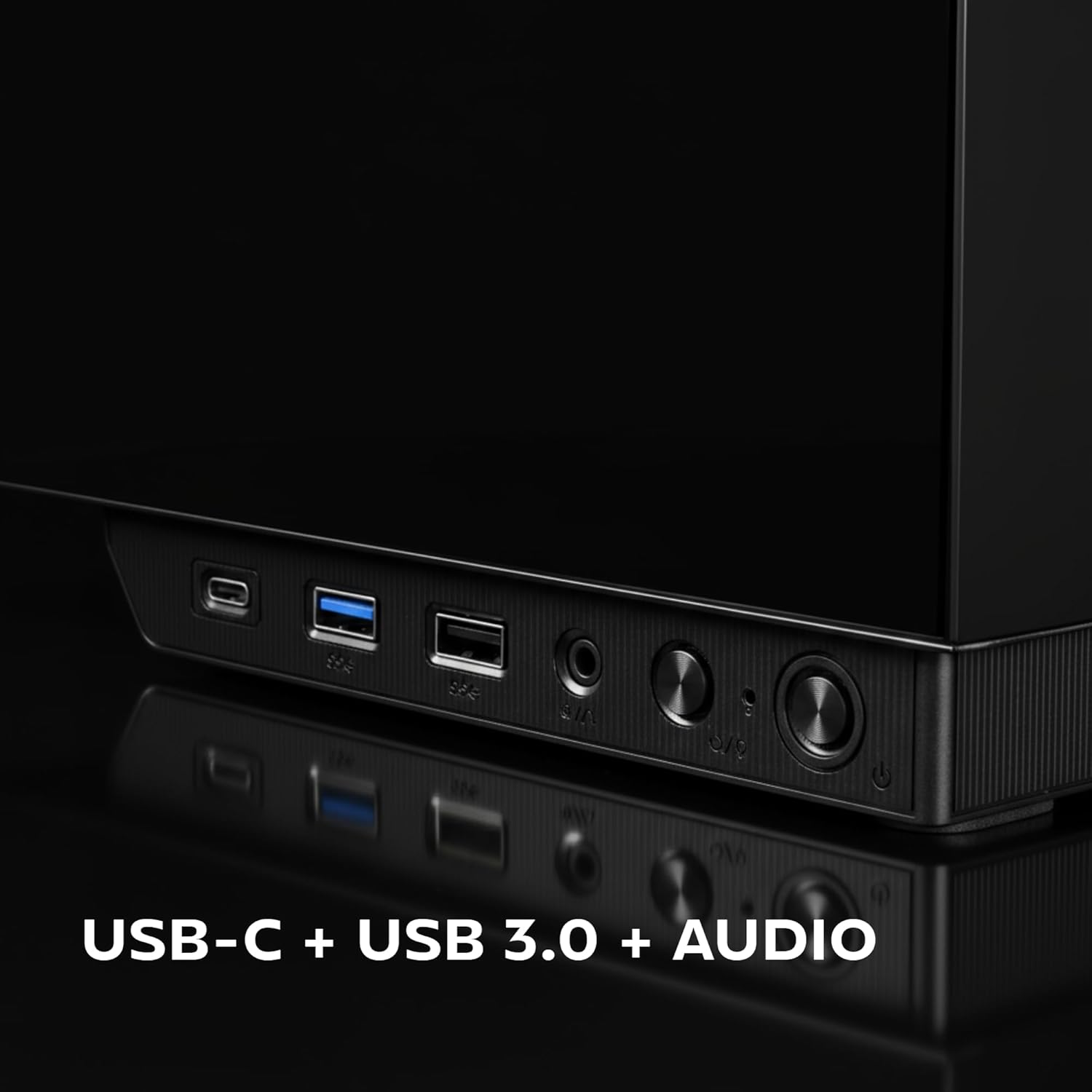
Figure 5: Close-up of the front I/O panel, showing USB-C, USB 3.0, and audio ports.
3.2 Front LCD Display
The integrated rectangular LCD display on the front panel provides real-time monitoring of critical system parameters. This includes:
- CPU Temperature: Displays the current temperature of your Central Processing Unit.
- GPU Temperature: Displays the current temperature of your Graphics Processing Unit.
- Fan RPM: Shows the rotational speed of your system fans.
Ensure the necessary internal connections from the case to your motherboard are made for the LCD display to function correctly. Refer to your motherboard manual for specific header locations.
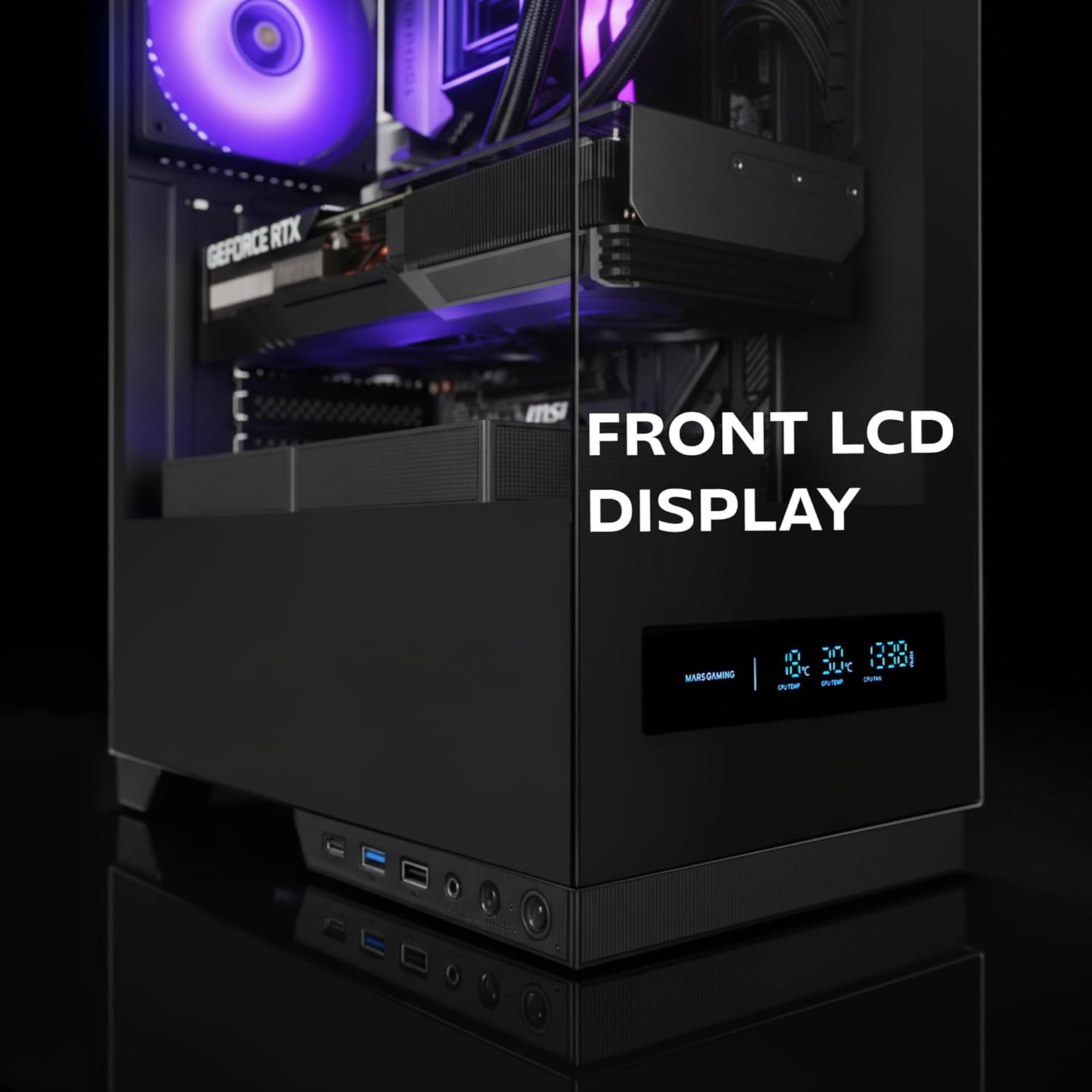
Figure 6: The front LCD display provides real-time system information.
4. Mantemento
Regular maintenance helps ensure the longevity and optimal performance of your MC-Pulsar case and its components.
4.1 Limpeza do filtro de po
- The MC-Pulsar case includes a magnetic dust filter at the top.
- Periodically remove and clean this filter to prevent dust buildup inside the case, which can impede airflow and component cooling.
- Limpar con aire comprimido ou un cepillo suave.
4.2 Limpeza interior
- With the system powered off and unplugged, carefully open the side panel.
- Use compressed air to remove dust from internal components and surfaces.
- Ensure all cables remain neatly managed using the Cablehatch system to maintain good airflow.
4.3 Coidado do vidro temperado
- Clean tempered glass panels with a soft, lint-free cloth and a non-abrasive glass cleaner.
- Avoid harsh chemicals or abrasive materials that could scratch the glass.
5 Solución de problemas
This section provides solutions to common issues you might encounter with your MC-Pulsar case.
5.1 O sistema non se acende
- Comproba as conexións de alimentación: Asegúrate de que a fonte de alimentación estea conectada correctamente á toma de corrente e á placa base.
- Conectores do panel frontal: Verify that the power button cable from the case is correctly connected to the motherboard's front panel header. Refer to your motherboard manual.
- Interruptor de alimentación: Confirm the power supply's main switch is in the "ON" position.
5.2 Front LCD Display Not Working
- Conexións internas: Ensure all necessary data and power cables for the LCD display are securely connected from the case to the motherboard or power supply.
- Software/Controladores: Check if any specific software or drivers are required for the display and install them if necessary (refer to Mars Gaming websitio).
5.3 USB Ports or Audio Jacks Not Functioning
- Internal Header Connections: Verify that the USB and audio cables from the front I/O panel are correctly connected to the corresponding headers on your motherboard.
- Motherboard Drivers: Ensure your motherboard's USB and audio drivers are up to date.
5.4 Poor Airflow or Overheating
- Filtros de po: Clean the magnetic dust filter and any other mesh areas regularly.
- Orientación do ventilador: Ensure case fans are installed with correct airflow direction (intake/exhaust).
- Xestión de cables Improve cable routing using the Cablehatch system to reduce obstructions to airflow.
- Espazo libre dos compoñentes: Verify that large components like CPU coolers or GPUs are not blocking critical airflow paths.
6. Especificacións técnicas
Below are the detailed specifications for the Mars Gaming MC-Pulsar ATX Gaming Case.
| Característica | Detalle |
|---|---|
| Marca | Marte Xogos |
| Nome do modelo | MCPULSAR |
| Tipo de caso | Torre media |
| Compatibilidade da placa base | ATX, MicroATX, Mini-ITX |
| Material | Vidro temperado, aceiro |
| Cor | Negro |
| Peso do elemento | 4.21 quilogramos |
| Dimensións do artigo (D x W x H) | 45.3 D x 35 W x 19.6 H centímetros |
| Lonxitude máxima de VGA | 332 mm |
| Max VGA Width | 152 mm |
| Altura máxima do refrigerador da CPU | 162 mm |
| Soporte de refrixeración líquida | Top: 240mm, Bottom: 240mm, Rear: 120mm |
| Capacidade do ventilador | Top: 2x 120mm or 2x 140mm, Bottom: 2x 120mm, Rear: 1x 120mm |
| Baxas de unidades internas | 1 discos duros de 3.5 polgadas, 2 unidades SSD de 2.5 polgadas |
| Portos de E / S dianteiros | 1x USB-C, 2x USB 3.0, 1x USB 2.0, HD Audio (Mic/Headphone) |
| Características especiais | Front LCD Display, Cablehatch System, Magnetic Dust Filter |

Figure 7: External dimensions of the MC-Pulsar case.
7. Garantía e soporte
7.1 Información da garantía
Mars Gaming products are manufactured to high quality standards. For specific warranty terms and conditions, please refer to the warranty card included with your product or visit the official Mars Gaming websitio. Garda o comprobante de compra para reclamacións de garantía.
Note: A 30-day return policy may be available through your retailer. This is separate from the manufacturer's warranty.
7.2 Soporte técnico
If you encounter any issues not covered in this manual or require further assistance, please contact Mars Gaming customer support through their official website. You may need to provide your product model (MCPULSAR) and serial number.
Oficial Websitio: www.marsgaming.eu