
1. Introdución
Welcome to the user manual for your LAXASFIT T900 Ultra2 Smartwatch. This guide provides essential information on setting up, operating, and maintaining your device. The T900 Ultra2 is designed to be a comprehensive fitness companion and personal assistant, featuring a 2.19-inch HD IPS display and various health monitoring capabilities.
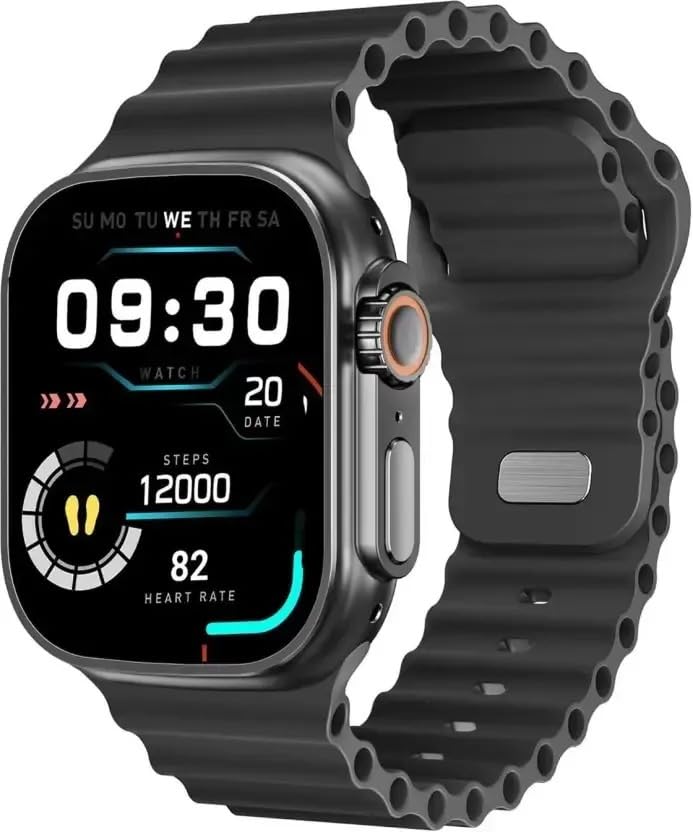
Figure 1: LAXASFIT T900 Ultra2 Smartwatch with main display showing time, steps, and heart rate.
2. Información de seguridade
- Do not attempt to disassemble or modify the smartwatch.
- Manteña o dispositivo lonxe de temperaturas extremas e da luz solar directa.
- Avoid exposing the smartwatch to strong impacts or drops.
- Consulta cun profesional médico antes de comezar calquera novo réxime de exercicios, especialmente se tes problemas de saúde preexistentes.
- This device is not a medical instrument and should not be used for diagnostic purposes.
- Ensure the charging cable is used correctly to prevent damage to the device or charger.
3. Que hai na caixa
Upon opening your LAXASFIT T900 Ultra2 Smartwatch package, you should find the following items:
- LAXASFIT T900 Ultra2 Smartwatch
- Cable de carga
- Manual de usuario (este documento)
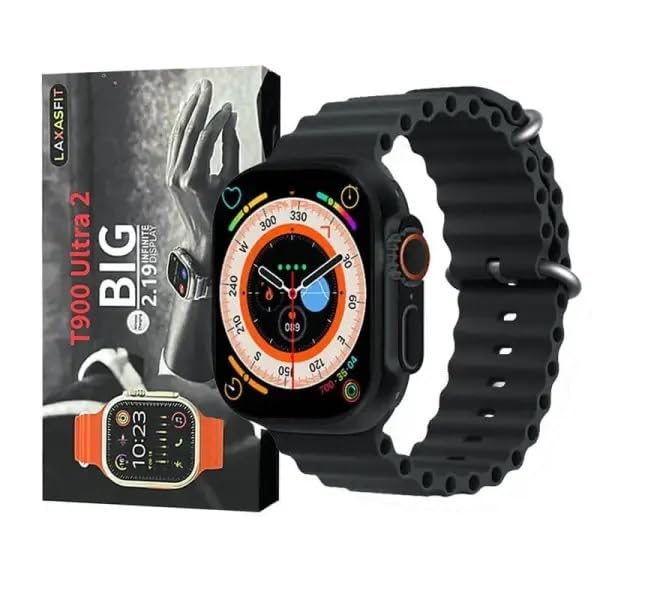
Figure 2: Contents of the LAXASFIT T900 Ultra2 Smartwatch package, including the smartwatch and its box.
4. Configuración
4.1 Cargar o reloxo intelixente
- Connect the charging cable to a compatible USB power adapter (not included).
- Attach the magnetic end of the charging cable to the charging contacts on the back of the smartwatch. Ensure a secure connection.
- The smartwatch display will indicate charging status. A full charge typically takes approximately 2 hours.
4.2 Acendido/Apagado
- Para acender: Press and hold the side button until the LAXASFIT logo appears on the screen.
- Para apagar: Manteña premido o botón lateral e, a seguir, seleccione a opción "Apagar" na pantalla.
4.3 Pairing with Your Mobile Device
To unlock the full functionality of your T900 Ultra2 Smartwatch, pair it with your smartphone via Bluetooth.
- Asegúrate de que o teu reloxo intelixente estea cargado e acendido.
- Activa o Bluetooth no teu teléfono móbil.
- Download and install the companion application (refer to the smartwatch display or packaging for app name, typically found by scanning a QR code).
- Open the companion app and follow the on-screen instructions to search for and connect to your LAXASFIT T900 Ultra2.
- Confirma a solicitude de emparellamento tanto no teu teléfono como no teu reloxo intelixente.
5. Instrucións de funcionamento
5.1 Navegando pola interface
- Pantalla táctil: Desliza o dedo cara á esquerda, á dereita, cara arriba ou cara abaixo para navegar polos menús e as pantallas. Toca para seleccionar elementos.
- Botón lateral: Press to return to the home screen or wake the device. Press and hold for power options.
- Coroa dixital: Rotate to scroll through lists or zoom in/out (functionality may vary by app). Press to access the app menu.
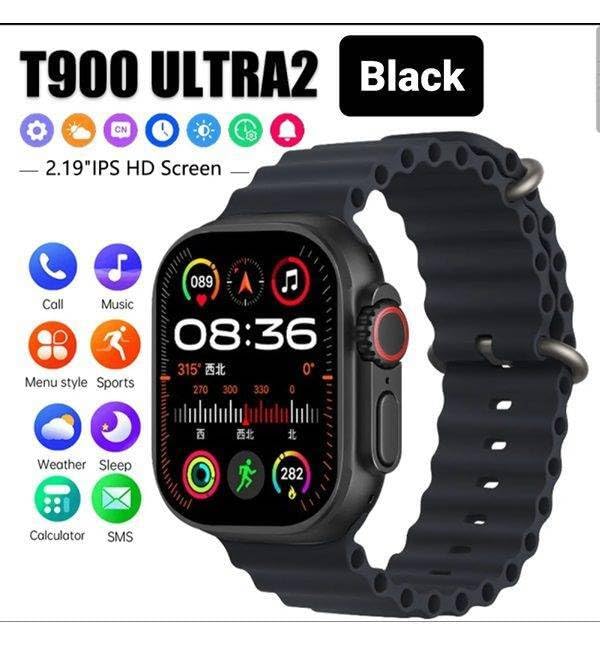
Figure 3: Smartwatch display illustrating various functions such as call, music, sports, weather, sleep, and calculator.
5.2 Características principais
The LAXASFIT T900 Ultra2 Smartwatch offers a range of features to enhance your daily life and fitness routine:
- Monitor de frecuencia cardíaca: Continuously tracks your heart rate. Access historical data through the companion app.
- Seguidor de actividades: Records steps, distance, and calories burned. Supports various sports modes (e.g., running, cycling, swimming).
- Seguimento do sono: Monitoriza os patróns e a calidade do sono.
- Control de música: Control music playback on your paired smartphone directly from your smartwatch.
- Visualización do tempo: Ofrece condicións meteorolóxicas actuais e previsións.
- Notificacións: Receive call, SMS, and app notifications from your paired smartphone.
- Calculadora: Basic arithmetic functions available on your wrist.
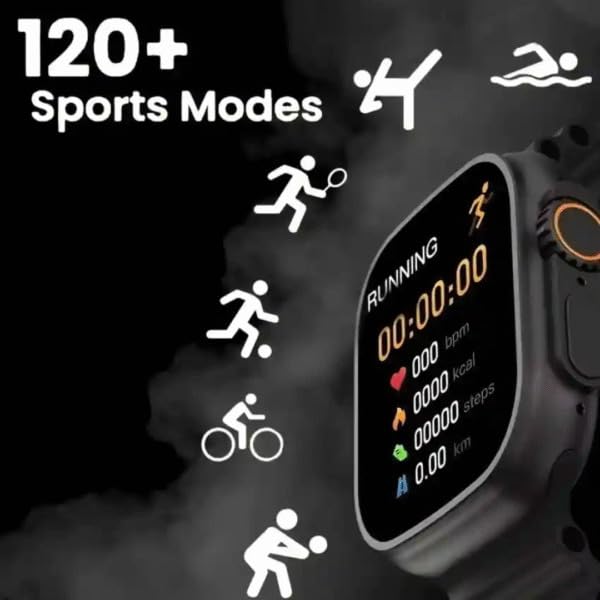
Figure 4: Smartwatch screen showing active sports tracking for running, including duration, heart rate, calories, steps, and distance.
6. Mantemento
6.1 Limpeza do reloxo intelixente
- Wipe the screen and body of the smartwatch with a soft, lint-free cloth.
- Para marcas difíciles, d lixeiramenteampEnxágüe o pano con auga. Evite o uso de produtos químicos agresivos ou materiais abrasivos.
- Asegúrate de que os contactos de carga estean limpos e secos antes de cargar.
6.2 Coidado da banda
- Clean the sport band regularly with a damp pano para eliminar a suor e a sucidade.
- Allow the band to air dry completely before wearing.
7 Solución de problemas
| Problema | Posible Solución |
|---|---|
| O reloxo intelixente non se acende. | Ensure the device is fully charged. Press and hold the side button for at least 10 seconds. |
| Non se pode emparellar co teléfono. |
|
| Heart rate readings are inaccurate. | Ensure the smartwatch is worn snugly on your wrist, not too tight or too loose. Clean the sensor on the back of the device. |
| Non se reciben notificacións. |
|
8. Especificacións
| Característica | Detalle |
|---|---|
| Modelo | T900 Ultra2 |
| Mostrar | 2.19 Inches IPS HD |
| Sistema Operativo | Sistema operativo propietario |
| Capacidade de almacenamento da memoria | 256 MB |
| Conectividade | Bluetooth, GPS |
| Capacidade da batería | 1200 millónsamp Horario |
| Tempo de carga | Aproximadamente 2 Horas |
| Duración media da batería | Up to 8 Hours (usage dependent) |
| Características especiais | Activity Tracker, Heart Rate Monitor, Music Player, Sleep Tracking, Weather Display |
| Dispositivos compatibles | Mobile Phones, Smartphones |
| Material | Metal, Silicona |
| Peso do elemento | 100 g |
| País de Orixe | China |
9. Garantía e soporte
For warranty information and customer support, please refer to the documentation provided with your purchase or contact the retailer. Keep your proof of purchase for warranty claims.
Manufacturer: Retailix Solution
Importer: Retailix Solution Basti Uttar Pradesh 272170