
1. Introdución
This manual provides detailed instructions for the Earbay Wireless Headset, model BT882CD. It covers product features, setup procedures, operational guidelines, maintenance tips, troubleshooting, and technical specifications. Please read this manual thoroughly before using the headset to ensure proper function and longevity.
2. Contido do paquete
Verifica que todos os elementos estean presentes no teu paquete:
- Earbay Wireless Headset (BT882CD)
- Estación de carga
- Cable de carga USB tipo C
- USB Dongle (for PC connection)
- Manual de usuario
3. Produto rematadoview
The Earbay BT882CD is a wireless headset designed for clear communication and comfortable listening. It features Bluetooth 5.3 connectivity, a built-in microphone with environmental noise cancellation, and dual device connection capability.
Características principais:
- Conectividade sen fíos: Bluetooth 5.3 for stable, low-latency connection.
- Micrófono incorporado: Features environmental noise cancellation for clear voice calls.
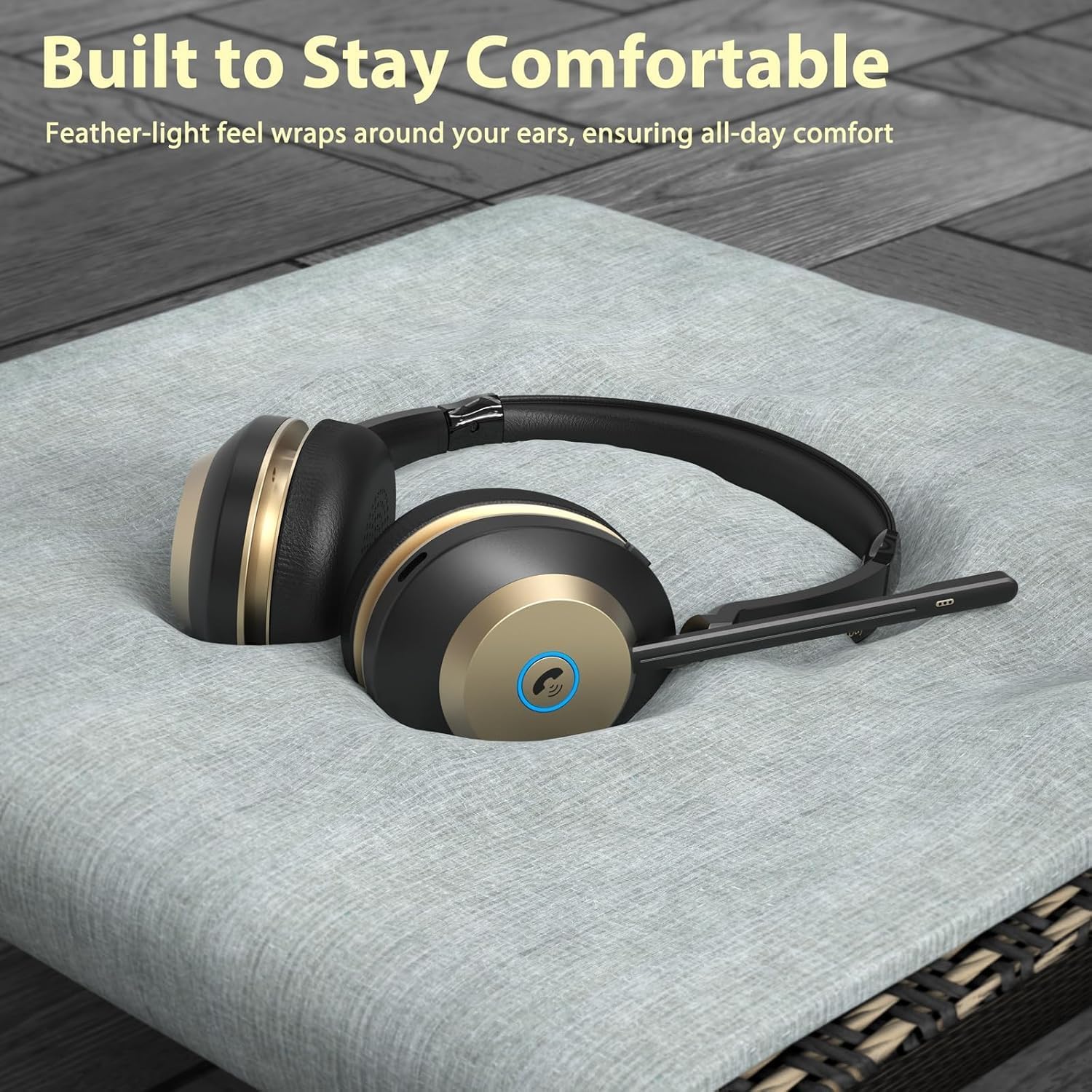
- Deseño cómodo: Over-ear style with soft ear pads and an adjustable headband for extended wear.
- Conexión dual: Conéctase a dous dispositivos Bluetooth simultaneamente.
- Batería de longa duración: Ata 50 horas de conversa.
- Silenciar cun só clic: Dedicated mute button for privacy during calls.
- 40mm Stereo Sound: Dynamic drivers for clear audio.

Figure 3.1: Earbay BT882CD Headset with labeled components and controls. This image shows the adjustable headband, soft ear pads, flexible boom mic (up to 270° rotatable), mic mute button, mic mute indicator light, Type-C charge port, power switch, volume controls, play/pause button, and answer/reject call/Siri button. It also highlights the circle indicator light for charge status, incoming calls, and busy status.
4. Configuración
4.1 Carga dos auriculares
Before first use, fully charge the headset. The headset can be charged using the included charging station or directly via the USB Type-C cable.
- Usando a estación de carga: Place the headset onto the charging station. Ensure the charging contacts align. The indicator light on the station will show charging status.
- Carga directa por USB-C: Connect the USB Type-C cable to the headset's charging port and to a USB power source.
The headset will remain powered on during charging. A full charge takes approximately 3 hours and provides up to 50 hours of talk time.

Figure 4.1: Earbay BT882CD Headset on its charging station, indicating convenient charging.

Figure 4.2: Illustration of the two charging methods: direct Type-C cable connection and placement on the charging base.
4.2 Acendido/Apagado
- Para acender: Press and hold the Power Switch until the indicator light illuminates.
- Para apagar: Press and hold the Power Switch until the indicator light turns off.
4.3 Conexión a dispositivos
The Earbay BT882CD supports connection via Bluetooth or a USB dongle for PC. It can connect to two devices simultaneously.
4.3.1 Bluetooth Connection (for Phones, Tablets, Laptops)
- Ensure the headset is powered on and in pairing mode (indicator light flashing blue). If not, press and hold the Answer/Reject Call button until it enters pairing mode.
- No teu dispositivo (teléfono, tableta, portátil), vai á configuración de Bluetooth.
- Busca available devices and select "BT882CD" from the list.
- Once connected, the indicator light on the headset will turn solid blue.

Figure 4.3: Visual representation of the headset connecting to a smartphone via Bluetooth, showing "BT-88" as the device name.
4.3.2 USB Dongle Connection (for PC)
- Conecta o dongle USB a un porto USB dispoñible do teu ordenador.
- Acenda os auriculares. Tentarán conectarse automaticamente ao dongle.
- The dongle's LED light will flash blue during pairing and turn solid blue once connected.
- On your computer, ensure "BT882CD-DONGLE" (or similar) is selected as the input and output audio device in your sound settings.
Note: If the headset fails to connect, please update your computer's Bluetooth driver or use a Bluetooth adapter.

Figure 4.4: Flowchart illustrating PC connection settings for both direct Bluetooth and USB dongle connections, including steps for setting input/output devices.

Figure 4.5: The headset simultaneously connected to a laptop via a USB dongle and a smartphone via Bluetooth, demonstrating dual device connectivity.
5. Instrucións de funcionamento
5.1 Controis básicos
Refer to Figure 3.1 for the location of controls.
- Interruptor de alimentación: Power on/off the headset.
- Volume +/-: Axustar o volume do son.
- Botón Reproducir/Pausa: Reproducir ou pausar música.
- Answer/Reject Call / Siri Button:
- Short press: Answer/End a call.
- Long press: Reject an incoming call.
- Double press: Activate voice assistant (Siri, Google Assistant).
- Botón de silencio do micrófono: Mute or unmute the microphone during calls. The Mic Mute Indicator Light will show the mute status.
Imaxe 5.1: Primeiro plano view of the one-click mute button on the headset, designed for quick privacy control during calls.
5.2 Uso do micrófono
The flexible boom microphone can be rotated up to 270 degrees. Position the microphone close to your mouth for optimal voice pickup. The environmental noise cancellation feature helps reduce background noise during calls.

Figure 5.2: A user wearing the Earbay BT882CD headset in an office environment, illustrating the headset's ability to provide a quiet environment for calls through noise reduction.
5.3 Using with Communication Apps
The headset is compatible with various communication platforms such as Zoom, Microsoft Teams, Google Meet, WebEx, and Skype. Ensure the headset is selected as the audio input and output device within the application's settings.

Figure 5.3: The headset shown in context with various video conferencing and communication applications, highlighting its broad compatibility.
6. Mantemento
- Limpeza: Usa un pano suave e seco para limpar os auriculares. Non empregues produtos de limpeza abrasivos nin disolventes.
- Almacenamento: Garde os auriculares nun lugar fresco e seco, lonxe da luz solar directa e de temperaturas extremas.
- Coidado da batería: Para prolongar a duración da batería, evite descargar completamente os auriculares con frecuencia. Cárgueos regularmente, mesmo se non os usa durante períodos prolongados.
- Resistencia á auga: This headset is not water-resistant. Avoid exposure to liquids.
7 Solución de problemas
| Problema | Causa posible | Solución |
|---|---|---|
| Os auriculares non se acende. | Batería baixa. | Cargue os auriculares completamente. |
| Non se pode emparellar por Bluetooth. | Headset not in pairing mode; device's Bluetooth is off; too far from device. | Ensure headset is in pairing mode (flashing blue light). Turn on Bluetooth on your device. Move headset closer to the device (within 15 meters). |
| Sen son ou mala calidade de son. | Volume too low; incorrect audio output selected; headset not connected properly. | Increase volume on headset and device. Check device's audio settings to ensure BT882CD is selected. Reconnect the headset. |
| O micrófono non funciona. | Microphone muted; incorrect audio input selected; microphone boom not positioned correctly. | Unmute the microphone using the mute button. Check device's audio input settings. Adjust the microphone boom closer to your mouth. |
| Cannot connect to PC via USB dongle. | Dongle not recognized; incorrect audio device selected. | Ensure dongle is fully inserted. Check PC sound settings to select the dongle as audio device. Update PC Bluetooth drivers if connecting directly via PC Bluetooth. |
8. Especificacións
| Característica | Detalle |
|---|---|
| Nome do modelo | BT882CD |
| Marca | Earbay |
| Tecnoloxía de conectividade | Sen fíos (Bluetooth) |
| Tecnoloxía de comunicación sen fíos | Bluetooth 5.3 |
| Alcance Bluetooth | 15 metros |
| Control de ruído | Cancelación de ruído ambiental |
| Tamaño do controlador de audio | 40 milímetros |
| Impedancia | 32 ohmios |
| Sensibilidade | 95 dB |
| Jack para auriculares | Non |
| Material | Acrilonitrilo Butadieno Estireno (ABS) |
| Tipo de control | Touch Control, Push Button |
| Interface de hardware | USB tipo C |
| Batería | 1 batería non estándar (incluída) |
| Peso do elemento | 1.34 libras |
| Dimensións do paquete | 8.07 x 7.87 x 3.86 polgadas |
| Nivel de resistencia á auga | Non resistente á auga |
9. Garantía e soporte
Earbay products come with a standard manufacturer's warranty. For detailed warranty information, please refer to the warranty card included in your package or visit the official Earbay website. If you encounter any issues or require technical assistance, please contact Earbay customer support.
Atención ao cliente: Please refer to the contact information provided on the product packaging or the official Earbay websitio de apoio.
10. Vídeo do produto
Video 10.1: Official product video for the Earbay BT882CD Wireless Headset, demonstrating its features, design, and connectivity options. This video highlights the headset's sound processing system, Bluetooth V5.0 chip, dual device connection, two charging methods (USB-C and charging station), noise cancellation capabilities, long battery life, soft ear cushions, and adjustable headband.