
Introdución
This manual provides detailed instructions for the Philips SPK7858 Wireless Optical Mouse. Designed for ergonomic comfort and versatile performance, this mouse features multi-connection options, adjustable DPI settings, and a rechargeable battery, making it suitable for everyday use, office tasks, and gaming. Please read this manual thoroughly to ensure proper setup and operation.
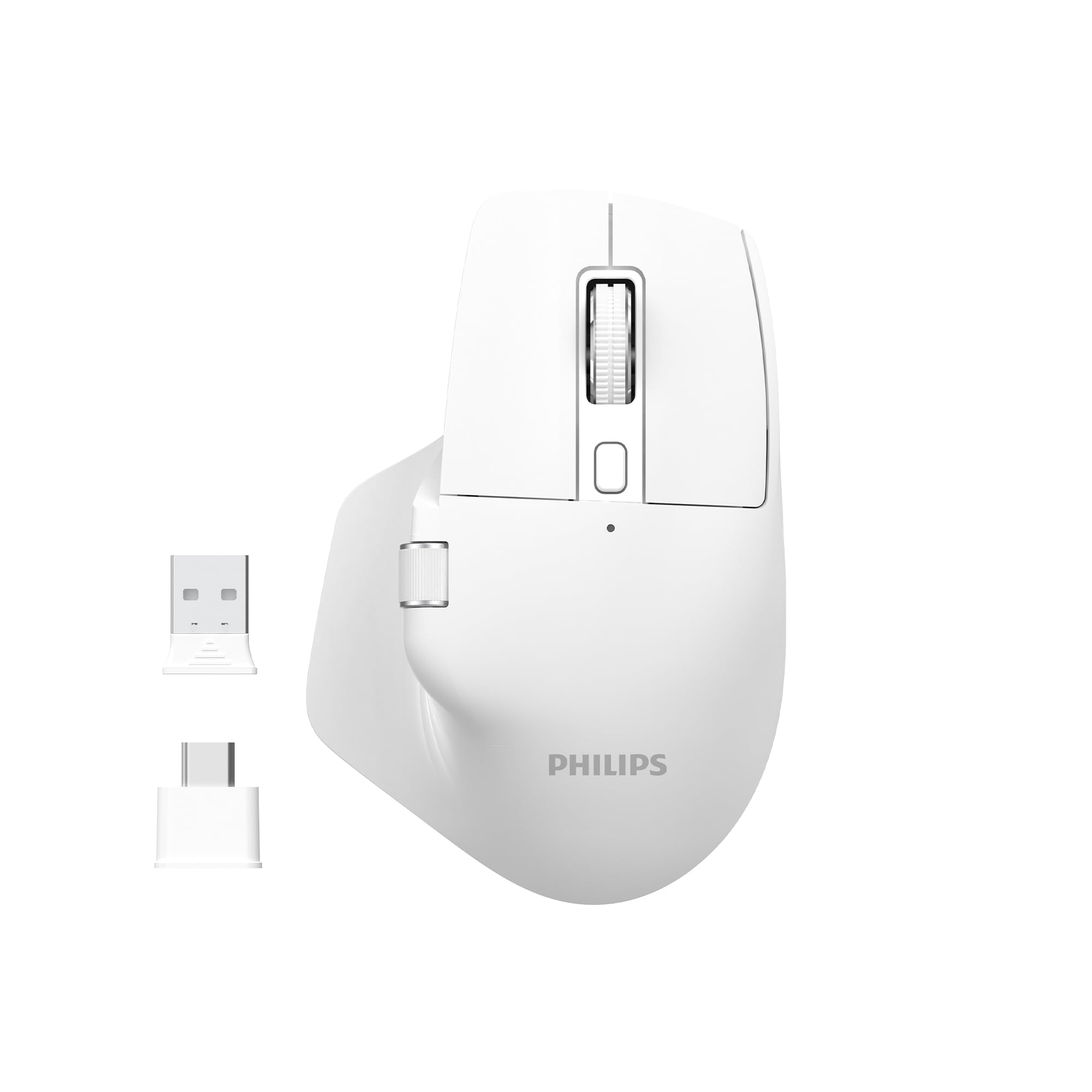
Image: The Philips SPK7858 Wireless Optical Mouse in white, shown with its USB receiver and Type-C adapter.
Configuración
1. Contido do paquete
Antes de comezar, asegúrate de que todos os elementos estean presentes no paquete:
- Philips SPK7858 Wireless Optical Mouse
- Receptor USB
- Adaptador USB tipo C
- Cable de carga (Tipo C)
- Manual de usuario (este documento)
2. Cargar o rato
The mouse comes with a built-in rechargeable battery. For first-time use, it is recommended to fully charge the mouse.
- Locate the Type-C charging port on the front of the mouse.
- Conecta o cable de carga fornecido ao rato e a unha fonte de alimentación USB (por exemplo, un porto USB do ordenador ou un adaptador de parede USB).
- A luz indicadora de carga acenderase. Unha vez cargada completamente, a luz pode cambiar de cor ou apagarse.

Imaxe: Lateral view of the Philips SPK7858 mouse, highlighting the Type-C charging port.
3. Conectando o rato
The mouse connects wirelessly via a 2.4GHz USB receiver.
- Remove the USB receiver from its storage compartment on the underside of the mouse.
- Plug the USB receiver directly into an available USB-A port on your computer. If your computer only has Type-C ports, use the provided Type-C adapter.
- Acende o rato usando o interruptor de acendido situado na parte inferior.
- Your computer should automatically detect and install the necessary drivers. The mouse is ready for use.

Image: Underside of the Philips SPK7858 mouse, illustrating the USB dongle storage area and the optical sensor.
Manexo do rato
Funcións dos botóns
The Philips SPK7858 mouse features 7 programmable buttons for enhanced control and efficiency.
- Botón esquerdo para premer: Función de clic principal estándar.
- Botón dereito do rato: Función de clic secundario estándar.
- Roda de desprazamento: Scrolls vertically. Can also be pressed for middle-click functionality.
- Botón de axuste de DPI: Cycles through DPI sensitivity settings.
- Botón de avance: Navega cara adiante web navegadores ou file exploradores.
- Botón de retroceso: Navega cara atrás en web navegadores ou file exploradores.
- Side Scroll Wheel: Provides horizontal scrolling functionality.

Imaxe: Fronte view of the Philips SPK7858 mouse, detailing the main scroll wheel, DPI button, and side buttons.
Axuste de DPI
Adjust the mouse sensitivity (DPI) to match your preference or task requirements. The SPK7858 offers 5 adjustable DPI levels.
- Press the DPI adjustment button (located behind the main scroll wheel) to cycle through the available DPI settings.
- Each press will switch to the next DPI level: 800, 1600, 2400, 3200, and 4000 DPI.
- Select the DPI setting that provides the most comfortable and precise cursor movement for your current activity.

Image: A visual representation of the five adjustable DPI levels (800, 1600, 2400, 3200, 4000) available on the Philips SPK7858 mouse.
Compatibilidade universal
The Philips SPK7858 mouse is designed for broad compatibility across various operating systems, ensuring seamless integration with your devices.

Image: Icons representing universal compatibility with Windows, Apple (macOS), Chrome OS, Linux, and Android operating systems.
Mantemento
Limpeza
To maintain optimal performance and appearance, clean your mouse regularly.
- Use un pano suave, seco e sen fiapos para limpar a superficie do rato.
- Para a sucidade persistente, d lixeiramenteampEnxágüe o pano con auga ou unha solución de limpeza suave. Evite produtos químicos agresivos.
- Non permita que entren líquidos no corpo do rato.
- Clean the optical sensor on the underside periodically with a cotton swab to ensure accurate tracking.
Coidado da batería
The mouse features a rechargeable battery designed for long service life.
- Cargue o rato cando o indicador de batería mostre pouca enerxía.
- Evite descargar completamente a batería con frecuencia para prolongar a súa vida útil.
- If storing the mouse for an extended period, charge it to about 50% before storage and recharge every few months.
Resolución de problemas
O rato non responde
- Comprobar a potencia: Ensure the mouse is turned on and has sufficient battery charge. Recharge if necessary.
- Comprobar a conexión: Verifica que o receptor USB estea conectado correctamente a un porto USB que funcione no teu ordenador. Proba cun porto USB diferente.
- Volver emparellar: Turn off the mouse, unplug the receiver, then plug the receiver back in and turn on the mouse.
- Interferencia: Move the mouse closer to the receiver or away from other wireless devices that might cause interference.
Inaccurate Tracking or Cursor Jumps
- Sensor limpo: Limpa o sensor óptico da parte inferior do rato.
- Superficie: Ensure you are using the mouse on a suitable surface. Highly reflective, transparent, or uneven surfaces may affect tracking performance. A mouse pad is recommended.
- Configuración DPI: Axusta a configuración de DPI a un valor máis baixo se o cursor é demasiado sensible.
Os botóns non funcionan
- Comprobar a batería: Low battery can sometimes affect button responsiveness.
- Conflito de software: If using custom button assignments, check your operating system's mouse settings or any third-party software for conflicts.
Especificacións
| Característica | Detalle |
|---|---|
| Marca | Philips |
| Nome do modelo | SPK7858 |
| Tecnoloxía de conectividade | Wireless (receptor USB) |
| Tecnoloxía de detección de movemento | Óptica |
| Niveis de DPI | 800, 1600, 2400, 3200, 4000 |
| Número de botóns | 7 |
| Característica especial | Ergonomic Design, Rechargeable Battery |
| Cor | Branco |
| Peso do elemento | Aprox. 99 g (incluída a batería) |
| Baterías | 1 Nonstandard Battery (included, rechargeable) |
| Contido da caixa | Rato |

Image: Diagram illustrating the dimensions of the Philips SPK7858 mouse: Height 12.3cm, Width 8.27cm, Depth 4.48cm, and approximate weight of 99g (including battery).
Información da garantía
Philips products are manufactured to the highest standards and undergo rigorous quality checks. For detailed warranty information, including terms, conditions, and duration, please refer to the warranty card included with your product or visit the official Philips websitio. Garde o recibo da compra como xustificante da mesma.
Atención ao cliente
If you encounter any issues or have questions not covered in this manual, please contact Philips customer support. You can find contact details, FAQs, and additional resources on the official Philips support websitio.
Soporte en liña: Visita www.philips.com/support


