
1. Produto rematadoview
The HEIMAN Smart Carbon Monoxide Detector and Motion Sensor is a dual-function device designed to enhance home safety. It provides real-time monitoring for carbon monoxide (CO) levels and detects motion within its coverage area, sending instant notifications to your smartphone via a Wi-Fi connection.
Características principais:
- Triple-Certified Safety: ETL Listed, UL2034, and FCC certifications ensure compliance with U.S. safety standards.
- Long-Life Sensor and Battery: Features a CO sensor with a lifespan of up to 10 years and a battery designed to last for 3 years, reducing the need for frequent replacements.
- Conectividade Wi-Fi integrada: Connects directly to your 2.4 GHz Wi-Fi network for smart home integration without additional hubs or gateways.
- Instant Mobile Alerts: Utilizes PIR infrared technology for accurate motion detection and sends real-time alerts to your mobile device.
- Integración da aplicación: Compatible with popular smart home apps like Tuya Smart and Smart Life for remote monitoring and control.
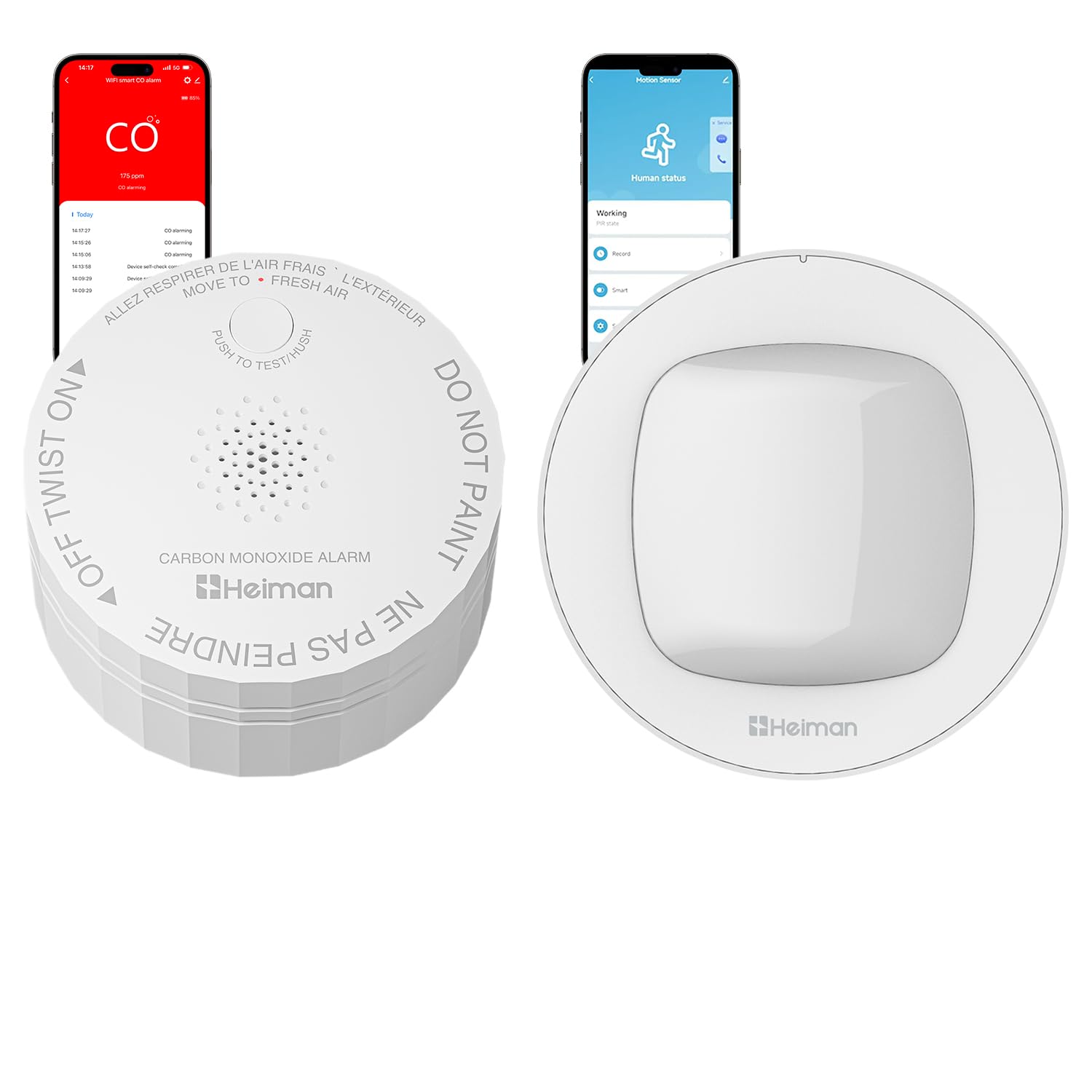
Image 1.1: HEIMAN Smart Carbon Monoxide Detector and Motion Sensor. The image shows the white, circular CO detector with a speaker grille and a 'PUSH TO TEST/HUSH' button, alongside a smartphone displaying a 'CO alarming' notification with a CO concentration of 175 ppm.
2. Información e certificacións de seguridade
This device is designed with safety as a priority and complies with stringent U.S. safety standards. It is crucial to understand the certifications and follow all safety guidelines during installation and operation.
- Listado ETL: Indicates that the product has been tested and meets applicable safety standards.
- UL2034 4th Ed.: Certified to the U.S. exclusive standard for single and multiple station carbon monoxide alarms.
- Certificado FCC: Complies with FCC regulations for electronic devices, ensuring it does not cause harmful interference.
Always ensure the device is installed according to the instructions provided to maintain its safety and effectiveness.

Image 2.1: Certifications for the HEIMAN Smart Carbon Monoxide Detector. The image highlights 'Certified to UL2034 4th Ed. Trusted U.S. Safety Compliance' and displays logos for Red Dot Award, California State Fire Marshal (CSFM), ETL Intertek, and FCC Certification.
3. Instalación e configuración
3.1 Desembalaxe e inspección inicial
- Carefully open the packaging and remove the device and all accessories.
- Inspect the device for any signs of damage. If damaged, do not proceed with installation and contact customer support.
- Confirm all components listed in the packing list are present.
3.2 Montaxe do dispositivo
The device can be mounted on a wall or ceiling. For optimal performance, consider the following:
- Detector de monóxido de carbono: Install at least 5 feet (1.5 meters) from any fuel-burning appliance to avoid false alarms. Mount on a wall at least 6 inches (15 cm) from the ceiling or on the ceiling at least 12 inches (30 cm) from any wall. Avoid dead air spaces, such as peaks of vaulted ceilings or corners.
- Sensor de movemento: Position the motion sensor in an area where it can cover the desired detection zone without obstructions. Avoid placing it directly facing windows or heat sources that might cause false triggers.

Image 3.1: HEIMAN Motion Sensor mounted on a wall. The image shows the compact, white motion sensor affixed to a wall, indicating its discreet design.
3.3 Connecting to Wi-Fi and App
This device connects directly to your home's 2.4 GHz Wi-Fi network. No additional hub is required.
- Descarga o Tuya Smart or Vida intelixente aplicación desde a tenda de aplicacións do teu teléfono intelixente (iOS ou Android).
- Rexístrate ou inicia sesión na túa conta dentro da aplicación.
- Asegúrate de que o teu smartphone estea conectado a unha rede wifi de 2.4 GHz.
- Follow the in-app instructions to add a new device. Select the appropriate device type (e.g., 'Sensor' or 'Security Sensor').
- Power on the HEIMAN device. The indicator light will typically flash to indicate pairing mode.
- Enter your Wi-Fi network password in the app when prompted.
- Once connected, the device will appear in your app, and the indicator light will stop flashing or turn solid.

Image 3.2: HEIMAN Motion Sensor with Tuya Smart and Smart Life app logos. The image emphasizes that no hub is required and highlights compatibility with 2.4GHz Wi-Fi networks and the Tuya Smart and Smart Life applications.

Image 3.3: Person checking smartphone for 24/7 WiFi Monitoring alerts. The image shows a person looking at a smartphone displaying a 'device self-check completed' notification from the smart alarm system, illustrating continuous monitoring capabilities.
4. Funcionamento
4.1 Detección de monóxido de carbono
The CO detector continuously monitors the air for carbon monoxide. Upon detecting dangerous levels of CO, the device will emit a loud alarm and send an immediate notification to your connected smartphone.
- Indicación de alarma: A loud audible alarm and a flashing LED indicator.
- Botón de proba/silencio: Press the 'TEST/HUSH' button to test the alarm function or to temporarily silence a nuisance alarm (e.g., during cooking, if applicable). Refer to the specific product guide for detailed hush duration.
- Action on Alarm: If the CO alarm sounds, immediately move to fresh air outdoors or open doors/windows. Do not re-enter the premises until the CO source has been identified and corrected, and the area has been ventilated.
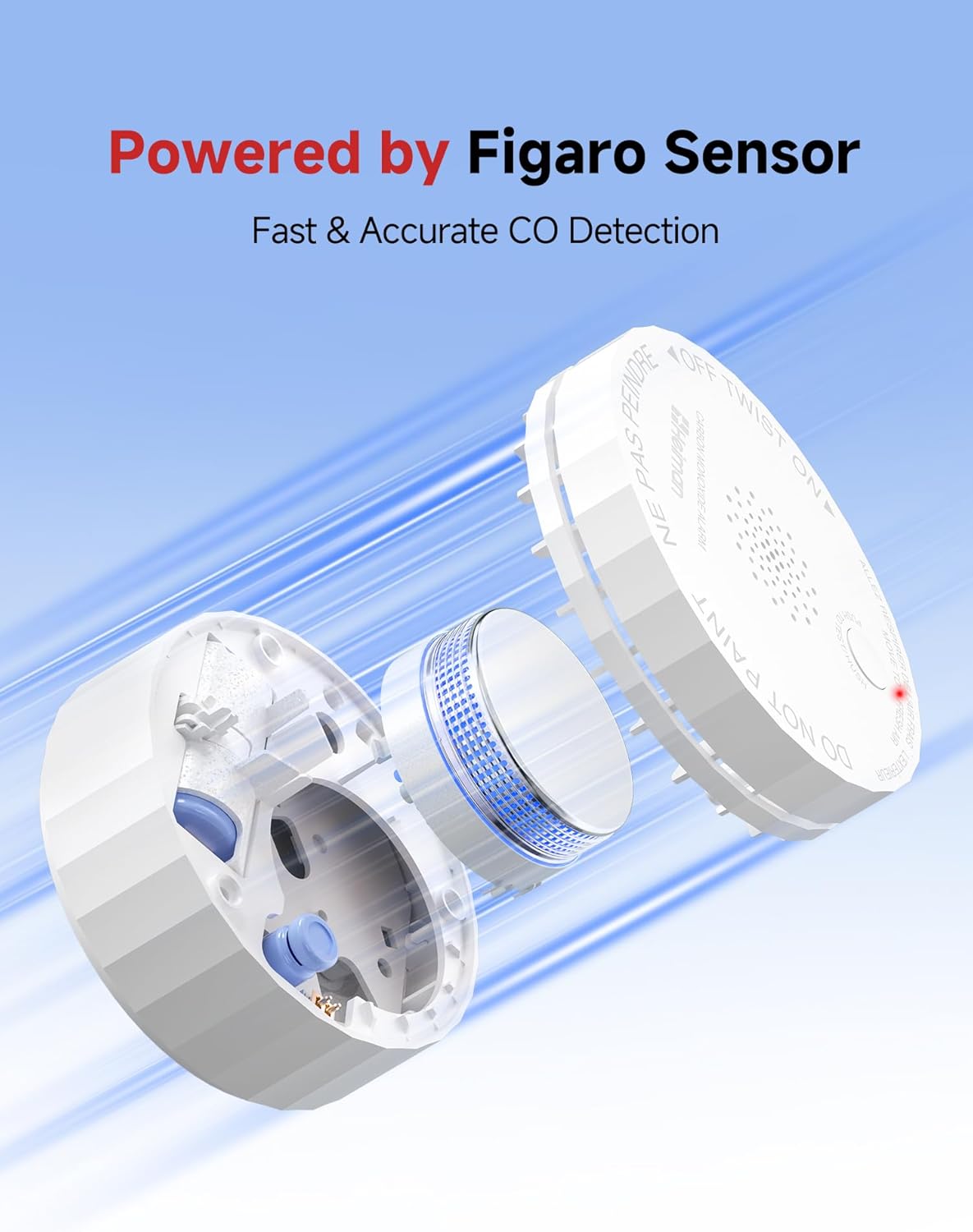
Imaxe 4.1: Explosión view of HEIMAN Carbon Monoxide Detector showing Figaro Sensor. The image illustrates the internal components of the CO detector, highlighting the Figaro sensor for fast and accurate CO detection.
4.2 Detección de movemento
The integrated motion sensor uses PIR infrared technology to detect movement within its field of view. When motion is detected, the device will send an instant alert to your smartphone.
- Rango de detección: Refer to the product's specific technical specifications for the exact detection range and angle.
- Alertas en tempo real: Receive notifications on your mobile device when motion is detected, allowing for remote monitoring.

Image 4.2: Person receiving real-time motion sensor alarm on smartphone. The image shows a hand holding a smartphone displaying a 'Motion Sensor' status, with concentric circles emanating from the sensor on the wall, symbolizing real-time detection and alerts.
4.3 App Notifications and Features
The companion app provides comprehensive control and monitoring capabilities:
- Alertas en tempo real: Receive push notifications for CO alarms, motion detection, and low battery warnings.
- Gravación de alarma: The app may log alarm events for review.
- Compartir dispositivos: Share access to the device with family members or trusted individuals through the app.
- Estado do dispositivo: View the current status of the detector and sensor, including battery level and connectivity.
5. Mantemento
5.1 Substitución da batería
The device is equipped with a battery designed to last for approximately 3 years. A low-battery warning function will alert you when replacement is needed.
- When a low-battery warning is issued (audible chirp or app notification), prepare a replacement battery.
- Carefully remove the device from its mounting bracket.
- Open the battery compartment (refer to the device's physical markings for instructions).
- Retire a batería vella e elimínea segundo a normativa local.
- Insert the new battery, ensuring correct polarity.
- Close the battery compartment and re-mount the device.
- Perform a test using the 'TEST/HUSH' button to confirm proper operation.
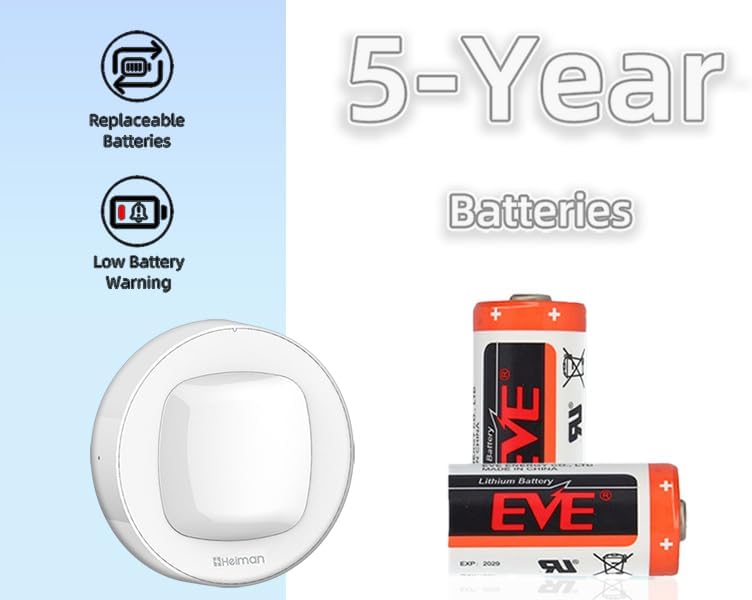
Image 5.1: HEIMAN Motion Sensor with replaceable batteries and low battery warning. The image shows the motion sensor alongside illustrations indicating replaceable batteries, a low battery warning icon, and '5-Year Batteries' with examples of EVE lithium batteries.
5.2 Sensor Lifespan
The carbon monoxide sensor has a lifespan of up to 10 years. After this period, the entire CO detector unit should be replaced to ensure continued accuracy and safety, even if the battery is still functional.
5.3 Probas regulares
It is recommended to test the CO alarm function weekly or monthly by pressing the 'TEST/HUSH' button. This verifies that the alarm's electronics, battery, and horn are working correctly.
6 Solución de problemas
If you encounter issues with your HEIMAN Smart Carbon Monoxide Detector and Motion Sensor, refer to the following common problems and solutions:
- O dispositivo non se conecta á wifi:
- Asegúrate de que a túa rede wifi sexa de 2.4 GHz. O dispositivo non admite redes de 5 GHz.
- Check that your Wi-Fi password is entered correctly in the app.
- Achega o dispositivo ao teu enrutador Wi-Fi para mellorar a intensidade do sinal.
- Reinicia o teu enrutador e tenta o proceso de emparellamento de novo.
- Sen notificacións da aplicación:
- Verify that app notifications are enabled in your smartphone's settings for the Tuya Smart or Smart Life app.
- Ensure the device is properly connected to Wi-Fi and shows as 'online' in the app.
- Check the app's settings for specific notification preferences.
- False motion alarms:
- Adjust the sensitivity settings for the motion sensor in the app, if available.
- Ensure the sensor is not placed near heat sources (e.g., vents, direct sunlight) or areas with frequent drafts that could trigger it.
- Avoid placing the sensor where pets can easily trigger it.
- Low battery warning persists after replacement:
- Ensure the new battery is inserted correctly with the correct polarity.
- Verify that the battery is fresh and fully charged.
- Perform a test cycle to reset the device's battery status.
- CO alarm sounds without apparent CO:
- Ventilar a zona completamente.
- Ensure there are no hidden sources of CO (e.g., faulty appliances, vehicle exhaust).
- If false alarms persist, the sensor may be nearing its end of life or require professional inspection.
If these steps do not resolve the issue, please contact HEIMAN customer support for further assistance.
7. Especificacións
- Tipo de produto: Smart Carbon Monoxide Detector and Motion Sensor
- Certificacións: ETL Listed, UL2034 4th Ed., FCC
- CO Sensor Lifespan: Ata 10 anos
- Duración da batería: Up to 3 years (replaceable)
- Conectividade sen fíos: 2.4 GHz Wi-Fi (IEEE 802.11b/g/n)
- Compatibilidade da aplicación: Tuya Smart, Smart Life
- Tecnoloxía de detección de movemento: PIR infravermello
- ASIN: B0G2Q1KGSV
- Data de primeira dispoñibilidade: 30 de setembro de 2023