
1. Introdución
This manual provides essential information for the safe and efficient operation of your THOMSON Go TV HD (Google OS) portable smart television. Please read it thoroughly before using the device and retain it for future reference.
The THOMSON Go TV HD offers a comfortable and flexible viewing experience with its 32-inch HD display. Powered by Google TV 5.0, it integrates content from your streaming applications and subscriptions into an intuitive interface. Create personalized user profiles and receive tailored recommendations. With access to over 400,000 movies and series, plus Google Cast for wireless content streaming, your entertainment is always accessible. The integrated battery provides up to 4 hours of enjoyment without needing a power connection. Its base wheels allow for easy movement, and adjustable height, tilt, and rotation customize your viewing angle. Enjoy high-quality sound with Dolby Audio and 16W speakers.
2. Información de seguridade
Observe sempre as seguintes precaucións de seguridade para evitar descargas eléctricas, incendios ou lesións:
- Non expoña o televisor á choiva nin á humidade.
- Non abras a televisión casing; encomende todo o mantemento a persoal cualificado.
- Asegúrese de ventilar adecuadamente o televisor.
- Use só o adaptador de alimentación proporcionado.
- Manteña o televisor lonxe de fontes de calor e da luz solar directa.
- Handle the TV with care, especially when moving it, to avoid damage.
3. Que hai na caixa
Desembala a caixa con coidado e asegúrate de que estean presentes todos os elementos:
- THOMSON Go TV HD (Google OS) 32-inch Portable Smart TV
- Adaptador de alimentación
- Control remoto
- Manual de usuario (este documento)
- Tarxeta de garantía
4. Produto rematadoview
4.1. TV Dimensions and Adjustability

Imaxe: Anverso, lateral e traseiro views of the THOMSON Go TV with detailed dimensions (734mm width, 429mm height, 1323mm max height, 227mm depth).

Image: The THOMSON Go TV demonstrating its adjustable tilt and rotation features for optimal viewcomodidade.
The THOMSON Go TV features a robust stand with wheels for easy mobility. The screen can be adjusted in height, tilted, and rotated to achieve the perfect viewing angle in any room.
4.2. Conexións do panel traseiro
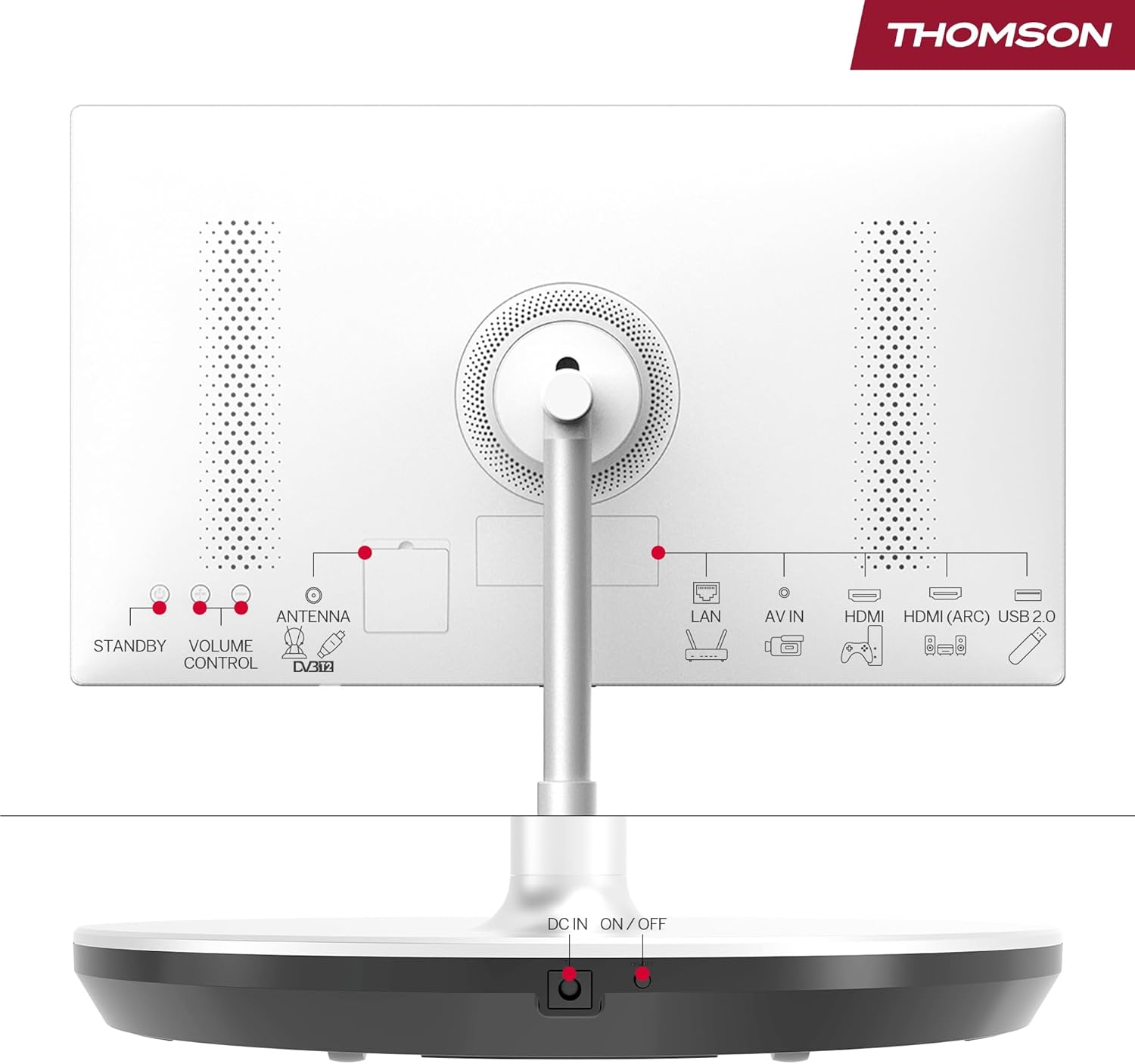
Image: Rear panel of the THOMSON Go TV, highlighting various input ports and controls.
The rear panel provides access to essential connectivity options:
- LAN: Porto Ethernet para conexión a internet por cable.
- AV IN: Entrada de audio/vídeo para dispositivos antigos.
- HDMI (ARC): High-Definition Multimedia Interface with Audio Return Channel support.
- USB 2.0: USB port for media playback or connecting peripherals.
- ANTENNA (DVB-T2): Antenna input for terrestrial digital TV.
- DC IN: Entrada de alimentación para o adaptador.
- ON/OFF: Interruptor de alimentación principal.
- STANDBY / VOLUME CONTROL: Physical buttons for basic control.
4.3. Control remoto

Image: The remote control for the THOMSON Go TV, showing numeric keys, Google Assistant button, illuminated keys, and direct access buttons for streaming services.
The remote control allows full navigation and control of your TV. It features:
- Teclas numéricas: Para a selección directa de canles.
- Botón do Asistente de Google: Activate voice control.
- Teclas iluminadas: For easy use in low-light conditions.
- Botóns de acceso directo: Quick launch for popular streaming apps like Netflix, Prime Video, and YouTube.
5. Configuración
5.1. Colocación inicial e conexión á alimentación
Place the TV on a stable, level surface. Thanks to its integrated wheels, you can easily move it to your desired location. Connect the power adapter to the DC IN port on the TV and then to a power outlet. Ensure the main ON/OFF switch is in the 'ON' position.
5.2. Configuración inicial
Ao acendelo por primeira vez, o televisor guiarache polo proceso de configuración inicial:
- Selección do idioma: Escolle o teu idioma preferido.
- Conexión de rede: Conéctate á túa rede Wi-Fi ou usa un cable Ethernet para unha conexión con fíos.
- Inicio de sesión na conta de Google: Sign in with your Google account to access Google TV features, personalized recommendations, and app downloads.
- Escaneo de canles: If connecting an antenna, the TV will scan for available terrestrial channels.
- Configuración de privacidade: Configura as túas preferencias de privacidade.
6. Instrucións de funcionamento
6.1. Interface de Google TV
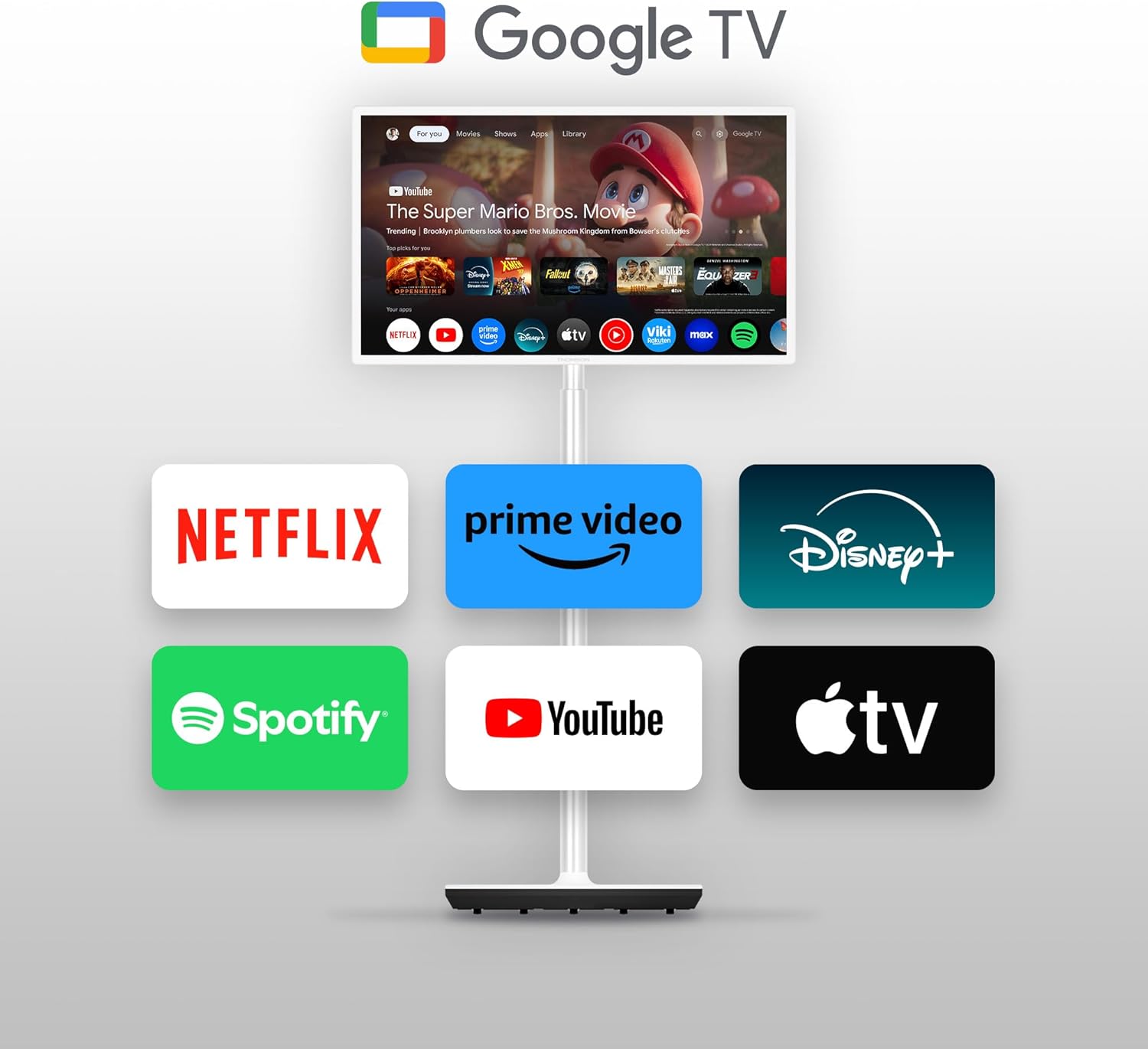
Image: The THOMSON Go TV screen showing the Google TV home screen with various streaming service icons like Netflix, Prime Video, Disney+, Spotify, YouTube, and Apple TV.
Google TV organizes content from your streaming services into a unified, personalized interface. You can create multiple user profiles, each with customized recommendations.
6.2. Control por voz co Asistente de Google
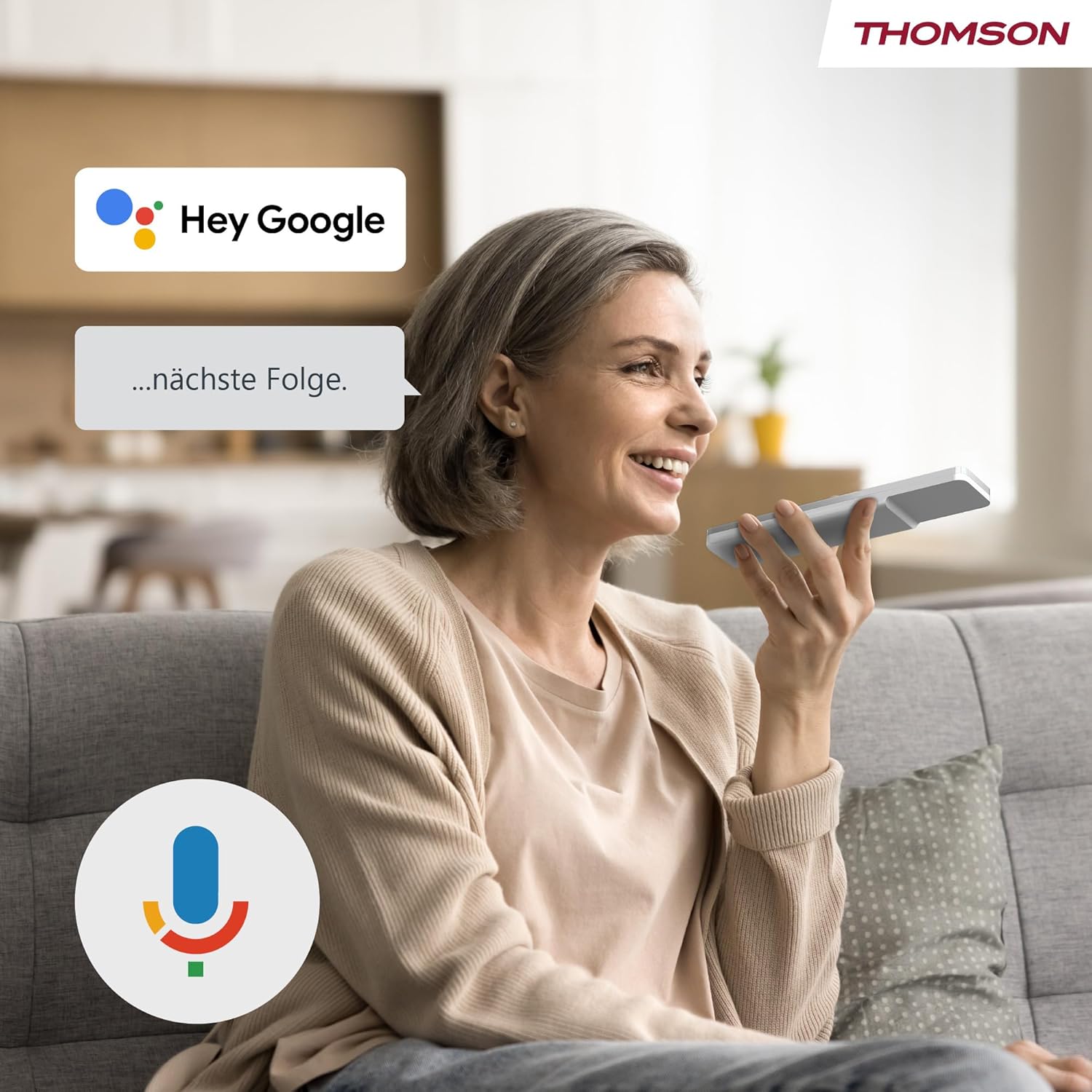
Image: A woman speaking into the remote control, with a 'Hey Google' speech bubble and the Google Assistant logo, demonstrating voice control functionality.
Press the Google Assistant button on your remote control and speak your commands. You can search for content, ask for recommendations, control smart home devices, and more.
6.3. Google Cast Functionality

Image: A smartphone screen showing content being cast to the THOMSON Go TV, with the Google Cast logo indicating the feature.
Use Google Cast to wirelessly stream content from compatible devices (smartphones, tablets, computers) directly to your TV screen.
6.4. Battery Usage and Mobility

Image: A woman performing yoga, with the THOMSON Go TV in the background displaying an exercise video. An overlay indicates '5000 mAh' and 'up to 4 hours life', highlighting the TV's portability and battery duration.
The integrated battery provides up to 4 hours of viewing time, allowing you to enjoy entertainment anywhere without a power outlet. The base wheels facilitate easy movement between rooms.
6.5. Funcións de audio

Image: The THOMSON Go TV displaying a beach scene, with the Dolby Audio logo and animated sound waves emanating from the screen, illustrating its audio capabilities.
Experience high-quality sound with integrated 16W speakers and Dolby Audio support.
7. Mantemento
7.1. Limpeza da pantalla
Limpe a pantalla con suavidade cun pano suave e sen pelusa. Para marcas difíciles, d lixeiramenteampEnxágüe o pano con auga ou cun limpador de pantallas especializado. Non pulverice líquido directamente sobre a pantalla.
7.2. Atención xeral
- Manteña o televisor libre de po limpando regularmente a superficie.asing with a dry, soft cloth.
- Evite colocar obxectos pesados no televisor.
- Asegúrese de que as aberturas de ventilación non estean bloqueadas.
8 Solución de problemas
Se tes algún problema, consulta os seguintes problemas e solucións comúns:
| Problema | Causa posible | Solución |
|---|---|---|
| Sen poder | Power cable disconnected; Main switch off | Check power connections; Ensure main ON/OFF switch is on |
| Sen imaxe, pero hai son | Fonte de entrada incorrecta; cable HDMI solto | Selecciona a fonte de entrada correcta; volve conectar o cable HDMI de forma segura |
| Sen son, pero si imaxe | Volume muted or too low; Audio settings incorrect | Increase volume; Check audio output settings |
| O control remoto non funciona | Pilas esgotadas; Obstrución entre o mando a distancia e o televisor | Substitúa as baterías; retire calquera obstrución |
| Non se pode conectar á wifi | Contrasinal incorrecto; Problema co router; TV demasiado lonxe do router | Verify password; Restart router; Move TV closer to router |
9. Especificacións
9.1. Xeral
- Marca: THOMSON
- Número de modelo: 32HG4M45
- Tamaño da pantalla: 32 polgadas (80 cm)
- Tecnoloxía de visualización: LED HD
- Resolución: 1366 x 768 (768p)
- Frecuencia de actualización: 60 Hz
- Relación de aspecto: 16:9
- Contraste: 3000:1
- Sistema operativo: Android (Google TV)
- Capacidade de almacenamento da memoria: 1 GB
- Características especiais: Google TV, Voice Control, Bluetooth 5.1, Portable (up to 4 hours battery life)
- Dimensións do produto (PxAxA): 22.7 x 73.4 x 132.3 cm
- Product Weight (without stand): 18.1 kg
- Soporte VESA: Wall mount, Table stand
9.2. Conectividade
- Tecnoloxía de conectividade: Bluetooth, Ethernet, USB, Wi-Fi
- Portos HDMI: 2
- Portos USB: 1 (Total USB 2.0: 1, Total USB 3.0: 1 - Note: JSON lists both 1 USB and 1 USB 2.0 and 1 USB 3.0, assuming 1 physical port supporting both standards or a typo.)
- Entrada de audio: HDMI, USB
- Tecnoloxía sen fíos: Wi-Fi
- Internet Applications: Disney Plus, Netflix, Prime Video, YouTube
9.3.Audio
- Speaker Description: Integrated speakers with Dolby Audio and 16 W power
- Integrated Surround Sound Format: Audio Dolby
9.4. Power and Energy Efficiency

Image: EU Energy Label for the THOMSON 32HG4M45, showing energy efficiency class E and 26 kWh/1000h consumption.
- Clase de eficiencia enerxética: E
- Consumo de enerxía (SDR): 26.0 W
- Power Consumption (HDR): 26.0 W
- Batería: 1 Non-standard battery (type required)
Para obter información máis detallada sobre enerxía, consulte a base de datos oficial EPREL da UE: https://eprel.ec.europa.eu/qr/2242286
10. Garantía e soporte
10.1. Garantía do produto
Este produto vén cun Garantía limitada de 3 anos. Please refer to the included Warranty Card for full terms and conditions.
10.2. Fabricante e soporte técnico
Para consultas sobre asistencia técnica ou servizo, póñase en contacto co fabricante:
- Fabricante: FluxoView GmbH
- Websitio: www.streamview.com
- Correo electrónico: contacto@fluxoview.com
- Teléfono: +4318900066
- Enderezo: Franz-Josefs-Kai 1, 1010 Viena, Austria