1. Introdución
The ATK Dragonfly A9 Air is a high-performance wireless gaming mouse designed for speed, precision, and ergonomic control. Engineered with an ultra-lightweight build and advanced sensor technology, it provides reliable tracking and responsive performance for competitive gaming. This manual provides essential information for setting up, operating, and maintaining your ATK Dragonfly A9 Air mouse.
2. Contido do paquete
Verifique que todos os elementos estean presentes no seu paquete:
- ATK Dragonfly A9 Air Wireless Gaming Mouse
- Cable de carga/datos de USB-C a USB-A
- Receptor sen fíos 2.4G (dongle USB)
- Manual de usuario
- Grip Tape (optional application)
Video: Unboxing the ATK R1 Gaming Mouse. This video demonstrates the typical unboxing experience and contents for ATK gaming mice, including the mouse, cable, and accessories.
3. Configuración
3.1 Carga inicial
Before first use, it is recommended to fully charge the mouse. Connect the provided USB-C cable to the mouse and the USB-A end to a powered USB port on your computer or a USB wall adapter. The mouse features a long-lasting battery life of up to 300 hours at 1000Hz polling rate.
3.2 Conexión sen fíos (2.4G)
- Localiza o receptor sen fíos 2.4 G (dongle USB) na embalaxe.
- Conecta o dongle USB a un porto USB-A dispoñible do teu ordenador.
- Acenda o rato usando o interruptor de acendido situado na parte inferior do rato.
- O rato debería conectarse automaticamente ao receptor. Se non, consulte a sección de resolución de problemas.
3.3 conexión por cable
You can also use the mouse in wired mode. Connect the USB-C cable to the mouse and the USB-A end to your computer. The mouse will function as a wired mouse and charge simultaneously.

Image: The ATK Dragonfly A9 Air mouse connected to a computer via its USB-C cable, illustrating wired mode and charging.
4. Uso do rato
4.1 Botóns e controis
The ATK Dragonfly A9 Air features standard mouse buttons and additional programmable buttons for enhanced gaming control:
- Botón esquerdo para premer: Acción primaria.
- Botón dereito do rato: Menú contextual/de acción secundaria.
- Roda de desprazamento: Scroll up/down, middle click button. The scroll wheel features optimized placement for natural handling.
- Botóns laterais: Typically used for forward/back navigation or programmable in gaming software.
- Botón DPI: (If present) Cycles through preset DPI settings.
Imaxe: Arriba view of the ATK Dragonfly A9 Air mouse, highlighting the main buttons and scroll wheel.
4.2 Axuste da taxa de sondaxe
The mouse supports 8000Hz polling rate for smoother cursor response and reduced input latency. This can be adjusted between 1KHz and 8KHz via USB-C and 2.4G connections, typically through the ATK software.

Image: Illustration of the ATK GEAR dongles, emphasizing the dual 8000Hz wired/wireless capability of the mouse.
4.3 Ergonomics and Lightweight Design
The A9 Air is engineered with a 47g ultra-lightweight shell, enhancing agility and precision during competitive esports. Its ergonomic shape is designed for comfort across various grip styles, including claw and fingertip grips, with textured side panels for improved control.

Imaxe: Unha explosión view of the ATK A9 Air mouse, demonstrating its lightweight construction and comparing its 47g weight to other models in the A9 series.
Video: A promotional video for the ATK Dragonfly A9 Gaming Mouse, showcasing o seu deseño e as súas características.
5. Mantemento
Proper maintenance ensures the longevity and optimal performance of your ATK Dragonfly A9 Air mouse.
- Limpeza: Usa un pano suave e seco para limpar a superficie do rato. Para a sucidade persistente, limpa lixeiramenteampEnxágüe o pano con auga ou unha solución de limpeza suave. Evite produtos químicos agresivos ou materiais abrasivos.
- Coidados do sensor: Manteña o sensor óptico da parte inferior do rato limpo e libre de po ou residuos para garantir un seguimento preciso.
- Coidado da batería: To maximize battery life, avoid fully discharging the mouse frequently. Charge it when the battery indicator suggests it. Store the mouse in a cool, dry place when not in use for extended periods.
6 Solución de problemas
If you encounter issues with your ATK Dragonfly A9 Air mouse, try the following solutions:
- O rato non responde:
- Asegúrese de que o rato estea acendido.
- Comprobe o nivel da batería e cárguea se é necesario.
- For wireless mode, ensure the USB dongle is securely plugged into a working USB port. Try a different USB port.
- For wired mode, ensure the USB-C cable is securely connected to both the mouse and the computer. Try a different USB port or cable.
- Reinicia o teu ordenador.
- Inconsistent Tracking/Lag:
- Limpa o sensor óptico da parte inferior do rato.
- Asegúrate de usar o rato sobre unha superficie axeitada (por exemplo, unha alfombrilla de rato).
- Reduce wireless interference by moving the mouse closer to the USB dongle or moving other wireless devices away.
- Update mouse drivers or firmware from the official ATK websitio.
- Os botóns non funcionan:
- Comprobe se hai calquera obstrución física.
- Test the buttons with different applications or on another computer.
- If using ATK software, ensure button assignments are correct.
7. Especificacións
Detailed technical specifications for the ATK Dragonfly A9 Air Wireless Gaming Mouse:
| Marca | ATK |
| Número de modelo | Libélula ATK A9 |
| Peso do elemento | 1.66 onzas (47 g) |
| Sensor | Sensor ultraóptico PAW3950 |
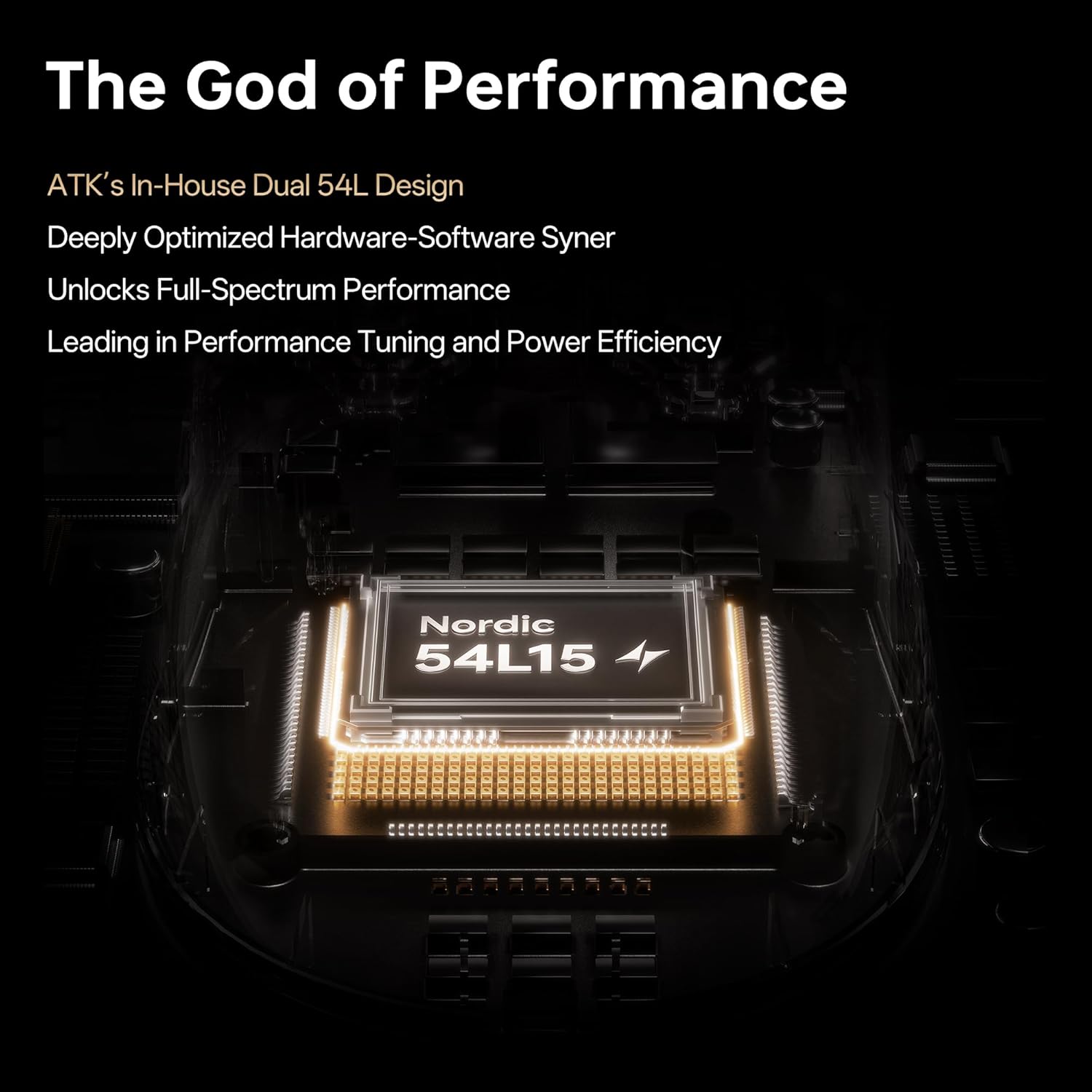
| MCU | Nordic 54L15 MCU |
| Taxa de votación | 8K wireless / 8K wired (adjustable 1K-8K) |
| Tecnoloxía de conectividade | 2.4G Wireless, USB-C Wired |
| Duración da batería | Ata 300 horas (a unha taxa de sondaxe de 1000 Hz) |
| Características especiais | Ultra-Lightweight, Programmable Buttons, Rechargeable, PTFE Feet |
| Dimensións (L x W x H) | 125 x 63.5 x 40 mm |

Image: Internal components and key technologies of the ATK Dragonfly A9 mouse, highlighting the Nordic 54L15 MCU and PAW3950 Ultra Sensor.
8. Garantía e soporte
ATK products are designed for performance and durability. This product is covered by a standard return policy of 30 days from the date of purchase. For specific warranty details, technical support, or further assistance, please refer to the official ATK website or contact ATK customer service.
ATK is committed to providing esports-level performance with durable materials and precision engineering. For frequently asked questions, you may visit the ATK official flagship store on Amazon or the ATK brand websitio.
Recursos en liña:
- ATK Official Store: Visit the ATK Store