
1. Introdución
The Strong 4G LTE N300 WiFi Router provides high-speed internet access using a 4G SIM card, offering reliable Cat4 LTE speeds up to 150 Mbps and stable N300 Mbps Wi-Fi coverage. This device is designed for easy setup and use, supporting up to 32 devices simultaneously, making it suitable for both home and small office environments where wired broadband may not be available.
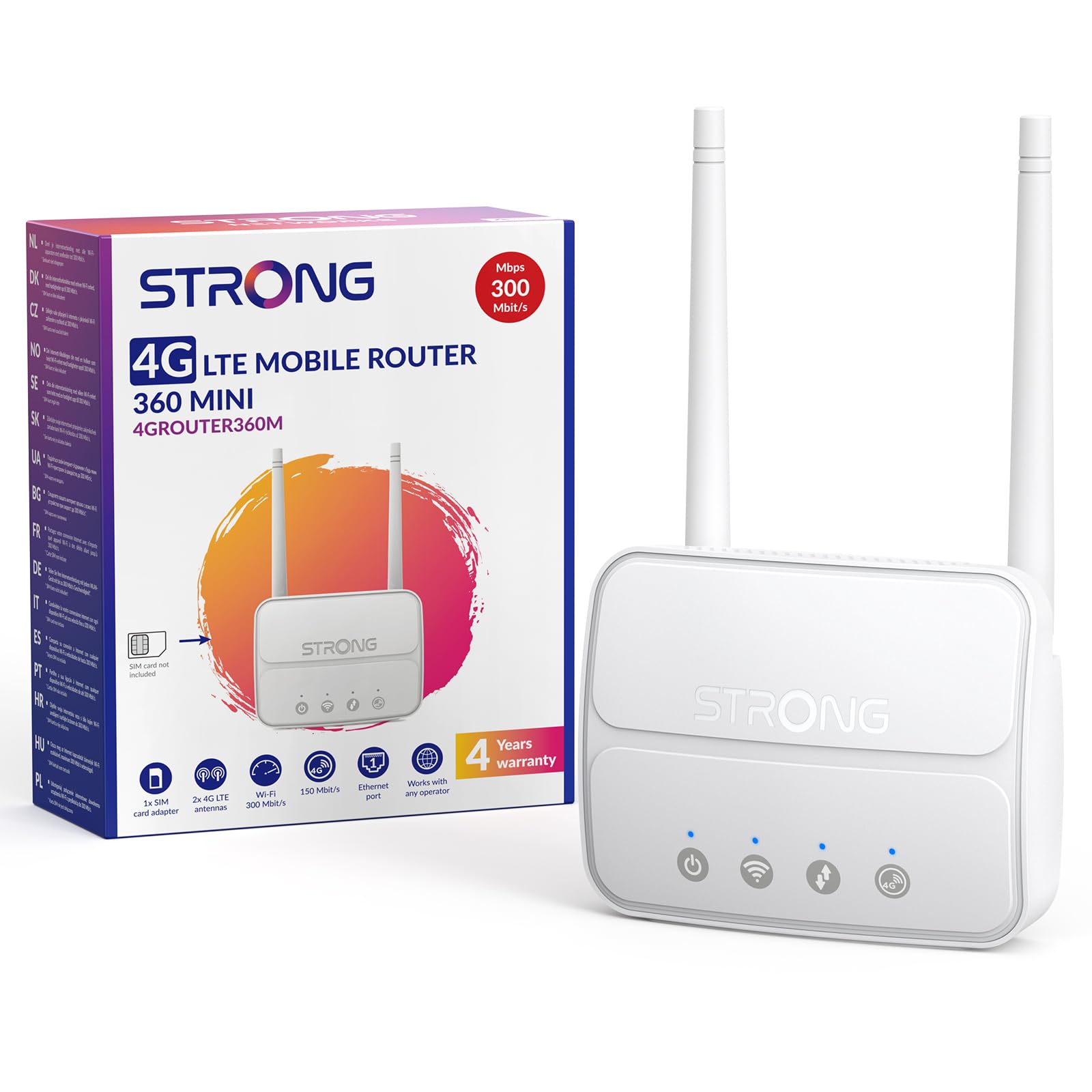
Image 1: The Strong 4G LTE N300 WiFi Router, a compact device with two external antennas for enhanced signal reception.
2. Que hai na caixa
Revisa coidadosamente o contido do paquete. Se falta algún elemento ou está danado, ponte en contacto co servizo de atención ao cliente.
- Strong 4G LTE N300 WiFi Router
- Antenas externas (2 unidades)
- Cable Ethernet RJ45
- Fonte de alimentación externa
- Nano to Micro SIM Card Adapter
- Guía de instalación rápida
- Safety and Warranty Card
3. Guía de configuración
Follow these steps for a quick and easy setup of your Strong 4G LTE N300 WiFi Router.
3.1. Prepare Your SIM Card
Before inserting your SIM card, ensure that any PIN protection is disabled. You can do this by inserting the SIM card into a smartphone and disabling the PIN request through the phone's settings.
3.2. Insert the SIM Card
- Localiza a ranura para a tarxeta SIM no enrutador.
- If you have a Nano SIM, use the provided Nano to Micro SIM adapter to fit it into the standard SIM slot.
- Gently insert the prepared SIM card into the slot until it clicks into place.
3.3. Attach External Antennas
Screw the two external 4G antennas onto the designated connectors at the back of the router. Adjust their orientation for optimal signal reception.
3.4. Acenda o enrutador
Connect the external power supply to the router's DC-in port and then plug it into a power outlet. The router will automatically power on and begin the startup sequence.
3.5. Connect to the Network (Plug & Play)
The router is designed for Plug & Play operation. Once powered on and with a valid SIM card, it will automatically connect to the 4G LTE network. You can then connect your devices via Wi-Fi or Ethernet.

Image 2: Visual guide for SIM card insertion and powering on the router for instant connection. The image also shows the SIM card slot supporting standard, micro, and nano SIMs with an adapter.
3.6. Accedendo ao Web Interface
Para a configuración avanzada e a xestión da rede, acceda á sección do enrutador web interface escribindo 192.168.188.1 no teu web browser's address bar. Refer to the Quick Installation Guide for default login credentials.
4. Instrucións de funcionamento
This section details how to use your Strong 4G LTE N300 WiFi Router for optimal performance.
4.1. Dispositivos de conexión
The router supports connections for up to 32 devices simultaneously.
- Conexión Wi-Fi: Locate the Wi-Fi network name (SSID) and password printed on the label at the bottom of the router. Select this network on your device and enter the password to connect.
- Conexión Ethernet: Use an RJ45 Ethernet cable to connect devices such as PCs, game consoles, or Smart TVs to the router's 100 Mbps LAN port for a stable wired connection.
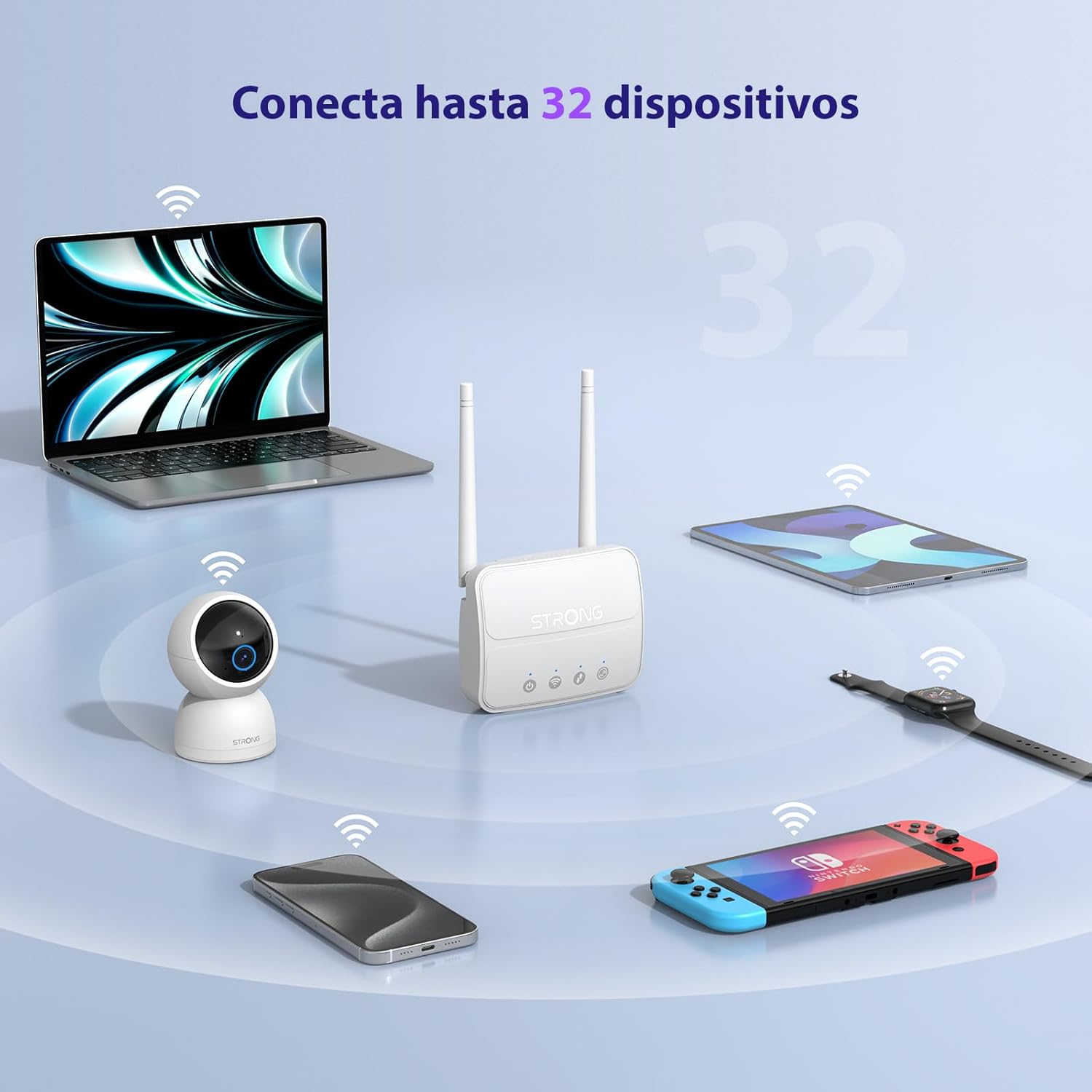
Image 3: The router connecting various devices including laptops, tablets, smartphones, and gaming consoles, demonstrating its capacity for up to 32 simultaneous connections.
4.2. Network Management and Security
O enrutador ofrece funcións de seguridade robustas para protexer a túa rede:
- Cifrado WPA/WPA2: Ensures secure wireless communication.
- PIN Control: Manage SIM card PIN settings.
- Filtrado MAC: Control which devices can connect to your network based on their MAC addresses.
- Advanced Firewall Settings: Customize firewall rules for enhanced protection.
All these settings can be managed through the easy-to-use web interface (192.168.188.1).

Image 4: A user managing network settings on a laptop, illustrating the router's WPA/WPA2 encryption and PIN control features for secure network management.
5. Mantemento
Un mantemento axeitado garante a lonxevidade e o rendemento óptimo do teu router.
- Limpeza: Usa un pano suave e seco para limpar o exterior do router. Non empregues produtos de limpeza líquidos nin aerosois.
- Colocación: Coloque o router nunha zona ben ventilada, lonxe da luz solar directa, de fontes de calor e de campos electromagnéticos fortes.
- Actualizacións de firmware: The router features a USB port specifically for firmware updates. Regularly check the Strong official website for the latest firmware versions to ensure improved performance and security. Follow the instructions provided with the firmware update package carefully.
6 Solución de problemas
Se tes problemas co teu enrutador, consulta os seguintes pasos comúns para a resolución de problemas:
- Sen conexión a Internet:
- Ensure the SIM card is correctly inserted and has an active data plan.
- Verify that the SIM card's PIN protection is disabled.
- Check the signal strength indicators on the router. If the signal is weak, try adjusting the external antennas or relocating the router.
- Reinicie o enrutador desconectando e volvendo conectar o adaptador de corrente.
- Wi-Fi Not Visible or Connecting:
- Ensure the Wi-Fi function is enabled (check the router's LED indicators).
- Verify you are entering the correct Wi-Fi password (SSID and password are on the router's label).
- Try connecting a device via Ethernet to confirm the router has internet access.
- Velocidades lentas:
- Check the 4G signal strength. Weak signal can lead to slower speeds.
- Asegúrate de que ningunha outra aplicación ou dispositivo estea a consumir un ancho de banda excesivo.
- Consider the number of connected devices; the router supports up to 32, but performance may vary with heavy usage.
- Non se pode acceder Web Interface:
- Ensure your device is connected to the router's network (Wi-Fi or Ethernet).
- Confirm you are typing the correct IP address: 192.168.188.1.
- Proba con outro web navegador.
If these steps do not resolve the issue, please contact Strong customer support.
7. Especificacións
Detailed technical specifications for the Strong 4G LTE N300 WiFi Router (Model 4GROUTER360M).
| Característica | Especificación |
|---|---|
| Marca | Forte |
| Nome do modelo | 4 GROUTER 360M |
| Tecnoloxía de conectividade | 4G, Ethernet, LTE, Wi-Fi |
| Estándar sen fíos | 802.11n (N300 Mbps) |
| Velocidade 4G LTE | Up to 150 Mbps (Cat4) |
| Portos Ethernet | 1 x 100 Mbps LAN Port |
| Ranura para tarxeta SIM | Standard (2FF), includes Nano to Micro adapter |
| Tipo de antena | 2 x External, Detachable 4G Antennas; 2 x Internal Wi-Fi Antennas |
| Máximo de dispositivos conectados | Ata 32 |
| Características de seguridade | WPA/WPA2 Encryption, PIN Control, MAC Filtering, Firewall |
| Sistema Operativo | StrongOS |
| Dimensións (paquete) | 18.1 x 15.6 x 7.3 cm |
| Peso do produto | 204 g |
| Fonte de alimentación | Adaptador de enerxía externo |
| Características especiais | Secure Network Management, Plug & Play, Connect up to 32 devices, USB port for firmware updates |
8. Garantía e soporte
Strong is committed to providing reliable products and excellent customer service.
8.1. Información da garantía
Your Strong 4G LTE N300 WiFi Router comes with a 4-year protection plan, ensuring long-term peace of mind. Please refer to the included Safety and Warranty Card for detailed terms and conditions.
8.2. Atención ao cliente
For any technical assistance, troubleshooting, or warranty inquiries, please contact our expert support team:
- Correo electrónico: support_at@strong-eu.com
Our support team offers solid service and extended coverage to assist you.

Image 5: Visual representation of Strong's reliable support, highlighting the 4-year protection and contact email for assistance.


