
1. Introdución
Thank you for choosing the RDINSCOS MT35 Pinless Moisture Meter. This device is designed for non-destructive moisture detection in various building materials and wood types. It provides relative moisture values to help identify damp or wet areas without causing damage to surfaces. Please read this manual thoroughly before use to ensure proper operation and to maximize the lifespan of your device.

Image: The RDINSCOS MT35 Pinless Moisture Meter being used to check moisture levels on a wall.
2. Información de seguridade
- Manteña o dispositivo lonxe da auga e da humidade elevada para evitar danos.
- Non intente abrir nin modificar o dispositivo. As reparacións só deben ser realizadas por persoal cualificado.
- Evite expoñer o dispositivo a temperaturas extremas ou á luz solar directa durante períodos prolongados.
- This device uses electromagnetic field (EMF) technology. While generally safe, keep it away from sensitive electronic equipment or medical implants if you have concerns.
- Ensure the device is fully charged before use for accurate readings.
3. Produto rematadoview e Compoñentes
The RDINSCOS MT35 is a versatile pinless moisture meter featuring a large LCD display, audible alarm, and a rechargeable battery. It is designed for non-destructive measurement up to 19mm deep.
Compoñentes incluídos:
- 1 x RDINSCOS MT35 Moisture Meter
- 1 x Manual de usuario
- 1 x bolsa de almacenamento
- 1 x cable de datos USB
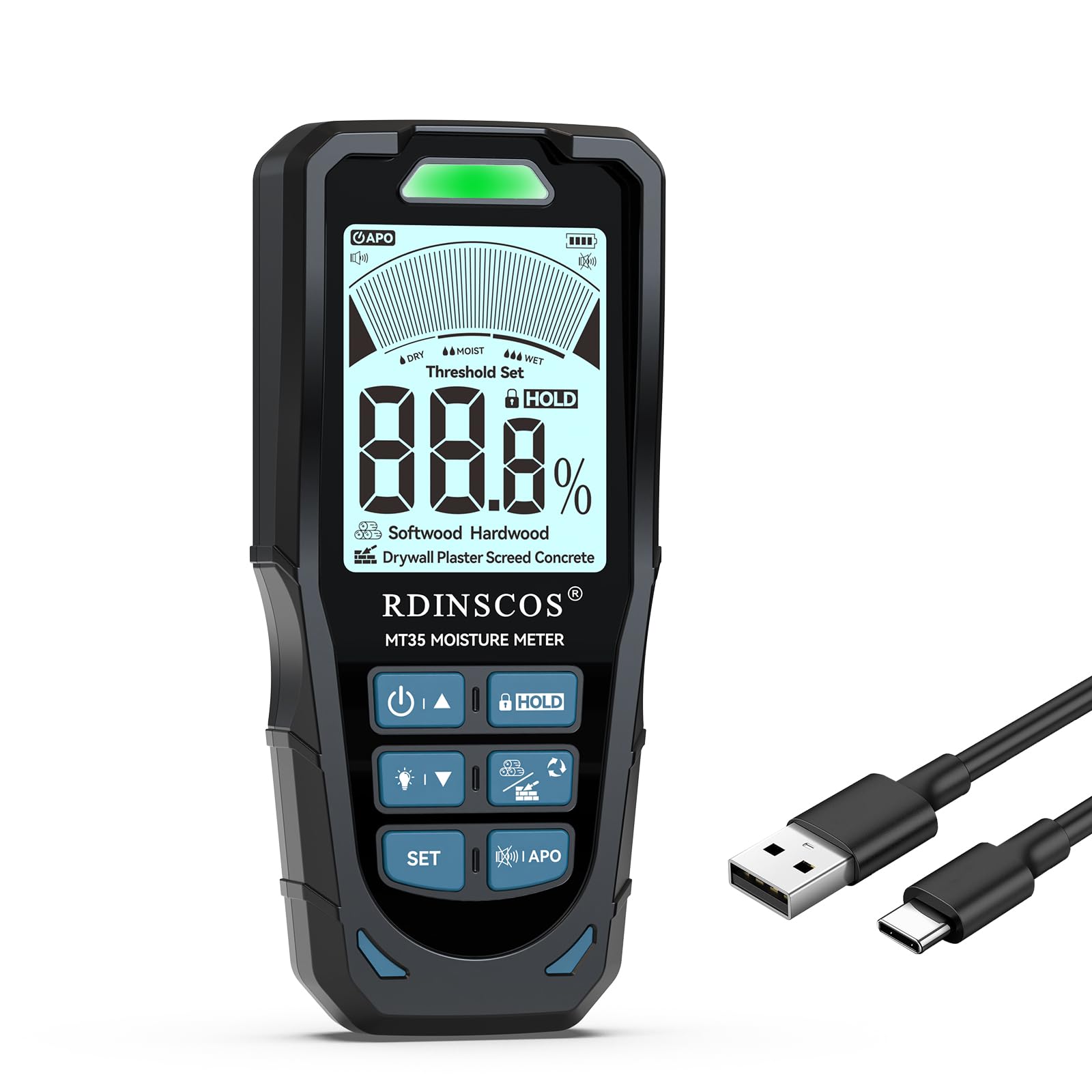
Image: The RDINSCOS MT35 Pinless Moisture Meter, its USB charging cable, and a storage bag.
4. Configuración
Cargando a batería:
- Connect the provided USB data cable to the charging port on the MT35 meter.
- Conecta o outro extremo do cable USB a un adaptador de corrente USB estándar (non incluído) ou a un porto USB do ordenador.
- The battery indicator on the LCD display will show charging status. A full charge typically provides up to 8 hours of continuous use.
5. Instrucións de funcionamento
Encendido/apagado:
- Manteña premido o botón de acendido (U/A) para acender ou apagar o dispositivo.
- The device features an auto-shutdown function to conserve battery power after a period of inactivity.
Selección do modo de medición:
The MT35 offers 6 different measurement modes for various materials. Press the MODO para percorrer as seguintes opcións:
- Madeira blanda: For low-density woods (e.g., Agba, Balsa, Cedar, Fir, Lauan).
- Madeira dura: For higher-density woods (e.g., Alder, Bloodwood, Rosewood).
- Panel de yeso: Specifically for gypsum board.
- Xeso: For medium-density materials with easy water absorption (density range 1.2-1.8g/cm³).
- Sola: For high-density and low water absorption materials (density range 1.8-2.4g/cm³).
- Concreto: For very high-density and low water absorption materials (density range 2.4-3.0g/cm³).


Imaxe: Examples of material types for mode selection, including softwood and drywall.


Imaxe: Examples of material types for mode selection, including screed and general wood applications.
Toma de medidas:
- Select the appropriate material mode for the surface you are testing.
- Place the sensor pad of the meter flat against the surface to be measured. Ensure full contact.
- The meter will display a relative moisture value on the LCD screen. The measurement depth is up to 19mm.
- Avoid placing the meter over metal or wires within the material, as this can interfere with readings.

Image: A user holding the MT35 meter against a wall surface to take a measurement.

Image: A diagram illustrating the effective measurement depth of 19mm and how metal or wires can influence readings.
Understanding Readings and Alarm Function:
The MT35 provides relative moisture values. The LCD display shows the percentage, and LED indicators (green, orange, red) along with an audible buzzer signal the moisture level:
- Verde: Dry conditions.
- Laranxa: Damp condicións.
- Vermello: Wet or high-risk conditions, accompanied by an audible alarm.

Image: The MT35 display showing a 1.3% moisture reading on plaster, indicating dry conditions with a green LED.
Customizing Alarm Thresholds:
You can set custom low and high alarm thresholds for each material mode.
- Despois de acender, prema o botón SET botón.
- Use o up (U/A) e abaixo (V/T) buttons to adjust the LOW and HIGH alarm thresholds.
- Preme SET again to save your settings and return to the testing interface.

Image: A user adjusting the alarm threshold settings on the MT35 meter.

Image: A table detailing recommended moisture level ranges for Dry, Moist, and Wet conditions across various materials like Drywall, Plaster, Screed, Concrete, Softwood, and Hardwood.
6. Mantemento
- Limpeza: Limpe o dispositivo cun pano suave e seco. Non empregue produtos de limpeza abrasivos nin disolventes.
- Almacenamento: Store the meter in its protective bag in a cool, dry place when not in use. Avoid areas with high humidity or extreme temperatures.
- Coidado da batería: Recharge the battery regularly, even if the device is not used frequently, to maintain battery health. Avoid fully discharging the battery for extended periods.
7 Solución de problemas
| Problema | Causa posible | Solución |
|---|---|---|
| O dispositivo non se acende. | Batería baixa ou esgotada. | Cargue o dispositivo mediante o cable USB proporcionado. |
| Lecturas inexactas ou inconsistentes. | Incorrect material mode selected. Presence of metal/wires within the material. Sensor not making full contact. | Ensure the correct mode is selected. Reposition the meter to avoid metal. Ensure the sensor pad is flat against the surface. |
| Audible alarm sounds continuously. | Moisture level exceeds the set high threshold. | Check the moisture reading on the display. Adjust alarm thresholds if desired (refer to Section 5). |
| A pantalla está escura ou ilexible. | Backlight is off or battery is low. | Press the backlight button (if available) to activate. Charge the battery. |
8. Especificacións
| Característica | Detalle |
|---|---|
| Número de modelo | MT35 |
| Tipo de medida | Pinless, Non-destructive |
| Measurement Depth | Ata 19 mm (0.75 polgadas) |
| Modos de medición | 6 (Softwood, Hardwood, Drywall, Plaster, Screed, Concrete) |
| Mostrar | LCD de 2.9 polgadas con retroiluminación |
| Batería | 1200mAh Lithium Polymer (rechargeable via USB) |
| Duración da batería | Ata 8 horas de uso |
| Alarma | Audible alarm with customizable thresholds, LED indicators (Green, Orange, Red) |
| Apagado automático | Si |
| Peso do elemento | 9.3 onzas |
| Dimensións do paquete | 6.93 x 3.31 x 1.57 polgadas |
| Fabricante | SHENZHEN REDDRAGON INSTRUMENTS CO.,LTD |
9. Garantía e soporte
RDINSCOS products are manufactured to high-quality standards. For warranty information, technical support, or service inquiries, please refer to the contact details provided with your purchase documentation or visit the official RDINSCOS websitio. Garde o comprobante de compra para reclamacións de garantía.