
GOBOULT Tuff Hawk Smart Watch User Manual
Model: Tuff Hawk
Introdución
This manual provides essential instructions for setting up, operating, and maintaining your GOBOULT Tuff Hawk Smart Watch. Please read this guide thoroughly before using your device to ensure optimal performance and longevity.

Image: The GOBOULT Tuff Hawk Smart Watch, highlighting its design and features.
O que hai na caixa
Verifica que todos os elementos estean presentes na embalaxe do teu produto:
- GOBOULT Tuff Hawk Smart Watch
- Cable de carga
- Manual do usuario (este documento)
Configuración
1. Carga do reloxo intelixente
Before initial use, fully charge your GOBOULT Tuff Hawk Smart Watch. Connect the provided charging cable to the charging port on the watch and a compatible USB power source. A full charge takes approximately 150 minutes.

Image: The GOBOULT Tuff Hawk Smart Watch connected to its charging cable, illustrating the charging process and battery indicator.
2. Acendido/apagado
To power on the watch, press and hold the Power button until the screen illuminates. To power off, press and hold the Power button, then select "Power Off" on the screen.
3. Emparellamento co teu teléfono intelixente
The GOBOULT Tuff Hawk Smart Watch uses Bluetooth 5.3 for connectivity. Follow these steps to pair your watch with your smartphone:
- Asegúrate de que o reloxo estea cargado e acendido.
- Activa o Bluetooth no teu smartphone.
- Download and install the companion application (refer to the watch screen or packaging for app name) from your phone's app store.
- Abre a aplicación e segue as instrucións que aparecen na pantalla para engadir o teu dispositivo.
- Select "GOBOULT Tuff Hawk" from the list of available Bluetooth devices in the app to establish a one-click connection.

Image: The GOBOULT Tuff Hawk Smart Watch showing an incoming call notification, demonstrating its Bluetooth calling feature with a dedicated speaker and microphone.
Funcionamento do reloxo intelixente
1. Pantalla e navegación
The watch features a 1.39-inch TFT HD display with a 240x240 resolution and 450 nits brightness for clear visuals. Navigate the interface using the touchscreen or the working crown.
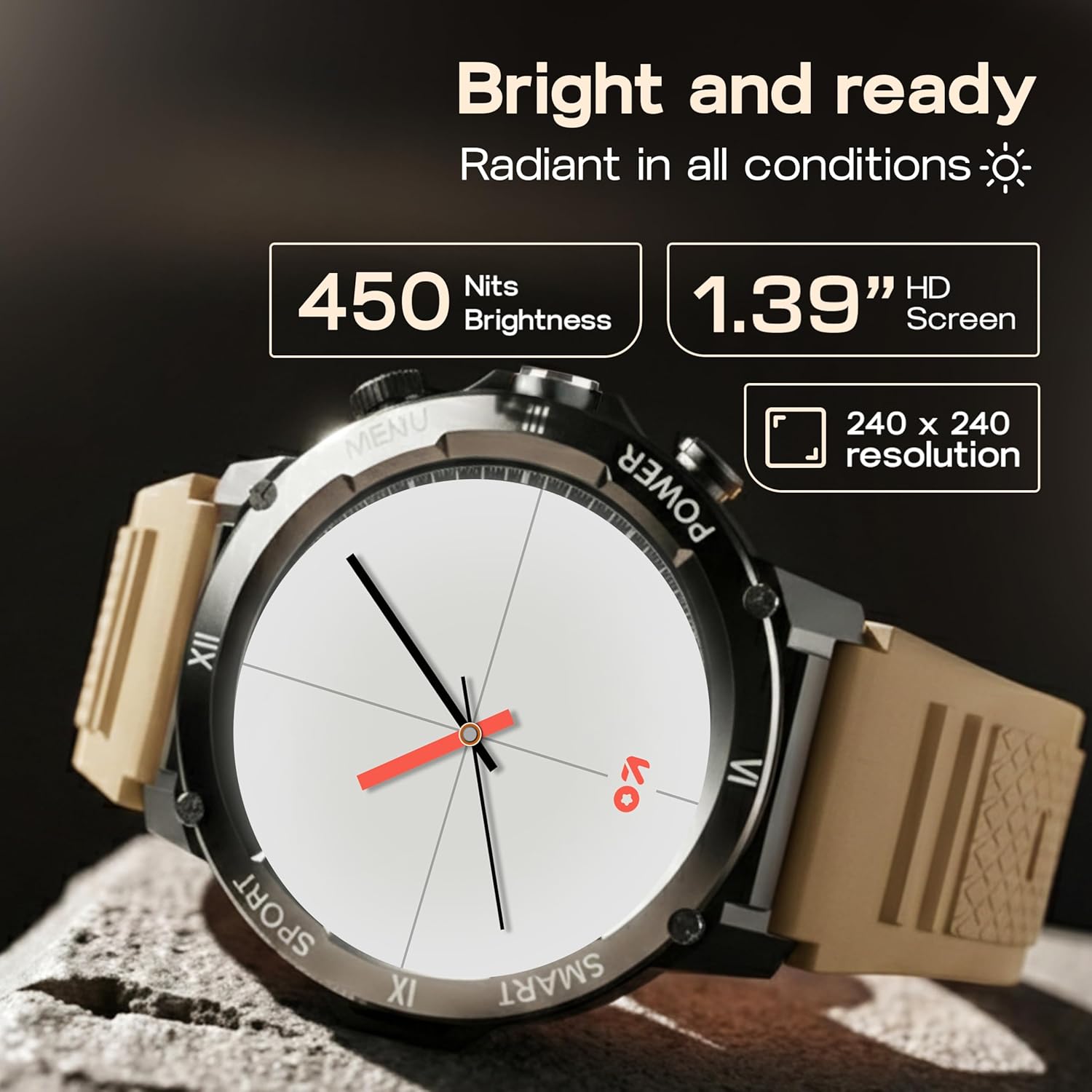
Image: Close-up of the GOBOULT Tuff Hawk Smart Watch display, highlighting its 1.39-inch HD screen, 240x240 resolution, and 450 nits brightness.
2. Using the Working Crown
Rotate the working crown to scroll through menus, lists, and adjust settings effortlessly. Press the crown to select items or return to the home screen.

Image: The GOBOULT Tuff Hawk Smart Watch interface with app icons, demonstrating how to use the rotating working crown for navigation.
3. Chamadas por Bluetooth
With Bluetooth 5.3 and a single-chip design, the Tuff Hawk Smart Watch allows you to make and receive calls directly from your wrist. It includes a dedicated speaker and microphone for clear communication.
4. Asistente de voz con IA
Access your AI Voice Assistant (compatible with Google Assistant and Siri) directly from your watch. Simply activate the feature and speak your commands for hands-free assistance.
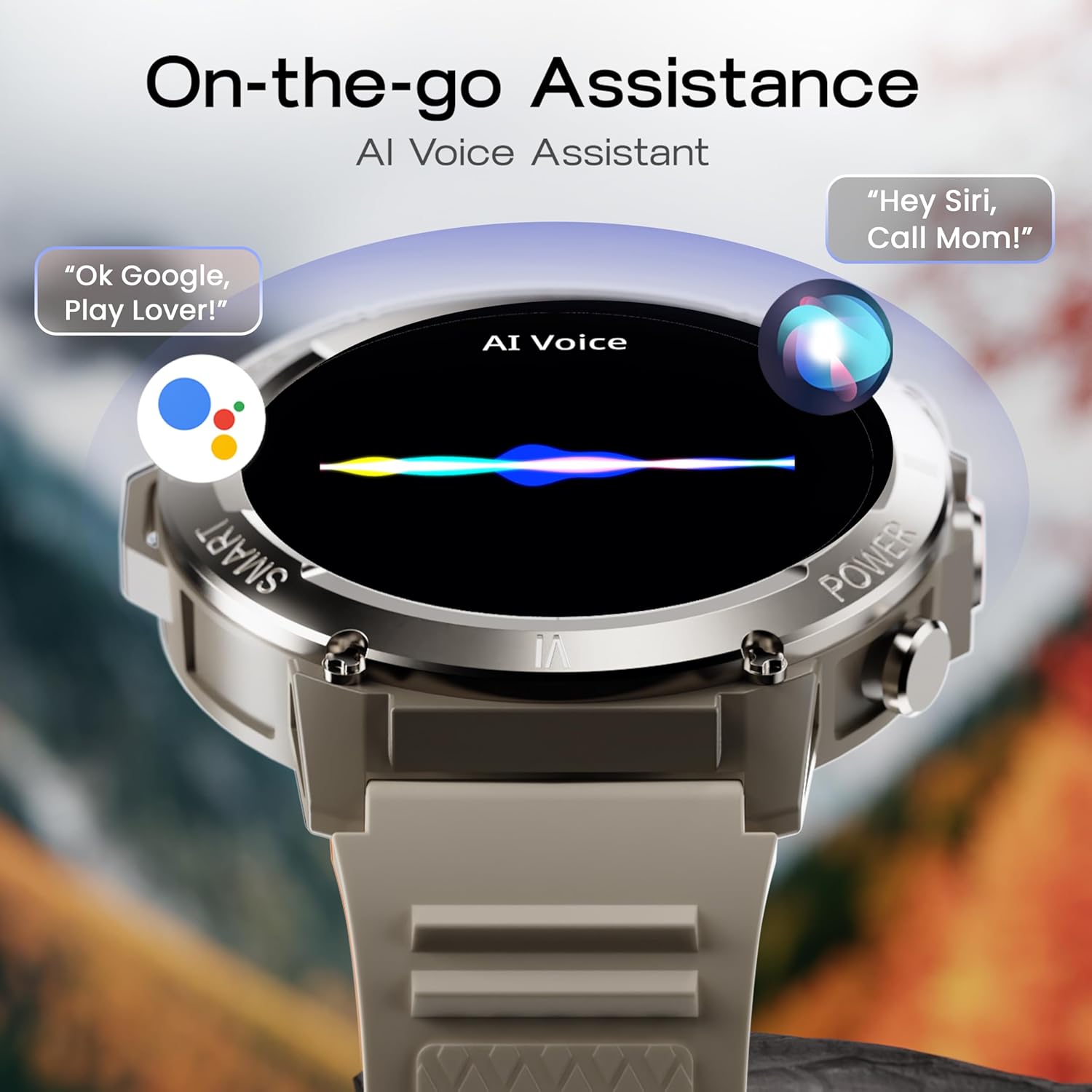
Image: The GOBOULT Tuff Hawk Smart Watch screen showing the AI Voice Assistant in action, with examples of voice commands for Google Assistant and Siri.
5. Sports Modes and Health Tracking
The watch supports over 120 sports modes for various activities. It also provides comprehensive health monitoring features:
- Monitor de presión arterial: Fai un seguimento dos teus niveis de presión arterial.
- Monitor de frecuencia cardíaca: Continuously monitor your heart rate.
- Monitor de sono: Analiza os teus patróns de sono.
- Monitor de SpO2: Mide a saturación de osíxeno no sangue.
- Seguidor de actividades: Records steps taken, calories burned, and distance covered.
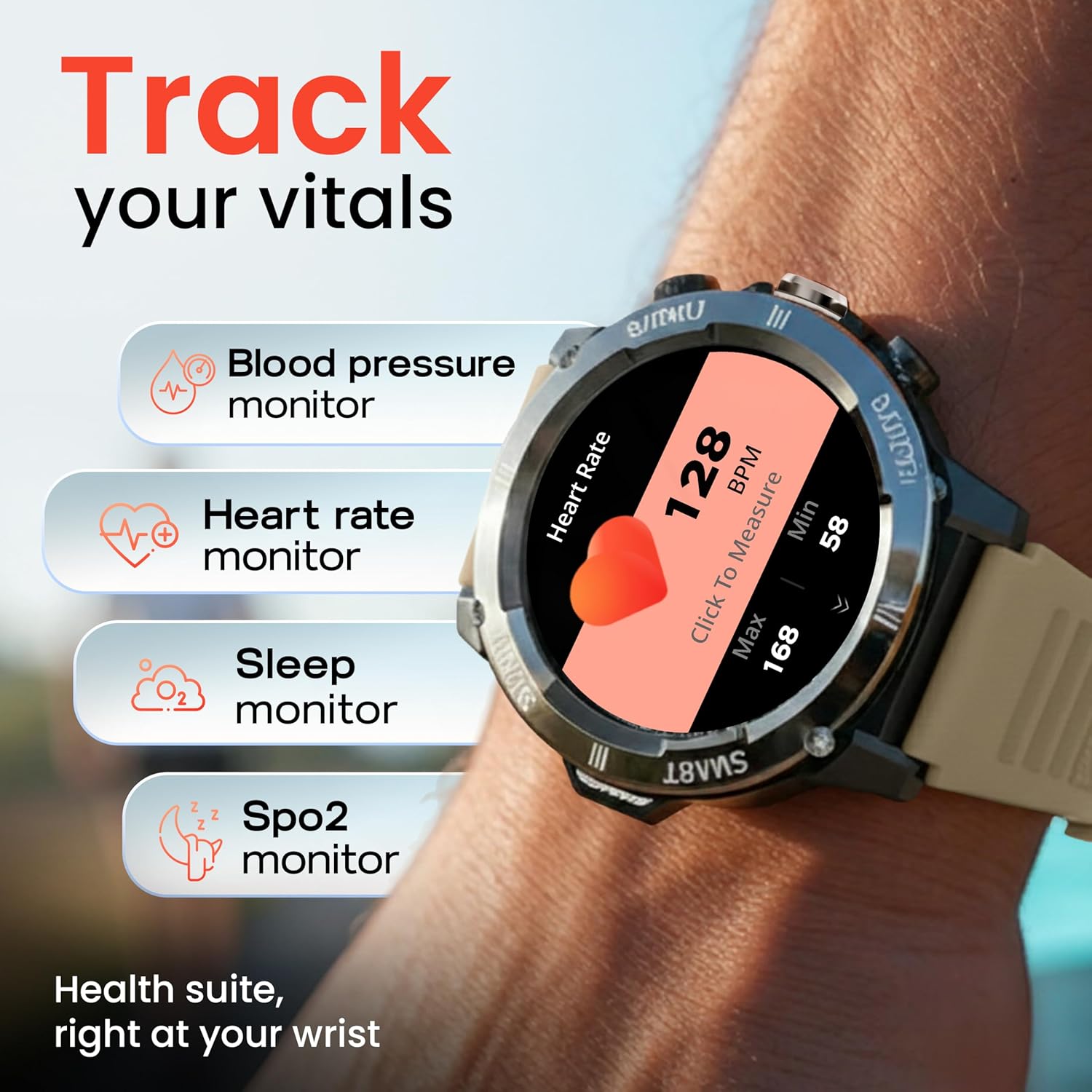
Image: The GOBOULT Tuff Hawk Smart Watch displaying various health tracking features such as blood pressure, heart rate, sleep, and SpO2 monitoring.

Image: The GOBOULT Tuff Hawk Smart Watch on a user's wrist, illustrating the availability of over 120 sports modes for diverse activities.
6. Esferas de reloxo
Personalize your watch with over 150 available watch faces to match your style or activity.

Image: The GOBOULT Tuff Hawk Smart Watch showcasing a selection of over 150 customizable watch faces.
7. Dedicated Flashlight
Activate the quick access flashlight feature for instant illumination when needed.

Imaxe: Primeiro plano view of the GOBOULT Tuff Hawk Smart Watch demonstrating its dedicated flashlight feature, providing instant light.
8. Características adicionais
O reloxo inclúe varias funcións útiles:
- Atopar o meu teléfono: Localiza o teu teléfono intelixente emparellado.
- Reloxo Mundial: View time in different time zones.
- Weather Details: Obtén información meteorolóxica actual.
- Control remoto da cámara: Controla a cámara do teu teléfono de forma remota.
- Calculadora: Realiza cálculos básicos.

Image: The GOBOULT Tuff Hawk Smart Watch screen showing the 'Find My Phone' feature, alongside icons for world clock, weather details, remote camera, and calculator.
Mantemento
1. Resistencia á auga
The GOBOULT Tuff Hawk Smart Watch is IP68 water resistant, making it suitable for rain, dust, and rugged outdoor conditions. It can withstand immersion up to 1.5 meters. Avoid prolonged exposure to hot water or steam.

Image: The GOBOULT Tuff Hawk Smart Watch partially submerged in water, highlighting its IP68 water resistance for protection against rain and dust.
2. Limpeza
Limpe o reloxo e a correa regularmente cun pano suave e seco. Se é necesario, use un pano lixeiramente seco.amp un pano e xabón suave e, a seguir, seque ben. Evite produtos químicos agresivos ou materiais abrasivos.
3. Almacenamento
When not in use for extended periods, store the watch in a cool, dry place. Ensure it is partially charged to prevent battery degradation.
Resolución de problemas
1. O reloxo non se acende
- Ensure the watch is fully charged. Connect it to the charging cable and allow it to charge for at least 30 minutes before attempting to power on again.
- Manteña premido o botón de acendido durante 10-15 segundos para realizar un reinicio forzado.
2. Non se pode emparellar co teléfono intelixente
- Asegúrate de que o Bluetooth estea activado no teu teléfono intelixente e no reloxo.
- Make sure the watch is within the Bluetooth range of your phone (typically 10 meters).
- Reinicia o teu smartphone e o reloxo.
- Clear the Bluetooth cache on your phone or forget the device and try pairing again.
- Asegúrate de que a aplicación complementaria estea actualizada á última versión.
3. Datos sanitarios inexactos
- Asegúrate de levar o reloxo ben axustado ao pulso, pero non demasiado axustado.
- Limpa o sensor que está na parte traseira do reloxo.
- Evitar movementos excesivos durante as medicións.
- Note that the watch is not a medical device; readings are for reference only.
4. Duración curta da batería
- Reduce o brillo da pantalla.
- Desactivar as notificacións innecesarias.
- Limite a monitorización continua da frecuencia cardíaca ou outras funcións intensivas.
- Asegúrate de que o reloxo estea completamente cargado cada vez.
Especificacións
| Característica | Detalle |
|---|---|
| Nome do modelo | Tuff Hawk |
| Tamaño de visualización | 1.39 polgadas |
| Tipo de visualización | TFT |
| Resolución | 240x240 |
| Maximum Display Brightness | 450 nits |
| Tecnoloxía de conectividade | Bluetooth 5.3 |
| Composición da pila da batería | Polímero de litio |
| Tempo de carga da batería | 150 minutos |
| Duración da batería | Ata 7 días |
| Clasificación de resistencia á auga | IP68 (1.5 Metres depth) |
| Material do caso | Zink Alloy |
| Material da banda | Silicona |
| Peso | 48 gramos |
| Entrada da interface humana | Touchscreen, Working Crown |
| Tipo de controlador | Asistente de Google, Siri |
| Métricas medidas | Blood Oxygen (SpO2), Calories Burned, Sleep Duration, Step Count |
| Dispositivos compatibles | Android, iOS Smartphones |
| Contido da caixa | Cable de carga, manual de usuario |
Garantía e Soporte
Información da garantía
Your GOBOULT Tuff Hawk Smart Watch comes with a 1 ano de garantía do fabricante desde a data de compra. Esta garantía cobre defectos de fabricación. Conserve o comprobante de compra para reclamacións de garantía.
Atención ao cliente
For technical assistance, warranty claims, or product inquiries, please contact GOBOULT customer support. Refer to the product packaging or the official GOBOULT websitio para obter a información de contacto máis actualizada.
Fabricante: Exotic Mile Private Limited, Boult Audio, B-67 Wazirpur Industrial Area, New Delhi 110052
