
1. Introdución
Thank you for choosing the GOBOULT Tenet TWS Earbuds. This manual provides essential information to help you set up, operate, and maintain your earbuds for an optimal audio experience. Please read this manual thoroughly before use and retain it for future reference.
O que hai na caixa
- GOBOULT Tenet TWS Earbuds (Left and Right)
- Estuche de carga
- Cable de carga USB tipo C
- Almofadas para os oídos (varios tamaños)
- Manual de usuario
- Tarxeta de garantía
2. Produto rematadoview
Familiarize yourself with the components of your GOBOULT Tenet TWS Earbuds and charging case.
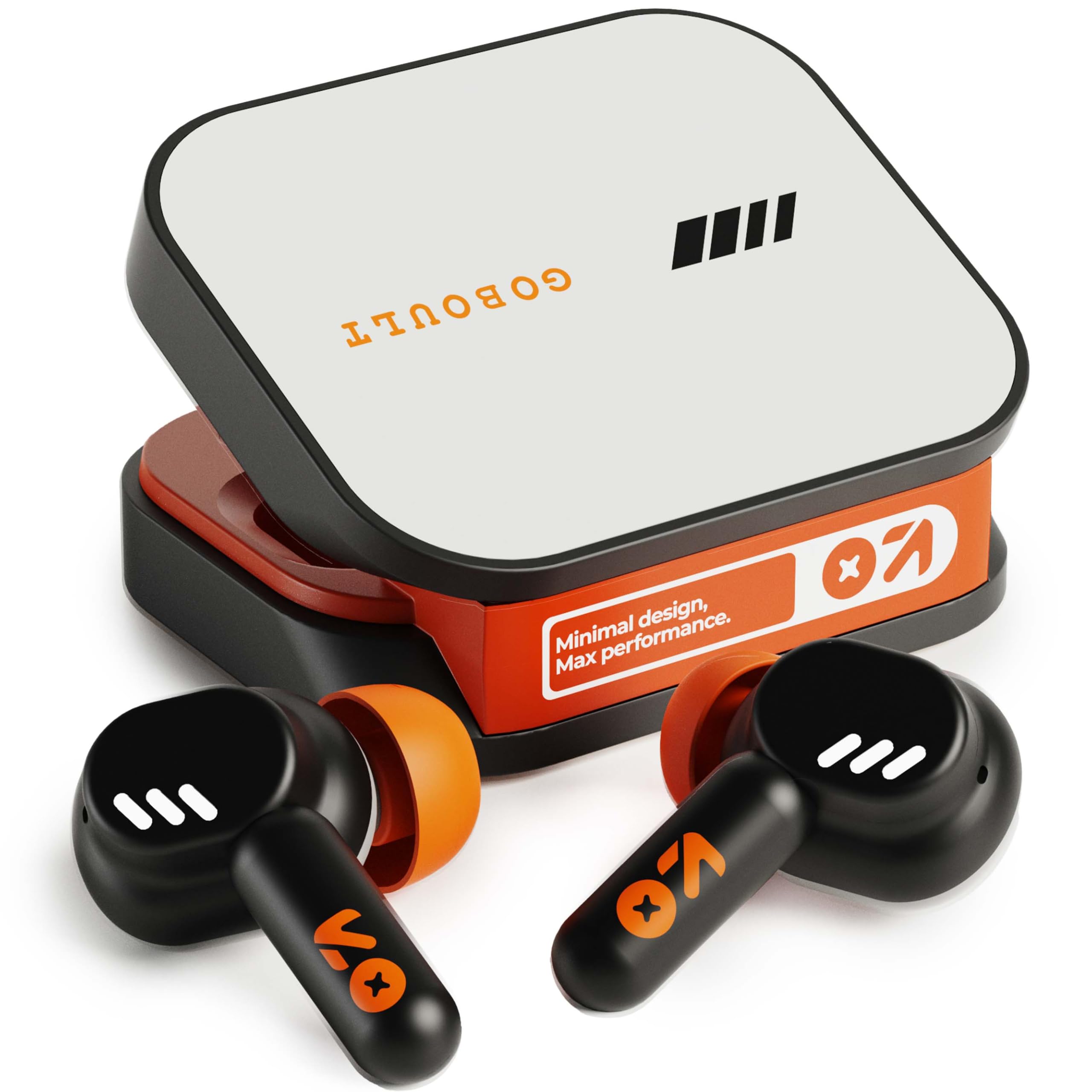
Image: GOBOULT Tenet TWS Earbuds in their charging case, showcasing the Turbo Orange color variant.

Imaxe: Varios views of the GOBOULT Tenet charging case, highlighting its minimal design and Type-C charging port.
Características clave
- 75 horas de reprodución total: Duración prolongada da batería para un uso prolongado.
- Carga rápida: 10 minutes of charge provides up to 120 minutes of playtime.
- Amp Soporte da aplicación: Customize EQ settings and controls via the dedicated application.
- ENC de micrófono cuádruple: Cancelación de ruído ambiental para chamadas nítidas.
- Controladores dinámicos de 13 mm: Delivers deep bass and balanced audio.
- Conectividade dobre dispositivo: Seamlessly switch between two paired devices.
- Bluetooth 5.4: Stable connection with low latency.
- Resistente á auga IPX5: Splash and sweat-ready design.
3. Configuración
3.1 Carga dos auriculares e da funda
Antes do primeiro uso, carga completamente os auriculares e a caixa de carga.
- Coloca os auriculares na caixa de carga. Asegúrate de que estean correctamente asentados.
- Connect the USB Type-C charging cable to the charging port on the case and plug the other end into a power source.
- O indicador LED da carcasa mostrará o estado de carga. Unha vez que estea completamente cargada, o indicador cambiará ou apagarase dependendo do modelo.
Carga rápida: A 10-minute charge provides approximately 120 minutes of playtime.

Image: The GOBOULT Tenet earbuds in their charging case, connected via a Type-C cable, illustrating the charging process and fast charging capability.
3.2 Emparejamento cun dispositivo
For first-time use, follow these steps to pair your earbuds with your device.
- Abre a caixa de carga. Os auriculares acenderanse automaticamente e entrarán no modo de emparellamento.
- No teu dispositivo (teléfono intelixente, tableta, portátil), activa o Bluetooth.
- Busca available Bluetooth devices and select "GOBOULT Tenet" from the list.
- Unha vez conectado, unha mensaxe de voz confirmará o emparellamento correcto.
Conectividade dobre dispositivo: The earbuds support simultaneous connection to two devices. After pairing with the first device, disable Bluetooth on it. Pair with the second device. Then, re-enable Bluetooth on the first device. The earbuds should now be connected to both, allowing seamless switching.

Image: The GOBOULT Tenet earbuds and case positioned between a smartphone and a laptop, illustrating the dual device connectivity feature.
4. Instrucións de funcionamento
4.1 Encendido/apagado
- Encendido: Abre a caixa de carga ou mantén premida a zona táctil de ambos auriculares durante 3 segundos.
- Apagado: Volva colocar os auriculares na caixa de carga e peche a tapa ou prema prolongadamente a zona táctil de ambos auriculares durante 5 segundos.
4.2 Controis táctiles
The GOBOULT Tenet earbuds feature intuitive touch controls for various functions.

Image: A close-up of an earbud in an ear, detailing the touch control functions for music, calls, and activation of AI assistance.
| Función | Acción |
|---|---|
| Reproducir/Pausa música | Toca un só auricular en calquera dos auriculares |
| Próxima pista | Toca dúas veces no auricular dereito |
| Pista anterior | Toca dúas veces no auricular esquerdo |
| Responder/Finalizar chamada | Toca un só auricular en calquera dos auriculares |
| Rexeitar a chamada | Prema longamente en calquera dos auriculares durante 2 segundos |
| Activar o asistente de voz (Siri/Asistente de Google) | Toque tres veces en calquera dos auriculares |
| Toggle Gaming Mode (Combat Mode) | Quadruple tap on either earbud |
4.3 GOBOULT Amp Soporte de aplicacións
Enhance your listening experience by downloading the GOBOULT Amp App. The app allows for personalized audio settings and controls.
- Custom EQ Modes: Axusta as frecuencias de audio segundo as túas preferencias.
- Rename Earbuds: Personalize the Bluetooth name of your earbuds.
- Tailored Widgets: Access quick controls and information.
- Water Ejection: Utilize this feature to clear water from the earbuds after exposure.

Image: A smartphone displaying the GOBOULT Amp App interface with equalizer settings, alongside the earbuds, demonstrating app customization.
4.4 Uso dos auriculares
Para unha calidade de son e unha comodidade óptimas, asegúrate de que se axuste correctamente.
- Select the ear tips that best fit your ear canal. Experiment with different sizes for the best seal.
- Gently insert the earbud into your ear, then twist it slightly to secure a snug fit. The "Vacuum Lock Earshell" design is engineered for an air-tight seal.

Image: Diagrams and an illustration showing the proper way to wear the GOBOULT Tenet earbuds for a secure and comfortable fit, highlighting the Vacuum Lock Earshell technology.
4.5 Combat Gaming Mode (Low Latency)
Activate Combat Gaming Mode for a low-latency audio experience, ideal for gaming.
- Activación: Toca cuádruple en calquera dos auriculares.
- This mode reduces audio delay to approximately 45ms, providing synchronized sound with on-screen action.
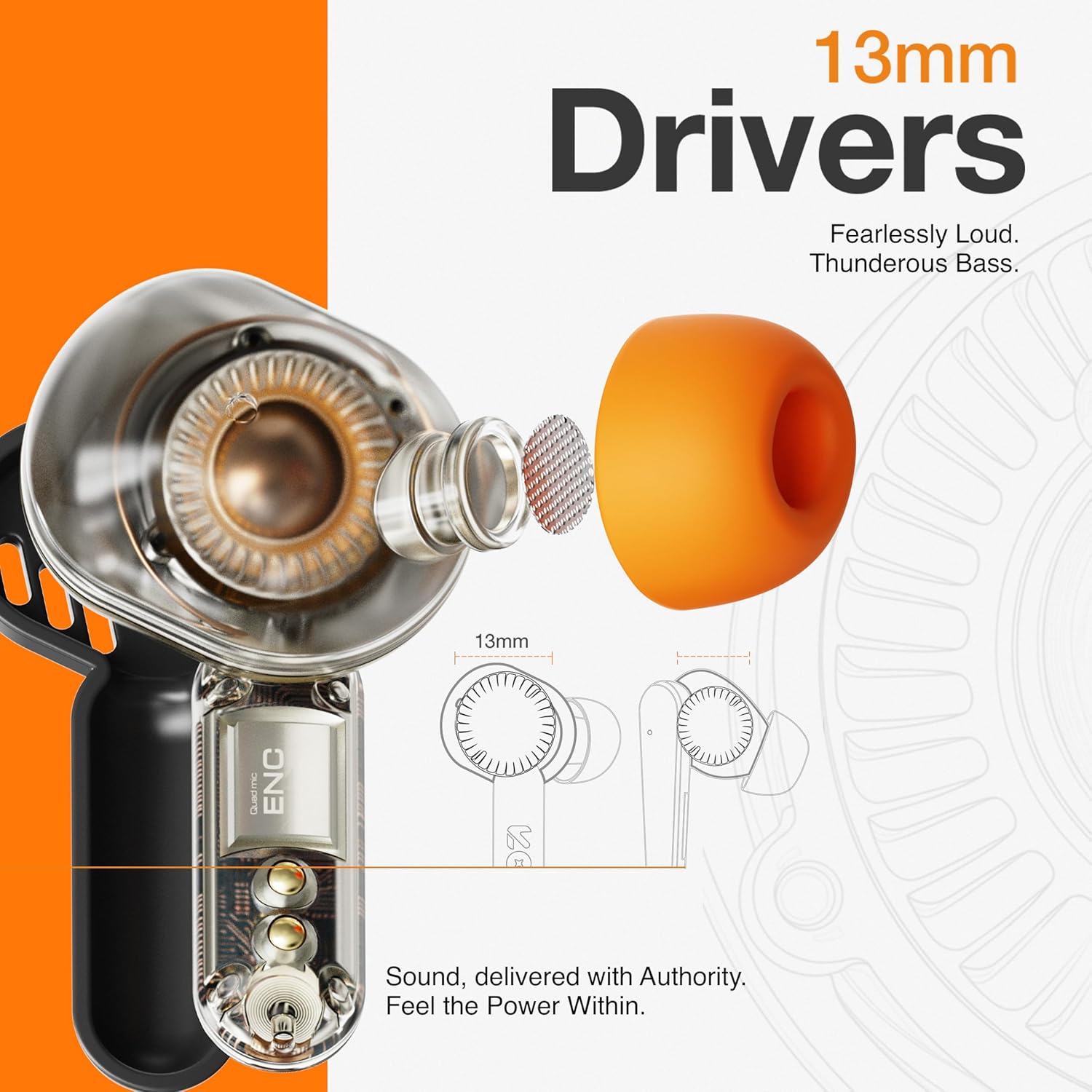
Image: The GOBOULT Tenet earbuds and charging case next to a smartphone and game controller, illustrating Bluetooth 5.4 connectivity and the 45ms ultra-low latency Combat Gaming Mode.
5. Mantemento
5.1 Limpeza
Unha limpeza regular axuda a manter a calidade do son e a hixiene.
- Usa un pano suave, seco e sen fiapos para limpar os auriculares e a funda de carga.
- Retire as almofadas dos oídos e límpeas con auga e xabón suave, logo séqueas ben antes de volvelas colocar.
- Use a cotton swab or a small, soft brush to gently clean the speaker mesh and charging contacts.
- Evite o uso de materiais abrasivos, alcol ou produtos de limpeza químicos.
5.2 Almacenamento
Cando non estean en uso, garde os auriculares no seu estoxo de carga para protexelos e mantelos cargados.
- Gardar nun lugar fresco e seco, lonxe de temperaturas extremas e da luz solar directa.
5.3 Resistencia á auga
The GOBOULT Tenet earbuds are IPX5 water resistant, meaning they are protected against low-pressure water jets from any direction. This makes them suitable for workouts and light rain.
- Non mergulles os auriculares na auga.
- A caixa de carga non é resistente á auga.
- If earbuds get wet, dry them thoroughly before placing them back in the charging case.
6 Solución de problemas
If you encounter issues with your earbuds, refer to the following common solutions.
| Problema | Solución |
|---|---|
| Os auriculares non se emparejan | Ensure earbuds are charged. Turn off and on Bluetooth on your device. Forget "GOBOULT Tenet" from your device's Bluetooth list and re-pair. |
| Só funciona un auricular | Place both earbuds back in the case, close the lid, then open again. Ensure both earbuds are charged. Perform a factory reset if the issue persists. |
| Volume baixo ou mala calidade de son | Adjust volume on both earbuds and your connected device. Ensure ear tips provide a snug fit. Clean earbud speaker meshes. Check EQ settings in the Amp Aplicación. |
| Os auriculares non se cargan | Ensure charging cable is securely connected. Check if the charging port is clean. Verify the power source is working. Ensure earbuds are correctly seated in the case. |
| A conectividade cae con frecuencia | Ensure your device is within the 10-meter Bluetooth range. Avoid obstacles between earbuds and device. Disconnect from other Bluetooth devices. |
6.1 Restablecemento de fábrica
If issues persist, a factory reset may resolve them. Refer to the specific reset procedure in the Amp App or contact customer support.
7. Especificacións
Technical specifications for the GOBOULT Tenet TWS Earbuds.
| Característica | Detalle |
|---|---|
| Marca | GOBOULT |
| Nome do modelo | Tenet (Airbass Earbuds) |
| Colocación do oído | En Orella |
| Control de ruído | Environmental Noise Cancellation (ENC), Sound Isolation |
| Versión Bluetooth | 5.4 |
| Alcance Bluetooth | 10 metros |
| Tamaño do controlador de audio | 13 milímetros |
| Resposta en frecuencia | 20 Hz - 20,000 Hz |
| Duración media da batería | 75 horas (tempo de reprodución total) |
| Tempo de carga da batería | 10 Minutes (for 120 mins playtime) |
| Método de control | Toca |
| Nivel de resistencia á auga | IPX5 (resistente á auga) |
| Dispositivos compatibles | Desktops, Gaming Consoles, Laptops, Smart Watch, Tablets |
| Peso do elemento | 54.5 Grams (Carrying Case Weight) |
| Material do recinto | Plástico |
8. Garantía e soporte
8.1 Información da garantía
The GOBOULT Tenet TWS Earbuds come with a Garantía do fabricante de 1 anos desde a data de compra. Esta garantía cobre defectos de fabricación. Conserve o comprobante de compra para reclamacións de garantía.
A garantía non cobre os danos causados por mal uso, accidentes, modificacións non autorizadas ou desgaste normal.
8.2 Atención ao cliente
For any product-related queries, technical assistance, or warranty claims, please contact GOBOULT customer support through the official websitio web ou a información de contacto que aparece na tarxeta de garantía.
