
Introdución
The LOFREE Pudding Dual Mode Wireless Mouse (Model OE929) is designed for versatile use across various operating systems and devices. It offers both Bluetooth and 2.4G wireless connectivity, adjustable DPI settings, and a comfortable, ergonomic design. This manual provides instructions for setup, operation, maintenance, and troubleshooting to ensure optimal performance of your device.
Contido do paquete
- LOFREE Pudding Dual Mode Wireless Mouse
- Receptor USB (2.4G)
- Charging Cable (USB-C to USB-A, typically)
- Manual de usuario
Produto rematadoview
The LOFREE Pudding mouse features a unique transparent texture and an ergonomic design for comfortable use. It includes an adjustable ambient light feature and a scroll wheel with integrated button functionality.

Imaxe: The LOFREE Pudding mouse showcasing its high transparency texture and sleek design.

Imaxe: A hand holding the LOFREE Pudding mouse, illustrating its comfortable, skin-like touch and ergonomic grip.
Configuración
1. Cargar o rato
Before first use, ensure the mouse is fully charged. Connect the provided charging cable to the mouse's charging port and to a USB power source. The ambient light may indicate charging status (e.g., breathing light while charging, solid when full).

Imaxe: The LOFREE Pudding mouse, highlighting its approximately 100 hours of battery life on a single charge.
2. Dual-Mode Connection
The mouse supports two wireless connection methods: 2.4G via USB receiver and Bluetooth.
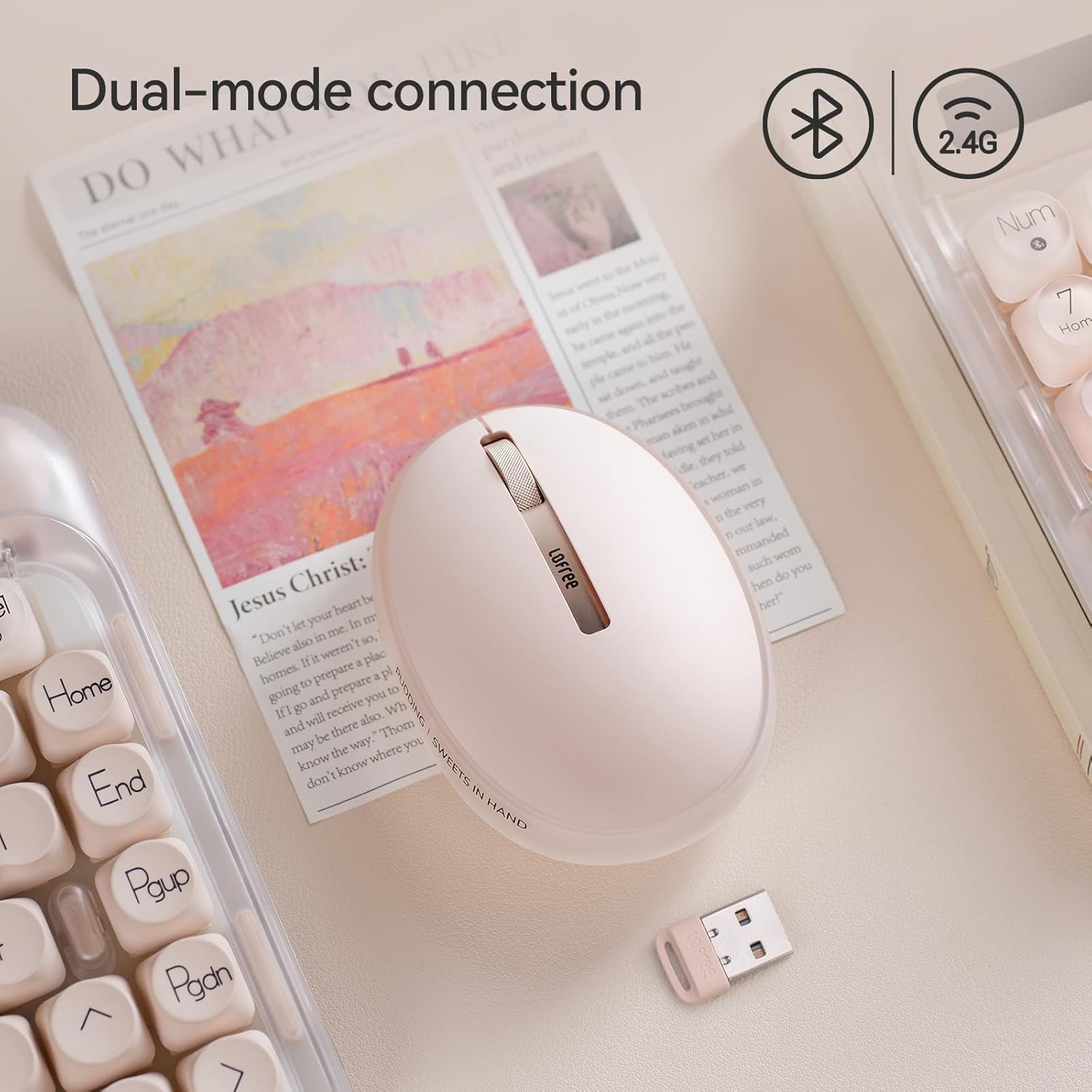
Imaxe: The LOFREE Pudding mouse demonstrating its dual-mode connection capability, supporting both Bluetooth and 2.4G wireless technologies.
2.1. Conexión sen fíos 2.4G
- Locate the USB receiver, typically stored in a compartment on the mouse or in the packaging.
- Conecte o receptor USB a un porto USB dispoñible no seu ordenador.
- Acenda o rato. O ordenador debería detectar e instalar automaticamente os controladores necesarios.
- Nota: For systems below Windows 7, the 2.4G connection is recommended as Bluetooth mode may not be supported.
2.2. Conexión Bluetooth
- Asegúrate de que o Bluetooth do teu dispositivo estea activado.
- Switch the mouse to Bluetooth mode (refer to the mouse's bottom switch or button for mode selection).
- On your device, search for Bluetooth devices. The mouse should appear as "LOFREE Pudding Mouse" or similar.
- Selecciona o rato para emparellalo. Sigue as instrucións que aparecen na pantalla para completar o proceso de emparellamento.
3. Compatibilidade
The LOFREE Pudding mouse is compatible with a wide range of operating systems and devices, including:
- Windows (Windows 7 and above for Bluetooth)
- macOS
- iOS
- Android
- PC, Mac, Laptop, and other compatible devices.
Instrucións de funcionamento
1. Axustar os niveis de DPI
The mouse features 5 adjustable DPI levels to suit different tasks and preferences. You can cycle through these settings by pressing the DPI button, usually located near the scroll wheel or on the bottom of the mouse.
- Configuración de DPI dispoñible: 600, 800, 1200, 1600, 3600.
- Press the DPI button to switch between levels. The mouse cursor speed will change accordingly.

Imaxe: A hand demonstrating the adjustment of DPI levels on the LOFREE Pudding mouse, with available settings of 600, 800, 1200, 1600, and 3600.
2. Ambient Light Modes
The mouse is equipped with an adjustable ambient light feature, offering two modes:
- Constant Always On: The light remains steadily illuminated.
- Modo de respiración: The light gently pulses on and off.
To switch between these modes, refer to the dedicated light control button or combination of buttons on the mouse. In dormant state, the ambient light will turn off and can be reactivated by clicking any button on the mouse.

Imaxe: The LOFREE Pudding mouse displaying its adjustable ambient light feature, with options for "Always On" or "Breathing" modes.
3. Xestión de enerxía
The mouse is designed to conserve battery life. It will enter a dormant state after a period of inactivity, turning off the ambient light. To wake the mouse, simply click any button.
Mantemento
1. Limpeza
- Use a soft, dry, lint-free cloth to clean the mouse surface.
- Para a sucidade persistente, d lixeiramenteampgl o pano con auga ou un limpador suave e non abrasivo.
- Evita o uso de produtos químicos agresivos, solventes ou materiais abrasivos, xa que poden danar o acabado do rato.
- Asegúrate de que non entre líquido nos compoñentes internos do rato.
2. Coidado da batería
- Cargue o rato regularmente para manter a batería en bo estado.
- Evite descargar completamente a batería con frecuencia.
- If storing the mouse for an extended period, charge it to approximately 50% to prevent deep discharge.
Resolución de problemas
Mouse Not Responding / Disconnecting
- Comprobar a batería: Ensure the mouse is charged. Connect it to a power source.
- Conexión 2.4G:
- Asegúrate de que o receptor USB estea conectado correctamente a un porto USB que funcione.
- Proba cun porto USB diferente.
- Ensure the mouse is switched to 2.4G mode.
- Conexión Bluetooth:
- Asegúrate de que o Bluetooth estea activado no teu dispositivo.
- Ensure the mouse is switched to Bluetooth mode.
- Unpair and re-pair the mouse from your device's Bluetooth settings.
- Ensure your device's operating system supports Bluetooth for mice (e.g., Windows versions below 7 may have limited support).
- Interferencia: Move the mouse closer to the receiver/device. Avoid using it near other wireless devices that might cause interference.
DPI sen cambios
- Asegúrate de premer o botón de axuste de DPI correcto.
- If the mouse is unresponsive, try restarting it (turn off and on).
Ambient Light Not Working
- Check if the mouse is in a dormant state; click a button to wake it.
- Asegúrese de que a batería estea suficientemente cargada.
- Verify you are using the correct button or combination to cycle through light modes.
Especificacións
| Característica | Detalle |
|---|---|
| Número de modelo | OE929 |
| Tecnoloxía de conectividade | Bluetooth, 2.4G Radio Frequency |
| Tecnoloxía de detección de movemento | Óptica |
| Niveis de DPI | 600, 800, 1200, 1600, 3600 (axustable) |
| Capacidade da batería | 500 mAh |
| Duración da batería | Aproximadamente 100 horas |
| Características especiais | LED Lights (Ambient), Lightweight, Rechargeable, Wireless |
| Compatibilidade | Windows, macOS, iOS, Android (PC, Mac, Laptop) |
| Peso do elemento | 8.9 onzas |
| Dimensións do paquete | 5.2 x 4.13 x 2.4 polgadas |
Garantía e Soporte
LOFREE products are manufactured to high-quality standards. For warranty information, technical support, or service inquiries, please refer to the official LOFREE websitio web ou póñase en contacto directamente co servizo de atención ao cliente. Garde o recibo de compra para reclamacións de garantía.
Para máis información, visite o LOFREE Store on Amazon.


