
1. Introdución
This manual provides detailed instructions for the installation, operation, and maintenance of your Rosewill VNG 650W ATX 3.1 Power Supply. Please read this manual thoroughly before installation and keep it for future reference. The Rosewill VNG 650W is an 80+ Gold Certified, non-modular power supply compatible with ATX 3.0 & 3.1 standards, featuring a 450W PCIe 5.1 12V-2x6 connector for modern graphics cards.
2. Información de seguridade
- Always disconnect the power cord from the wall outlet before installing, removing, or cleaning the power supply.
- Non abra a fonte de alimentación. Alto volumetagHai pezas no interior e non hai pezas que o usuario poida reparar. Abrir a unidade anulará a garantía.
- Ensure the power supply is installed in a well-ventilated area, away from heat sources, direct sunlight, and moisture.
- Use only the cables provided with your power supply. Using third-party cables may cause damage to your system and void the warranty.
- Conecte a fonte de alimentación a unha toma de corrente con conexión a terra.
- Do not force connectors. Ensure proper orientation before plugging in any cables.
3. Contido do paquete
Verifica que todos os compoñentes estean presentes no teu paquete:
- Rosewill VNG 650W Power Supply Unit
- Cable de alimentación de CA
- Parafusos de montaxe
- Manual de usuario
- Bridas para cables (para a xestión de cables)

Figure 3.1: Rosewill VNG 650W Power Supply with its bundled, non-modular cables.
4. Configuración e instalación
Follow these steps to install your Rosewill VNG 650W Power Supply:
- Prepara o teu sistema: Ensure your computer case is open and accessible. Disconnect all power from your existing power supply and remove it if necessary.
- Montar a fonte de alimentación: Carefully slide the Rosewill VNG 650W into the power supply bay of your computer case. Secure it with the provided mounting screws.
- Conectar a alimentación da placa base: Connect the 24-pin ATX motherboard power cable to your motherboard.
- Conectar a alimentación da CPU: Conecta o(s) cable(s) de alimentación da CPU de 4+4 pinos á túa placa base.
- Connect Graphics Card Power: For modern graphics cards, use the dedicated PCIe 5.1 12V-2x6 connector. For older or less demanding cards, use the 6+2 pin PCIe connectors. Ensure all necessary power connectors for your graphics card(s) are securely attached.
- Conectar periféricos: Connect SATA power cables to your storage drives (HDDs/SSDs) and Molex connectors to any other peripherals requiring them.
- Xestión de cables Organize the non-modular cables using the included cable ties to improve airflow and aesthetics within your case.
- Conectar alimentación de CA: Once all internal connections are made, connect the AC power cord to the power supply and then to a grounded wall outlet.
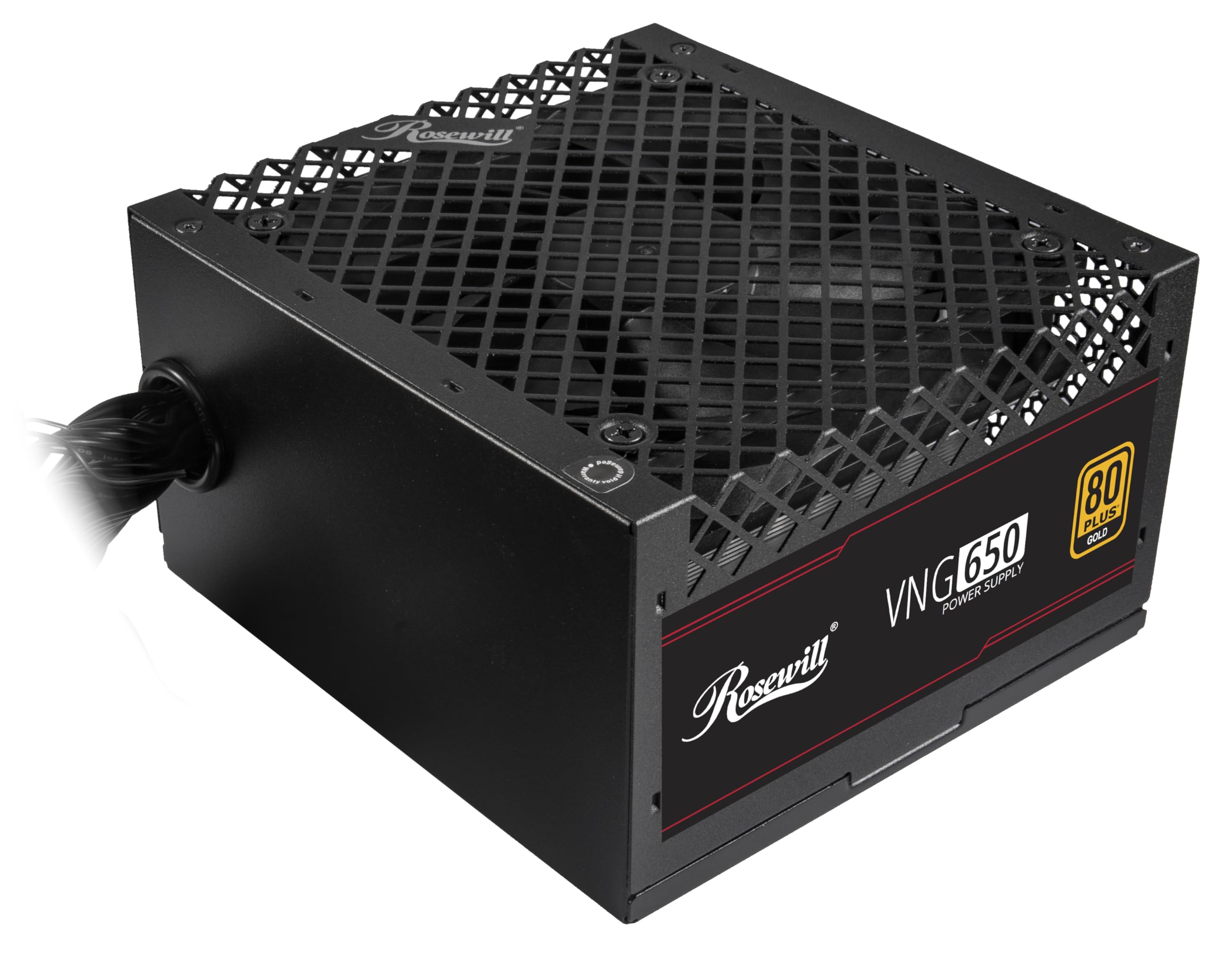
Figure 4.1: Rosewill VNG 650W Power Supply overview.

Figure 4.2: Rear panel with power switch and AC input.

Figure 4.3: Available Power Supply Connectors.
5. Instrucións de funcionamento
Once installed, the Rosewill VNG 650W Power Supply operates automatically. Its 80 PLUS Gold certification ensures high efficiency, converting more AC power into usable DC power and reducing wasted heat. The low-noise design helps maintain a quiet computing environment. The power supply is designed to handle power excursions up to 235% and GPU power excursions up to 300%, providing stable power delivery for demanding components.

Figura 5.1: Arriba view showing the cooling fan.
6. Mantemento
To ensure optimal performance and longevity of your Rosewill VNG 650W Power Supply:
- Mantéñase limpo: Periodically clean the exterior of the power supply and the fan grill with a soft, dry cloth. Use compressed air to gently remove dust from the fan and internal components, ensuring the system is powered off and unplugged before cleaning.
- Garantir un fluxo de aire adecuado: Make sure there is adequate space around the power supply for proper ventilation. Avoid blocking the intake or exhaust vents.
- Comproba as conexións: Occasionally check that all power cables are securely connected to the power supply and your components.
7 Solución de problemas
If you encounter issues with your Rosewill VNG 650W Power Supply, refer to the following common troubleshooting steps:
- Sen enerxía:
- Ensure the AC power cord is securely plugged into both the power supply and a working wall outlet.
- Comprobe que o interruptor de alimentación da parte traseira da fonte de alimentación estea na posición "ON".
- Verify all internal power connections (24-pin, CPU, PCIe) are firmly seated.
- Proba a toma de corrente con outro dispositivo para confirmar que teña corrente.
- Inestabilidade/fallos do sistema:
- Asegúrate de que os requisitos de alimentación do teu sistema non superen a capacidade de 650 W da fonte de alimentación.
- Check for loose power connections to components.
- Monitorear a temperatura do sistema para garantir que os compoñentes non se sobrequenten.
- Ruído inusual:
- A slight fan noise is normal during operation. If the noise is excessive or unusual, ensure the fan is not obstructed by dust or cables.
- Se o ruído persiste, póñase en contacto co servizo de atención ao cliente.
If these steps do not resolve your issue, please refer to the Support section.
8. Especificacións

Figure 8.1: Electrical Specifications Label.
| Característica | Descrición |
|---|---|
| Nome do modelo | VNG650 |
| Marca | Rosewill |
| Dispositivos compatibles | Ordenador persoal |
| Tipo de conector | ATX |
| Potencia de saídatage | 650 vatios |
| Factor de forma | Mini ITX |
| Método de arrefriamento | Aire |
| Dimensións do artigo (L x W x H) | 5.9 x 5.51 x 3.38 polgadas |
| Peso do elemento | 2.8 libras |
| Deseño de fontes de alimentación | Non modular |
| Vol. Máximo de entradatage | 240 voltios (CA) |
| Vol. de entrada mínimotage | 240 voltios (CA) |
| System Bus Connector Type | ATX |
| UPC | 840951136676 |
| Número de peza do fabricante | VNG650 |
9. Información da garantía
The Rosewill VNG 650W Power Supply comes with a 5 anos de garantía do fabricante. Please retain your proof of purchase for warranty claims. For detailed terms and conditions, refer to the official Rosewill websitio ou póñase en contacto co servizo de atención ao cliente.
10. Apoio
For technical assistance, warranty claims, or further inquiries, please visit the official Rosewill website or contact their customer support team. You can often find FAQs and additional resources online.
Rosewill Official Websitio: www.rosewill.com