
1. Introdución
The NGTeco TC4 Fingerprint Time Clock is a cloud-based time attendance system designed for small to medium-sized businesses. It offers precise time tracking, customizable rules, and remote management capabilities via 2.4G WiFi and dedicated iOS/Android applications. This manual provides detailed instructions for the installation, operation, and maintenance of your TC4 device.
2. Información de seguridade
Please read all safety instructions before using the device to prevent damage or injury. Keep the device away from water and extreme temperatures. Do not attempt to disassemble or repair the device yourself. Use only the provided power adapter.
3. Contido do paquete
Verifica que todos os elementos estean presentes no teu paquete:
- NGTeco TC4 Fingerprint Time Clock Device
- Adaptador de alimentación
- Ferraxes de montaxe (tornillos, ancoraxes de parede)
- Guía de inicio rápido
4. Produto rematadoview
The NGTeco TC4 is a digital time clock featuring a large display and fingerprint recognition for accurate employee attendance tracking. It integrates with a cloud-based system for remote management and data synchronization.
Características principais:
- Precise Time Tracking: Eliminates inaccuracies with smart clock-in/out windows.
- Customizable Rules: Easily configure breaks, meal times, and overtime rules for various shifts.
- Cloud Access & Real-time Sync: Manage attendance from anywhere via mobile or web with 2.4G WiFi.
- Department-Specific Management: Create custom attendance rules for different teams.
- Enterprise Security: Data protected by AWS servers in the USA with end-to-end encryption.
- Lifetime Free Plan: Includes automatic hour calculation and AWS storage. Premium upgrade available for advanced features.
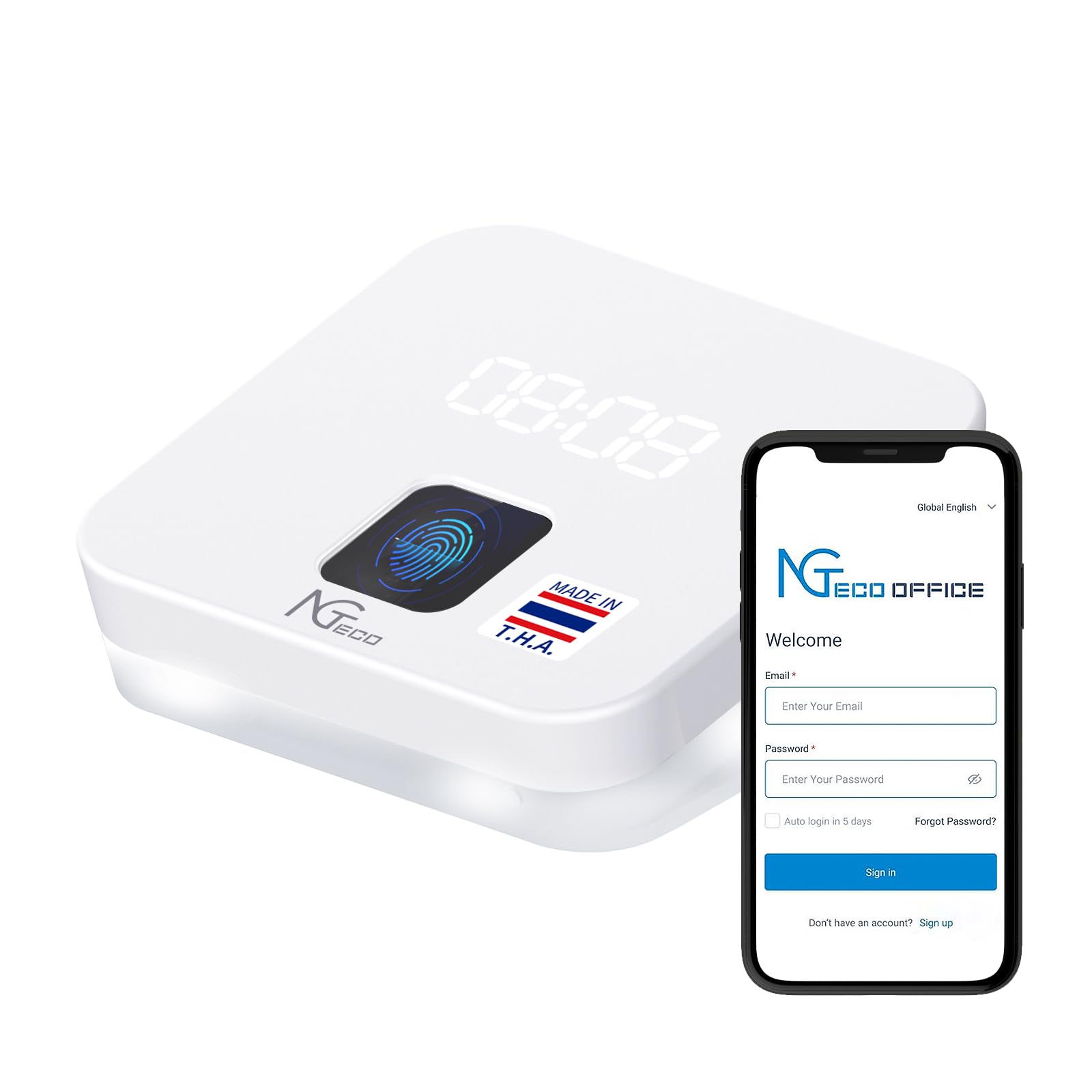
Image: NGTeco TC4 Fingerprint Time Clock device.

Image: NGTeco Office basic functions, including automatic hour calculation, flexible shifts, blacklist control, free cloud storage, meal/overtime recording, and scheduled report sending.

Imaxe: Máis deview of the NGTeco Office cloud attendance system, highlighting multi-device management, remote attendance viewing, software updates, mobile clock-in, permanent cloud storage, and compatibility with admin/employee apps.

Image: Comparison showing the stability, security, and reliability of the NGTeco cloud system powered by AWS Cloud, contrasting it with unstable Bluetooth-based systems.
5. Configuración
Follow these steps for a quick and easy setup of your NGTeco TC4 device and cloud system:
- Add Site: Create your company site within the NGTeco Office platform.
- Create Device: Register your TC4 device to the created site.
- Add Employee: Input employee details and assign them to departments.
- Add Timesheet: Define work schedules, breaks, and overtime rules.
- Add Schedule: Assign specific timesheets to employees.

Image: Visual representation of the 5 simple steps for quick setup: Add Site, Create Device, Add Employee, Add Timesheet, and Add Schedule.
6. Instrucións de funcionamento
6.1 Cloud Access and Real-time Synchronization
Access your attendance dashboard from any location using your mobile device or web browser. The system ensures seamless synchronization of attendance data across all your devices via a reliable 2.4G WiFi connection.

Image: Illustration of cloud control, accessible from mobile and browser, with automatic email delivery and real-time attendance reports.

Imaxe: Panel de control view on web and mobile, showing daily, weekly, and monthly attendance records and management interface.
6.2 Department-Specific Management
Create tailored attendance rules for different teams and manage schedules across departments effortlessly. Monitor employee transfers with a single click for smooth data transitions.
6.3 Customizable Rules and Shift Management
Configure flexible, fixed, or night shifts. Define rules for breaks, meal times, and overtime to match your business needs.

Image: Smart shift and attendance management interface, showing options for fixed shift rules and automatic shift assignment.
6.4 Employee App Usage
Employees can use the dedicated app for clock-in with GPS restriction (Premium feature) and view personal reports.

Image: Employee app interface showing calendar, punch records, and dashboard, with features like GPS clock-in, personal report viewing, and simplified team control.
6.5 Report Generation and Automatic Sending
Generate comprehensive attendance reports with customizable fields. Set up automatic report delivery to streamline payroll processes.

Image: All-in-one attendance reports interface, supporting fixed, flexible, and rotating shifts, managing night schedules, detailed control records, clear hour summaries, and instant exception alerts.

Image: Interface for customizing reports for payroll, allowing users to select fields, save templates, set payment periods, and enable automatic report sending.

Image: Automatic report sending feature, showing a mobile device and laptop displaying attendance reports, emphasizing no manual work.
7. Mantemento
To ensure optimal performance and longevity of your NGTeco TC4 device, follow these maintenance guidelines:
- Limpeza: Gently wipe the device and fingerprint sensor with a soft, dry cloth. Avoid abrasive cleaners or liquids.
- Actualizacións de software: Regularly check for and install software updates through the NGTeco Office platform to ensure the latest features and security patches.
- Copia de seguridade de datos: While data is stored on AWS, it is good practice to periodically export and back up your attendance reports locally.
8 Solución de problemas
If you encounter issues with your NGTeco TC4, refer to the following common problems and solutions:
| Problema | Causa posible | Solución |
|---|---|---|
| Device not connecting to WiFi | Incorrect WiFi password, out of range, 5G network. | Ensure correct 2.4G WiFi password. Move device closer to router. Confirm router is broadcasting 2.4G. |
| Non se recoñece a pegada dixital | Finger wet/dirty, improper placement, fingerprint not enrolled. | Ensure finger is clean and dry. Place finger flat on sensor. Re-enroll fingerprint if issue persists. |
| Difficulty configuring the device/software | Unfamiliarity with the platform, complex rules. | Refer to the setup section (Section 5). Contact NGTeco support for personalized assistance. |
| Low device volume (audio feedback) | Environmental noise, device volume setting. | Adjust device volume settings if available. Consider visual cues (e.g., screen confirmation) for successful punches in noisy environments. |
If the problem persists, please contact NGTeco customer support.
Image: NGTeco support for attendance issues, highlighting quick setup, smart tools, and durable hardware.
9. Especificacións
| Característica | Detalle |
|---|---|
| Marca | NGTeco |
| Modelo | TC4 (NG-TC4) |
| Tipo de visualización | Dixital |
| Característica especial | Pantalla grande |
| Conectividade | WiFi 2.4G |
| Dimensións (ancho x alto) | 5 cm x 2 cm (aproximadamente) |
| Pilas incluídas | Non |
| País de Orixe | China |
10. Garantía e soporte
10.1 Garantía
The NGTeco TC4 device comes with a 1 ano de garantíaConserva o comprobante de compra para reclamacións de garantía.
10.2 Apoio
NGTeco offers comprehensive customer support to assist you with any questions or issues. Our support team is available 5 days a week and provides quick responses, often within hours.
- Pre-purchase Consultation: Get answers to your questions before buying.
- Asistencia Técnica: Receive help with setup, configuration, and troubleshooting.
- One-on-One Support: Personalized assistance to resolve complex issues.
- Personalized Configuration Tips: Adjustments based on your team's schedule.
- Free Lifetime Plan: Enjoy essential features including automatic hour calculation and AWS storage without monthly fees.
For support, please visit the official NGTeco websitio web ou póñase en contacto connosco a través das canles proporcionadas.

Image: NGTeco support services, emphasizing friendly and real-time assistance, quick responses, one-on-one support, and personalized configuration tips.


