
Introdución
Thank you for choosing the OneOdio Focus A1Pro Wireless On-Ear Headphones. This manual provides detailed instructions for setting up, operating, maintaining, and troubleshooting your new headphones. Please read this manual thoroughly before use to ensure optimal performance and longevity of your device.
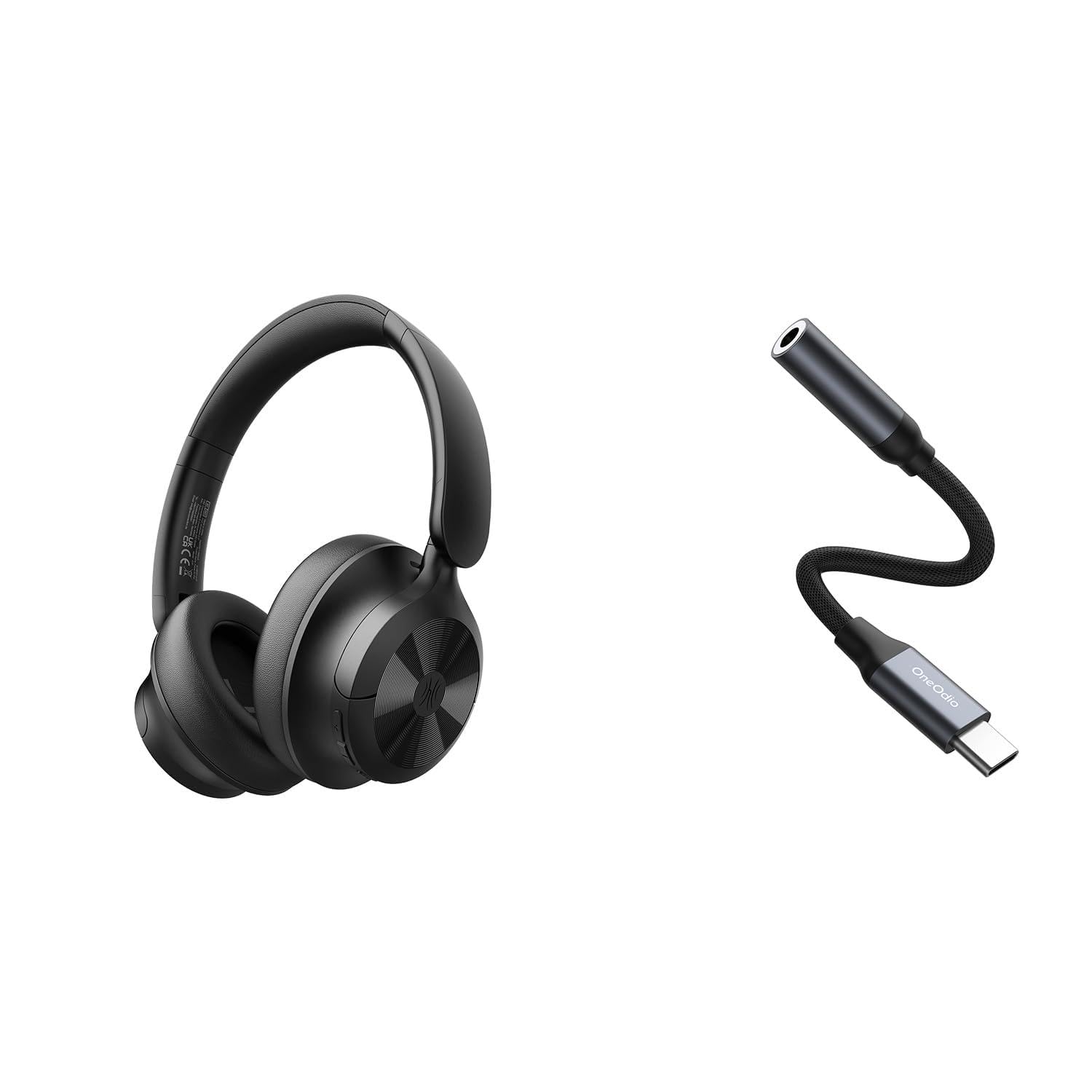
Image: OneOdio Focus A1Pro Wireless On-Ear Headphones. This image displays the headphones in their typical on-ear design, showcasinos auriculares e a diadema.
Contido do paquete
Comprobe se o paquete contén os seguintes elementos:
- OneOdio Focus A1Pro Wireless On-Ear Headphones
- Adaptador de audio USB-C a 3.5 mm
- Cable de carga USB-C
- Bolsa de transporte
- Manual de usuario (este documento)
Configuración
1. Carga dos auriculares
Before first use, fully charge the headphones. Connect the USB-C charging cable to the charging port on the headphones and the other end to a USB power source (e.g., computer USB port, wall adapter). The LED indicator will show charging status and turn off or change color when fully charged.

Image: Close-up of the USB-C charging port on the OneOdio Focus A1Pro headphones, with a charging cable connected.
2. Acendido/apagado
- Para acender: Press and hold the Multi-function button for approximately 3 seconds until the LED indicator flashes blue.
- Para apagar: Press and hold the Multi-function button for approximately 3 seconds until the LED indicator flashes red and then turns off.
3. Emparellamento Bluetooth
- Asegúrese de que os auriculares estean apagados.
- Press and hold the Multi-function button for 5-7 seconds until the LED indicator flashes red and blue alternately. This indicates pairing mode.
- No teu dispositivo (teléfono intelixente, tableta, ordenador), activa o Bluetooth e busca os dispositivos dispoñibles.
- Select "OneOdio A1Pro" from the list of found devices.
- Unha vez conectado, o indicador LED parpadeará azul lentamente.
- If a password is required, enter "0000".
Os auriculares tentarán reconectarse automaticamente co último dispositivo emparellado ao acenderse.
4. Wired Connection (using USB-C to 3.5mm Audio Adapter)
For a wired connection, use the provided USB-C to 3.5mm audio adapter. This allows you to connect the headphones to devices with a standard 3.5mm audio jack.
- Plug the USB-C end of the adapter into the USB-C port on the headphones.
- Plug the 3.5mm end of the adapter into the 3.5mm audio jack of your audio source device.
- Ensure the headphones are powered off for wired mode to function correctly and conserve battery.

Image: The OneOdio Focus A1Pro headphones connected to an audio source via the USB-C to 3.5mm audio adapter.
Instrucións de funcionamento
Máis controisview
The headphones feature intuitive controls located on the earcup. Familiarize yourself with these buttons for seamless operation.

Image: Diagram showing the location and function of control buttons on the OneOdio Focus A1Pro headphones, including volume, multi-function, and ANC buttons.
Reprodución de música
- Reproducir/Pausa: Prema o botón multifunción unha vez.
- Próxima pista: Manteña premido o botón para subir o volume durante 2 segundos.
- Pista anterior: Manteña premido o botón para baixar o volume durante 2 segundos.
- Subir volume: Press the Volume Up button briefly.
- Baixar volume: Press the Volume Down button briefly.
Xestión de chamadas
- Responder/Finalizar chamada: Prema o botón multifunción unha vez.
- Rexeitar a chamada: Manteña premido o botón multifunción durante 2 segundos.
- Volver a marcar o último número: Prema dúas veces o botón multifunción.
Cancelación activa de ruído (ANC)
The Focus A1Pro headphones feature Active Noise Cancellation to reduce ambient noise.
- Activar ANC: Press the ANC button once. The ANC indicator light will turn green.
- Desactivar ANC: Prema o botón ANC unha vez máis. O indicador luminoso ANC apagarase.
Usando os auriculares
Adjust the headband to fit comfortably over your head. The earcups should fully cover your ears for optimal sound quality and noise cancellation. The earcups are typically marked 'L' for left and 'R' for right.
Mantemento
Limpeza
- Limpe os auriculares cun pano suave, seco e sen fiapos.
- Non empregue produtos de limpeza abrasivos, alcol nin disolventes químicos.
- Evite a entrada de humidade en calquera abertura.
- As almofadas dos oídos pódense limpar suavemente cun pano lixeiramente damp cloth and mild soap solution, then dried thoroughly.
Almacenamento
When not in use, store the headphones in the provided carrying pouch to protect them from dust and scratches. Store in a cool, dry place away from extreme temperatures.
Coidado da batería
- Evite descargar completamente a batería con frecuencia.
- Charge the headphones regularly, even if not used for extended periods, to maintain battery health.
- Do not expose the headphones to high temperatures, as this can degrade battery performance.
Resolución de problemas
Sen Poder
- Asegúrate de que os auriculares estean completamente cargados.
- Press and hold the Multi-function button for 3 seconds to power on.
Sen son
- Bluetooth:
- Ensure the headphones are paired and connected to your device.
- Check the volume level on both the headphones and your device.
- Try unpairing and re-pairing the headphones.
- Cablado:
- Ensure the USB-C to 3.5mm adapter is securely connected to both the headphones and the audio source.
- Verify the audio source is playing and its volume is up.
- Test with a different audio cable or device if possible.
Problemas de conexión Bluetooth
- Ensure the headphones are in pairing mode (red and blue flashing LED).
- Achega os auriculares ao dispositivo.
- Limpa a lista de Bluetooth do teu dispositivo e tenta emparellalo de novo.
- Evitar as interferencias doutros dispositivos sen fíos.
Restablecer os auriculares
If you experience persistent issues, you can try resetting the headphones to their factory settings. (Note: Specific reset procedures vary by model. A common method is to press and hold the Multi-function and Volume Down buttons simultaneously for 5-10 seconds while powered on, or connect to power while holding a button. Refer to the manufacturer's official support for exact steps if this general method does not work.)
Especificacións
| Nome do modelo | Focus A1Pro |
| Versión Bluetooth | 5.0 (Estimated, common for modern headphones) |
| Diámetro do controlador | 40 mm (Estimado) |
| Resposta en frecuencia | 20Hz - 20kHz (Típico) |
| Capacidade da batería | 500 mAh (Estimado) |
| Tempo de carga | Aprox. 2-3 horas |
| Tempo de reprodución | Ata 30 horas (Varies with volume and ANC usage) |
| Peso | Approx. 250g (Estimado) |
Note: Specifications are subject to change without notice. Actual performance may vary.
Garantía e Soporte
Información da garantía
OneOdio products are covered by a limited warranty from the date of purchase. This warranty covers manufacturing defects in materials and workmanship. It does not cover damage caused by misuse, accidents, unauthorized modifications, or normal wear and tear. Please retain your proof of purchase for warranty claims.
Atención ao cliente
For technical support, warranty inquiries, or other assistance, please contact OneOdio customer service through their official websitio web ou o vendedor onde compraches o produto.
Oficial Websitio: www.oneodio.com
Soporte por correo electrónico: support@oneodio.com