
Introdución
These Earbay Wireless Headphones are designed for an immersive and private audio experience, particularly for TV watching. They feature Bluetooth 5.4 technology for ultra-low latency and a stable connection, ensuring audio-video synchronization. The included charging base provides convenience and extended usage time. This manual provides instructions for setup, operation, and maintenance to ensure optimal performance.

Image: The Earbay wireless headphones provide a private listening experience, allowing one person to watch TV without disturbing others.
O que hai na caixa
Verifica que todos os elementos estean presentes no paquete:
- TV-Headphones (1 unit)
- Transmitter - Charging Station (1 unit)
- Cable óptico
- Cable AUX de 3.5 mm
- Cable RCA
- Cable de carga USB-A a USB-C
- Adaptador de alimentación DC-5V

Image: All components included in the Earbay wireless headphones package.
Produto rematadoview
Auriculares
The over-ear headphones feature soft protein leather ear pads and high-density memory foam for comfort during extended use. They are designed with 180° rotatable adaptive foam cushions and an adjustable stainless steel headband for a secure and comfortable fit.

Image: Key comfort and adjustability features of the Earbay headphones.
Transmisor / Base de carga
The transmitter doubles as a charging base for the headphones. It features multiple audio input ports (Optical, AUX 3.5mm, RCA) and a power input. A switch on the base allows selection between AUX and Optical input modes.

Image: The Earbay transmitter and charging base with headphones.
Guía de configuración
Follow these steps to set up your Earbay Wireless Headphones for TV watching.
1. Powering the Transmitter/Charging Base
- Connect the DC-5V power adapter to the transmitter's power input port.
- Plug the power adapter into a wall outlet. The indicator light on the base will illuminate.

Image: The transmitter/charging base connected to power.
2. Conectando ao teu televisor
The headphones offer multiple connection options: Optical, 3.5mm AUX, and RCA. Choose the method compatible with your TV.
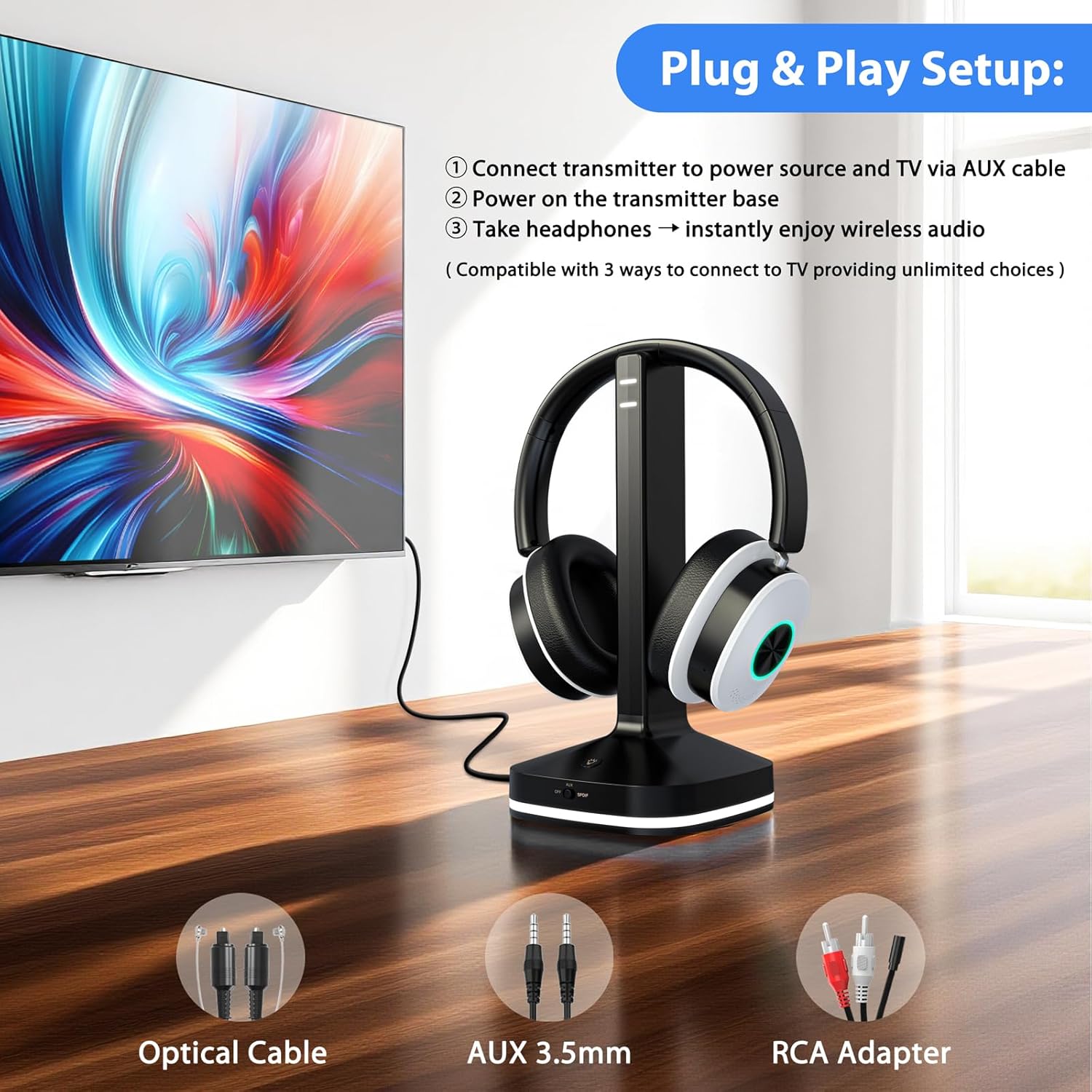
Imaxe: Máis deview of connection options for the Earbay headphones.
Method A: Optical Audio Output
- Conecte un extremo do cable óptico ao porto OPTICAL OUT do seu televisor.
- Connect the other end of the optical cable to the OPTICAL IN port on the transmitter base.
- On the transmitter base, ensure the input switch is set to the "Optical" position.
- Importante: Access your TV's audio settings. Navigate to "Sound" or "Audio Output" and set the "Digital Output Audio Format" to PCM. Refer to your TV's manual for specific steps.

Imaxe: Example TV audio settings for Optical output (set to PCM).
Method B: 3.5mm AUX Audio Output
- Connect one end of the 3.5mm AUX cable to the HEADPHONE OUT or AUX OUT port on your TV.
- Connect the other end of the 3.5mm AUX cable to the AUX IN port on the transmitter base.
- On the transmitter base, ensure the input switch is set to the "AUX" position.

Image: Transmitter connected via AUX cable to a TV.
Method C: RCA Audio Output
- Connect the 3.5mm end of the RCA adapter cable to the AUX IN port on the transmitter base.
- Connect the red and white RCA plugs to the corresponding AUDIO OUT ports (red for right, white for left) on your TV. Ensure these are "AUDIO OUT" ports, not "AUDIO IN".
- On the transmitter base, ensure the input switch is set to the "AUX" position.
Video: Step-by-step guide for connecting the transmitter via RCA audio output.
Method D: Bluetooth Connection (Direct to TV)
If your TV has built-in Bluetooth, you can connect the headphones directly without the transmitter. Refer to your TV's Bluetooth pairing instructions. The headphones will appear as "Earbay JLS-TV966CD" in your TV's Bluetooth device list.
Image: Visual representation of various connection methods for the headphones.
3. Pairing Headphones with Transmitter
- Ensure the transmitter is powered on and connected to your TV's audio output.
- Power on the headphones by pressing and holding the power button until the indicator light flashes.
- The headphones and transmitter should automatically pair. A solid blue light on both devices indicates a successful connection.
- If pairing fails, place the headphones on the charging base, then remove them after a few seconds to re-initiate pairing.
Operación
Usando os auriculares
Adjust the headband for a comfortable fit. The earcups are designed to rotate 180° for adaptive comfort. Ensure the ear pads fully cover your ears for optimal sound isolation and quality.
Controis
The headphones feature intuitive controls on the earcup:
- Botón de encendido: Mantén premido para acender/apagar.
- Botóns de volume (+/-): Axustar o volume do son.
- Botón EQ: Short-press to cycle through audio modes: Vocal, Cinema, Bass, Balanced.
- Botón multifunción: For calls, long-press for 1 second to mute the microphone.

Image: Headphone earcup controls and their functions.
Modos de audio
The headphones offer three distinct audio modes to enhance your listening experience:
- Modo Vocal: Optimizes clarity for dialogue and vocals.
- Modo cine: Enhances cinematic soundscapes with broader dynamics.
- Modo de graves: Boosts low frequencies for a richer, more impactful sound.
- Modo equilibrado: Ofrece un son neutro profesionalfile axeitado para a escoita xeral.
Cargando os auriculares
The headphones can be charged by placing them on the transmitter base. Ensure the base is connected to power. The headphones offer up to 40 hours of continuous use on a single charge.
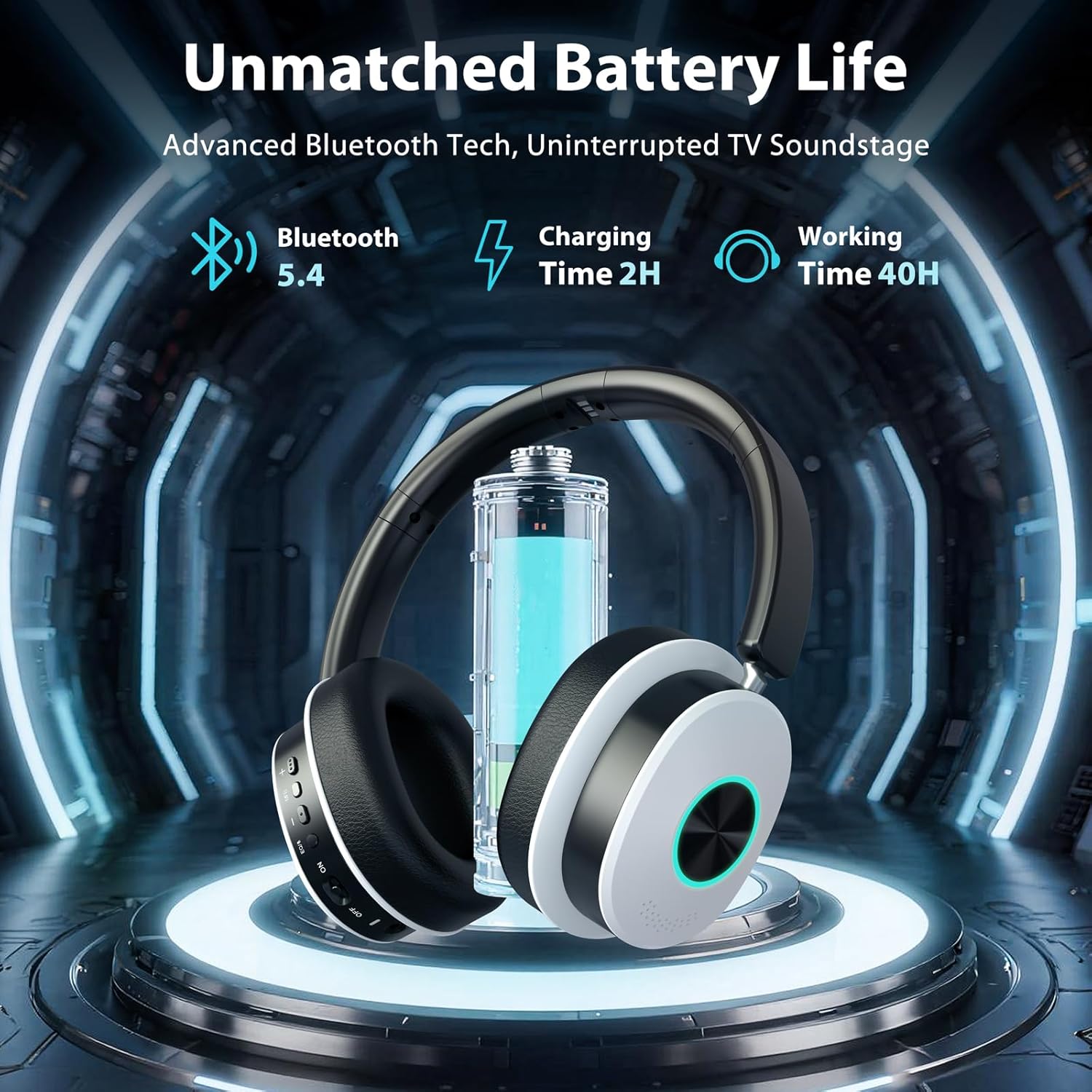
Image: Headphones charging on the base, highlighting battery life.
Mantemento
- Limpeza: Use a soft, dry cloth to clean the headphones and charging base. Do not use liquid cleaners or aerosols.
- Almacenamento: When not in use, store the headphones on the charging base or in a cool, dry place away from direct sunlight and extreme temperatures.
- Evitar a humidade: Manteña os dispositivos lonxe da auga e da humidade elevada para evitar danos.
- Coidado do cable: Handle cables gently. Avoid sharp bends or excessive pulling to prevent internal wire damage.
Resolución de problemas
Sen son dos auriculares
- Comprobar a potencia: Ensure both the transmitter and headphones are powered on and charged.
- Verificar a conexión: Confirm the audio cable (Optical, AUX, RCA) is securely connected from the TV to the transmitter.
- Modo de entrada: Ensure the input switch on the transmitter base matches the connected cable type (AUX or Optical).
- Configuración de son do televisor: For Optical connection, verify your TV's digital audio output is set to PCM. For AUX/RCA, ensure your TV's audio output is active.
- Niveis de volume: Increase the volume on both the headphones and your TV.
- Volver emparellar: If connected wirelessly, try re-pairing the headphones with the transmitter or TV.
Os auriculares non se emparellan
- Ciclo de enerxía: Turn off both the headphones and transmitter, then turn them back on.
- Proximidade: Ensure the headphones are within close range of the transmitter during pairing.
- Restablecer: Place the headphones on the charging base for a few seconds, then remove them to attempt re-pairing.
Audio Delay (Latency)
- The headphones utilize Bluetooth 5.4 for ultra-low latency. Ensure no other strong wireless signals are interfering.
- If connecting directly to a TV via Bluetooth, some TVs may have higher inherent latency. Using the included transmitter is recommended for the lowest latency experience.
Especificacións
| Característica | Detalle |
|---|---|
| Marca | Earbay |
| Número de modelo | JLS-TV966CD |
| Tecnoloxía de conectividade | Sen fíos (Bluetooth 5.4) |
| Alcance Bluetooth | Ata 100 pés (30 metros) |
| Colocación do oído | Sobre orella |
| Impedancia | 32 ohmios |
| Duración da batería (media) | 40 horas |
| Tipo de controlador de audio | Driver dinámico |
| Rango de frecuencias | 20 Hz - 20,000 Hz |
| Control de ruído | Cancelación de ruído ambiental |
| Conector para auriculares | Optical / 3.5mm (AUX) / RCA |
| Dispositivos compatibles | TVs, Laptops, Desktops, Tablets, Telephones, Smartphones |
| Materiais | Aluminum, Faux Leather, Plastic, Stainless Steel |
Garantía e Soporte
The Earbay Wireless Headphones (Model JLS-TV966CD) come with a 1 ano de garantía desde a data de compra. Esta garantía cobre defectos de fabricación e man de obra en condicións de uso normal.
For technical support, warranty claims, or further assistance, please contact Earbay customer service through the retailer where the product was purchased or visit the official Earbay websitio.


