
1. Introdución
Welcome to the user manual for your new Xiaomi 17 Ultra smartphone. This device combines cutting-edge technology with a sophisticated design, offering an exceptional user experience. Key features include a powerful Leica 200MP telephoto lens, a 1-inch ultra-dynamic camera with LOFIC HDR technology for stunning night photography, and the advanced Snapdragon 8 Elite Gen 5 mobile platform for superior performance. The device is also equipped with a long-lasting 6000 mAh Xiaomi Surge battery and integrates HyperAI for enhanced productivity and smart features.

Figure 1: Xiaomi 17 Ultra smartphone in hand.
2. Configuración
2.1 Desembalaxe e contido da embalaxe
Carefully unbox your Xiaomi 17 Ultra. Ensure all components are present. The standard package includes the Xiaomi 17 Ultra smartphone, a USB-C cable, and a SIM ejector tool (SIM-Pin).

Figure 2: Package contents including the Xiaomi 17 Ultra, USB-C cable, and SIM-Pin.
2.2 Inserción da tarxeta SIM
- Localiza a bandexa da tarxeta SIM no lateral do teu dispositivo.
- Introduza a ferramenta de expulsión da tarxeta SIM no pequeno orificio da bandexa da tarxeta SIM e prema suavemente ata que a bandexa saia.
- Coloca a(s) tarxeta(s) nano-SIM na bandexa cos contactos dourados cara abaixo. Asegúrate de que estean orientadas correctamente.
- Carefully push the SIM tray back into the slot until it is flush with the device.

Figura 3: Lateral view of the Xiaomi 17 Ultra, indicating the SIM card tray.
2.3 Acendido e carga iniciais
To power on your device, press and hold the power button located on the side until the Xiaomi logo appears. For initial setup, it is recommended to fully charge your device. Connect the USB-C cable to the phone's charging port and the other end to a compatible power adapter (not included) or a computer.
3. Operating Your Xiaomi 17 Ultra
3.1 Navegación básica
- Encendido/apagado: Press and hold the power button. Select "Power off" or "Restart" from the menu.
- Bloqueo/Desbloqueo da pantalla: Briefly press the power button. Use your fingerprint, face unlock, or PIN/pattern to unlock.
- Pantalla de inicio: Pasa o dedo cara arriba desde a parte inferior da pantalla para ir á pantalla de inicio.
- Aplicacións recentes: Desliza o dedo cara arriba desde abaixo e mantén premido para view aplicacións recentes.
- Notificacións e configuración rápida: Desliza o dedo cara abaixo desde a parte superior da pantalla para acceder ás notificacións e aos axustes rápidos.
3.2 Características da cámara
The Xiaomi 17 Ultra features an advanced Leica camera system designed for professional-grade photography.
- Leica 200MP Telephoto Lens: Experience exceptional detail and clarity with the 75–100mm optical zoom, eliminating the need for digital cropping.
- Leica 1-inch Ultra-Dynamic Camera: The large 1-inch sensor, combined with LOFIC HDR technology, captures stunning images even in challenging low-light conditions, preserving intricate details.
- Leica UltraPure Optical Design: An updated optical structure with precision glass elements significantly reduces reflections, ensuring purer image quality.
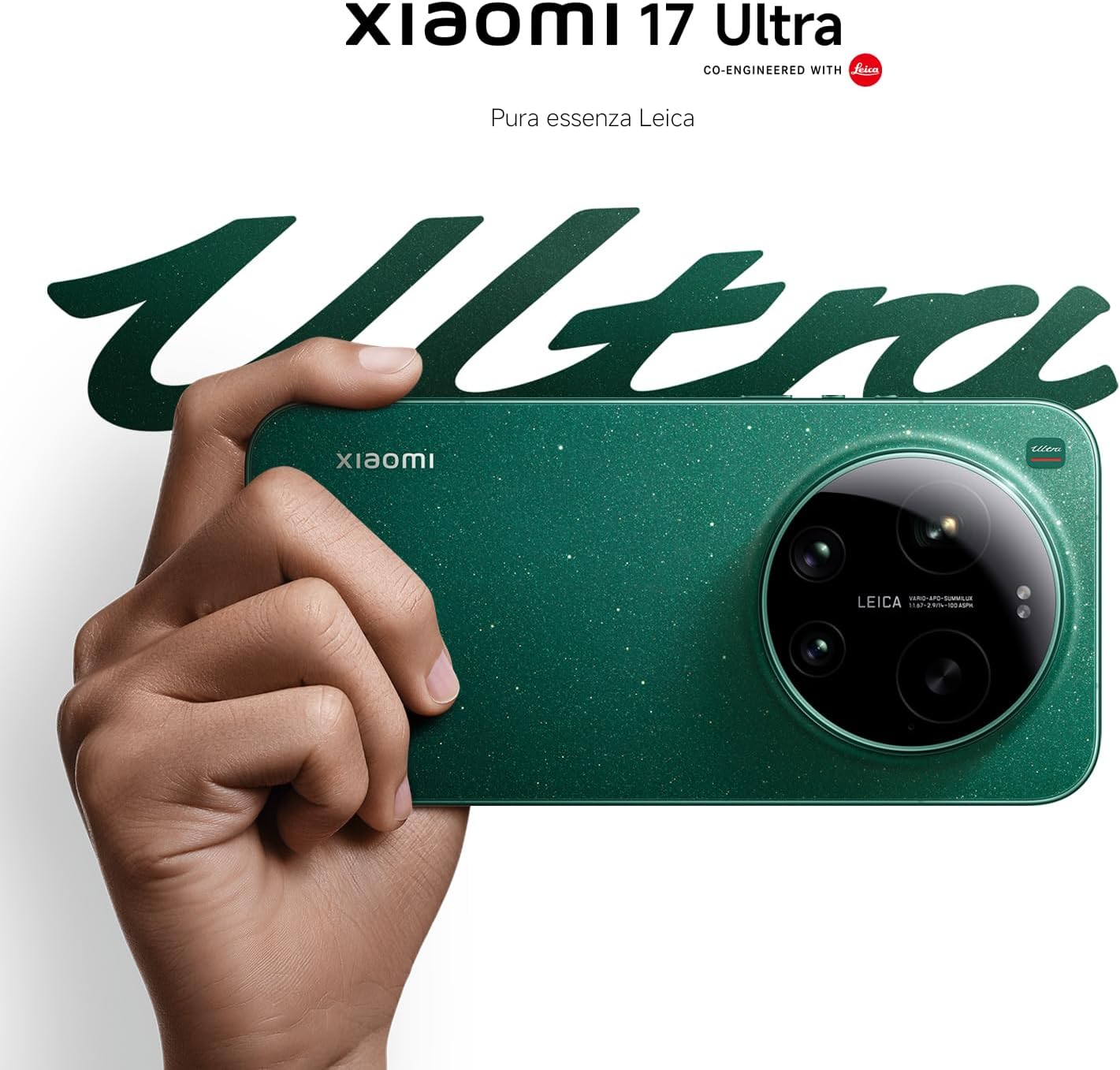
Figure 4: Leica 200MP Telephoto Lens.

Figure 5: Leica 1-inch Ultra-Dynamic Camera Sensor.

Figure 6: Leica UltraPure Optical Design.
Video 1: Demonstration of the Xiaomi 17 Ultra's camera capabilities, capturing fireworks with detail and clarity.
3.3 HyperAI Features
The integrated HyperAI enhances various aspects of your smartphone experience, offering intelligent assistance and improved productivity.
- AI Writing: Assists with text composition and suggestions.
- Recoñecemento de voz por IA: Provides accurate voice-to-text conversion and command execution.
- Busca AI: Intelligently processes search queries for more relevant results.
- Dynamic AI Wallpapers: Offers personalized and adaptive visual experiences.

Figura 7: Máisview of Xiaomi HyperAI functionalities.
4. Mantemento
4.1 Coidado coa batería
Your Xiaomi 17 Ultra is equipped with a 6000 mAh Xiaomi Surge battery for extended usage. To maximize battery lifespan:
- Evitar temperaturas extremas (frío ou calor).
- Do not let the battery drain completely regularly. Charge it before it reaches very low levels.
- Empregue só cargadores e cables homologados.
- Evite a sobrecarga durante períodos prolongados.

Figura 8: Interno view of the 6000 mAh Xiaomi Surge battery.
4.2 Screen and Device Cleaning
To clean your device, use a soft, lint-free cloth. Avoid abrasive materials, sprays, or harsh chemicals. For stubborn smudges, slightly dampen the cloth with water. Do not submerge the device in water.
4.3 Actualizacións de software
Regularly check for and install software updates to ensure optimal performance, security, and access to new features. You can usually find this option in your device's settings under "About phone" or "System updates."
5 Solución de problemas
5.1 Problemas comúns e solucións
| Problema | Posible Solución |
|---|---|
| O dispositivo non se acende | Asegúrate de que a batería estea cargada. Mantén premido o botón de acendido durante polo menos 10-15 segundos para forzar un reinicio. |
| As aplicacións fallan ou conxélanse | Close the app and reopen it. Clear the app's cache and data in settings. Update the app or the phone's software. |
| Mala duración da batería | Check background app usage. Reduce screen brightness. Disable unnecessary features like GPS or Bluetooth when not in use. Refer to battery care tips. |
| Problemas de conectividade de rede | Restart the device. Check if airplane mode is off. Reinsert the SIM card. Reset network settings. Contact your service provider. |
6. Especificacións
| Característica | Detalle |
|---|---|
| Modelo | Xiaomi 17 Ultra |
| Procesador | Snapdragon 8 Elite Gen 5 Mobile Platform |
| RAM | 16 GB |
| Almacenamento interno | 512 GB |
| Cámara principal | Leica 1-inch Ultra-Dynamic Camera with LOFIC HDR |
| Teleobjetivo | Leica 200MP, 75–100mm Optical Zoom |
| Batería | 6000 mAh Xiaomi Surge Battery (typical) |
| Características da IA | Xiaomi HyperAI (AI Writing, Voice Recognition, Search, Dynamic Wallpapers) |

Figure 9: Snapdragon 8 Elite Gen 5 Mobile Platform.
7. Garantía e soporte
7.1 Garantía do fabricante
Your Xiaomi 17 Ultra comes with a 3 anos de garantía do fabricante. This includes the standard 2-year manufacturer warranty plus an additional 1 year of extended warranty, automatically applied upon purchase.
Conserve o comprobante de compra para reclamacións de garantía.
7.2 Atención ao cliente
For further assistance, technical support, or warranty inquiries, please visit the official Xiaomi support website or contact their customer service. You can find contact information on the Xiaomi official website or within your device's "Settings" under "About phone" > "Legal information" or "Support".